当前位置:网站首页>Chapter 13 signal (III) - example demonstration
Chapter 13 signal (III) - example demonstration
2022-06-30 14:02:00 【yaoxin521123】
List of articles
Chapter 13 The signal ( 3、 ... and )- Demonstration of examples
Run the example
Main、Producer and Consumer Each of these three classes has its own Run Method , It is best to run them in their respective terminal windows . Every time it runs , It will display the messages it generates for the log . Once the user responds by providing the input it is waiting for Main class ,Main Of Run Method will terminate the deletion of semaphores . then , The user can view the display of the merged log files of all processes by typing the command
Do ##class(Semaphore.Util).ShowLog()
Be careful : All of the following examples assume that all classes are already in “USER” Namespace .
Example 1 - Create and delete semaphores
The simplest example demonstrates the creation and destruction of semaphores . It USES Semaphore.Main class . Do the following :
- Open a terminal window .
- Enter the command ——
Do ##class(Semaphore.Main).Run()
- This method creates semaphores . If it works , You will see a message “ Enter any character to terminate the run method ”. Press down
Enterkey . This method displays the initialization value of the semaphore , Delete them , And then quit . - Display the log file by issuing a command
Do ##class(Semaphore.Util).ShowLog()
An example of the message displayed in the terminal window following the above steps is as follows
 Examples of messages are as follows

DHC-APP>Do ##class(Semaphore.Main).Run()
(1) Main Started
(2) New semaphore
(3) Created: "Counter"; Value = 0; Id = 0x0x10000
(4) Semaphore create result: 1
(5) Enter any character to terminate Run method
(6) Final value = 0
(7) Semaphore delete status: 1
(8) Main Finished
(9) Closing Semaphore: Id = 0x10000

 The log output is as follows :
DHC-APP>  Do ##class(Semaphore.Util).ShowLog()
Message Log: Entries = 9

#    $JOB   Sender       Message
1)   24888  Main:        Main Started
2)   24888  Counter:     New semaphore
3)   24888  Counter:     Created: "Counter"; Value = 0; Id = 0x0x10000
4)   24888  Main:        Semaphore create result: 1
5)   24888  Main:        Enter any character to terminate Run method
6)   24888  Main:        Final value = 0
7)   24888  Main:        Semaphore delete status: 1
8)   24888  Main:        Main Finished
9)   24888  Counter:     Closing Semaphore: Id = 0x10000
Example 2—— Create a semaphore and increment it continuously
This example shows that the producer is working , And capture log messages from both processes .
- Open two separate terminal windows . Call them
“A”and“B”. - At the window
Ain , Type the following command , But don't type... At the end ENTER key -
Do ##class(Semaphore.Main).Run()
- At the window
Bin , Type the following command , But the same , Do not type at the end of the commandENTERkey -
Do ##class(Semaphore.Producer).Run()
- Now? , At the window
Ain , PressENTERkey . And then in the windowBin , PressENTERkey . This will initiate parallel execution of the two classes . Their respective messages are displayed in their own windows . ProducerWhen the process is complete , closeBwindow .- stay
AWindow , PressENTERKey to completeMainclass . then , Use the following command to display the log -
Do ##class(Semaphore.Util).ShowLog()
For this example , Here is the output
A window
DHC-APP>Do ##class(Semaphore.Main).Run()
(1) Main Started
(2) New semaphore
(3) Created: "Counter"; Value = 0; Id = 0x0x20001
(4) Semaphore create result: 1
(5) Enter any character to terminate Run method
(17) Final value = 30
(18) Semaphore delete status: 1
(19) Main Finished
(20) Closing Semaphore: Id = 0x20001
B window
DHC-APP>Do ##class(Semaphore.Producer).Run()
(6) Producer.1 Started
(7) New semaphore
(8) Open Id = 0x20001
(9) Increment 0x20001 = 0 by 5 wait 10 sec
(10) Increment 0x20001 = 5 by 5 wait 4 sec
(11) Increment 0x20001 = 10 by 3 wait 1 sec
(12) Increment 0x20001 = 13 by 5 wait 9 sec
(13) Increment 0x20001 = 18 by 5 wait 8 sec
(14) Increment 0x20001 = 23 by 4 wait 2 sec
(15) Increment 0x20001 = 27 by 1 wait 8 sec
(16) Increment 0x20001 = 28 by 2 wait 5 sec
(21) Producer.1 Finished
(22) Closing Semaphore: Id = 0x20001
The log shows
DHC-APP>Do ##class(Semaphore.Util).ShowLog()
Message Log: Entries = 22

#    $JOB   Sender       Message
1)   21080  Main:        Main Started
2)   21080  Counter:     New semaphore
3)   21080  Counter:     Created: "Counter"; Value = 0; Id = 0x0x20001
4)   21080  Main:        Semaphore create result: 1
5)   21080  Main:        Enter any character to terminate Run method
6)   27724  Producer.1:  Producer.1 Started
7)   27724  Counter:     New semaphore
8)   27724  Producer.1:  Open Id = 0x20001
9)   27724  Producer.1:  Increment 0x20001 = 0 by 5 wait 10 sec
10)  27724  Producer.1:  Increment 0x20001 = 5 by 5 wait 4 sec
11)  27724  Producer.1:  Increment 0x20001 = 10 by 3 wait 1 sec
12)  27724  Producer.1:  Increment 0x20001 = 13 by 5 wait 9 sec
13)  27724  Producer.1:  Increment 0x20001 = 18 by 5 wait 8 sec
14)  27724  Producer.1:  Increment 0x20001 = 23 by 4 wait 2 sec
15)  27724  Producer.1:  Increment 0x20001 = 27 by 1 wait 8 sec
16)  27724  Producer.1:  Increment 0x20001 = 28 by 2 wait 5 sec
17)  21080  Main:        Final value = 30
18)  21080  Main:        Semaphore delete status: 1
19)  21080  Main:        Main Finished
20)  21080  Counter:     Closing Semaphore: Id = 0x20001
21)  27724  Producer.1:  Producer.1 Finished
22)  27724  Counter:     Closing Semaphore: Id = 0x20001
Example 3 - Run all three processes at the same time
This example shows an attempt to increase and decrease the same semaphore in a coherent manner . It uses all three main classes .
- Open three separate terminal windows . Call them
“A”、“B”and“C”. - At the window
Ain , Type the following command , But don't press... At lastENTERkey
Do ##class(Semaphore.Main).Run()
- At the window
Bin , Type the following command , But the same , Do not press at the end of the commandENTERkey -
Do ##class(Semaphore.Producer).Run()
- At the window
Cin , Type the following command , But the same , Do not press at the end of the commandENTERkey -
Do ##class(Semaphore.Consumer).Run()
- From the window
AStart , Access each window and typeENTERkey . This will startMainclass , Then there are the other two classes . As mentioned earlier , Each process displays its log messages in its own window . - When
ProducerandConsumerAfter the process is completed , closeBWindows andCwindow . - stay
AWindow , PressENTERKey to completeMainclass . then , Use the following command to display the log
Do ##class(Semaphore.Util).ShowLog()
Running this example produces output similar to the following :
window A
DHC-APP>Do ##class(Semaphore.Main).Run()
(1) Main Started
(2) New semaphore
(3) Created: "Counter"; Value = 0; Id = 0x0x40003
(4) Semaphore create result: 1
(5) Enter any character to terminate Run method
<ENTER>
(64) Final value = 0
(65) Semaphore delete status: 1
(66) Main Finished
(67) Closing Semaphore: Id = 0x40003
window B
DHC-APP>Do ##class(Semaphore.Producer).Run()
(6) Producer.1 Started
(7) New semaphore
(8) Open Id = 0x40003
(9) Increment 0x40003 = 0 by 5 wait 8 sec
(20) Increment 0x40003 = 0 by 4 wait 4 sec
(25) Increment 0x40003 = 0 by 3 wait 1 sec
(29) Increment 0x40003 = 0 by 2 wait 10 sec
(36) Increment 0x40003 = 0 by 4 wait 3 sec
(40) Increment 0x40003 = 0 by 5 wait 5 sec
(52) Increment 0x40003 = 0 by 5 wait 6 sec
(58) Increment 0x40003 = 0 by 2 wait 2 sec
(62) Producer.1 Finished
(63) Closing Semaphore: Id = 0x40003
window C
DHC-APP>Do ##class(Semaphore.Consumer).Run()
(10) Consumer.1 Started
(11) New semaphore
(12) Consumer: Open Id = 0x40003
(13) Decrement 0x40003 = 5 by 1 wait 10 sec
(14) WaitCompleted: 0x40003; Amt = 1
(15) Granted
(16) Decrement 0x40003 = 4 by 5 wait 2 sec
(17) WaitCompleted: 0x40003; Amt = 4
(18) Granted
(19) Decrement 0x40003 = 0 by 5 wait 8 sec
(21) WaitCompleted: 0x40003; Amt = 4
(22) Granted
(23) Decrement 0x40003 = 0 by 5 wait 6 sec
(25) WaitCompleted: 0x40003; Amt = 3
(26) Granted
(27) Decrement 0x40003 = 0 by 3 wait 1 sec
(28) Timeout
(30) Decrement 0x40003 = 0 by 4 wait 4 sec
(31) WaitCompleted: 0x40003; Amt = 2
(32) Granted
(33) Decrement 0x40003 = 0 by 2 wait 7 sec
(34) Timeout
(35) Decrement 0x40003 = 0 by 4 wait 9 sec
(37) WaitCompleted: 0x40003; Amt = 4
(38) Granted
(39) Decrement 0x40003 = 0 by 2 wait 5 sec
(41) WaitCompleted: 0x40003; Amt = 2
(42) Granted
(43) Decrement 0x40003 = 3 by 1 wait 3 sec
(44) WaitCompleted: 0x40003; Amt = 1
(45) Granted
(46) Decrement 0x40003 = 2 by 2 wait 10 sec
(47) WaitCompleted: 0x40003; Amt = 2
(48) Granted
(49) Decrement 0x40003 = 0 by 2 wait 4 sec
(50) Timeout
(51) Decrement 0x40003 = 0 by 3 wait 4 sec
(53) WaitCompleted: 0x40003; Amt = 5
(54) Granted
(55) Decrement 0x40003 = 0 by 1 wait 1 sec
(56) Timeout
(57) Decrement 0x40003 = 0 by 3 wait 7 sec
(59) WaitCompleted: 0x40003; Amt = 2
(60) Granted
(61) Consumer.1 Finished
The log shows
DHC-APP>Do ##class(Semaphore.Util).ShowLog()
Message Log: Entries = 67

#    $JOB   Sender       Message
1)   6412   Main:        Main Started
2)   6412   Counter:     New semaphore
3)   6412   Counter:     Created: "Counter"; Value = 0; Id = 0x0x40003
4)   6412   Main:        Semaphore create result: 1
5)   6412   Main:        Enter any character to terminate Run method
6)   22236  Producer.1:  Producer.1 Started
7)   22236  Counter:     New semaphore
8)   22236  Producer.1:  Open Id = 0x40003
9)   22236  Producer.1:  Increment 0x40003 = 0 by 5 wait 8 sec
10)  20224  Consumer.1:  Consumer.1 Started
11)  20224  Counter:     New semaphore
12)  20224  Consumer.1:  Consumer: Open Id = 0x40003
13)  20224  Consumer.1:  Decrement 0x40003 = 5 by 1 wait 10 sec
14)  20224  Counter:     WaitCompleted: 0x40003; Amt = 1
15)  20224  Consumer.1:  Granted
16)  20224  Consumer.1:  Decrement 0x40003 = 4 by 5 wait 2 sec
17)  20224  Counter:     WaitCompleted: 0x40003; Amt = 4
18)  20224  Consumer.1:  Granted
19)  20224  Consumer.1:  Decrement 0x40003 = 0 by 5 wait 8 sec
20)  22236  Producer.1:  Increment 0x40003 = 0 by 4 wait 4 sec
21)  20224  Counter:     WaitCompleted: 0x40003; Amt = 4
22)  20224  Consumer.1:  Granted
23)  20224  Consumer.1:  Decrement 0x40003 = 0 by 5 wait 6 sec
24)  22236  Producer.1:  Increment 0x40003 = 0 by 3 wait 1 sec
25)  20224  Counter:     WaitCompleted: 0x40003; Amt = 3
26)  20224  Consumer.1:  Granted
27)  20224  Consumer.1:  Decrement 0x40003 = 0 by 3 wait 1 sec
28)  20224  Consumer.1:  Timeout
29)  22236  Producer.1:  Increment 0x40003 = 0 by 2 wait 10 sec
30)  20224  Consumer.1:  Decrement 0x40003 = 0 by 4 wait 4 sec
31)  20224  Counter:     WaitCompleted: 0x40003; Amt = 2
32)  20224  Consumer.1:  Granted
33)  20224  Consumer.1:  Decrement 0x40003 = 0 by 2 wait 7 sec
34)  20224  Consumer.1:  Timeout
35)  20224  Consumer.1:  Decrement 0x40003 = 0 by 4 wait 9 sec
36)  22236  Producer.1:  Increment 0x40003 = 0 by 4 wait 3 sec
37)  20224  Counter:     WaitCompleted: 0x40003; Amt = 4
38)  20224  Consumer.1:  Granted
39)  20224  Consumer.1:  Decrement 0x40003 = 0 by 2 wait 5 sec
40)  22236  Producer.1:  Increment 0x40003 = 0 by 5 wait 5 sec
41)  20224  Counter:     WaitCompleted: 0x40003; Amt = 2
42)  20224  Consumer.1:  Granted
43)  20224  Consumer.1:  Decrement 0x40003 = 3 by 1 wait 3 sec
44)  20224  Counter:     WaitCompleted: 0x40003; Amt = 1
45)  20224  Consumer.1:  Granted
46)  20224  Consumer.1:  Decrement 0x40003 = 2 by 2 wait 10 sec
47)  20224  Counter:     WaitCompleted: 0x40003; Amt = 2
48)  20224  Consumer.1:  Granted
49)  20224  Consumer.1:  Decrement 0x40003 = 0 by 2 wait 4 sec
50)  20224  Consumer.1:  Timeout
51)  20224  Consumer.1:  Decrement 0x40003 = 0 by 3 wait 4 sec
52)  22236  Producer.1:  Increment 0x40003 = 0 by 5 wait 6 sec
53)  20224  Counter:     WaitCompleted: 0x40003; Amt = 5
54)  20224  Consumer.1:  Granted
55)  20224  Consumer.1:  Decrement 0x40003 = 0 by 1 wait 1 sec
56)  20224  Consumer.1:  Timeout
57)  20224  Consumer.1:  Decrement 0x40003 = 0 by 3 wait 7 sec
58)  22236  Producer.1:  Increment 0x40003 = 0 by 2 wait 2 sec
59)  20224  Counter:     WaitCompleted: 0x40003; Amt = 2
60)  20224  Consumer.1:  Granted
61)  20224  Consumer.1:  Consumer.1 Finished
62)  22236  Producer.1:  Producer.1 Finished
63)  22236  Counter:     Closing Semaphore: Id = 0x40003
64)  6412   Main:        Final value = 0
65)  6412   Main:        Semaphore delete status: 1
66)  6412   Main:        Main Finished
67)  6412   Counter:     Closing Semaphore: Id = 0x40003
Other variables
Other variables for this example are possible . Although you can only run one at a time Semaphore.Main, But there is no limit to the number of producers or consumers executing in other windows . Encourage users to try different numbers of consumers and producers in various scenarios , for example
- Run three consumers and one producer , In this way, the semaphore will be larger “ competition ”. With luck , The log will show that two or more consumers have made requests to reduce the semaphore , And it all worked , Because the semaphore value is large enough to satisfy some or all of the two requests .
- You can also use these classes to demonstrate what happens in other processes when you delete semaphores . So , stay
ProducersorConsumersRuntime , Switch toMainClass is running , Then pressENTER. In the process of completing the processing ,MainClass will delete semaphores ,ProducerorConsumerOfOREFWill no longer be valid . The next attempt will result in an error . - By changing the name of the semaphore to something that looks like the global name , Semaphores can be mapped to, for example
ECPDifferent instances on the system .
边栏推荐
- 步骤详解 | 助您轻松提交 Google Play 数据安全表单
- Golang template (text/template)
- 【刷题篇】爱吃香蕉的珂珂
- [kali] Kali system, software update (with image source)
- 为基础性语言摇旗呐喊
- Defi "where does the money come from"? A problem that most people don't understand
- [observation] as the intelligent industry accelerates, why should AI computing power take the lead?
- The programming competition is coming! B station surrounding, senior members and other good gifts to you!
- On the simplification and acceleration of join operation
- Unity 频繁切换分支 结果模型出现莫名其妙的错误
猜你喜欢
![[Title brushing] coco, who likes bananas](/img/66/5646ac7e644025ccaee7c17f62ce17.png)
[Title brushing] coco, who likes bananas

Deep understanding Net (2) kernel mode 2 Kernel mode construct semaphone

"As a service", the inevitable choice of enterprise digital transformation
![[observation] as the intelligent industry accelerates, why should AI computing power take the lead?](/img/61/b446a616e86247507c27390505dc6b.jpg)
[observation] as the intelligent industry accelerates, why should AI computing power take the lead?
【观察】智能产业加速,为何AI算力要先行?

Google Earth engine (GEE) - ghsl: global human settlements layer, built grid 1975-1990-2000-2015 (p2016) data set

逆向调试入门-PE中的VA与RVA换算04/07

A keepalived high availability accident made me learn it again!
Google Earth Engine(GEE)——GHSL:全球人类住区层,建成网格 1975-1990-2000-2015 (P2016) 数据集
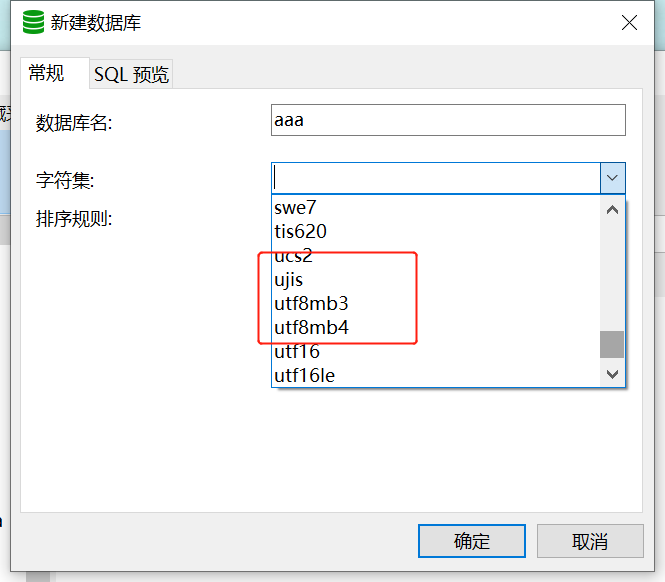
There is no utf8 option for creating tables in Navicat database.
随机推荐
MySQL queries the data within the radius according to the longitude and latitude, and draws a circle to query the database
Unity 频繁切换分支 结果模型出现莫名其妙的错误
navicat数据库建表是没有utf8选项。
损失函数:DIOU loss手写实现
Basic syntax of unity script (4) - access to other game objects
DeFi“钱从哪来”?一个大多数人都没搞清楚的问题
[observation] as the intelligent industry accelerates, why should AI computing power take the lead?
【观察】智能产业加速,为何AI算力要先行?
逆向调试入门-PE中的VA与RVA换算04/07
【 scientific literature measurement 】 mining and visualization of keywords in foreign and Chinese Literature
2022-06-23 sail soft part formula and SQL generation (month and quarter retrieval)
Inexplicable error occurred in unity's frequent switching branch result model
可观测,才可靠:云上自动化运维CloudOps系列沙龙 第一弹
我想问一下招商证券怎么开户?通过链接办理股票开户安全吗
Data Lake (11): Iceberg table data organization and query
第四批入围企业公示——年度TOP100智能网联供应商评选
[KALI] KALI系统、软件更新(附带镜像源)
Mqtt ROS simulates publishing a custom message type
数字时代,XDR(扩展检测与响应)的无限可能
Introduction to reverse commissioning - VA and RVA conversion in PE 04/07