当前位置:网站首页>MySQL installation tutorial
MySQL installation tutorial
2022-07-28 17:01:00 【Programmer hyperspace】
MySQL Installation tutorial
- One 、 open MySQL Download the installation package on the official website
- Two 、 Local installation
- 3、 ... and 、 function MySQL
One 、 open MySQL Download the installation package on the official website
When searching, find the link with official words and open
link :MySQL Official website 
After entering the official website , find download page 
Pull down the page to find the following link 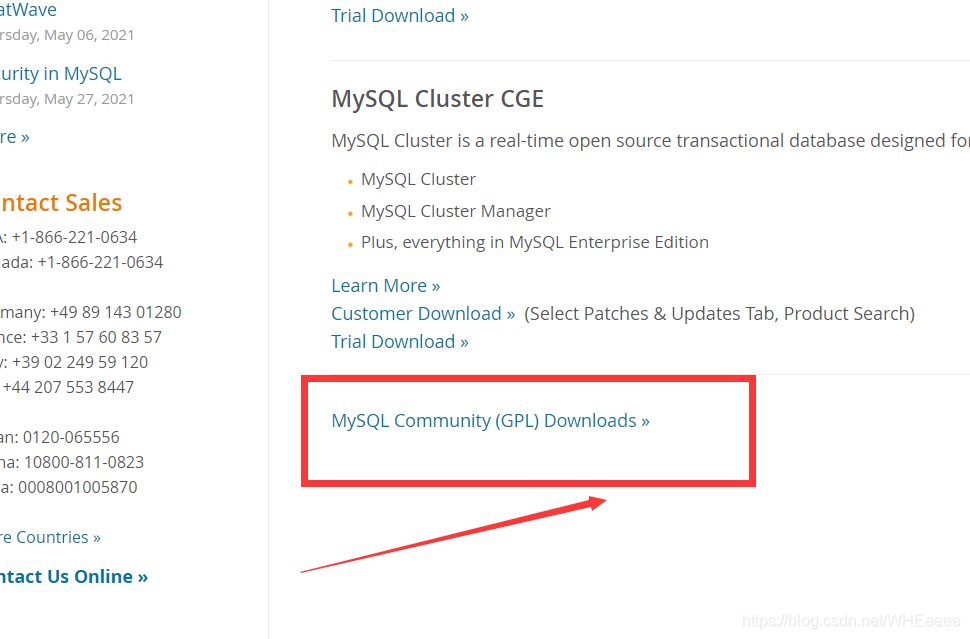
Then find out what applies to windows Version of 
here , If you want to download the latest version –8.0 Click download directly 
If you want to download 5.7 edition , You need to click the link in the upper right corner to switch versions 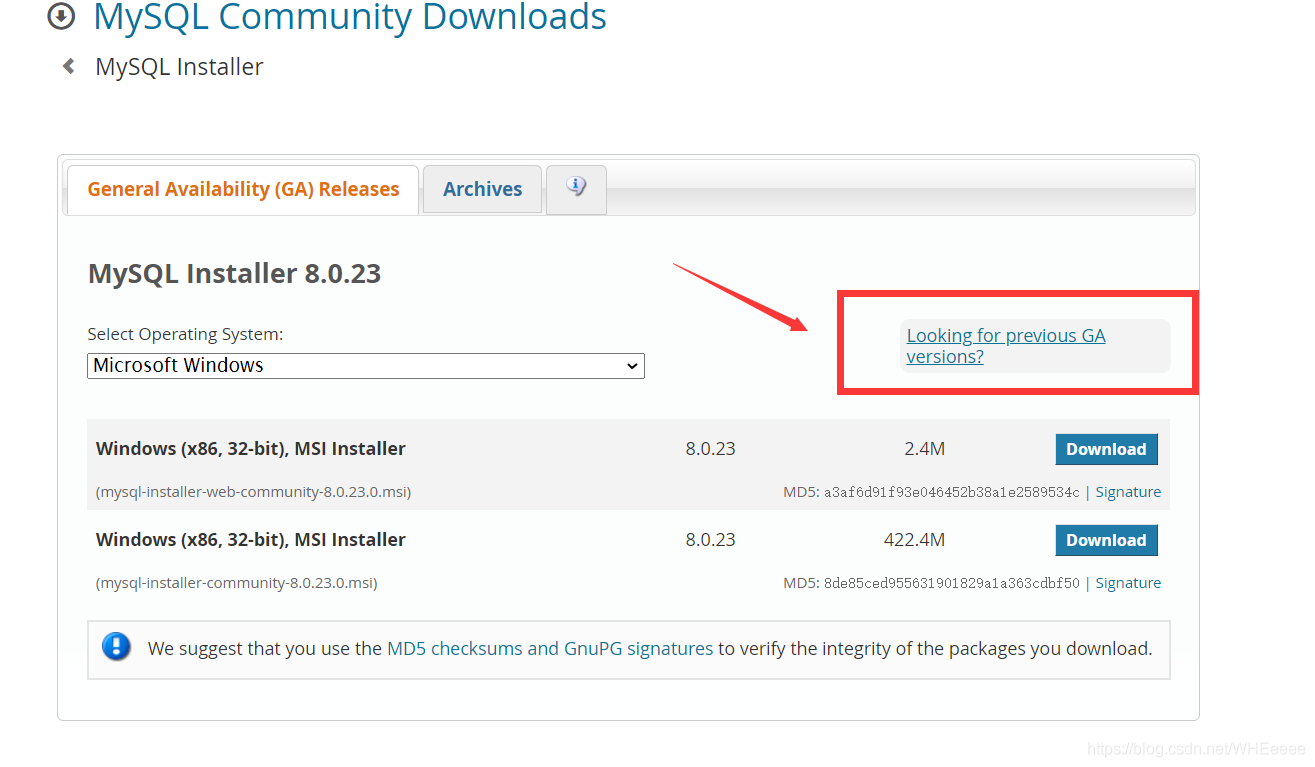
Enter the following page to download 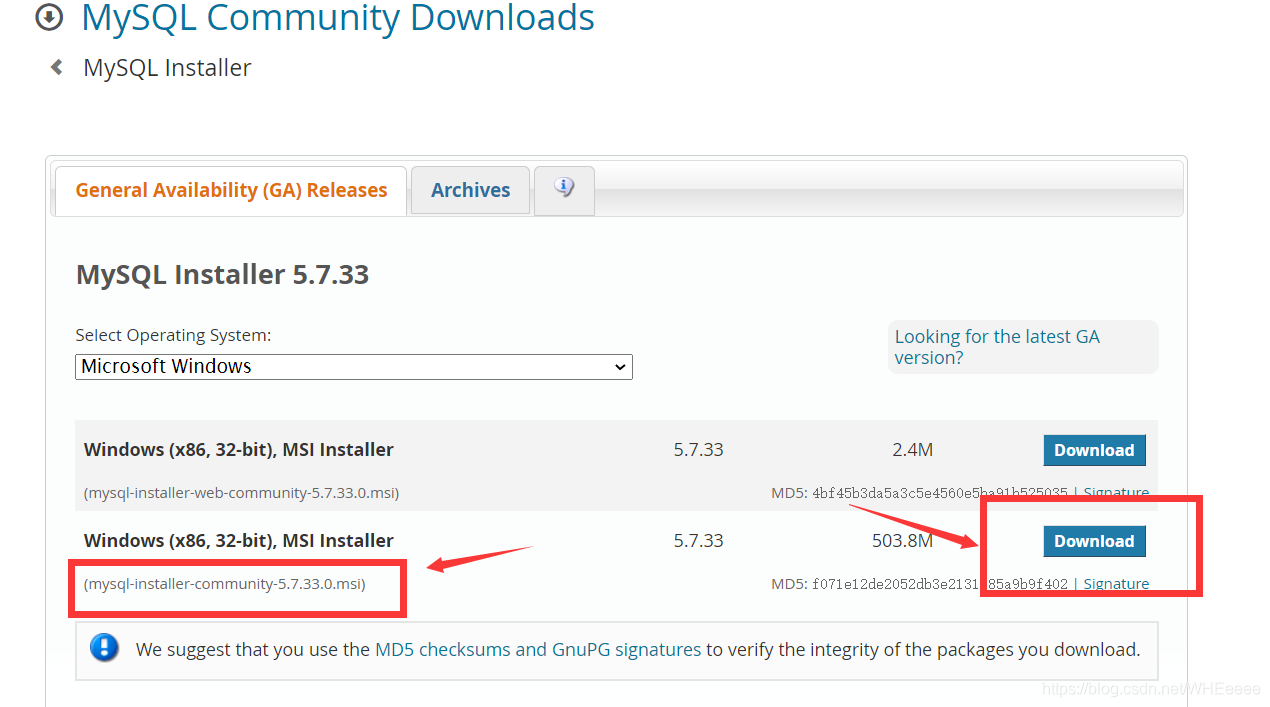
- Note that for back-end development, we choose the following community edition !!!
Two 、 Local installation
The downloaded file is like this , Double click to install 
Enter the following interface :
1: Install all MySQL Products required by the database ;
2: Only use MySQL Database server ;
3: Only use MySQL Database client ;
4: Install all that contain MySQL Database products ;
5: Manually select the to be installed MySQL Database products .
Here we only need to choose the second one

Click on next Enter the following interface , Click on Execute Installation 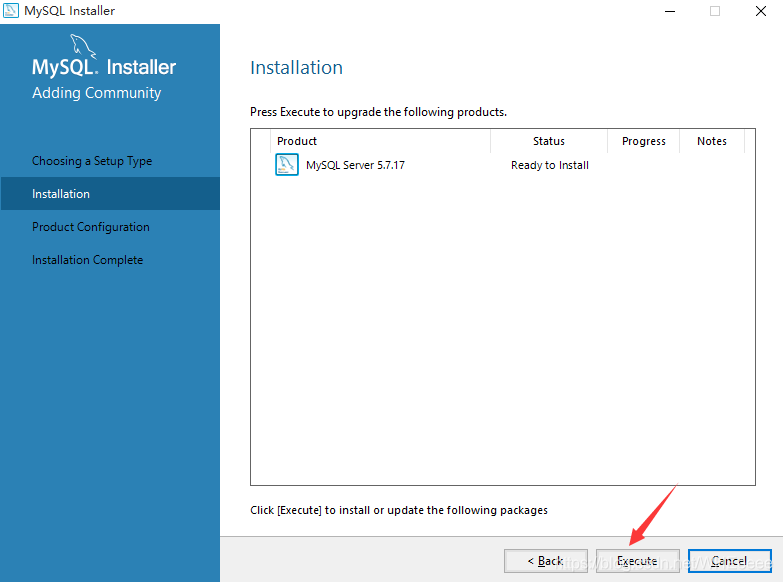
Entering this page indicates that you are installing , Just wait for the installation and click next that will do 
As shown in the figure, the installation is completed , Click on next
Next comes the configuration stage , Configure according to the following figure ( It's all default , Generally, there is no need to change )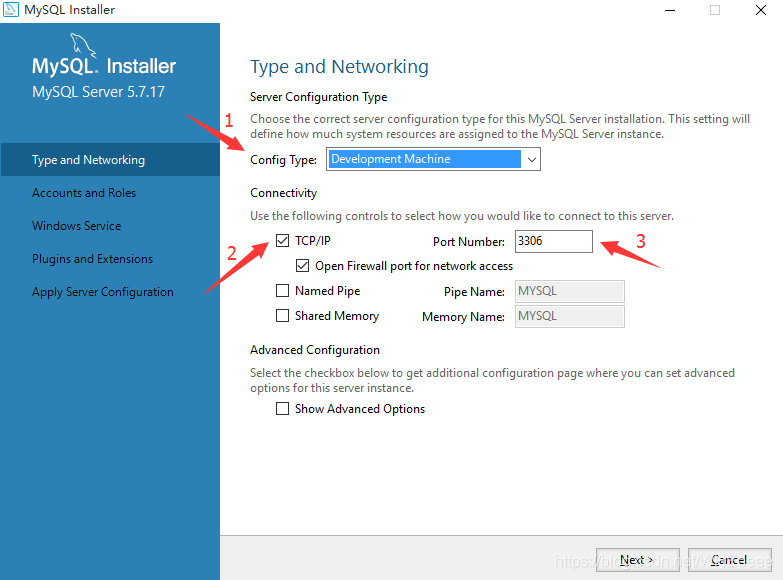
Click on next after , Go to this page , Enter your own password , After losing twice , Click on next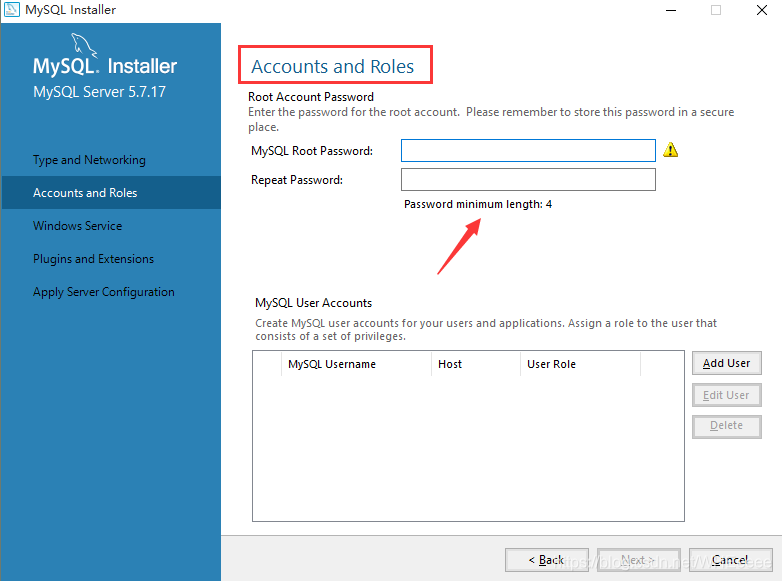
It's all default , Generally, there is no need to change , Click on next that will do 
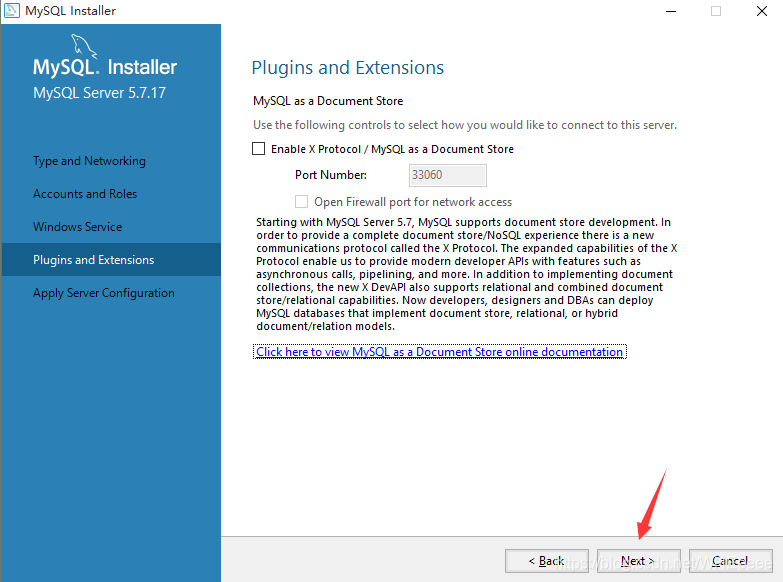
Entering this interface is to configure plug-ins and extended applications , Let him install 
After completion , Click on finish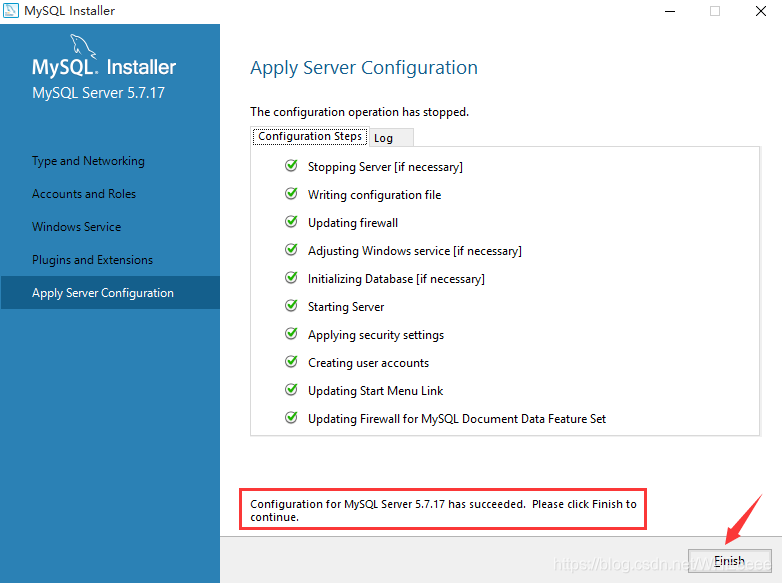
Click on next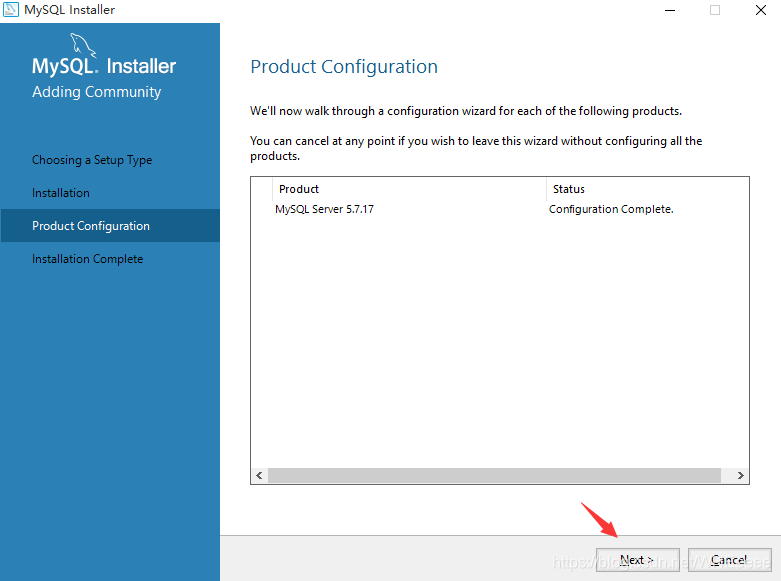
installation is complete , Click on finish Complete the installation 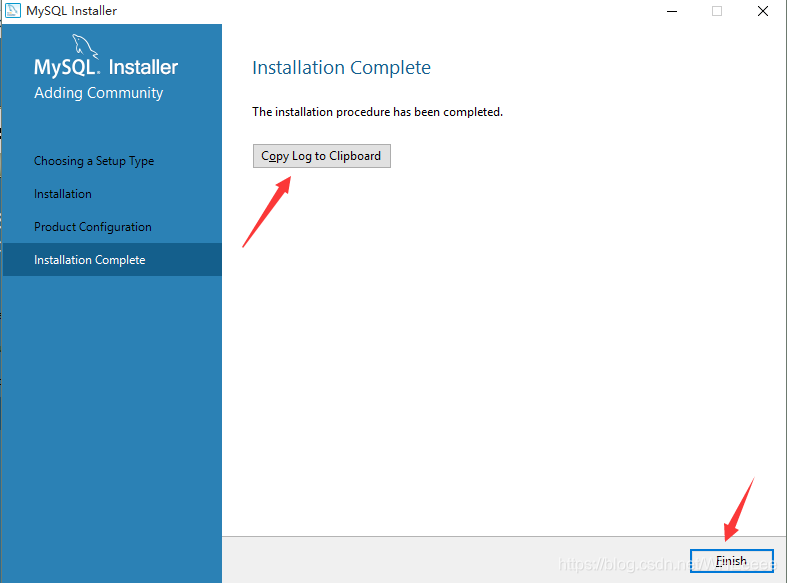
3、 ... and 、 function MySQL
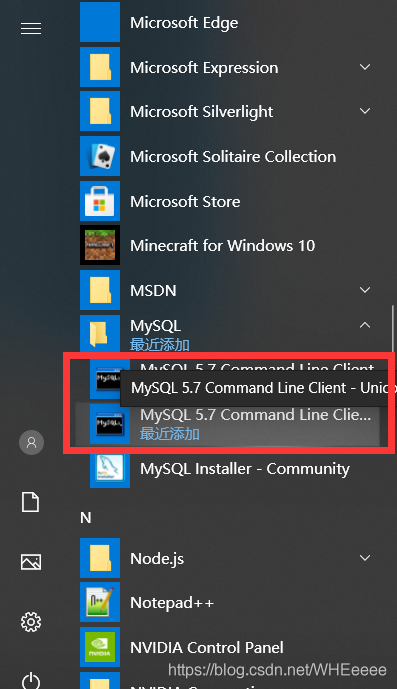
Find the application shown above on the start page , After clicking , Enter the set password 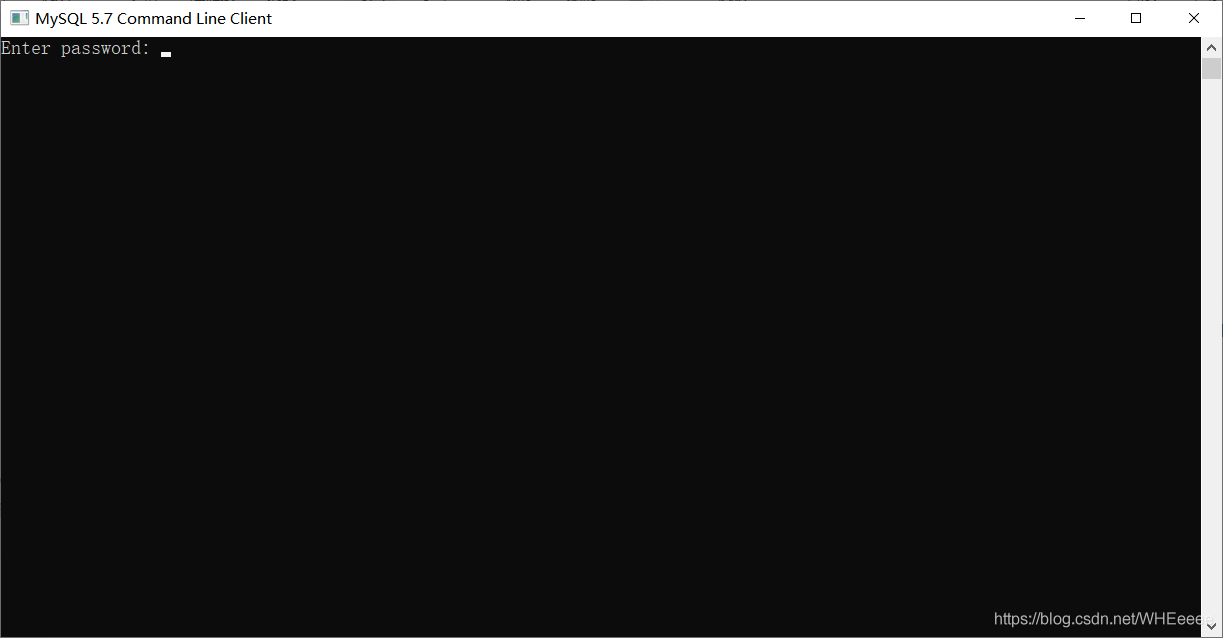
The following interface description is displayed MySQL Service started successfully 
- This is the end of the installation , If you want to directly from cmd Medium visit MySQL service , You can refer to my other blog : About cmd visit MySQL Service issues
边栏推荐
- Alibaba cloud MSE supports go language traffic protection
- Cluster construction and use of redis5
- 小程序:scroll-view默认滑倒最下面
- MD5 encryption verification
- Hdu1847 problem solving ideas
- epoll水平出发何边沿触发
- Question making note 2 (add two numbers)
- 关于Bug处理的一些看法
- CRC16 data verification supports modelbus and XMODEM verification modes (C language)
- SUSE Storage6 环境搭建详细步骤 – Win10 + VMware WorkStation
猜你喜欢

Jsonarray traversal

有趣的 Kotlin 0x08:What am I

Leetcode learn complex questions with random pointer linked lists (detailed explanation)

Binary representation of negative integers and floating point numbers

【深度学习】:《PyTorch入门到项目实战》第九天:Dropout实现(含源码)

Applet: scroll view slides to the bottom by default
小程序:scroll-view默认滑倒最下面

Quickly master kotlin set functions

Learn to use MySQL explain to execute the plan, and SQL performance tuning is no longer difficult

Interesting kotlin 0x09:extensions are resolved statically
随机推荐
累计出货130亿颗Flash,4亿颗MCU!深度解析兆易创新的三大产品线
Tcp/ip related
Re13:读论文 Gender and Racial Stereotype Detection in Legal Opinion Word Embeddings
Leetcode70 suppose you are climbing stairs. You need n steps to reach the roof. You can climb one or two steps at a time. How many different ways can you climb to the roof?
3D建模工具Archicad 26全新发布
Cluster construction and use of redis5
海康威视回应'美国禁令'影响:目前所使用的元器件都有备选
【JS】1394- ES2022 的 8 个实用的新功能
Signal and slot mechanism of QT learning
做题笔记4(第一个错误的版本,搜索插入位置)
parseJson
Leetcode learn to insert and sort unordered linked lists (detailed explanation)
有趣的 Kotlin 0x0A:Fun with composition
向高通支付18亿美元专利费之后,传华为向联发科订购了1.2亿颗芯片!官方回应
Understanding of asmlinkage
综合设计一个OPPE主页--页面的售后服务
综合设计一个OPPE主页--页面服务部分
PostgreSQL每周新闻—2022年7月20日
MySQL5.7及SQLyogV12安装及使用破解及常用命令
小程序:获取元素节点信息