当前位置:网站首页>Docker 搭建 Redis Cluster集群
Docker 搭建 Redis Cluster集群
2022-07-25 20:08:00 【InfoQ】
共勉一、环境
- 阿里云服务器 CentOS 8
- docker版本为20.10.7
- redis 镜像 (拉取为默认最新镜像)


- 下载Redis镜像
- 编写Redis配置文件
- 启动Redis 容器
- 创建Redis Cluster 集群。
- 进行实际测试
二、前期准备
2.1、搜索、拉取redis镜像
docker search redis
docker pull redis


2.2、Docker 容器网络
- 创建虚拟网卡
- 创建虚拟网卡,主要是用于redis-cluster能于外界进行网络通信,一般常用桥接模式。
docker network create myredis
- 查看Docker 网卡信息
docker network ls
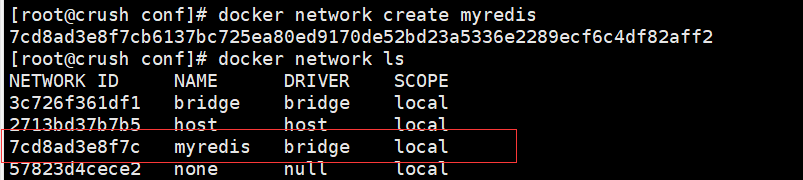
docker network inspect myredis

docker network rm myredis #删除网卡命令 多个中间 空格隔开
docker network --help #显示可带参数等
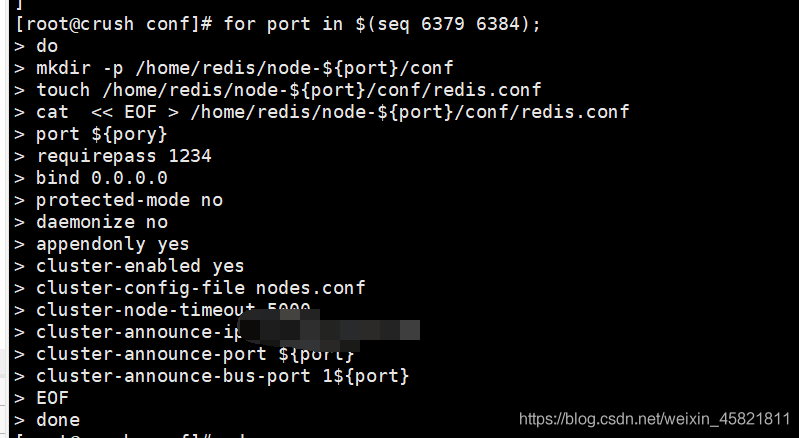
2.3、编写配置文件
shllefor port in $(seq 6379 6384);
do
mkdir -p /home/redis/node-${port}/conf
touch /home/redis/node-${port}/conf/redis.conf
cat << EOF > /home/redis/node-${port}/conf/redis.conf
port ${port}
requirepass 1234
bind 0.0.0.0
protected-mode no
daemonize no
appendonly yes
cluster-enabled yes
cluster-config-file nodes.conf
cluster-node-timeout 5000
cluster-announce-ip 服务器就填公网ip,或者内部对应容器的ip
cluster-announce-port ${port}
cluster-announce-bus-port 1${port}
EOF
done
port:节点端口;
requirepass:设置密码,访问时需要验证
protected-mode:保护模式,默认值 yes,即开启。开启保护模式以后,需配置bind ip或者设置访问密码;关闭保护模式,外部网络可以直接访问;
daemonize:是否以守护线程的方式启动(后台启动),默认 no;
appendonly:是否开启 AOF 持久化模式,默认 no;
cluster-enabled:是否开启集群模式,默认 no;
cluster-config-file:集群节点信息文件;
cluster-node-timeout:集群节点连接超时时间;
cluster-announce-ip:集群节点 IP
注意:如果你想要你的redis集群可以供外网访问,这里直接填 服务器的IP 地址即可
- 如若为了安全,只是在服务器内部进行访问,这里还需要做一些修改。
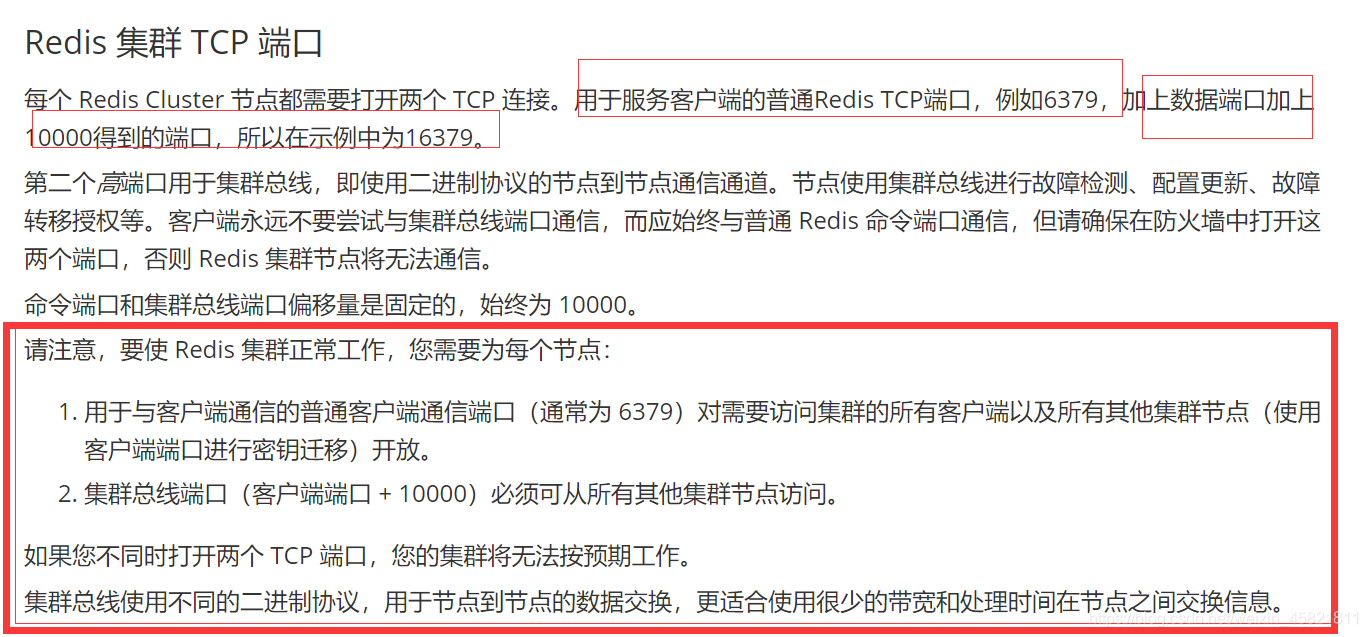
cluster-announce-port:集群节点映射端口;
cluster-announce-bus-port:集群节点总线端口。
treeyum install -y tree
三、启动容器
3.1、启动redis容器
for port in $(seq 6379 6384); \
do \
 docker run -it -d -p ${port}:${port} -p 1${port}:1${port} \
 --privileged=true -v /home/redis/node-${port}/conf/redis.conf:/usr/local/etc/redis/redis.conf \
 --privileged=true -v /home/redis/node-${port}/data:/data \
 --restart always --name redis-${port} --net myredis \
 --sysctl net.core.somaxconn=1024 redis redis-server /usr/local/etc/redis/redis.conf
done
- -it:交互
- -d:后台运行,容器启动完成后打印容器
- --privileged:是否让docker 应用容器 获取宿主机root权限(特殊权限-)
- -p :端口映射
- -v:文件挂载
- --sysctl参数来设置系统参数,通过这些参数来调整系统性能
- --restart always:在容器退出时总是重启容器
- --name :给容器取名
- --net myredis :使用我们创建的虚拟网卡 (想详细了解,可以去看看Docker 网络方面知识)

docker ps -a
3.2、创建Redis Cluster集群
1、进入redis-6379 容器
docker exec -it redis-6379 /bin/bash

2、创建集群
redis-cli -a 之前设置的密码 --cluster create 配置文件中的IP地址:6379 IP地址:6380 IP地址:6381 IP地址:6382 IP地址:6383 IP地址:6384 --cluster-replicas 1


3、查看节点相关信息
redis-cli -c -a 1234
cluster info
cluster nodes
四、测试
4.1、本机测试


4.2、外网测试


4.3、出错可能会用到的命令
 for port in $(seq 6379 6384);
 do
 docker stop redis-${port}
 done
 for port in $(seq 6379 6384);
 do
 docker rm redis-${port}
 done
4.4、可能会出的错
注五、博主自言
边栏推荐
- 使用cookie登录百度网盘(网站使用cookie)
- String of sword finger offer question bank summary (II) (C language version)
- Apache MINA框架「建议收藏」
- 股票软件开发
- [today in history] June 28: musk was born; Microsoft launched office 365; The inventor of Chua's circuit was born
- When the V100 of mindpole 8 card is trained to 101 epochs, an error of reading data timeout is reported
- Google pixel 6A off screen fingerprint scanner has major security vulnerabilities
- Jmeter——接口测试
- 【云原生 | 从零开始学Kubernetes】八、命名空间资源配额以及标签
- 项目中new Promise和async、await中的使用,以及promise.all在项目中的实际应用
猜你喜欢
wallys//wifi6 wifi5 router IPQ6018 IPQ4019 IPQ4029 802.11ax 802.11ac

10.< tag-动态规划和子序列, 子数组>lt.53. 最大子数组和 + lt.392. 判断子序列 dbc
wallys//wifi6 wifi5 router IPQ6018 IPQ4019 IPQ4029 802.11ax 802.11ac

tiktok如何破零播放?

During the interview, I was asked how to remove the weight of MySQL, and who else wouldn't?

Cloud native guide: what is cloud native infrastructure
![Summarize the level of intelligent manufacturing discussion [macro understanding]](/img/84/3addabdf857c562535a4085782d3e8.png)
Summarize the level of intelligent manufacturing discussion [macro understanding]

Ml programming skills:
![[advanced mathematics] [4] indefinite integral](/img/4f/2aae654599fcc0ee85cb1ba46c9afd.png)
[advanced mathematics] [4] indefinite integral

03 isomorphism of tree 1
随机推荐
Authorized wireless communication standard
4everland storage node portal network design
String of sword finger offer question bank summary (II) (C language version)
「分享」DevExpress ASP.NET v22.1最新版本系统环境配置要求
tiktok手机网络环境怎么设置?tiktok怎么破播放量?
Introduction and construction of consul Registration Center
How to get started quickly in software testing
Apache Mina framework "suggestions collection"
Application of conductive slip ring in mechanical equipment
Siemens PLM Teamcenter download, installation and use tutorial
Is QQ 32-bit or 64 bit software (where to see whether the computer is 32-bit or 64 bit)
QQ是32位还是64位软件(在哪看电脑是32位还是64位)
Prescan quick start to master Lesson 19: prescan actuator configuration, track synchronization and non configuration of multiple tracks
Can you tell me whether mindspore supports torchvision Model directly uses the pre trained network, such as vgg16
Timing analysis and constraints based on xlinx (1) -- what is timing analysis? What are temporal constraints? What is temporal convergence?
wallys//wifi6 wifi5 router IPQ6018 IPQ4019 IPQ4029 802.11ax 802.11ac
C language learning diary 3 - realloc function
飞行器pid控制(旋翼飞控)
PMP practice once a day | don't get lost in the exam -7.25
Apache MINA框架「建议收藏」