当前位置:网站首页>farsync 简易测试
farsync 简易测试
2022-06-25 22:13:00 【文档搬运工】
rdbms 12.2.0.1
已经安装好的dg,增加一个节点,改为farsync模式。
参考文档:
Using Far Sync Instances (oracle.com)
12c新特性 - Active Data Guard Far Sync (oracle.com)
| database_role | dbname | db_unique_name | IP |
| primary | test | test | 192.168.2.81 |
| standby | test | test_stdby | 192.168.2.80 |
| farsync | test | farsync | 192.168.2.82 |
-- 创建farsync实例的控制文件 ,并copy到farsync主机所在的机器上
alter database create far sync instance controlfile as '/tmp/control01.ctl';-- 修改主库的LOG_ARCHIVE_CONFIG,LOG_ARCHIVE_DEST_1,LOG_ARCHIVE_DEST_2
alter system set log_archive_config = 'DG_CONFIG=(test,farsync,test_stdby)'	;    -- 变为3个
alter system set log_archive_dest_1 = 'LOCATION=/u01/archive_log VALID_FOR=(ALL_LOGFILES,ALL_ROLES) DB_UNIQUE_NAME=test'   -- 不变
alter system set log_archive_dest_2 = 'SERVICE=farsync ASYNC AFFIRM VALID_FOR=(ONLINE_LOGFILES,PRIMARY_ROLE) DB_UNIQUE_NAME=farsync'   -- 变为指向farsync
--修改备库的LOG_ARCHIVE_CONFIG、LOG_ARCHIVE_DEST_1,LOG_ARCHIVE_DEST_2
alter system set log_archive_config = 'DG_CONFIG=(test,farsync,test_stdby)'	;    -- 变为3个
alter system set log_archive_dest_1 = 'LOCATION=/u01/archive_log VALID_FOR=(ALL_LOGFILES,ALL_ROLES) DB_UNIQUE_NAME=test_stdby'	-- 不变
alter system set log_archive_dest_2 ='SERVICE=test ASYNC VALID_FOR=(ONLINE_LOGFILES,PRIMARY_ROLE) DB_UNIQUE_NAME=test'  -- 不变
alter system set fal_server = 'farsync','test' ;   -- 变为2个
-- 配置farsync实例
alter system set db_unique_name = farsync scope=spfile;


alter system set DB_FILE_NAME_CONVERT='test','farsync','test_stdby','farsync' scope=spfile ;
alter system set LOG_FILE_NAME_CONVERT='test','farsync','test_stdby','farsync' scope=spfile ;
alter system set FAL_SERVER=test scope=spfile ;
alter system set LOG_ARCHIVE_CONFIG='DG_CONFIG=(test,farsync,test_stdby)' scope=spfile ;

alter system set log_archive_dest_1 = 'LOCATION=/u01/archive_log VALID_FOR=(ALL_LOGFILES,ALL_ROLES) DB_UNIQUE_NAME=farsync'  scope=spfile ;
alter system set log_archive_dest_2 ='SERVICE=test_stdby ASYNC VALID_FOR=(STANDBY_LOGFILES,STANDBY_ROLE) DB_UNIQUE_NAME=test_stdby' scope=spfile ;
-- 配置listener.ora 和tnsnames.ora (略)
-- 启动farsync,先根据原来的主备库生成farsync实例的pfile,修改一些参数后,生成spfile,启动到mount状态(过程略,主要上面farsync实例的一些参数)
startup mount ;-- 查看farsync实例状态
select protection_mode,database_role,protection_level,open_mode from v$database;

[email protected]>select protection_mode,database_role,protection_level,open_mode from v$database;

PROTECTION_MODE      DATABASE_ROLE    PROTECTION_LEVEL     OPEN_MODE
-------------------- ---------------- -------------------- --------------------
MAXIMUM PERFORMANCE  FAR SYNC         MAXIMUM PERFORMANCE  MOUNTED

[email protected]>
-- 检查配置
select * from v$dataguard_config;

[email protected]>select * from v$dataguard_config;

DB_UNIQUE_NAME                 PARENT_DBUN                    DEST_ROLE         CURRENT_SCN     CON_ID
------------------------------ ------------------------------ ----------------- ----------- ----------
FARSYNC                        test                           FAR SYNC INSTANCE    11753274          0
test_stdby                     FARSYNC                        PHYSICAL STANDBY     11753274          0
test                           NONE                           PRIMARY DATABASE            0          0

[email protected]>
-- farsync上备份归档日志(在farsync节点上,是可以对归档日志进行处理的)
[[email protected]_farsync /u01]$rman target /

Recovery Manager: Release 12.2.0.1.0 - Production on Fri Nov 26 14:49:30 2021

Copyright (c) 1982, 2017, Oracle and/or its affiliates.  All rights reserved.

connected to target database: TEST (DBID=2361166120, not open)

RMAN> backup archivelog all;

Starting backup at 26-NOV-21
using target database control file instead of recovery catalog
allocated channel: ORA_DISK_1
channel ORA_DISK_1: SID=251 device type=DISK
channel ORA_DISK_1: starting archived log backup set
channel ORA_DISK_1: specifying archived log(s) in backup set
input archived log thread=1 sequence=30 RECID=1 STAMP=1089625843
input archived log thread=1 sequence=31 RECID=2 STAMP=1089625845
channel ORA_DISK_1: starting piece 1 at 26-NOV-21
channel ORA_DISK_1: finished piece 1 at 26-NOV-21
piece handle=/u01/app/oracle/product/12.2.0/dbhome_1/dbs/3n0f598a_1_1 tag=TAG20211126T144946 comment=NONE
channel ORA_DISK_1: backup set complete, elapsed time: 00:00:01
Finished backup at 26-NOV-21

RMAN-06497: warning: control file is not current, control file AUTOBACKUP skipped

RMAN>
END
边栏推荐
猜你喜欢

Hand made pl-2303hx USB to TTL level serial port circuit_ Old bear passing by_ Sina blog

Studio5k v28安装及破解_过路老熊_新浪博客

Installation of third-party library iGraph for social network visualization
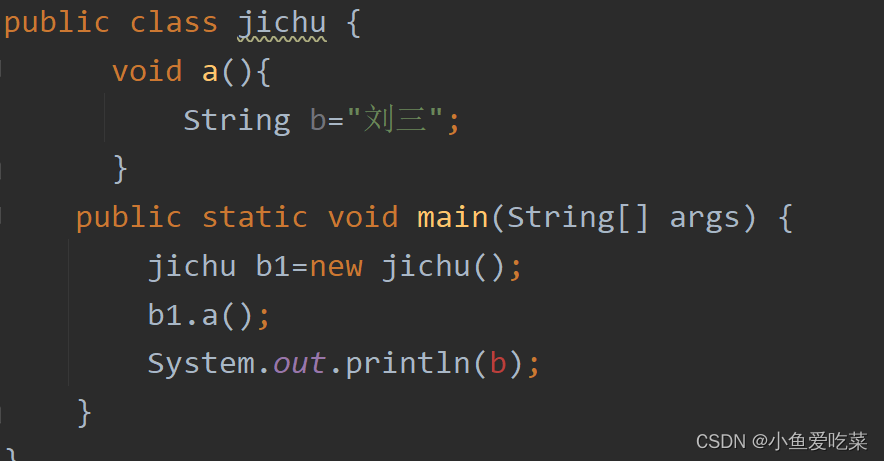
详细讲解局部变量、全局变量、静态变量三种类型
![[wechat official account H5] generates a QR code with parameters to enter the official account attention page to listen to user-defined menu bar for official account events (server)](/img/d9/935bad29005e5846dc514c966e3b0e.png)
[wechat official account H5] generates a QR code with parameters to enter the official account attention page to listen to user-defined menu bar for official account events (server)
![Search rotation array ii[Abstract dichotomy exercise]](/img/db/3ea01cf1ad8446a7007891ef1d8e7f.png)
Search rotation array ii[Abstract dichotomy exercise]

文献调研(三):数据驱动的建筑能耗预测模型综述

Redis jump table

兆欧表电压档位选择_过路老熊_新浪博客

dhcp复习
随机推荐
手工制作 pl-2303hx 的USB转TTL电平串口的电路_过路老熊_新浪博客
手工制作 pl-2303hx 的USB轉TTL電平串口的電路_過路老熊_新浪博客
Keil compilation run error, missing error: # 5: # includecore_ cm3.h_ Old bear passing by_ Sina blog
SMT行业AOI,X-RAY,ICT分别是什么?作用是?
在同一台机器上部署OGG并测试
Find the minimum value of flipped array [Abstract bisection]
《网络是怎么样连接的》读书笔记 - 集线器、路由器和路由器(三)
Literature research (IV): Hourly building power consumption prediction based on case-based reasoning, Ann and PCA
如何配置SQL Server 2008管理器_过路老熊_新浪博客
10.2.2、Kylin_kylin的安装,上传解压,验证环境变量,启动,访问
14.1.1 promethues monitoring, four data types metrics, pushgateway
Hand made pl-2303hx USB to TTL level serial port circuit_ Old bear passing by_ Sina blog
smt贴片加工行业常见术语及知识汇总
Rocket message storage
Realize the conversion between analog quantity value and engineering quantity value in STEP7_ Old bear passing by_ Sina blog
10.3.1、FineBI_ Installation of finebi
Redis之内存淘汰机制
Redis cluster
About the solution to prompt modulenotfounderror: no module named'pymongo 'when running the scratch project
On the use of bisection and double pointer