当前位置:网站首页>Unity metaverse (III), protobuf & socket realize multi person online
Unity metaverse (III), protobuf & socket realize multi person online
2022-07-29 05:04:00 【CoderZ1010】
List of articles
Protobuf
brief introduction
Google Protocol Buffer( abbreviation
Protobuf) yes Google The company is a portable and efficient structured data storage format , Can be used as dataserializeTools , Often used forCommunication protocol, AndJson、XMLcomparison ,Protobuf The advantage isHigher performance, It's smaller 、 faster , With efficientBinary systemWay to store , The generated binary messages are very compact , Therefore, the number of bytes transmitted on the network is less .
Use
We use Protobuf As a communication protocol , Creating a protocol class requires the following steps :
- Write according to grammar rules
.protofile ; - By compiling tools
protoc.exetake .proto File compiled into .cs file ;
To write .proto file
The rules of grammar are as follows :
- Use
messageDefining classes , amount to c# Mediumclass; - Use three field modifiers to decorate fields :
- required It means a
MandatoryField , Must be initialized ; - optional It means a
OptionalField , It can be done without initialization ; - repeated Indicates that the field can contain multiple elements , It can be seen as passing a
ArrayValue ;
- required It means a
- Field type , And
C#The corresponding relationship is as follows :
| proto | c# | remarks |
|---|---|---|
| bool | bool | Boolean type |
| string | string | String type |
| double | double | 64 Bit floating point |
| float | float | 32 Bit floating point |
| int32 | int | 32 An integer |
| uint32 | uint | Unsigned 32 An integer |
| int64 | long | 64 An integer |
| uint64 | ulong | Unsigned 64 An integer |
| sint32 | int | Coding is more than usual int32 Efficient |
| sint64 | long | Coding is more than usual int64 Efficient |
| fixed32 | uint | Unsigned 32 An integer |
| fixed64 | ulong | Unsigned 64 An integer |
| sfixed32 | int | Always 4 Bytes |
| sfixed64 | long | Always 8 Bytes |
| bytes | ByteString | Bytes of data |
- Field identification number
Each field has a unique
Identification number, These identifiers are used to identify each field in the binary format of the message , After useCan't change.[1,15] The identification number in the code will occupy1 byte.[16,2047] The ID number inside is occupied2 byte, So it should be reserved for those frequent message elements [1,15] Identification number inside .notes: Not available [19000-19999] Identification number ,protobuf These are reserved in the protocol implementation .
for example , We need to define AvatarProperty The protocol class is right Avatar Character attributes communicate ,proto The documentation is as follows
message AvatarProperty
{
	required string userId = 1;
	required int32 avatarId = 2;
	required string name = 3;
	required float posX = 4;
	required float posY = 5;
	required float posZ = 6;
	required float rotX = 7;
	required float rotY = 8;
	required float rotZ = 9;
	required float speed = 10;
}
compile .proto file
- function
cmd,cdopenprotoc.exeLocation path


- Enter the compile command
protoc -I=./ --csharp_out=./ AvatarProperty.proto

After successful compilation , You can see AvatarProperty.cs The file has been generated to the directory , Import it into Unity Then you can .

notes:AvatarProperty.csfrom protobuf The compiler tool generates , Import to Unity After thatDo not modify the.
Socket
We go through Socket TCP Realize network communication , Using my small development framework SKFramework Network communication module in :

SKFrameworkFramework open source address :Github - SKFramework
The client sends Avatar data
// Send once every certain interval Avatar data
timer = Timer.EverySeconds(interval, () =>
{

    if (GameServer != null)
    {

        var ap = new AvatarProperty()
        {

            UserId = UserId,
            PosX = AvatarController.transform.position.x,
            PosY = AvatarController.transform.position.y,
            PosZ = AvatarController.transform.position.z,
            RotX = AvatarController.transform.eulerAngles.x,
            RotY = AvatarController.transform.eulerAngles.y,
            RotZ = AvatarController.transform.eulerAngles.z,
            Speed = AvatarController.Instance.Speed,
        };
        // send data
        GameServer.Send(ap);
    }
});
timer.Launch();
TimerThe module isSKFrameworkTiming tools in the framework , You can also usePackaga Managerdownload ,EverySecondsIndicates how many seconds the callback function is executed , Here we willinternalSet to0.025, That is to say 1 Seconds will be sent 40 Time data , It can be adjusted appropriately .
Client reception Avatar data
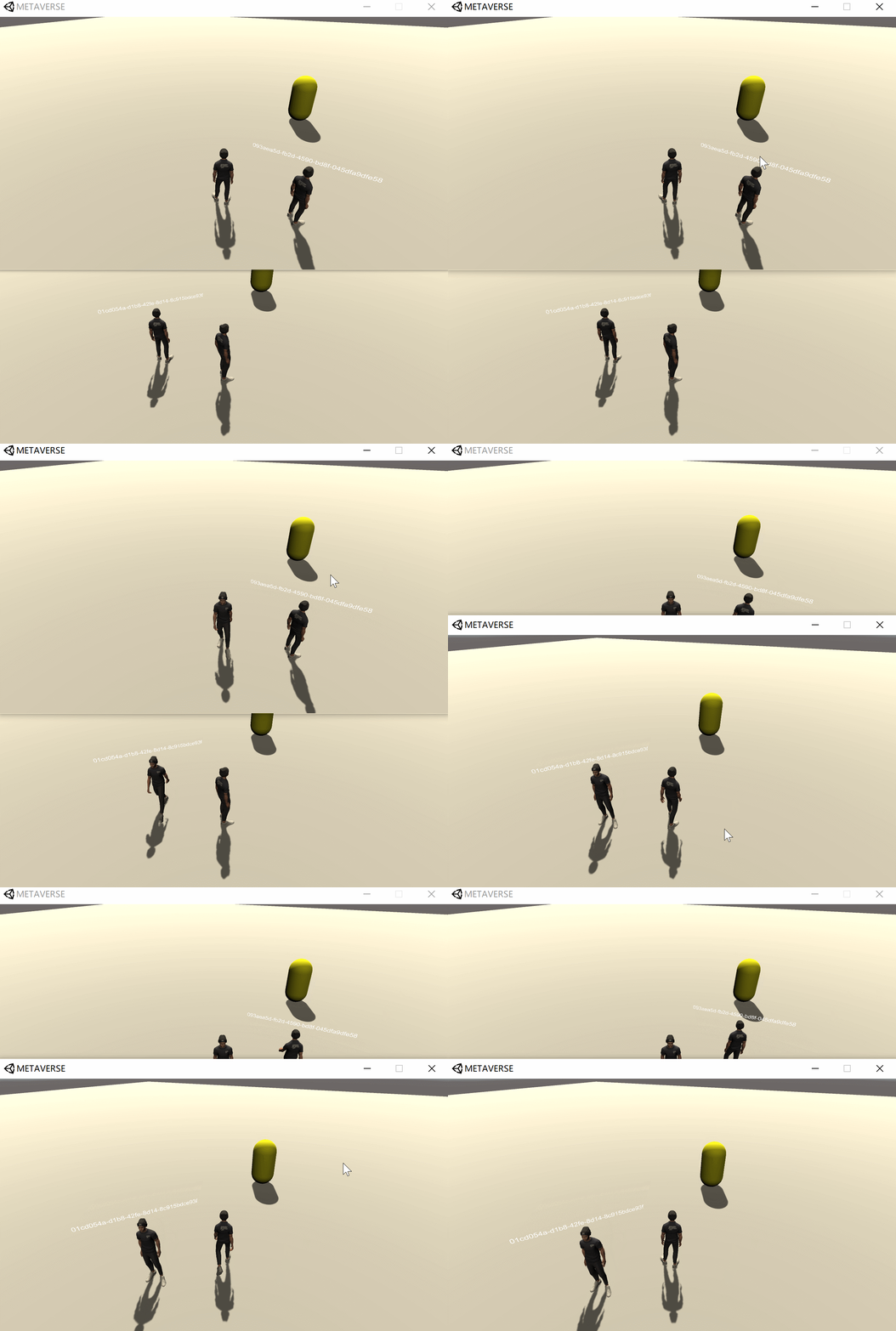
After the client receives the message from the server , The message content will be passed The event system Make a throw :
// Throw a message
Messenger.Publish(msg.name, msg.content);
MessengerIt isSKFrameworkThe event system in the framework ,PublishMeans to publish a message , The first parameter represents the of the messageThe theme, The second parameter represents the... Of the messageContent.
The subscription topic is AvatarProperty The news of , When the news of this topic is released , Subscription events OnAvatarPropertyMsgEvent Will be executed .
// subscribe AvatarProperty news
Messenger.Subscribe<ByteString>(typeof(AvatarProperty).Name, OnAvatarPropertyMsgEvent);
stay OnAvatarPropertyMsgEvent Incident , According to the news user ID Judge the corresponding Avatar Whether the character instance exists , If it does not exist, create and initialize :
private void OnAvatarPropertyMsgEvent(ByteString bs)
{

    // Deserialization
    var ap = AvatarProperty.Parser.ParseFrom(bs);
    if (!avatarDic.ContainsKey(ap.UserId))
    {

        // Receive this for the first time Avatar data   First create Avatar figure
        var instance = Object.Instantiate(Resources.Load<AvatarInstance>(typeof(AvatarInstance).Name));
        // Deposit in Avatar Dictionaries
        avatarDic.Add(ap.UserId, instance);
        // initialization
        instance.Init(ap);
    }
    // The goal is Avatar
    avatarDic[ap.UserId].Set(ap);
}
AvatarInstance After receiving data , Use interpolation to calculate coordinates 、 rotate , And synchronization Animator Animation information :
using UnityEngine;
using UnityEngine.UI;

using SK.Framework;

namespace Metaverse
{

    /// <summary>
    /// Avatar example
    /// </summary>
    public class AvatarInstance : MonoBehaviour
    {

        public string UserId {
     get; private set; }

        [SerializeField] private Animator animator;
        [SerializeField] private Canvas worldCanvas;
        private Vector3 targetPos;
        private Vector3 targetRot;
        private const float lerpSpeed = 5f;

        /// <summary>
        ///  initialization
        /// </summary>
        /// <param name="ap"></param>
        public void Init(AvatarProperty ap)
        {

            UserId = ap.UserId;
            Camera mainCamera = Camera.main != null ? Camera.main : FindObjectOfType<Camera>();
            worldCanvas.worldCamera = mainCamera;
            // mount Face2Camera Components   Keep it always facing the camera
            worldCanvas.GetComponent<Face2Camera>().Set(mainCamera, false, false);
            worldCanvas.GetComponentInChildren<Text>().text = UserId;
        }

        /// <summary>
        ///  receive data
        /// </summary>
        /// <param name="ap"></param>
        public void Set(AvatarProperty ap)
        {

            targetPos = new Vector3(ap.PosX, ap.PosY, ap.PosZ);
            targetRot = new Vector3(ap.RotX, ap.RotY, ap.RotZ);
            animator.SetFloat("Speed", ap.Speed);
        }

        private void Update()
        {

            // Interpolation operation
            transform.position = Vector3.Lerp(transform.position, targetPos, Time.deltaTime * lerpSpeed);
            transform.rotation = Quaternion.Lerp(transform.rotation, Quaternion.Euler(targetRot), lerpSpeed);
        }
    }
}
Face2CamerabySKFrameworkA component tool in , Its function is to make objects alwaysTowards the camera.


synchronicity :
边栏推荐
- Box horizontal vertical center layout (summary)
- Mapper agent development
- What if excel is stuck and not saved? The solution of Excel not saved but stuck
- Reveal安装配置调试
- Office提示系统配置无法运行怎么办?
- How does WPS use smart fill to quickly fill data? WPS method of quickly filling data
- IOS interview preparation - Online
- Take you to understand JS array
- 【微信小程序】swiper滑动页面,滑块左右各露出前后的一部分,露出一部分
- Numpy basic learning
猜你喜欢




随机推荐
五个关联分析,领略数据分析师一大重要必会处理技能
IOS interview preparation - Online
What servers are needed to build mobile app
Excel卡住了没保存怎么办?Excel还没保存但是卡住了的解决方法
2022杭电多校联赛第四场 题解
Solve the warning prompt of MySQL mapping file
Using jupyter (I), install jupyter under windows, open the browser, and modify the default opening address
[2022 freshmen learning] key points of the third week
Flink+iceberg environment construction and production problem handling
Excel怎么筛选出自己想要的内容?excel表格筛选内容教程
Original code, inverse code, complement code
Reveal installation configuration debugging
Spark的算子操作列表
力扣------对奇偶下标分别排序
【config】配置数组参数
C language implementation of three chess
Double type nullpointexception in Flink flow calculation
PHP determines whether the user has logged in. If logged in, the home page will be displayed. If not, enter the login page or registration page
[wechat applet] swiper slides the page, and the left and right sides of the slider show part of the front and back, showing part of the front and back
excel怎么设置行高和列宽?excel设置行高和列宽的方法