当前位置:网站首页>Unity backpack system
Unity backpack system
2022-07-28 03:33:00 【MaNongSa】
Unity Backpack system
Tips : The following is the main body of this article
Briefly explain
utilize ScriptableObject Custom resource script saves data
Backpack system material
- scene

- GUI

3. Gear

UI Simply create
1、 establish Panel

2、Panel nesting Img、button
effect :
3、Panel Nested management grid Img、 Lick and add Grid Layout Group Components , Use components to adjust the grid layout

4、 Nested mesh Img Nest again Img Nest again Text
The effect is shown below :

The same four nested grids Img Nest again Button Nest again Text

Realize data storage
5. establish Item Save data script
using System.Collections;
using System.Collections.Generic;
using UnityEngine;
using UnityEngine.UI;

[CreateAssetMenu(fileName = "Item", menuName = "Item")]
public class Item : ScriptableObject
{
    [Header(" Equipment pictures ")]
    public Sprite ItemSprite;
    [Header(" Equipment name ")]
    public string ItemName;
    [Header(" Equipment quantity ")]
    public int ItemCount;

    [Header(" Equipment details ")]
    [TextArea]
    public string ItemInfo;

    [Header(" equipment ")]
    public bool Equip;

}
7、. Create a data manager


8、 Use List Create a backpack system for storing data
using System.Collections.Generic;
using UnityEngine;

[CreateAssetMenu(fileName = "InventoryScript", menuName = "InventoryScript")]
public class Inventory : ScriptableObject
{
    // Create a backpack system : list
    public List<Item> ItemList = new List<Item>();
}
9、. establish WorldEquip( Preparation in the world ): Script
using UnityEngine;

public class WorldEquip : MonoBehaviour
{
    public Item item;
    public Inventory inventory;

    private void OnTriggerEnter2D(Collider2D collision)
    {
        if (collision.CompareTag("Player"))
        {
            if (!inventory.ItemList.Contains(item))
            {
                inventory.ItemList.Add(item);
            }
            else
            {
                item.ItemCount++;
            }
             Pick up items and generate corresponding items
            InvensoryManager.UpdateEquipState();
        }
    }
}
technological process :WorldEquip Ground equipment meets detection and licks to ItemList( Backpack system )
The effect is as follows :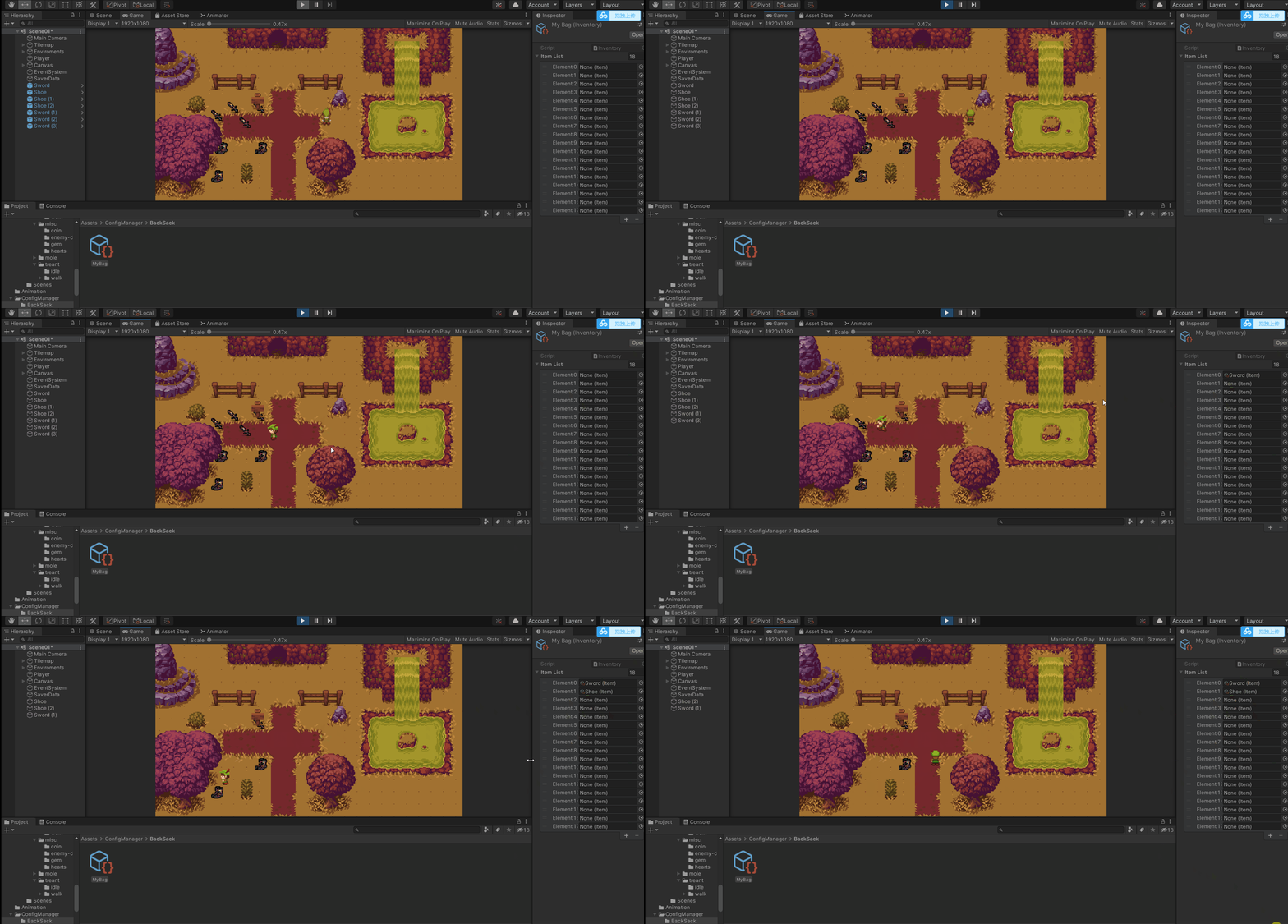
Realize data display
10、. Grid own script 、 Create a generated mesh Grid Script 、 Display equipment 、 Lick equipment details, etc
 Grid own script
using UnityEngine;
using UnityEngine.UI;

public class Slot : MonoBehaviour
{
	 Click on the equipment to display the corresponding details
    public Item slotItem;

     picture
    public Image slotImg;

     Quantity of equipment
    public Text slotText;

	 Click to display the corresponding details
    public void ItemOnClick()
    {
        InvensoryManager.UpdateInformation(slotItem.ItemInfo);
    }
}

 Create a generated mesh Grid Script
using UnityEngine;
using UnityEngine.UI;

public class InvensoryManager : MonoBehaviour
{
    public static InvensoryManager Instance;

	 knapsack
    public Inventory myBag;
	 Father of grid
    public GameObject slotGrid;
     Grid of equipment
    public Slot slotPrefeb;
     Details text
    public Text itemInfromation;

    private void Awake()
    {
        if (Instance != null)
            Destroy(gameObject);
        Instance = this;
    }

	 start-up play Update backpack equipment
    private void OnEnable()
    {
        UpdateEquipState();
    }

     Lick add equipment details function
    public static void UpdateInformation(string informText)
    {
        Instance.itemInfromation.text = informText;
    }

	 Update backpack equipment
    public static void UpdateBag(Item item)
    {
        Slot newItem = Instantiate(Instance.slotPrefeb,Instance.slotGrid.transform.position, Quaternion.identity);
        newItem.gameObject.transform.SetParent(Instance.slotGrid.transform);
        newItem.slotItem = item;
        newItem.slotImg.sprite = item.ItemSprite;
        newItem.slotText.text = item.ItemCount.ToString();
    }

    public static void UpdateEquipState()
    {
        for (int i = 0; i < Instance.slotGrid.transform.childCount; i++)
        {
            if (Instance.slotGrid.transform.childCount ==0)
                break;
            Destroy(Instance.slotGrid.transform.GetChild(i).gameObject);
        }
        for (int i = 0; i < Instance.myBag.ItemList.Count; i++)
        {
            UpdateBag(Instance.myBag.ItemList[i]);
        }
    }
}
technological process : Create grid self generating script Slot, picture 、 written words 、 Click and so on to execute through the trigger condition of the equipment InvensoryManager Manage script functions and then give Slot Assignment etc.
effect : as follows 
Realize the dragging of equipment
11、 Realize the dragging and exchanging of backpacks
Because you need to lick and exchange positions and other functions, you need to make adjustments :
technological process : First give the backpack system Inventory Set the seat and then judge the position Item Is it empty , Hide when empty , If not, it will be displayed and assigned 
UI adjustment 
 Code tuning

 Create a generated mesh Grid Script
using System.Collections.Generic;
using UnityEngine;
using UnityEngine.UI;

public class InvensoryManager : MonoBehaviour
{
    public static InvensoryManager Instance;

    public Inventory myBag;

    public GameObject slotGrid;

    //public Slot slotPrefeb;

    public GameObject slotObj;

    public Text itemInfromation;

    private List<GameObject> slotObjList = new List<GameObject>();

    private void Awake()
    {
        if (Instance != null)
            Destroy(gameObject);
        Instance = this;
    }

    private void OnEnable()
    {
        itemInfromation.text = "";
        UpdateEquipState();
    }
    //private void OnDisable()
    //{
    //    myBag.ItemList.Clear();
    //}

    public static void UpdateInformation(string informText)
    {
        Instance.itemInfromation.text = informText;
    }

    //public static void UpdateBag(Item item)
    //{
    //    Slot newItem = Instantiate(Instance.slotPrefeb,Instance.slotGrid.transform.position, Quaternion.identity);
    //    newItem.gameObject.transform.SetParent(Instance.slotGrid.transform);
    //    newItem.slotItem = item;
    //    newItem.slotImg.sprite = item.ItemSprite;
    //    newItem.slotText.text = item.ItemCount.ToString();
    //}

    public static void UpdateEquipState()
    {
        for (int i = 0; i < Instance.slotGrid.transform.childCount; i++)
        {
            if (Instance.slotGrid.transform.childCount ==0)
                break;
            Destroy(Instance.slotGrid.transform.GetChild(i).gameObject);
            Instance.slotObjList.Clear();
        }
        for (int i = 0; i < Instance.myBag.ItemList.Count; i++)
        {
            //updatebag(instance.mybag.itemlist[i]);
            Instance.slotObjList.Add(Instantiate(Instance.slotObj));
            Instance.slotObjList[i].transform.SetParent(Instance.slotGrid.transform);
            Instance.slotObjList[i].GetComponent<Slot>().SetUpSlot(Instance.myBag.ItemList[i]);
        }
    }


 Grid own script
using UnityEngine;
using UnityEngine.UI;

public class Slot : MonoBehaviour
{
    public Item slotItem;
    public Image slotImg;
    public Text slotText;
    private string slotInfo;

    public GameObject itemInSlot;

    public void ItemOnClick()
    {
        InvensoryManager.UpdateInformation(slotInfo);
    }

    public void SetUpSlot(Item item)
    {
        if (item == null)
        {
            itemInSlot.SetActive(false);
            return;
        }
        slotImg.sprite = item.ItemSprite;
        slotText.text = item.ItemCount.ToString();
        slotInfo = item.ItemInfo;
    }
}
}

 Use List Create a backpack system for storing data
using UnityEngine;

public class WorldEquip : MonoBehaviour
{
    public Item item;
    public Inventory inventory;

    private void OnTriggerEnter2D(Collider2D collision)
    {
        Destroy(gameObject);

        if (collision.CompareTag("Player"))
        {
            if (!inventory.ItemList.Contains(item))
            {
                //inventory.ItemList.Add(item);
                for (int i = 0; i < inventory.ItemList.Count; i++)
                {
                    if (inventory.ItemList[i] == null)
                    {
                        inventory.ItemList[i] = item;
                        break;
                    }
                }
                item.ItemCount++;
            }
            else
            {
                item.ItemCount++;
            }
            InvensoryManager.UpdateEquipState();
        }
    }
}

 Dragging of backpack
using UnityEngine;
using UnityEngine.EventSystems;

public class MouseBag : MonoBehaviour,IDragHandler
{
    private RectTransform rectTransform;
    public Canvas canvas;

    private void Awake()
    {
        rectTransform = GetComponent<RectTransform>();
    }

    public void OnDrag(PointerEventData eventData)
    {
    	UI In the center of + Where the mouse clicks ( Very easy to use )
        rectTransform.anchoredPosition += eventData.delta;
    }
}

 Exchange of equipment
using UnityEngine;
using UnityEngine.EventSystems;

public class ItemOnDrag : MonoBehaviour, IBeginDragHandler, IDragHandler, IEndDragHandler
{

    private Transform originalPos;

	 Mouse click
    public void OnBeginDrag(PointerEventData eventData)
    {
        originalPos = transform.parent;
        transform.transform.SetParent(transform.parent.parent.parent);
        transform.position = eventData.position;
    }

	 Mouse dragging
    public void OnDrag(PointerEventData eventData)
    {
        transform.position = eventData.position;

        Canvas Group Components
        GetComponent<CanvasGroup>().blocksRaycasts = false;

         Print the object at the ray
        Debug.Log(eventData.pointerCurrentRaycast.gameObject);

    }

	 Release the mouse
    public void OnEndDrag(PointerEventData eventData)
    {
        if (eventData.pointerCurrentRaycast.gameObject.name == "Image")
        {
            transform.SetParent(eventData.pointerCurrentRaycast.gameObject.transform.parent.parent);
            transform.position = eventData.pointerCurrentRaycast.gameObject.transform.parent.parent.position;
            eventData.pointerCurrentRaycast.gameObject.transform.parent.position = originalPos.position;
            eventData.pointerCurrentRaycast.gameObject.transform.parent.SetParent(originalPos);

	        Canvas Group Components
            GetComponent<CanvasGroup>().blocksRaycasts = true;
            return;
        }
        transform.SetParent(eventData.pointerCurrentRaycast.gameObject.transform);
        transform.position = eventData.pointerCurrentRaycast.gameObject.transform.position;
        Canvas Group Components
        GetComponent<CanvasGroup>().blocksRaycasts = true;
    }
}
technological process : Use using UnityEngine.EventSystems Interface implementation under namespace UI Mobile knot and Canvas Group Component judgment 
The effect is as follows :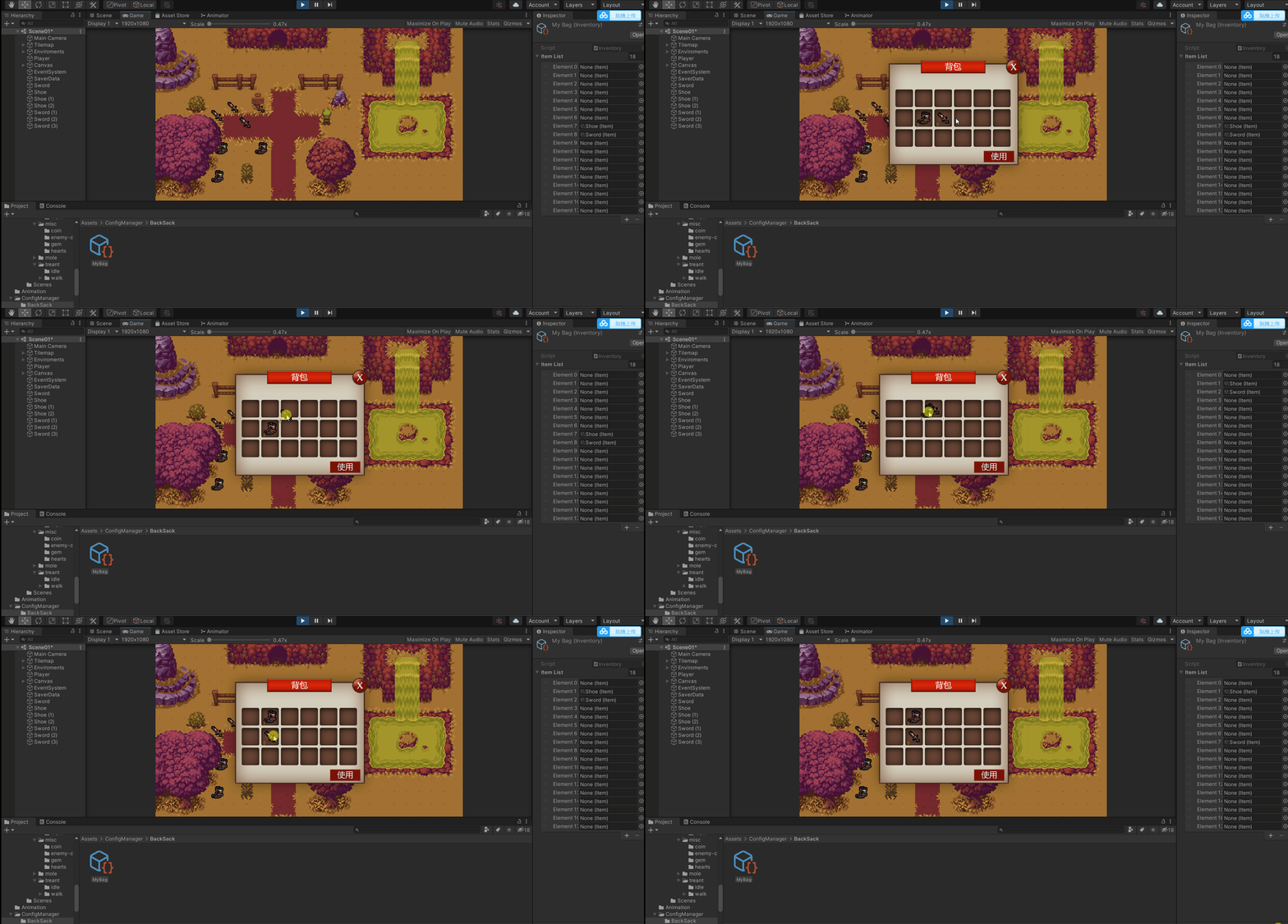
Adjustment issues
12、 Adjust small problems
The modified code is as follows
using UnityEngine;
using UnityEngine.EventSystems;

public class ItemOnDrag : MonoBehaviour, IBeginDragHandler, IDragHandler, IEndDragHandler
{

    private Transform originalPos;

    public Inventory MyBag;

    private int currentSoltID;

    public void OnBeginDrag(PointerEventData eventData)
    {
        originalPos = transform.parent;
        currentSoltID = originalPos.GetComponent<Slot>().slotID;
        transform.transform.SetParent(transform.parent.parent.parent);
        transform.position = eventData.position;
    }

    public void OnDrag(PointerEventData eventData)
    {
        transform.position = eventData.position;
        GetComponent<CanvasGroup>().blocksRaycasts = false;
    }

    public void OnEndDrag(PointerEventData eventData)
    {
        if(eventData.pointerCurrentRaycast.gameObject.name !=null)
            if (eventData.pointerCurrentRaycast.gameObject.name == "Image")
            {
                transform.SetParent(eventData.pointerCurrentRaycast.gameObject.transform.parent.parent);
                transform.position = eventData.pointerCurrentRaycast.gameObject.transform.parent.parent.position;

                //ItemList Database text exchange
                var temp = MyBag.ItemList[currentSoltID];
                MyBag.ItemList[currentSoltID] = MyBag.ItemList[eventData.pointerCurrentRaycast.gameObject.transform.GetComponentInParent<Slot>().slotID];
                MyBag.ItemList[eventData.pointerCurrentRaycast.gameObject.transform.GetComponentInParent<Slot>().slotID] = temp;

                eventData.pointerCurrentRaycast.gameObject.transform.parent.position = originalPos.position;
                eventData.pointerCurrentRaycast.gameObject.transform.parent.SetParent(originalPos);
                GetComponent<CanvasGroup>().blocksRaycasts = true;

                return;
            }
            if(eventData.pointerCurrentRaycast.gameObject.name == "Grid(Clone)")
            {
                MyBag.ItemList[eventData.pointerCurrentRaycast.gameObject.GetComponentInParent<Slot>().slotID] = MyBag.ItemList[currentSoltID];
                if (eventData.pointerCurrentRaycast.gameObject.GetComponentInParent<Slot>().slotID!= currentSoltID)
                    MyBag.ItemList[currentSoltID] = null;

                transform.SetParent(eventData.pointerCurrentRaycast.gameObject.transform);
                transform.position = eventData.pointerCurrentRaycast.gameObject.transform.position;
                GetComponent<CanvasGroup>().blocksRaycasts = true;
                return;
            }
            // Other places   Equipment return
            transform.SetParent(originalPos);
            transform.position = originalPos.position;
            GetComponent<CanvasGroup>().blocksRaycasts = true;
    }
}
effect :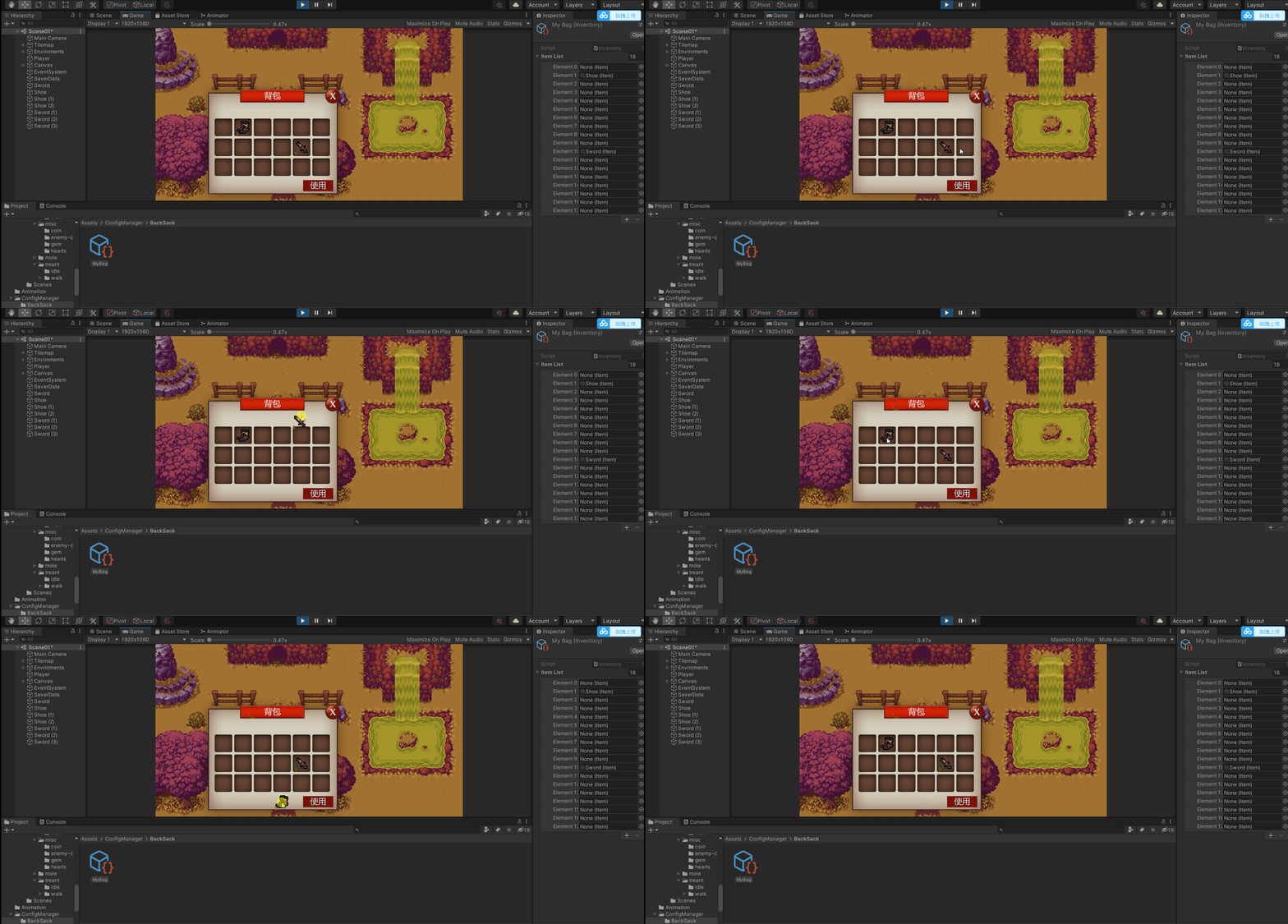
Complete data storage
13、 Complete data storage
* You can skip to the data storage and see the instructions PlayerPrefs&&JsonUtility
using UnityEngine;

public class SaverData : MonoBehaviour
{
	// Test use
    private void Update()
    {
        if (Input.GetKeyDown(KeyCode.R))
        {
             SaveBagData();
        }
        if (Input.GetKeyDown(KeyCode.T))
        {
            LoadBagData();
        }
    }

    private void OnEnable()
    {
        LoadBagData();
    }

    private void OnDisable()
    {
        SaveBagData();
    }


    public void SaveBagData()
    {
        for (int i = 0; i < inventory.ItemList.Count; i++)
        {
            if (inventory.ItemList[i] != null)
            {
                Save(inventory.ItemList[i], inventory.ItemList[i].name);
                Debug.Log(inventory.ItemList[i].ItemCount);
            }
        }
    }

    public void LoadBagData()
    {
        for (int i = 0; i < inventory.ItemList.Count; i++)
        {
            if (inventory.ItemList[i] != null)
            {
                Load(inventory.ItemList[i], inventory.ItemList[i].name);
            }
        }
    }

    pri Please add a picture description

}
effect :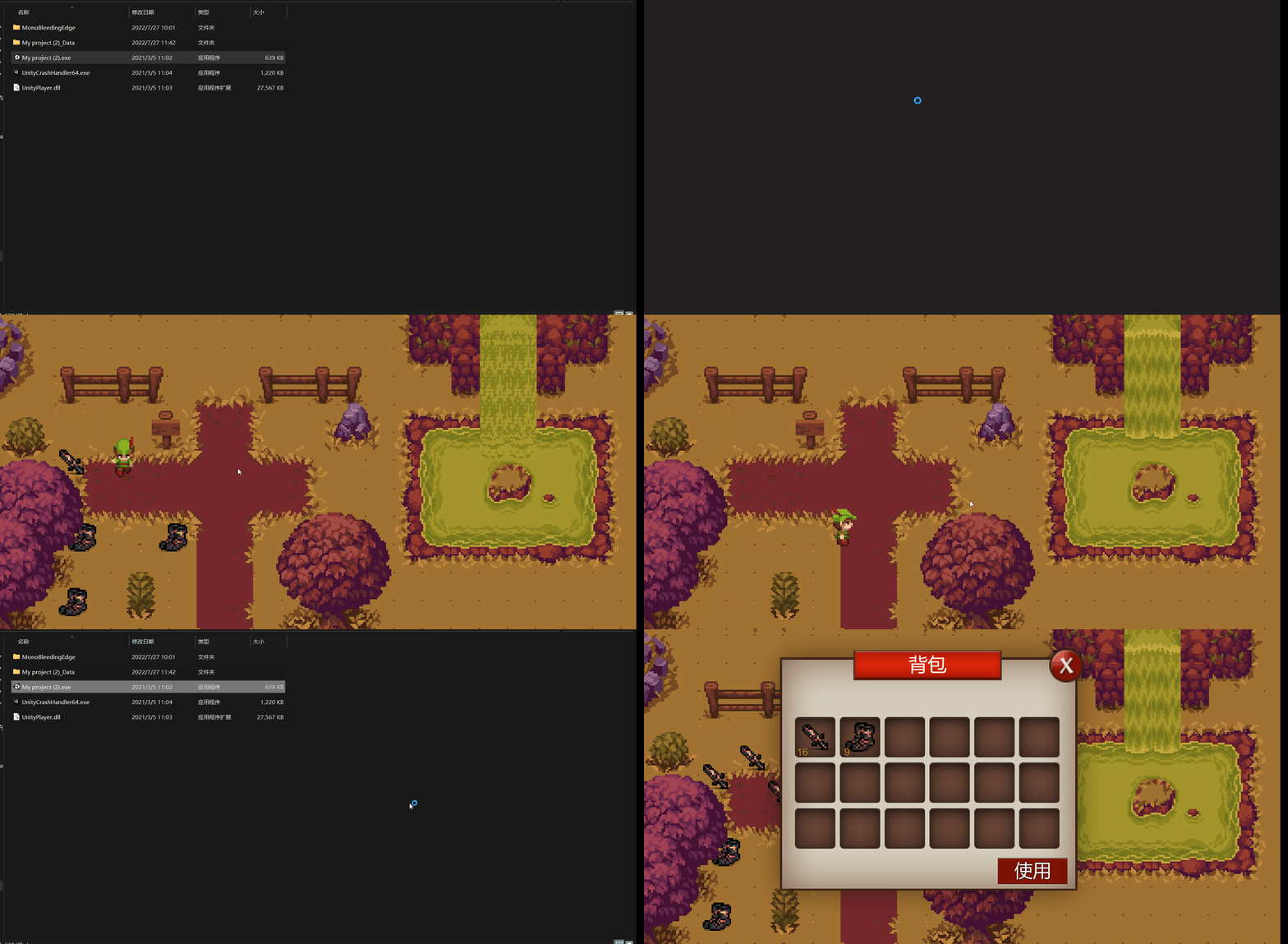
边栏推荐
猜你喜欢

Analysis of redis network model

695. Maximum area of the island

Contour detection based on OpenCV (3)

每日练习------实现双色球的彩票功能。规则:从36个红球中随机选择不重复的6个数,从15个篮球中随机选择1个组成一注彩票。可以选择买多注。

20220726 at command test of Bluetooth module hc-05 of Huicheng Technology

VMware虚拟机网络设置

Outlook tutorial, how to use color categories and reminders in outlook?

Malloc, free, calloc, realloc dynamic memory development functions in dynamic memory management

「运维有小邓」网络设备监控

【SAML SSO解决方案】上海道宁为您带来SAML for ASP.NET/SAML for ASP.NET Core下载、试用、教程
随机推荐
695. 岛屿的最大面积
Hotel VR panoramic display shooting provides more opportunities for cooperation and negotiation
CF 7月25日-7月31日做题记录
Redis通信协议--RESP协议
Response to questions about the balanced beacon group of Hubei University of Arts and Sciences
Summary of static blog building tools
一键重装win7系统详细教程
Leaf recognition, color feature extraction, defect detection, etc
Review basic knowledge points of engineering electromagnetic field
How to make the Internet access the intranet IP (used by esp8266 web pages)
Color recognition method and exploration based on MATLAB
[R language] environment specifies to delete RM function
How to reinstall win11 system with one click
4天Excel实战训练营,0.01元特惠仅三天,赠200套学习资料包
A treasure simulates login and reduces the method of secondary verification
【SAML SSO解决方案】上海道宁为您带来SAML for ASP.NET/SAML for ASP.NET Core下载、试用、教程
"Xiaodeng" network equipment monitoring in operation and maintenance
ssm整合(整合配置)
每日练习------实现双色球的彩票功能。规则:从36个红球中随机选择不重复的6个数,从15个篮球中随机选择1个组成一注彩票。可以选择买多注。
Malloc, free, calloc, realloc dynamic memory development functions in dynamic memory management