当前位置:网站首页>UI自動化測試框架搭建 —— 編寫一個APP自動化
UI自動化測試框架搭建 —— 編寫一個APP自動化
2022-06-28 04:32:00 【TEST_二 黑】
先來看看效果
測試遊記,
test_home_android_text用例執行
視頻號
前言
APP自動化測試和Web自動化測試的不同之處在於它的環境搭建更複雜,不過環境搭建之後,具體的操作步驟是類似的。都是定比特元素+操作元素
之前有一篇使用WEditor開發APP自動化測試脚本可以拿來進行APP自動化的定比特工具
這次介紹另一款更强大的工具「Sonic」
搭建Sonic

由於需要連接的設備不多,這次采用「快速搭建」
下載官方提供的docker-compose.yml文件
官方為了數據的持久化采用了本地的mysql數據庫,但這樣比較麻煩,所以直接修改一下
加了一下
db:
    image: mysql
    command: --character-set-server=utf8 --collation-server=utf8_general_ci
    volumes:
      - mysql_db:/var/lib/mysql
    restart: always
    environment:
      MYSQL_ROOT_PASSWORD: Sonic!@#123
      MYSQL_DATABASE: sonic
      MYSQL_ROOT_HOST: '%'
    ports:
      - "3307:3306"
    networks:
      - sonic-network
我這邊主機的ip為172.28.253.211,把它改成你自己的IP就可以了
version: '3'
services:
  db:
    image: mysql
    command: --character-set-server=utf8 --collation-server=utf8_general_ci
    volumes:
      - mysql_db:/var/lib/mysql
    restart: always
    environment:
      MYSQL_ROOT_PASSWORD: Sonic!@#123
      MYSQL_DATABASE: sonic
      MYSQL_ROOT_HOST: '%'
    ports:
      - "3307:3306"
    networks:
      - sonic-network
  sonic-server-simple:
    image: "sonicorg/sonic-server-simple:v1.3.1-beta"
    depends_on:
      - db
    environment:
      #以下為MySql配置,localhost請替換為自己MySql服務的ipv4地址
      - MYSQL_HOST=172.28.253.211
      - MYSQL_PORT=3307
      - MYSQL_DATABASE=sonic
      - MYSQL_USERNAME=root
      - MYSQL_PASSWORD=Sonic!@#123
      #在服務器部署的話,localhost改為服務器ip,port更改為sonic-server-simple暴露的port(一般不變)
      - SONIC_API_HOST=172.28.253.211
      - SONIC_API_PORT=8094
      - SONIC_NETTY_PORT=8095
      #token加密的key值
      - SECRET_KEY=sonic
      #身份驗證token有效天數
      - EXPIRE_DAY=14
      #前端頁面訪問地址,不填默認為http://localhost:3000
      - CLIENT_HOST=http://172.28.253.211:3000
      #文件保留天數(指測試過程產生的文件,包括圖片、錄像等等)
      - FILE_KEEP_DAY=60
      #測試結果保留天數
      - RESULT_KEEP_DAY=60
      #以下均為Cron錶達式
      #清理文件定時任務
      - FILE_CRON=0 0 12 * * ?
      #清理測試結果定時任務
      - RESULT_CRON=0 0 12 * * ?
      #發送日報定時任務
      - DAY_CRON=0 0 10 * * ?
      #發送周報定時任務
      - WEEK_CRON=0 0 10 ? * Mon
    networks:
      - sonic-network
    volumes:
      - files:/keepFiles/
      - files:/imageFiles/
      - files:/recordFiles/
      - files:/packageFiles/
      - files:/logs/
    ports:
      - "8094:8094"
      - "8095:8095"
  sonic-client-web:
    image: "sonicorg/sonic-client-web:v1.3.1-beta"
    environment:
      #在服務器部署的話,localhost改為服務器ip,port更改為sonic-server-simple暴露的port(一般不變)
      - SONIC_API_HOST=172.28.253.211
      - SONIC_API_PORT=8094
    networks:
      - sonic-network
    ports:
      - "3000:80"

volumes:
  files:
  mysql_db:

networks:
  sonic-network:
    driver: bridge
然後按照官網的說明run起來~
然後在插了手機的電腦上運行一個Agent
編寫自動化脚本
選擇一臺安卓設備進入
點擊「控件元素」-「獲取控件元素」就可以拿到元素定比特信息了

把xpath推薦的語句拿出來就可以了
把它放到代碼中
- page:
      pageName: home_android
      desc: 首頁_android
      locators:
        - {
     desc: "掛號文案",type: "xpath",value: '//android.view.ViewGroup[contains(@content-desc,"掛號,全國7800+醫院")]', name: "registered_text" }
同理拿到問診和購藥的文案
- {
     desc: "掛號文案",type: "xpath",value: '//android.view.ViewGroup[contains(@content-desc,"掛號,全國7800+醫院")]', name: "registered_text" }
- {
     desc: "問診文案",type: "xpath",value: '//android.view.ViewGroup[contains(@content-desc,"問診,27萬醫生在線服務")]', name: "inquiry_text" }
- {
     desc: "購藥文案",type: "xpath",value: '//android.view.ViewGroup[contains(@content-desc,"購藥,微醫自營購藥更安心")]', name: "buy_medicine_text" }
獲取設備序列號
鼠標移動到右上角就可以看到設備序列號了
編寫脚本
打開APP
編寫一個fixture夾具來打開APP
後面可以根據需求把sys、udid、app放到jenkinsfile中實現參數化構建
@pytest.fixture(scope='module')
def home_android():
    home = HomePage(file_name="home_android")
    with allure.step(f"打開微醫APP"):
        home.open_phone(sys='android', udid="8688dab6", app='wy')
        home.click(home.home_index) # 進入首頁Tab
        time.sleep(2)
    yield home
    home.close()
調試的時候修改打開手機對應的url
def open_phone(self, sys='android', udid="8688dab6", app='wys', apk=None):
    """ 移動端打開操作 http://appium.io/docs/en/writing-running-appium/caps/ """
    url = "http://172.28.57.33:4723/wd/hub"
    desired_caps = {
    "udid": udid}
    if sys == 'android':
        desired_caps['platformName'] = "Android"
        if app == 'wys':
            # 打開微醫生APP
            desired_caps["appPackage"] = "com.greenline.yihuantong"
            desired_caps["appActivity"] = ".home.WelcomeActivity"
        elif app == 'wy':
            # 打開微醫APP
            desired_caps["appPackage"] = "com.greenline.guahao"
            desired_caps["appActivity"] = ".home.WelcomeActivity"
        desired_caps["skipServerInstallation"] = True
        desired_caps["automationName"] = "UiAutomator2"
        desired_caps["noReset"] = True
        desired_caps["newCommandTimeout"] = 3600
    elif sys == 'ios':
        desired_caps['platformName'] = "iOS"
        if app == 'wys':
            # 打開微醫生APP
            desired_caps["bundleId"] = "com.minkanginfo.guahao"
        elif app == 'wy':
            # 打開微醫APP
            desired_caps["bundleId"] = "com.lvxian.guahao"
        desired_caps["automationName"] = "XCUITest"
    if apk:
        desired_caps1 = copy.deepcopy(desired_caps)
        desired_caps1["appPackage"] = "com.android.settings"
        desired_caps1["appActivity"] = ".Settings"
        driver = app_webdriver.Remote(url, desired_caps1)
        if app == 'wys':
            self.install_apk(driver, "com.greenline.yihuantong", apk)
        elif app == 'wy':
            self.install_apk(driver, "com.greenline.guahao", apk)
        driver.quit()
    print(desired_caps)
    self.driver = app_webdriver.Remote(url, desired_caps)
    self.wait_for(10)
    return self.driver
注意這個函數內部根據實際打開的APP來進行修改或調整
根據需求修改
appPackage
appActivity
使用上面這個url的時候需要在對應的電腦上打開Appium,端口指定為默認端口4723
踩坑
自動化安裝包
在給小米手機自動安裝APP的時候老是有彈框,可以通過下面方式修改:
設置 -> 授權管理 -> 右上角設置按鈕 -> USB安裝管理 ->關閉
如果授權管理頁面的右上角沒有設置按鈕
在開發者選項中 -> 啟動MIUI優化 ->關閉
再返回到授權頁面,就可以看到 右上角的設置按鈕了
關閉USB安裝管理後,通過USB安裝就不會有確認彈窗了
反複提示需要安裝uiautomator2
使用Appium控制部分安卓手機時,重複提示需要安裝uiautomator2
desired_caps[“skipServerInstallation”] = True
編寫用例主體
用例內容和上次一樣,不過這次換成了打開APP
@compose(feature="微醫APP", story="首頁", title='主入口下方文案校驗')
@pytest.mark.parametrize("way", ["registered_text", "inquiry_text", "buy_medicine_text"])
def test_home_android_text(home_android, way):
    """ 按鈕下方文案測試 * 掛號 * 問診 * 購藥 """
    ele = getattr(home_android, way)
    with allure.step(f"查看{ele.desc}"):
        text = home_android.get_attribute(ele, "content-desc")
        if way == 'registered_text':
            assert text == '掛號,全國7800+醫院'
        elif way == 'inquiry_text':
            assert text == '問診,27萬醫生在線服務'
        elif way == 'buy_medicine_text':
            assert text == '購藥,微醫自營購藥更安心'
使用參數化的方式測試三個地方的文案是否符合要求
運行與查看結果
運行之後,直接在Sonic平臺上查看運行的效果
代碼見:https://gitee.com/zx660644/uitest/tree/first_android_test
IOS操作也同理
最後感謝每一個認真閱讀我文章的人,下面這個自動化網盤鏈接也是我費了幾天時間整理的非常全面的,對提啥鞥希望也能幫助到有需要的你!
這些資料,對於做【軟件測試】想進階的朋友來說應該是最全面最完整的備戰倉庫,這個倉庫也陪伴我走過了最艱難的路程,希望也能幫助到你!
凡事要趁早,特別是技術行業,一定要提昇技術功底。希望對大家有所幫助…….
边栏推荐
- Sorting from one stack to another
- Multi project design and development · introduction to class library project
- Has any boss ever seen repeated binlog messages when MySQL CDC uses datastream
- Reading notes of top performance version 2 (II) -- CPU monitoring
- first. Net core MVC project
- Single responsibility principle
- Source code of live video system, countdown display, countdown of commodity spike
- Aspnetcoreratelimit rate limit interface access limit current limit control
- 《性能之巅第2版》阅读笔记(二)--CPU监测
- Are test / development programmers really young? The world is fair. We all speak by strength
猜你喜欢

Annual comprehensive analysis of China's audio market in 2022

Multithreading and high concurrency III: AQS underlying source code analysis and implementation classes

leetcode - 329. Longest increasing path in matrix

JVM I: introduction to JVM and understanding of class files

How to traverse collections Ordereddict, taking it and forgetting items

Meichuang data security management platform has obtained the evaluation certificate of "data security product capability verification plan" of the Institute

Tiktok practice ~ pay attention to bloggers

Recommended by Alibaba P8, Fiddler packet capturing tool (I)
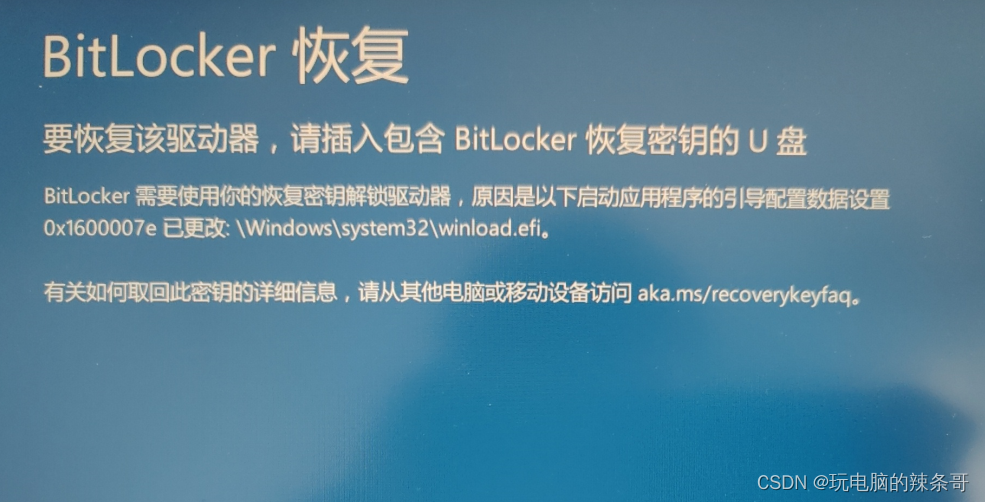
Bitlock recovery occurs in win 10, and the blue screen error code is 0x1600007e

Ppt production tips
随机推荐
Live online source code, JS dynamic effect, sidebar scrolling fixed effect
Ppt production tips
From meeting a big guy to becoming a big guy, shengteng AI developer creation day brings infinite possibilities to developers
Matlab exercises -- routine operation of matrix
Recommended by Alibaba P8, Fiddler packet capturing tool (I)
02 mongodb data types, important concepts and common shell instructions
测试/开发程序员真的是青春饭吗?世界是公平的,咱们都凭实力说话......
Another option for ERP upgrade, MES system
[MySQL] multi table connection query
从零到一,教你搭建「以文搜图」搜索服务(一)
11_ Deliberate practice and elaboration
leetcode:714. 买卖股票的最佳时机含手续费【dp双状态】
27 years, Microsoft IE is over!
2021 year end summary and 2022 outlook
June 27, 2022: give a 01 string with a length of N. now please find two intervals so that the number of 1 and the number of 0 in the two intervals are equal. The two intervals can intersect, but not c
Visualization of loss using tensorboard
Matlab exercises -- exercises related to symbolic operation
Tiktok actual battle ~ take off the blogger
How to traverse collections Ordereddict, taking it and forgetting items
政策利好,20多省市开启元宇宙发展规划