当前位置:网站首页>C#应用程序界面开发基础——窗体控制(3)——文件类控件
C#应用程序界面开发基础——窗体控制(3)——文件类控件
2022-07-03 01:03:00 【DXB2021】
文件类控件
一、标签控件
1、Label控件的设置
有两种方法:第一种是直接在Label控件的属性面板中设置Text属性;第二种是通过代码设置Text属性。
label1.Text="用户名:";
2、Label控件的常用属性
(1)Size属性:控件的大小(以像素为单位)。
(2)Location属性:标签在窗体中的位置。
(3)Visible属性:标签的可见性,为True时可见,为False时不可见。
(4)BackColor属性:用来获取或设置控件的背景色。当该属性值 设置为Color
(5)ClientSize属性:获取或设置工作区的大小。
(6)Location属性:标签在窗体中的位置。
编写程序 ,实现“你追我跑”。


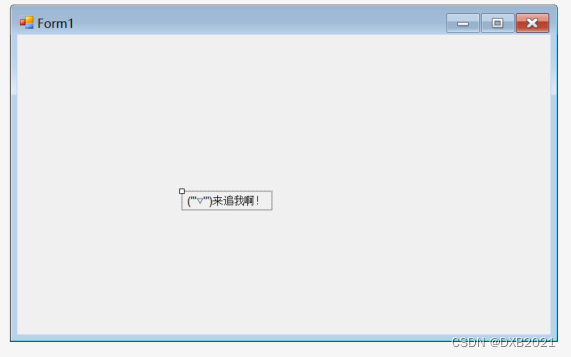


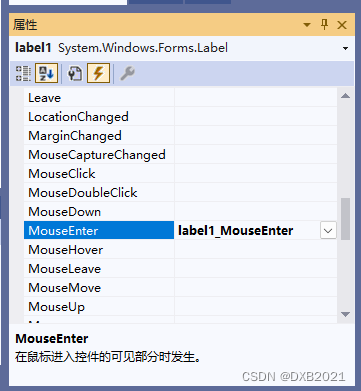
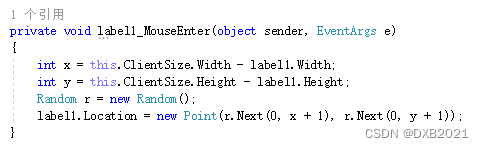
代码如下:
using System;
using System.Collections.Generic;
using System.ComponentModel;
using System.Data;
using System.Drawing;
using System.Linq;
using System.Text;
using System.Threading.Tasks;
using System.Windows.Forms;

namespace WindowsFormsApp1
{
    public partial class Form1 : Form
    {
        public Form1()
        {
            InitializeComponent();
        }

        private void label1_Click(object sender, EventArgs e)
        {
            MessageBox.Show("(T.T)被你抓到了!!!");
        }

        private void label1_MouseEnter(object sender, EventArgs e)
        {
            int x = this.ClientSize.Width - label1.Width;
            int y = this.ClientSize.Height - label1.Height;
            Random r = new Random();
            label1.Location = new Point(r.Next(0, x + 1), r.Next(0, y + 1));
        }
    }
}
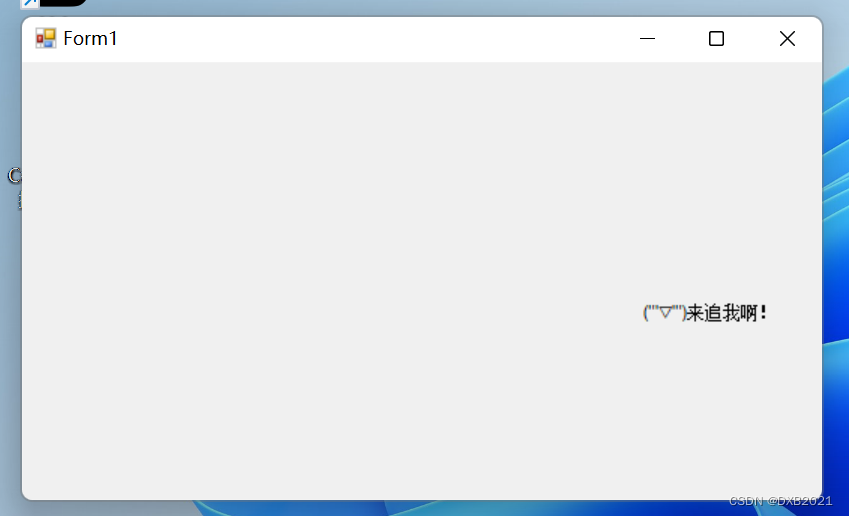
运行结果如下:

二、按钮控件
按钮控件是最常用的控件,该控件主要用于编写处理按钮的Click事件及MouseEnter事件代码。
1、响应按钮的单击事件
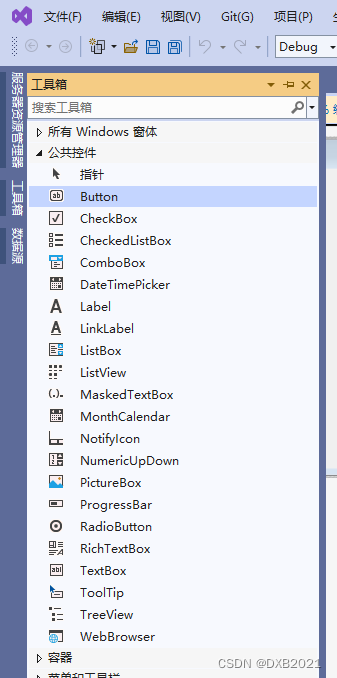
双击后,放在适合的位置。
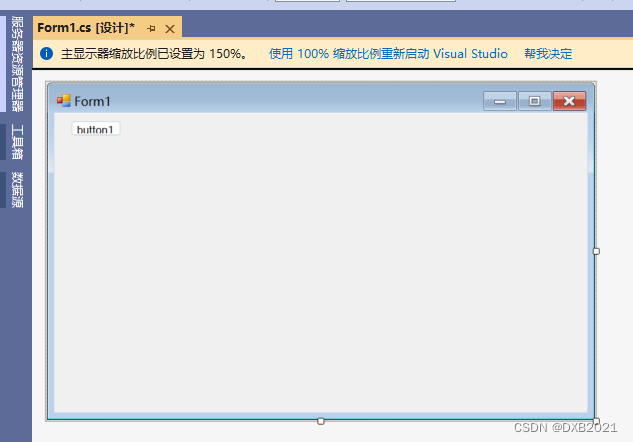
在Text属性输入单击按钮

button调节大小,放置位置,文字变化。

引发Click事件
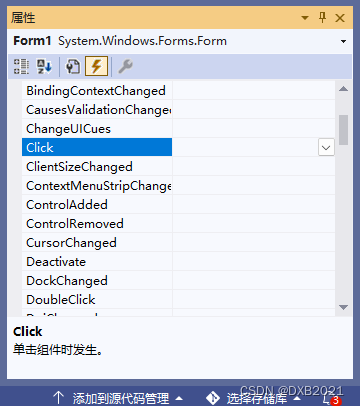
双击以后

输入代码:

代码如下:
using System;
using System.Collections.Generic;
using System.ComponentModel;
using System.Data;
using System.Drawing;
using System.Linq;
using System.Text;
using System.Threading.Tasks;
using System.Windows.Forms;

namespace WindowsFormsApp1
{
    public partial class Form1 : Form
    {
        public Form1()
        {
            InitializeComponent();
        }

        private void Form1_Click(object sender, EventArgs e)
        {
            MessageBox.Show("您引发了Click事件");
        }
    }
}
运行结果:

点击后:
无反应。
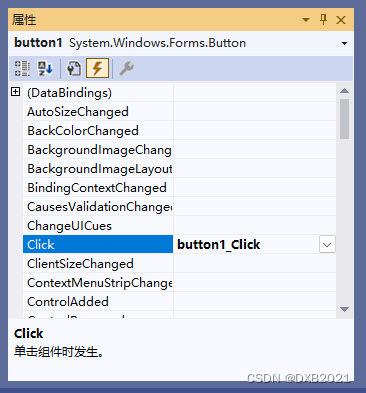


代码如下:
using System;
using System.Collections.Generic;
using System.ComponentModel;
using System.Data;
using System.Drawing;
using System.Linq;
using System.Text;
using System.Threading.Tasks;
using System.Windows.Forms;

namespace WindowsFormsApp1
{
    public partial class Form1 : Form
    {
        public Form1()
        {
            InitializeComponent();
        }

        private void Form1_Click(object sender, EventArgs e)
        {

        }

        private void button1_Click(object sender, EventArgs e)
        {
            MessageBox.Show("您引发了Click事件");
        }
    }
}
2、按钮的设置


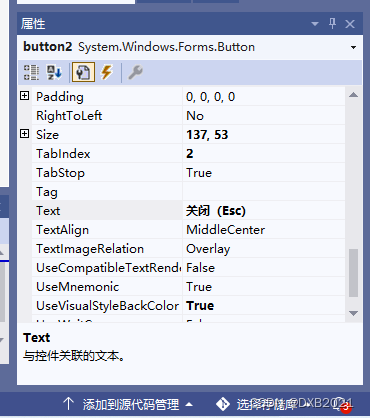
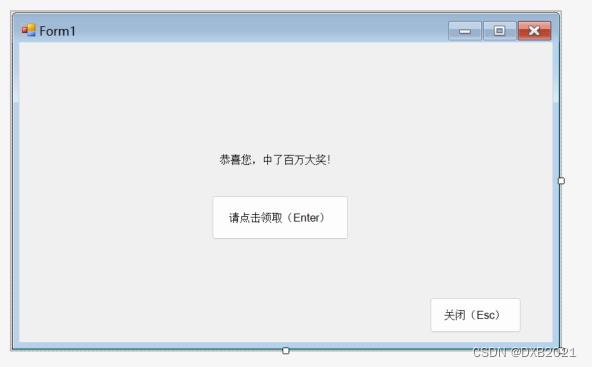
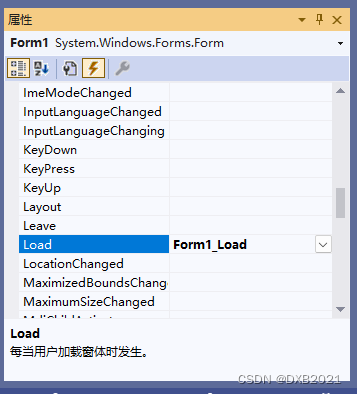
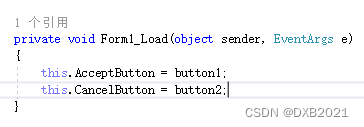
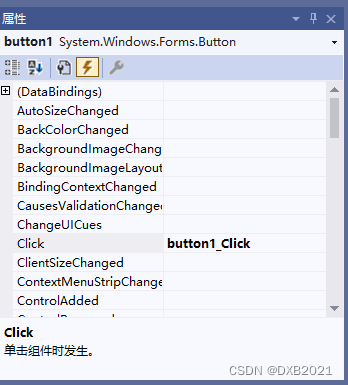


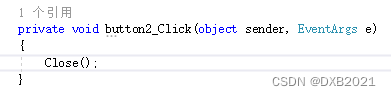
代码如下:
using System;
using System.Collections.Generic;
using System.ComponentModel;
using System.Data;
using System.Drawing;
using System.Linq;
using System.Text;
using System.Threading.Tasks;
using System.Windows.Forms;

namespace WindowsFormsApp1
{
    public partial class Form1 : Form
    {
        public Form1()
        {
            InitializeComponent();
        }

        private void Form1_Load(object sender, EventArgs e)
        {
            this.AcceptButton = button1;
            this.CancelButton = button2;
        }

        private void button1_Click(object sender, EventArgs e)
        {
            MessageBox.Show("哈哈!逗你玩呢", "这你都相信");
        }

        private void button2_Click(object sender, EventArgs e)
        {
            Close();
        }
    }
}
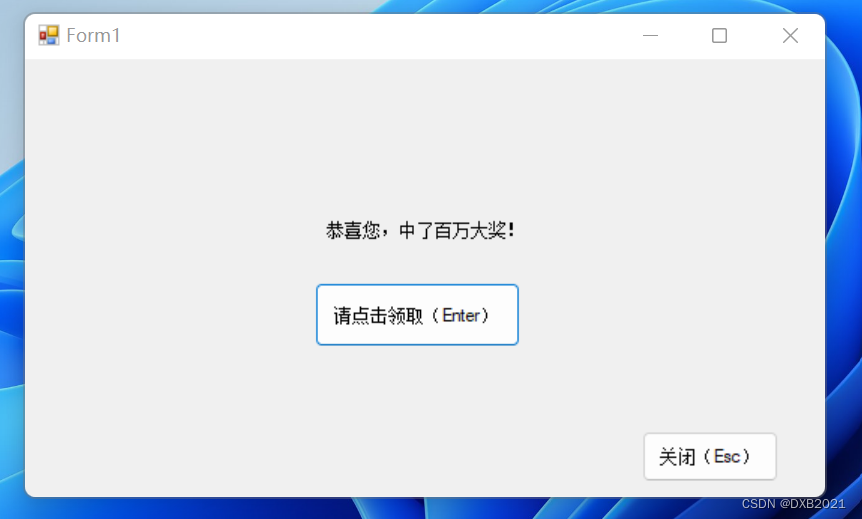
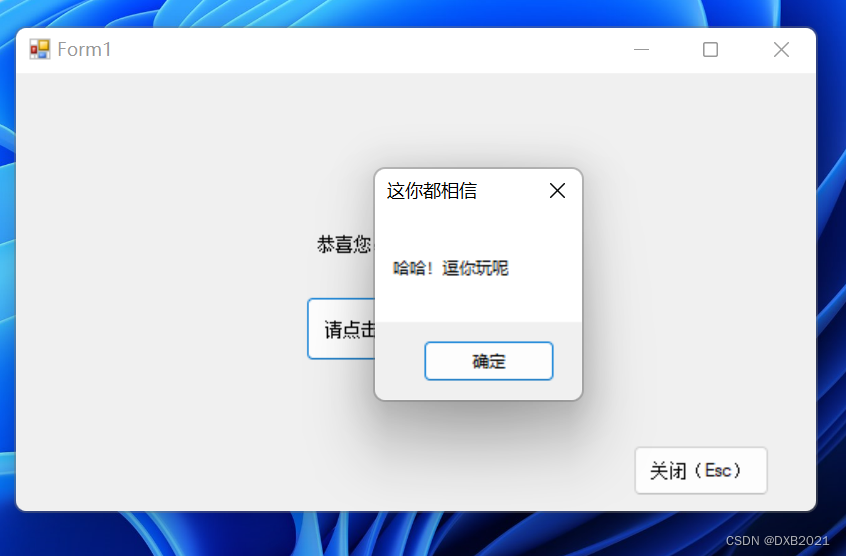
三、文本框控件
C#的文本控件常用于在窗体中接收用户的输入或显示 文本,利用该控件可以让用户输入文本、密码等信息,同时也可以控制 用户输入内容的长度、类型等。
1、TextBox控件的常用属性
(1)Backclock属性:设置背景色。
(2)BorderStyle属性:设置TextBox边框的类型为枚举值,其值有三种:None(没有边框)、FixedSingle(单边边框)、Fixed3D(立体感的边框)。
(3)Font属性:设置TextBox的字体,包括字体名称、大小、是否加粗、是否斜体、是否有下画线等。
(4)Forecolor属性:前景色,即字体的颜色 。
(5)MaxLength属性:控制文本框中能输入的字符数。
(6)Multiline属性:设置TextBox控件是否允许多行输入。
(7)PasswordChar属性:如果想让TextBox输入密码而不显示原字符,则可以指定一个字符来替代原有的字符。
(8)ReadOnly属性:控制能够更改TextBox中的文本,默认为False,即可以修改,如果为True,则用户无法修改里面的文本。
(9)Text属性:用于读取或设置TextBox中的文本。
(10)TextAlign属性:文本的对齐方式,有三种值:Left、Center或Right,默认为Left。
(11)Visible属性:用于设置控件是隐藏还是显示,如果设置为False,则程序运行时控件是不可见的。
(12)WordWrap属性:当Multiline属性设置为True时,此属性起作用,用于指示控件是否自动换行。
2、TextBox控件的常用方法
(1)AppendText():该方法向TextBox控件中追加文本。
(2)Clear():清除文本框中的内容。
(3)Copy():将文本框中的内容复制到剪贴板。
(4)Focus():使文本框获得焦点。
(5)Paste():用剪贴板中的内容替换掉文本框中指定的内容。
(6)Resettext():将文本框中的内容重置为默认值。
(7)Select():选取文本框中指定的文本。
(8)Selectall():选中文本框中全部文本。
(9)Undo():撤销上一次的文本框的修改。
3、TextBox控件的使用
11个Label控件、5个TextBox控件、2个Button控件
四、有格式文本控件
1、显示滚动条
滚动条分为两种:水平(Horizontal)滚动条和垂直(Vertical)滚动条,通过RichTextBox的ScrollBars属性设置如何显示滚动条。
| 属性 | 说明 |
| Both | 只有当文本超过RichTextBox的宽度或长度时,才显示水平滚动条或垂直滚动条,或两个滚动条都显示 |
| None | 不显示任何类型的滚动条 |
| Horizontal | 只有当文本超过RichTextBox的宽度时,才显示水平滚动条 |
| Vertical | 只有当文本超过RichTextBox的高度时,才显示垂直滚动条 |
| ForceHorizontal | 当WordWrap属性设置为false时,显示水平滚动条。在文本未超过RichTextBox的宽度时,该滚动条显示为浅灰色 |
| ForcedVertical | 始终显示垂直滚动条。在文本未超过RichTextBox的长度时,该滚动条显示为浅灰色 |
| ForcedBoth | 始终显示垂直滚动条。在文本未超过RichTextBox属性设置为false时,显示水平滚动条。在文本未超过RichTextBox的宽度或长度时,两个滚动条均显示为灰色。 |
2、设置字体属性
有两种方法:
(1)通过属性面板中选择Font属性设置RichTextBox控件中字体的大小和字样 ;
(2)通过RichTextBox的SelectionFont属性和SelectionColor属性设置字体大小和颜色 。
3、将RichTextBox控件显示为超链接样式
4、设置段落格式
边栏推荐
- Dotconnect for PostgreSQL data provider
- 无向图的割点
- Button wizard play strange learning - go back to the city to buy medicine and add blood
- Basic concept and implementation of overcoming hash
- dotConnect for PostgreSQL数据提供程序
- Expérience de recherche d'emploi d'un programmeur difficile
- Matlab Doppler effect produces vibration signal and processing
- 软考信息系统项目管理师_历年真题_2019下半年错题集_上午综合知识题---软考高级之信息系统项目管理师053
- Cut point of undirected graph
- The latest analysis of tool fitter (technician) in 2022 and the test questions and analysis of tool fitter (technician)
猜你喜欢

Top ten regular spot trading platforms 2022

用Go+绘制爱心给心爱的她表白
![leetcode:701. Insertion in binary search tree [BST insertion]](/img/bc/1dda73198488eb81b49be2c1dff6c2.png)
leetcode:701. Insertion in binary search tree [BST insertion]
Merge K sorted linked lists
![[FPGA tutorial case 6] design and implementation of dual port RAM based on vivado core](/img/fb/c371ffaa9614c6f2fd581ba89eb2ab.png)
[FPGA tutorial case 6] design and implementation of dual port RAM based on vivado core
![[androd] module dependency replacement of gradle's usage skills](/img/5f/968db696932f155a8c4a45f67135ac.png)
[androd] module dependency replacement of gradle's usage skills
基本远程连接工具Xshell
合并K个已排序的链表

Esp32 simple speed message test of ros2 (limit frequency)
异步、邮件、定时三大任务
随机推荐
Key wizard play strange learning - front desk and Intranet send background verification code
Basic remote connection tool xshell
1696C. Fishingprince plays with array [thinking questions + intermediate state + optimized storage]
[self management] time, energy and habit management
强化学习 Q-learning 实例详解
tail -f 、tail -F、tailf的区别
[C language] detailed explanation of pointer and array written test questions
leetcode:701. 二叉搜索树中的插入操作【bst的插入】
What operations need attention in the spot gold investment market?
Embrace the safety concept of platform delivery
给你一个可能存在 重复 元素值的数组 numbers ,它原来是一个升序排列的数组,并按上述情形进行了一次旋转。请返回旋转数组的最小元素。【剑指Offer】
Create your first Kivy program Hello word (tutorial includes source code)
电话网络问题
一位苦逼程序员的找工作经历
[FPGA tutorial case 6] design and implementation of dual port RAM based on vivado core
Appuyez sur l'apprentissage de l'esprit de frappe - reconnaissance des coordonnées de fond multithreadées
[FPGA tutorial case 5] ROM design and Implementation Based on vivado core
Trois tâches principales: asynchrone, courrier et timing
[untitled]
[shutter] animation animation (shutter animation type | the core class of shutter animation)