当前位置:网站首页>Detailed explanation of carousel picture 2 - carousel pictures through left positioning
Detailed explanation of carousel picture 2 - carousel pictures through left positioning
2022-07-30 02:21:00 【Brave* Niu Niu】
Detailed explanation of carousel Figure 2
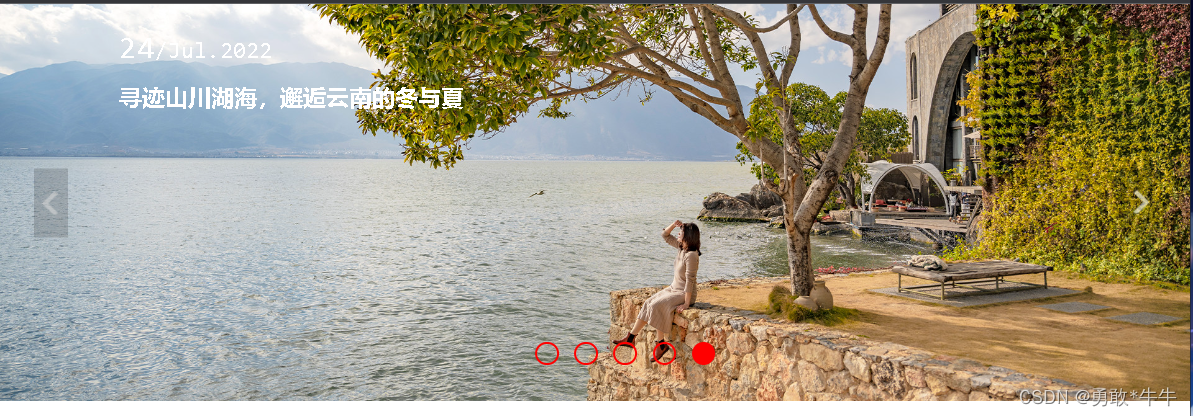


<!DOCTYPE html>
<html lang="en">
<head>
    <meta charset="UTF-8">
    <meta http-equiv="X-UA-Compatible" content="IE=edge">
    <meta name="viewport" content="width=device-width, initial-scale=1.0">
    <title>Document</title>
        <style>
          body{
            margin: 0;
            padding: 0;
        }
        .carousel{
            width: 100%;
            height: 33.3vw;
            position: relative;
            left: 0;
            top: 0;
            font-size: 0;
            min-width: 1000px;
            overflow: hidden;
        }
        .carousel>.img-con{
            width: 500%;
            height: 100%;
            position: absolute;
            transition:  all 0.5s;
            left: 0;
        }
        .carousel .img-block{
            width: 20%;
            height: 100%;
            position: relative;
            float: left;

        }
        .carousel .img-block>img{
            width: 100%;
            height: 100%;
            position: absolute;
            left: 0;
            top: 0;
        }
        .carousel .img-block>div{
            position: absolute;
            left:10vw;
            top: 2vw;
            font-size: 20px;
            color: white;
        }
        .carousel .img-block>div>span>i{
            font-style:normal;
            font-size: 28px;
        }
        .carousel .img-block>div>h1{
            font-size: 20px;
        }
        .clear::after
        {
            content: "";
            display: block;
            visibility: hidden;
            height: 0;
            overflow: hidden;
            clear: both;
        }

        ul{
            list-style: none;
            position: absolute;
            bottom: 3vw;
            left: 50%;
            transform: translate(-50%,0);
        }
        ul li{
            width: 1.6vw;
            height: 1.6vw;
            border:2px solid red;
            margin-left: 1.3vw;
            float: left;
            border-radius: 1.6vw;

        }
        .left,.right{
            position: absolute;
            top: 50%;
            transform: translate(0,-50%);
        }
        .left{
            left: 3vw;
        }

        .right{
            right: 3vw;
        }
    </style>
</head>
<body>
       <div class="carousel">
        <div class="img-con clear">
            <div class="img-block" id="a">
                <img src="./img/a.jpg">
                <div>
                    <span><i>28</i>/Jul.2022</span>
                    <h1>与父母的47天自驾游|向疆而行2万里,我们依旧是过客</h1>
                </div>

            </div>
            <div class="img-block" id="b">
                <img src="./img/b.jpg">
                <div>
                    <span><i>27</i>/Jul.2022</span>
                    <h1>自驾川西小环线,在千碉之国遇见梨花如雪的季节</h1>
                </div>

            </div>
            <div class="img-block" id="c">
                <img src="./img/c.jpg">
                <div>
                    <span><i>26</i>/Jul.2022</span>
                    <h1>被误解的沙县,原来有这么多美食只有在当地才能吃到!</h1>
                </div>

            </div>
            <div class="img-block" id="d">
                <img src="./img/d.jpg">
                <div>
                    <span><i>25</i>/Jul.2022</span>
                    <h1>周末出逃计划 | 打卡美丽中国</h1>
                </div>

            </div>
            <div class="img-block" id="e">
                <img src="./img/e.jpg">
                <div>
                    <span><i>24</i>/Jul.2022</span>
                    <h1>寻迹山川湖海,邂逅云南的冬与夏</h1>
                </div>

            </div>
        </div>
        <ul class="clear">
            <li></li>
            <li></li>
            <li></li>
            <li></li>
            <li></li>
        </ul>
        <img src="./img/left.png" class="left">
        <img src="./img/right.png" class="right">
    </div>
    <script>
        var imgCon,left,right,dot;
        var pos = 0;//The index to locate the image
        var prev;
        init();
        function init(){
            imgCon = document.querySelector('.img-con');
            left = document.querySelector('.left');
            right = document.querySelector('.right');
            dot = document.querySelector('ul');
            /* 给lu,left,right添加点击事件 */
            dot.addEventListener('click',dotClickHandler);
            left.addEventListener('click',bnClickHandler);
            right.addEventListener('click',bnClickHandler);

        }
        /* ul的点击事件 */
        function dotClickHandler(e){
            if(e.target.nodeName !== "LI") return ;
            /* 获取被点击的li位置 */
            pos = Array.from(this.children).indexOf(e.target);
            imgConMove()
            changePrev()
        }
        /* 左右按钮的点击事件 */
        function bnClickHandler(e){
            /* Executed if clicked on the left */
            if(this ===  left){
                /* 第一次点击之后pos==4 */
                if(--pos<0) pos = 4
            }else{
                if(++pos>4) pos = 0
            }
            imgConMove();
            changePrev()

        }
        /* If you click on the left to move is thisimgConleft的倍数 */
        function imgConMove(){
            /* imgCon.firstElementChild.offsetWidth 一个图片的宽度 */
            imgCon.style.left = pos * -imgCon.firstElementChild.offsetWidth + 'px';
            console.log(pos * -imgCon.firstElementChild.offsetWidth);
        }

        function changePrev(){
            if(prev){
                prev.style.backgroundColor = 'transparent'
            }
            prev = dot.children[pos];
            prev.style.backgroundColor = 'red'
        }
    </script>
</body>
</html>
边栏推荐
- 五种绑定彻底弄懂this,默认绑定、隐式绑定、显式绑定、new绑定、箭头函数绑定详解
- el-table sum total
- error: 'filesystem' is not a member of 'std'
- Using ESP32 construct a ZIGBEE network adapter
- Successfully resolved AttributeError: 'PngImageFile' object has no attribute 'imshow'
- OSPF shamlink 解决后门链路问题
- 综合设计一个OPPO页面--返回顶部使用--使用链接的锚点a+id
- 音视频开发的正确(学习思路+技术指导)
- RAII技术学习
- 超详细的MySQL基本操作
猜你喜欢

WebSocket在线通信

解决:Error while adding the mapper ‘interface to configuration. Error parsing Mapper XML

The role of interface testing

机器学习(十五)异常检测

机器学习1一回归模型(一)

基于低能耗自适应聚类层次结构(LEACH)(Matlab代码实现)

JS history.back() go(-1) Location 跳转 重新加载页面 get请求 返回顶部 bom

综合设计一个OPPO页面--返回顶部使用--使用链接的锚点a+id

Typora transparent background image

A transaction is in Mysql?What's the use?
随机推荐
Drawing Problem Log
使用SqlSessionFactory工具类抽取
重写并自定义依赖的原生的Bean方法
Embedded SIG | 分布式软总线
JS Navigator appName appVersion userAgent platform
Zero code tools recommended - HiFlow
Postgresql daily operation and maintenance skills, suitable for beginners
机器学习(十五)异常检测
新型海上风电机组及压缩空气储能系统的建模与控制(Matlab代码实现)
影响小程序开发费用的三个因素!
The role of diff and key
MPLS VPN跨域-optionC2
postgresql日常运维技能,适合初学者
JS history.back() go(-1) Location 跳转 重新加载页面 get请求 返回顶部 bom
五种绑定彻底弄懂this,默认绑定、隐式绑定、显式绑定、new绑定、箭头函数绑定详解
二叉搜索树
可惜了!规模这么大的上市公司说散就散了
利用ESP32构造一个ZIGBEE的网络发送转接
将镜像推送到阿里云私有仓库
ButtonStyle, MaterialStateProperty learned by flutter