当前位置:网站首页>Launcher sample code
Launcher sample code
2022-07-28 11:18:00 【sdfdagdsfgsdg】
if (version < 3) {
// upgrade 1,2 -> 3 added appWidgetId column
db.beginTransaction();
try {
// Insert new column for holding appWidgetIds
db.execSQL("ALTER TABLE favorites " +"ADD COLUMN appWidgetId INTEGER NOT NULL DEFAULT -1;");
db.setTransactionSuccessful();
version = 3;
} catch (SQLException ex) {
// Old version remains, which means we wipe old data
Log.e(TAG, ex.getMessage(), ex);
} finally {
db.endTransaction();
}
// Convert existing widgets only if table upgrade was successful
if (version == 3) {
convertWidgets(db);
}
}
/** * Upgrade existing clock and photo frame widgets into their new widget equivalents. */
private void convertWidgets(SQLiteDatabase db) {
final AppWidgetManager appWidgetManager = AppWidgetManager.getInstance(mContext);
final int[] bindSources = new int[] {
Favorites.ITEM_TYPE_WIDGET_CLOCK, Favorites.ITEM_TYPE_WIDGET_PHOTO_FRAME, Favorites.ITEM_TYPE_WIDGET_SEARCH,
};
final String selectWhere = buildOrWhereString(Favorites.ITEM_TYPE,bindSources);
Cursor c = null;
db.beginTransaction();
try {
// Select and iterate through each matching widget
c = db.query(TABLE_FAVORITES, new String[] { Favorites._ID, Favorites.ITEM_TYPE },
selectWhere, null, null, null, null);
if (LOGD) Log.d(TAG, "found upgrade cursor count=" + c.getCount());
final ContentValues values = new ContentValues();
while (c != null && c.moveToNext()) {
long favoriteId = c.getLong(0);
int favoriteType = c.getInt(1);
// Allocate and update database with new appWidgetId
try {
int appWidgetId = mAppWidgetHost.allocateAppWidgetId();
if (LOGD) {
Log.d(TAG, "allocated appWidgetId=" + appWidgetId
+ " for favoriteId=" + favoriteId);
}
values.clear(); values.put(Favorites.ITEM_TYPE, Favorites.ITEM_TYPE_APPWIDGET); values.put(Favorites.APPWIDGET_ID, appWidgetId);
// Original widgets might not have valid spans when upgrading
if (favoriteType == Favorites.ITEM_TYPE_WIDGET_SEARCH) { values.put(LauncherSettings.Favorites.SPANX, 4);
values.put(LauncherSettings.Favorites.SPANY, 1);
} else { values.put(LauncherSettings.Favorites.SPANX, 2); values.put(LauncherSettings.Favorites.SPANY, 2);
}
String updateWhere = Favorites._ID + "=" + favoriteId;
db.update(TABLE_FAVORITES, values, updateWhere, null);
if (favoriteType == Favorites.ITEM_TYPE_WIDGET_CLOCK) {
// TODO: check return value
appWidgetManager.bindAppWidgetIdIfAllowed(appWidgetId,
new ComponentName("com.android.alarmclock",
"com.android.alarmclock.AnalogAppWidgetProvider"));
} else if (favoriteType == Favorites.ITEM_TYPE_WIDGET_PHOTO_FRAME) {
// TODO: check return value appWidgetManager.bindAppWidgetIdIfAllowed(appWidgetId,
new ComponentName("com.android.camera", "com.android.camera.PhotoAppWidgetProvider"));
} else if (favoriteType == Favorites.ITEM_TYPE_WIDGET_SEARCH) {
// TODO: check return value
appWidgetManager.bindAppWidgetIdIfAllowed(appWidgetId,
getSearchWidgetProvider());
}
} catch (RuntimeException ex) {
Log.e(TAG, "Problem allocating appWidgetId", ex);
}
}
db.setTransactionSuccessful();
} catch (SQLException ex) {
Log.w(TAG, "Problem while allocating appWidgetIds for existing widgets", ex);
} finally {
db.endTransaction();
if (c != null) {
c.close();
}
}
}private boolean updateContactsShortcuts(SQLiteDatabase db) {
final String selectWhere = buildOrWhereString(Favorites.ITEM_TYPE,
new int[] { Favorites.ITEM_TYPE_SHORTCUT });
Cursor c = null;
final String actionQuickContact = "com.android.contacts.action.QUICK_CONTACT";
db.beginTransaction();
try {
// Select and iterate through each matching widget
c = db.query(TABLE_FAVORITES,
new String[] { Favorites._ID, Favorites.INTENT },
selectWhere, null, null, null, null);
if (c == null) return false;
if (LOGD) Log.d(TAG, "found upgrade cursor count=" + c.getCount());
final int idIndex = c.getColumnIndex(Favorites._ID);
final int intentIndex = c.getColumnIndex(Favorites.INTENT);
while (c.moveToNext()) {
long favoriteId = c.getLong(idIndex);
final String intentUri = c.getString(intentIndex);
if (intentUri != null) {
try {
final Intent intent = Intent.parseUri(intentUri, 0);
android.util.Log.d("Home", intent.toString());
final Uri uri = intent.getData();
if (uri != null) {
final String data = uri.toString();
if ((Intent.ACTION_VIEW.equals(intent.getAction()) ||
actionQuickContact.equals(intent.getAction())) &&
(data.startsWith("content://contacts/people/") ||
data.startsWith("content://com.android.contacts/" +
"contacts/lookup/"))) {
final Intent newIntent = new Intent(actionQuickContact);
// When starting from the launcher, start in a new, cleared task
// CLEAR_WHEN_TASK_RESET cannot reset the root of a task, so we
// clear the whole thing preemptively here since
// QuickContactActivity will finish itself when launching other
// detail activities.
newIntent.addFlags(Intent.FLAG_ACTIVITY_NEW_TASK |
Intent.FLAG_ACTIVITY_CLEAR_TASK);
newIntent.putExtra(
Launcher.INTENT_EXTRA_IGNORE_LAUNCH_ANIMATION, true);
newIntent.setData(uri);
// Determine the type and also put that in the shortcut
// (that can speed up launch a bit)
newIntent.setDataAndType(uri, newIntent.resolveType(mContext));
final ContentValues values = new ContentValues();
values.put(LauncherSettings.Favorites.INTENT,
newIntent.toUri(0));
String updateWhere = Favorites._ID + "=" + favoriteId;
db.update(TABLE_FAVORITES, values, updateWhere, null);
}
}
} catch (RuntimeException ex) {
Log.e(TAG, "Problem upgrading shortcut", ex);
} catch (URISyntaxException e) {
Log.e(TAG, "Problem upgrading shortcut", e);
}
}
}
db.setTransactionSuccessful();
} catch (SQLException ex) {
Log.w(TAG, "Problem while upgrading contacts", ex);
return false;
} finally {
db.endTransaction();
if (c != null) {
c.close();
}
}
return true;
}private void normalizeIcons(SQLiteDatabase db) {
Log.d(TAG, "normalizing icons");
db.beginTransaction();
Cursor c = null;
SQLiteStatement update = null;
try {
boolean logged = false;
update = db.compileStatement("UPDATE favorites "
+ "SET icon=? WHERE _id=?");
c = db.rawQuery("SELECT _id, icon FROM favorites WHERE iconType=" +
Favorites.ICON_TYPE_BITMAP, null);
final int idIndex = c.getColumnIndexOrThrow(Favorites._ID);
final int iconIndex = c.getColumnIndexOrThrow(Favorites.ICON);
while (c.moveToNext()) {
long id = c.getLong(idIndex);
byte[] data = c.getBlob(iconIndex);
try {
Bitmap bitmap = Utilities.resampleIconBitmap(
BitmapFactory.decodeByteArray(data, 0, data.length),
mContext);
if (bitmap != null) {
update.bindLong(1, id);
data = ItemInfo.flattenBitmap(bitmap);
if (data != null) {
update.bindBlob(2, data);
update.execute();
}
bitmap.recycle();
}
} catch (Exception e) {
if (!logged) {
Log.e(TAG, "Failed normalizing icon " + id, e);
} else {
Log.e(TAG, "Also failed normalizing icon " + id);
}
logged = true;
}
}
db.setTransactionSuccessful();
} catch (SQLException ex) {
Log.w(TAG, "Problem while allocating appWidgetIds for existing widgets", ex);
} finally {
db.endTransaction();
if (update != null) {
update.close();
}
if (c != null) {
c.close();
}
}
}/** * Loads the default set of favorite packages from an xml file. * * @param db The database to write the values into * @param filterContainerId The specific container id of items to load */
private int loadFavorites(SQLiteDatabase db, int workspaceResourceId) {
Intent intent = new Intent(Intent.ACTION_MAIN, null);
intent.addCategory(Intent.CATEGORY_LAUNCHER);
ContentValues values = new ContentValues();
PackageManager packageManager = mContext.getPackageManager();
int allAppsButtonRank =
mContext.getResources().getInteger(R.integer.hotseat_all_apps_index);
int i = 0;
try {
XmlResourceParser parser = mContext.getResources().getXml(workspaceResourceId);
AttributeSet attrs = Xml.asAttributeSet(parser);
beginDocument(parser, TAG_FAVORITES);
final int depth = parser.getDepth();
int type;
while (((type = parser.next()) != XmlPullParser.END_TAG ||
parser.getDepth() > depth) && type != XmlPullParser.END_DOCUMENT) {
if (type != XmlPullParser.START_TAG) {
continue;
}
boolean added = false;
final String name = parser.getName();
TypedArray a = mContext.obtainStyledAttributes(attrs, R.styleable.Favorite);
long container = LauncherSettings.Favorites.CONTAINER_DESKTOP;
if (a.hasValue(R.styleable.Favorite_container)) {
container = Long.valueOf(a.getString(R.styleable.Favorite_container));
}
String screen = a.getString(R.styleable.Favorite_screen);
String x = a.getString(R.styleable.Favorite_x);
String y = a.getString(R.styleable.Favorite_y);
// If we are adding to the hotseat, the screen is used as the position in the
// hotseat. This screen can't be at position 0 because AllApps is in the
// zeroth position.
if (container == LauncherSettings.Favorites.CONTAINER_HOTSEAT
&& Integer.valueOf(screen) == allAppsButtonRank) {
throw new RuntimeException("Invalid screen position for hotseat item");
}
values.clear();
values.put(LauncherSettings.Favorites.CONTAINER, container);
values.put(LauncherSettings.Favorites.SCREEN, screen);
values.put(LauncherSettings.Favorites.CELLX, x);
values.put(LauncherSettings.Favorites.CELLY, y);
if (TAG_FAVORITE.equals(name)) {
long id = addAppShortcut(db, values, a, packageManager, intent);
added = id >= 0;
} else if (TAG_SEARCH.equals(name)) {
added = addSearchWidget(db, values);
} else if (TAG_CLOCK.equals(name)) {
added = addClockWidget(db, values);
} else if (TAG_APPWIDGET.equals(name)) {
added = addAppWidget(parser, attrs, type, db, values, a, packageManager);
} else if (TAG_SHORTCUT.equals(name)) {
long id = addUriShortcut(db, values, a);
added = id >= 0;
} else if (TAG_FOLDER.equals(name)) {
String title;
int titleResId = a.getResourceId(R.styleable.Favorite_title, -1);
if (titleResId != -1) {
title = mContext.getResources().getString(titleResId);
} else {
title = mContext.getResources().getString(R.string.folder_name);
}
values.put(LauncherSettings.Favorites.TITLE, title);
long folderId = addFolder(db, values);
added = folderId >= 0;
ArrayList<Long> folderItems = new ArrayList<Long>();
int folderDepth = parser.getDepth();
while ((type = parser.next()) != XmlPullParser.END_TAG ||
parser.getDepth() > folderDepth) {
if (type != XmlPullParser.START_TAG) {
continue;
}
final String folder_item_name = parser.getName();
TypedArray ar = mContext.obtainStyledAttributes(attrs,
R.styleable.Favorite);
values.clear();
values.put(LauncherSettings.Favorites.CONTAINER, folderId);
if (TAG_FAVORITE.equals(folder_item_name) && folderId >= 0) {
long id =
addAppShortcut(db, values, ar, packageManager, intent);
if (id >= 0) {
folderItems.add(id);
}
} else if (TAG_SHORTCUT.equals(folder_item_name) && folderId >= 0) {
long id = addUriShortcut(db, values, ar);
if (id >= 0) {
folderItems.add(id);
}
} else {
throw new RuntimeException("Folders can " +
"contain only shortcuts");
}
ar.recycle();
}
// We can only have folders with >= 2 items, so we need to remove the
// folder and clean up if less than 2 items were included, or some
// failed to add, and less than 2 were actually added
if (folderItems.size() < 2 && folderId >= 0) {
// We just delete the folder and any items that made it
deleteId(db, folderId);
if (folderItems.size() > 0) {
deleteId(db, folderItems.get(0));
}
added = false;
}
}
if (added) i++;
a.recycle();
}
} catch (XmlPullParserException e) {
Log.w(TAG, "Got exception parsing favorites.", e);
} catch (IOException e) {
Log.w(TAG, "Got exception parsing favorites.", e);
} catch (RuntimeException e) {
Log.w(TAG, "Got exception parsing favorites.", e);
}
return i;
}边栏推荐
- Today's sleep quality record 74 points
- Leecode8 string conversion integer (ATOI)
- I want to ask you guys, if there is a master-slave switch when CDC collects mysql, is there any solution
- The reflect mechanism obtains the attribute and method information of class
- Why does acid food hurt teeth + early periodontitis
- In order to ensure the normal operation of fire-fighting equipment in large buildings, the power supply monitoring system of fire-fighting equipment plays a key role
- 【补题日记】[2022牛客暑期多校2]I-let fat tension
- R language uses oneway The test function performs one-way ANOVA
- [geek challenge 2019] babysql-1 | SQL injection
- Database advanced learning notes -- object type
猜你喜欢

Direct insert sort and Hill sort

强缓存、协商缓存具体过程
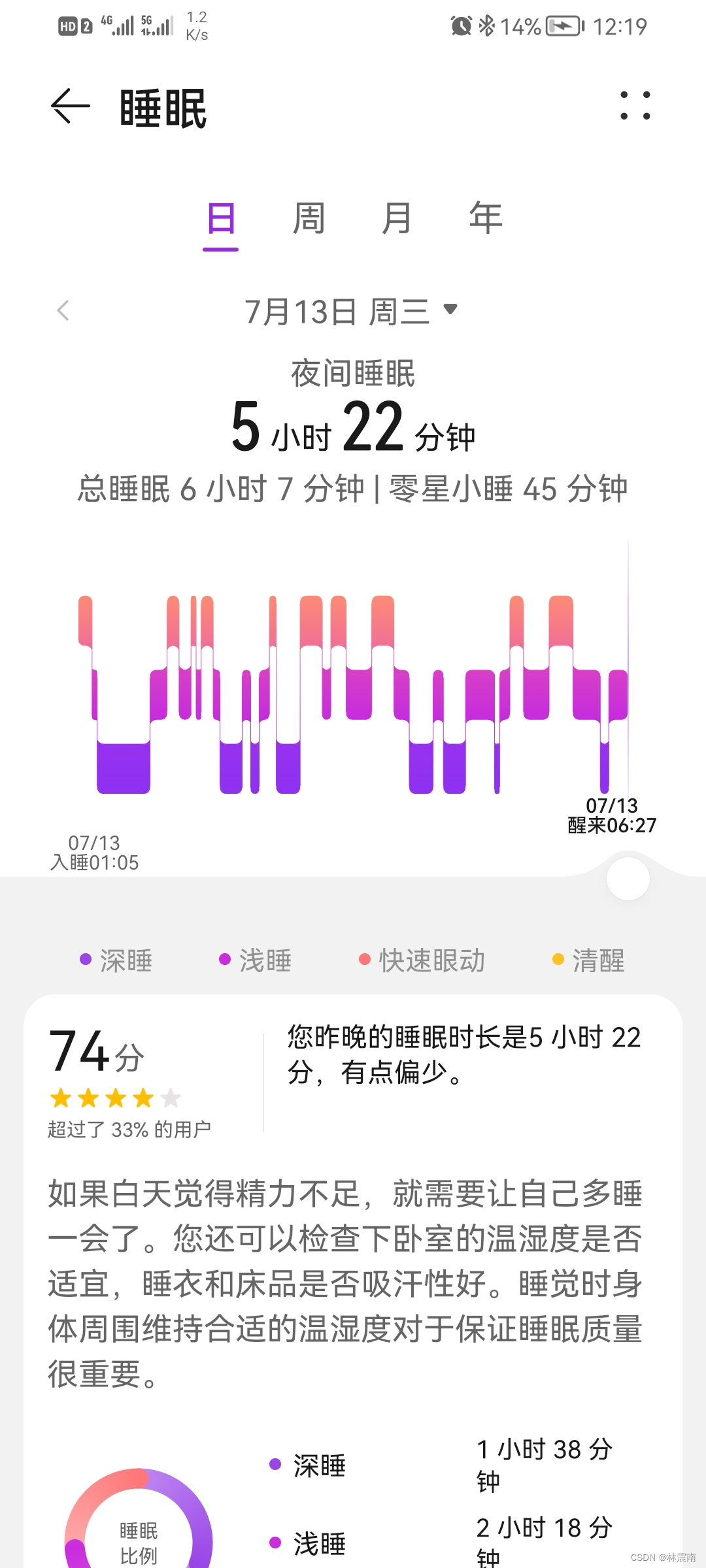
Today's sleep quality record 74 points

Upgrading of computing power under the coordination of software and hardware, redefining productivity

游戏流程与底层实现 逐步完成

Redis安装

“蔚来杯“2022牛客暑期多校训练营2

Reasons and solutions for moving the first column to the last column in El table

Shell (I)

Embrace open source guidelines
随机推荐
Service Workers让网站动态加载Webp图片
Minikube initial experience environment construction
Multithreading and high concurrency (III) -- source code analysis AQS principle
Static proxy instance
Skiasharp's WPF self drawn drag ball (case version)
[pyGame practice] when the end of the world comes, how long can you live in a cruel survival game that really starts from scratch?
Start from scratch blazor server (2) -- consolidate databases
P5472 [noi2019] douzhudi (expectation, Mathematics)
Reflect 机制获取Class 的属性和方法信息
[applet] how to notify users of wechat applet version update?
Stored state and running state of program
Hcip (configuration of GRE and mGRE and OSPF related knowledge)
【补题日记】[2022牛客暑期多校2]H-Take the Elevator
程序的存储态与运行态
2022.07.08 summer training personal qualifying (III)
什么是WordPress
Know the optical fiber interface and supporting optical fiber cable of can optical fiber converter in fire alarm networking
How to make the characters in the photos laugh? HMS core video editing service one click smile function makes people smile more naturally
LabVIEW AI visual Toolkit (non Ni vision) download and installation tutorial
移动端人脸风格化技术的应用