当前位置:网站首页>Linux安装mysql8.0.25
Linux安装mysql8.0.25
2022-06-23 05:46:00 【wsyzxss】
下载mysql
wget https://cdn.mysql.com/archives/mysql-8.0/mysql-8.0.25-linux-glibc2.12-x86_64.tar.xz
cd /usr/local/
mkdir mysql
cd mysql/
#移动刚才下载的安装包,到,/usr/local/mysql/
mv /opt/mysql-8/mysql-8.0.25-linux-glibc2.12-x86_64.tar.xz .
#解压
tar xvjf mysql-8.0.25-linux-glibc2.12-x86_64.tar.xz
#修改解压后的重命名 文件名
mv mysql-8.0.25-linux-glibc2.12-x86_64 mysql-8.0.25
cd /usr/local/mysql
[email protected] mysql]# mkdir data
[[email protected] mysql]# groupadd mysql
[[email protected] mysql]# useradd -g mysql mysql
[[email protected] mysql]# chown -R mysql.mysql /usr/local/mysql/mysql-8.0.25
[[email protected] mysql]# chmod 750 /usr/local/mysql/data -R
[[email protected] mysql]#
# 再 /etc/profile 中最后 添加
[[email protected] mysql]# vim /etc/profile
# 再 /etc/profile 中最后 添加如下:
export PATH=$PATH:/usr/local/mysql/mysql-8.0.25/bin:/usr/local/mysql/mysql-8.0.25/lib#使配置文件生效
source /etc/profile
添加 /etc/my.cnf 文件
[[email protected] ~]# cat /etc/my.cnf
[mysql]
default-character-set=utf8mb4
[client]
socket=/var/lib/mysql/mysql.sock
[mysqld]
user=mysql
general_log = 1
general_log_file= /var/log/mysql/mysql.log
socket=/var/lib/mysql/mysql.sock
basedir=/usr/local/mysql/mysql-8.0.25
datadir=/usr/local/mysql/data
log-bin=/usr/local/mysql/data/mysql-bin
innodb_data_home_dir=/usr/local/mysql/data
innodb_log_group_home_dir=/usr/local/mysql/data/
character-set-server=utf8mb4
lower_case_table_names=1
autocommit=1
default_authentication_plugin=mysql_native_password
symbolic-links=0
[mysqld_safe]
log-error=/usr/local/mysql/data/mysql.log
pid-file=/usr/local/mysql/data/mysql.pid
[[email protected] ~]#
cd /usr/local/mysql/mysql-8.0.25/bin/
执行安装命令
./mysqld --user=mysql --basedir=/usr/local/mysql/mysql-8.0 --datadir=/usr/local/mysql/data/ --initialize安装最后 会出现 密码 for [email protected]:初始密码

cd /usr/local/mysql/mysql-8.0.25/
[[email protected] mysql-8.0.25]# cp -a ./support-files/mysql.server /etc/init.d/mysql
[[email protected] mysql-8.0.25]# cp -a ./support-files/mysql.server /etc/init.d/mysqld
[[email protected] mysql-8.0.25]# chown 777 /etc/my.cnf
[[email protected] mysql-8.0.25]# chmod +x /etc/init.d/mysql
[[email protected] mysql-8.0.25]# chmod +x /etc/init.d/mysqld
[[email protected] mysql-8.0.25]# mkdir /var/lib/mysql
[[email protected] mysql-8.0.25]# chown -R mysql:mysql /var/lib/mysql/
[[email protected] mysql-8.0.25]# service mysql start
Starting MySQL.Logging to '/usr/local/mysql/data/mysql.log'.
. SUCCESS!
[[email protected] mysql-8.0.25]#
[[email protected] mysql-8.0.25]# service mysql status
 SUCCESS! MySQL running (17407)
[[email protected] mysql-8.0.25]#
#mysql启动命令
service mysql start
#mysql状态
service mysql status
#修改密码
登录mysql
mysql -u root -p #回车输入安装时候 末尾输出的密码
#修改密码
ALTER USER 'root'@'localhost' IDENTIFIED WITH mysql_native_password BY '新密码';
#使之生效
flush privileges;
## 修改 任意ip 都可以登录mysql
use mysql
update user set host='%' where user='root';
flush privileges;
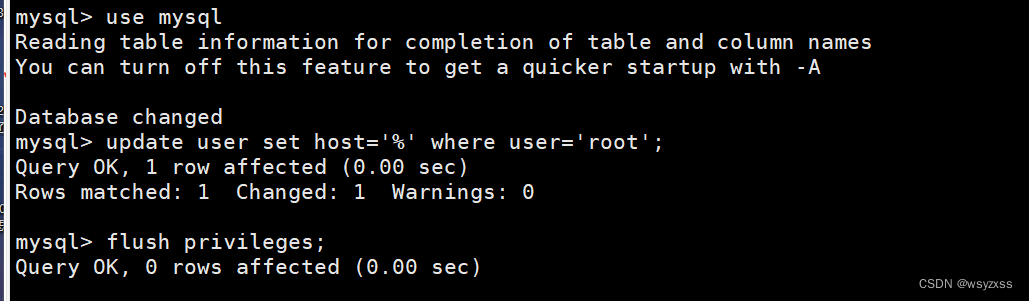
如果 软件登录mysql ,则需要 开通3306端口 或者 关闭防火墙
#防火墙状态
firewall-cmd --state
#临时关闭防火墙 (重启失效)
systemctl stop firewalld.service
边栏推荐
- Kubesphere offline deployment without network environment
- Qt 中 QVariant 使用总结
- 关于监督
- 微信小程序 - 全局监听globalData的某个属性变化,例如监听网络状态切换
- Docker practice - redis cluster deployment and micro service deployment project
- 常见设置模式(抽象工厂&责任链模式&观察者模式)
- haas506 2.0开发教程-hota(仅支持2.2以上版本)
- QT creator builds osgearth environment (osgqt msvc2017)
- C# DPI适配问题
- Easy EDA learning notes 09 esp32-wroom-32e module esp32-devkitc-v4 development board one click download circuit
猜你喜欢

开源生态|超实用开源License基础知识扫盲帖(下)

Haas506 2.0 development tutorial -hota (only supports versions above 2.2)
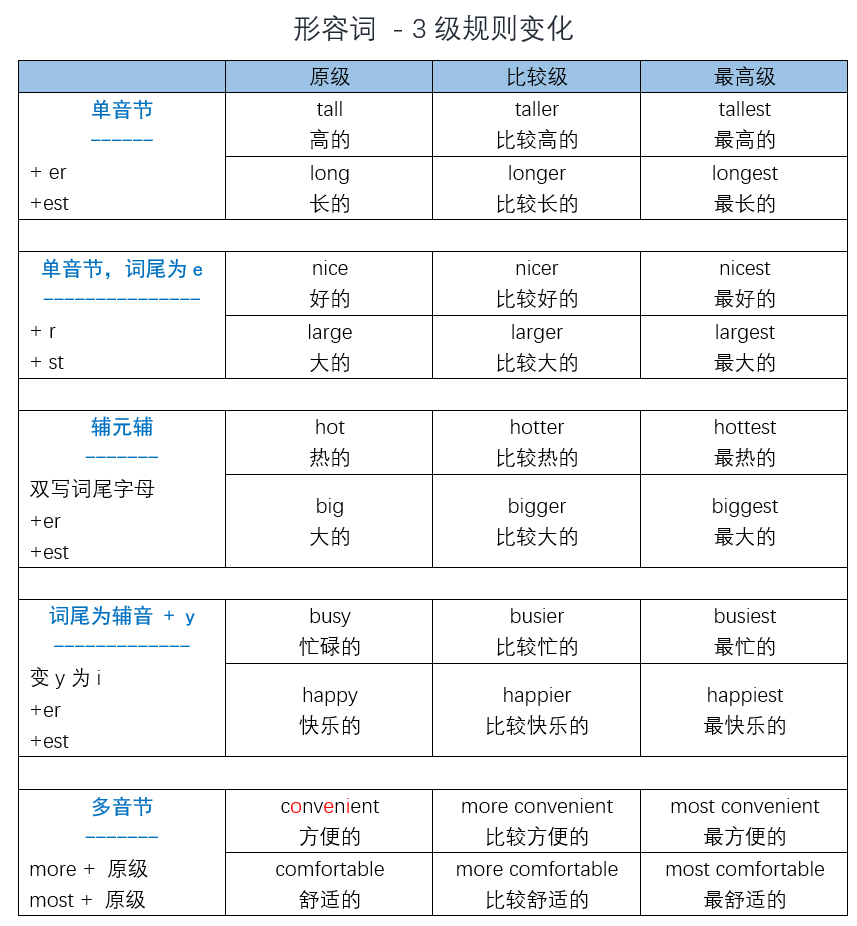
English语法_形容词比较级 - 3级变化

中台库存中的实仓与虚仓的业务逻辑设计

Focusing on the smart city, Huawei cooperates with China Science and technology Xingtu to jointly develop a new digital blue ocean
Open source ecology 𞓜 super practical open source license basic knowledge literacy post (Part 2)

什么是客户体验自动化?

Measurement principle and thickness measurement mode of spectral confocal

解析创客教育中的个性化学习进度

Programmers' real ideas | daily anecdotes
随机推荐
Haas506 2.0 development tutorial -hota (only supports versions above 2.2)
综合培养学生脑力思维的少儿编程
haas506 2.0开发教程-高级组件库-modem.sms(仅支持2.2以上版本)
Add IPAD control function into shairplay
Plot+seaborn+folium: a visual exploration of Abbey's rental housing data
Topic35——34. Find the first and last positions of elements in a sorted array
c#数据库报错问题大家帮我看看吧
C语言学习总结
Numerical calculation method chapter7 Calculating eigenvalues and eigenvectors of matrices
Sklearn classification in sklearn_ Report & accuracy / recall /f1 value
JSON to proto
JS to create an array (all elements are objects)
279.完全平方数
Data indicators and data analysis models that designers need to understand
[resolved] "the unity environment took too long to respond. make sure that: \n“
C language removes line breaks (or other characters) at the end of strings
记一次GLIB2.14升级GLIB2.18的记录以及其中的步骤原理
解析创客教育中的个性化学习进度
js创建数组(元素都是对象)
SAP execution transaction code mrrl error -no message was found for partner 100065-