当前位置:网站首页>我的小笔记 =》原生微信小程序
我的小笔记 =》原生微信小程序
2022-08-02 03:23:00 【爱唱歌的前端】
这里写目录标题
10.处理调用接口后返回的是Unicode码
res.data: "({"status":2,"msg":"\u6d3b\u52a8\u65f6\u95f4\u5df2\u7ecf\u7ed3\u675f"})"

//把返回的括号去掉
let dataStr = res.data.replace(/(^\(*|\)*$)/g, "");
//把字符串转成json
let data = JSON.parse(dataStr);
console.log(data)
9.禁用最外层盒子滚动
<view catchtouchmove="onPreventTouchMove">	</view>
  onPreventTouchMove: function () {

    //阻止弹出层滑动事件,空函数,不做任何处理
    return false;
  },
如果安卓端还是不行就直接修改json文件,加入"disableScroll": true属性。另外内层如果需要滚动就用标签。
8.scroll-view快速滚动不能及时触发bindscrolltoupper且获取scrollTop不准确
需添加throttle="{ {false}}"解决
<scroll-view bindscroll="bindscroll" bindscrolltoupper="bindscrolltoupper" scroll-y="{
     {true}}" throttle="{
     {false}}">
</scroll-view>
7.上滑弹窗
<view bindtap='openActionSheet'>#点击显示上滑窗</view>
<!-- 遮罩层 -->
<view class="mask-layer" wx:if="{
     {isShowActionsheet}}" bindtap='closeActionSheet'></view>
<!-- 上滑高度 -->
<view class='sliding-block' wx:if="{
     {isShowActionsheet}}" animation='{
     {animationData}}'>
	<!-- 内容 -->
	<view class="container-box">
		你好啊
	</view>
</view>
Page({


  /** * 页面的初始数据 */
  data: {

    isShowActionsheet: false
  },

  // 打开上滑弹窗
  openActionSheet: function (e) {

    var that = this;
    var animation = wx.createAnimation({

      duration: 300,
      timingFunction: 'linear'
    })
    // 将该变量赋值给当前动画
    that.animation = animation
    animation.translateY(300).step()
    that.setData({

      animationData: animation.export(),
      isShowActionsheet: true
    })
    //实现有感觉的滑动
    setTimeout(function () {

      animation.translateY(0).step()
      that.setData({

        animationData: animation.export(),
      })
    }, 100)
  },
  //关闭上滑弹窗
  closeActionSheet: function (e) {

    var that = this;
    var animation = wx.createAnimation({

      duration: 300,
      timingFunction: 'linear'
    })
    that.animation = animation
    animation.translateY(500).step()
    that.setData({

      animationData: animation.export()
    })
    setTimeout(function () {

      animation.translateY(0).step()
      that.setData({

        animationData: animation.export(),
        isShowActionsheet: false
      })
    }, 300)
  },

  /** * 生命周期函数--监听页面加载 */
  onLoad: function (options) {


  },

  /** * 生命周期函数--监听页面显示 */
  onShow: function () {


  },
})
/* 遮罩 */
.mask-layer {

  z-index: 4999;
  position: fixed;
  top: 0;
  width: 100%;
  height: 100%;
  background-color: #000;
  opacity: 0.5;
}

/* 滑块高度 */
.sliding-block {

  z-index: 5000;
  position: fixed;
  bottom: 0;
  width: 100%;
  height: 45%;
  background-color: #fff;

}

/* 滑块内容 */
.container-box {

  display: flex;
  flex-direction: column;
  width: 100%;
  height: 100%;
  margin: 0 auto;
  box-sizing: border-box;
}
6.将数据储存到本地缓存
一、设置Storage
wx.setStorageSync("name", key)
二、取Storage
wx.getStorageSync("name")
三、移除Storage
wx.removeStorageSync(“name”)
5.全局属性的使用与修改
app.js
const app = getApp();
//app.js
App({

  onLaunch: function () {


  },
  globalData: {

    A:"你好啊!"
  }
})
普通page中使用
const app = getApp();
Page({


  /** * 页面的初始数据 */
  data: {


  },

  /** * 生命周期函数--监听页面加载 */
  onLoad: function (options) {

  	// 获取
    console.log(app.globalData.A)
   	// 修改
   	app.globalData.isLoginRecommend = "你也好啊!";
  },
})
4.一个小程序跳转到另外一个小程序
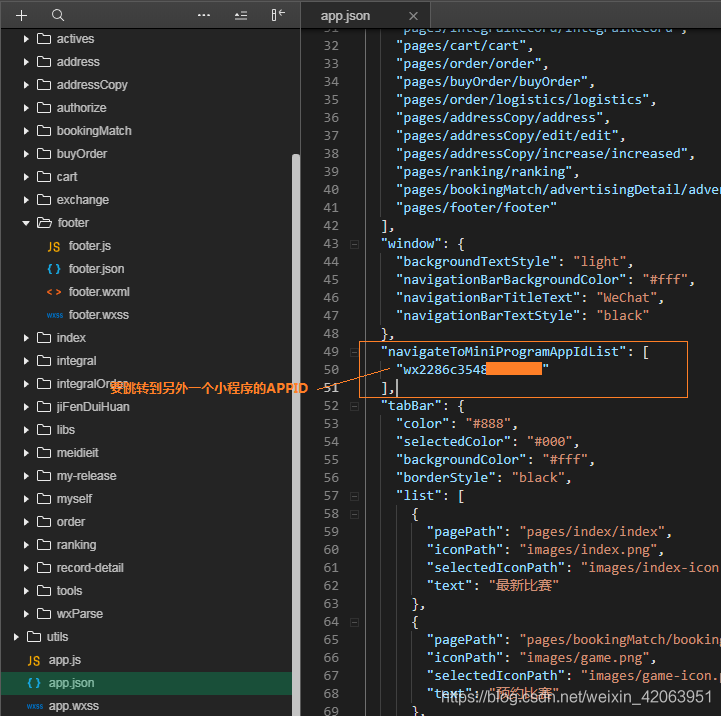
app.json中添加如下代码:
  "navigateToMiniProgramAppIdList": [
    "另外一个小程序的小程序APPID"
  ],
  <text class="technicalSupport" bindtap="goToOtherApplet">点击跳转到另外一个小程序</text>

  goToOtherApplet: function(){

    wx.navigateToMiniProgram({

      appId: '另外一个小程序的小程序APPID',
      path: 'pages/index/index',//路径可传参
      extraData: {

        foo: 'bar'
      },
      // envVersion: 'trial',
      success(res) {

        // 打开成功
        //console.log(res)
      }
    })
  },
3.点击按钮分享好友
官方说明:imageUrl自定义图片路径,可以是本地文件路径、代码包文件路径或者网络图片路径。支持PNG及JPG。显示图片长宽比是 5:4。不返回imageUrl的话会根据屏幕截图
<button open-type='share'>分享</button>

  onShareAppMessage: function () {

    return {

      title: '邀请好友一起砍价',
      path: '/index/index?id=123',
      imageUrl:'../img/Luffy.jpeg'
    }
  },

2.showToast弹窗的使用
  wx.showToast({

    title: "成功",
    icon: 'success', //图标,只支持"success"、"loading"
    image: '../images/test.png', //自定义图标的本地路径,image 的优先级高于 icon
    duration: 2000, //提示的延迟时间,单位毫秒,默认:1500
    mask: false, //是否显示透明蒙层,防止触摸穿透,默认:false
  })
1.封装http
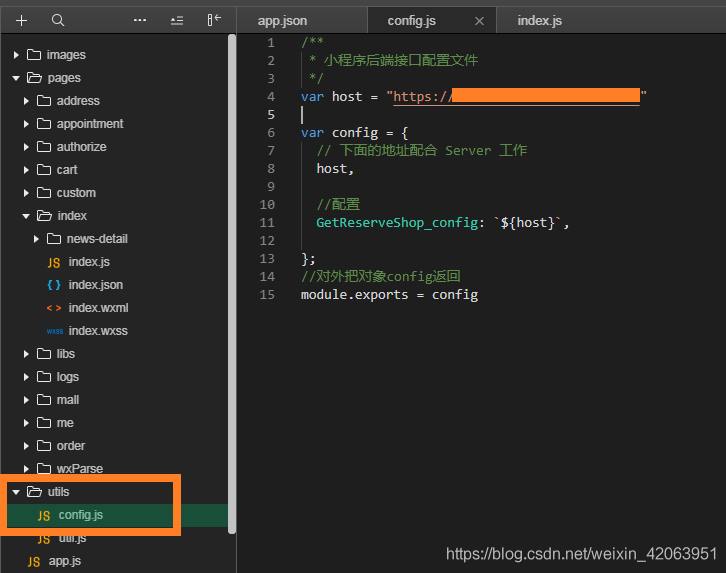
新建utils目录与pages文件夹同级,然后创建config.js文件数据如下图。(GetReserveShop_config为自定义的名字)
/** * 小程序后端接口配置文件 */
var host = "https://xxx.net"

var config = {

  // 下面的地址配合 Server 工作
  host,

  //配置
  GetReserveShop_config: `${
      host}`,

};
//对外把对象config返回
module.exports = config
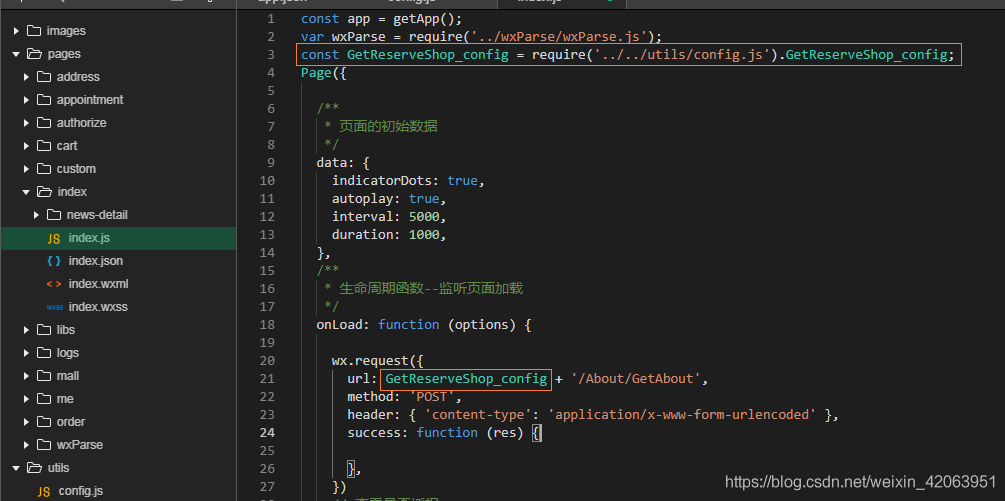
在JS中使用如下图
//放到Page方法外
const GetReserveShop_config = require('../../utils/config.js').GetReserveShop_config;

wx.request({

  url: GetReserveShop_config + '域名的目录',
  method: '选择GET或POST',
  header: {

    'content-type': 'application/x-www-form-urlencoded'
  },
  success: function (res) {

    // console.log(res)
  }
})
边栏推荐
- meime模块
- Phospholipid-polyethylene glycol-targeted neovascularization targeting peptide APRPG, DSPE-PEG-APRPG
- JJWT tool class
- nucleo stm32 h743 FREERTOS CUBE MX配置小记录
- yolov5调用ip摄像头时出现的问题
- IndexError: only integers, slices (`:`), ellipsis (`...`), numpy.newaxis (`None`) and integer or boo
- 语义分割标签即像素值的巨坑,transforms.ToTensor()的错误使用
- docker 安装 sqlserver中的坑点
- Source Insight 使用教程(2)——常用功能
- IndexError: only integers, slices (`:`), ellipsis (`...`), numpy.newaxis (`None`) and integer or boo
猜你喜欢
![[Basic Tutorial of Remote Control Development 1] Crazy Shell Open Source Formation Drone-GPIO (Remote Control Indicator Light Control)](/img/da/5f6b1ed89cb3fed3cbe6aea840f473.png)
[Basic Tutorial of Remote Control Development 1] Crazy Shell Open Source Formation Drone-GPIO (Remote Control Indicator Light Control)

科研试剂DMPE-PEG-Mal 二肉豆蔻酰磷脂酰乙醇胺-聚乙二醇-马来酰亚胺

How to check whether a table is locked in mysql

FreeRTOS内核详解(1) —— 临界段保护原理
Debian 10 NTP Service Configuration
每天填坑,精卫填坑第二集,TX1 配置从固态启动,安装Pytorch
Deveco studio Hongmeng app access network detailed process (js)
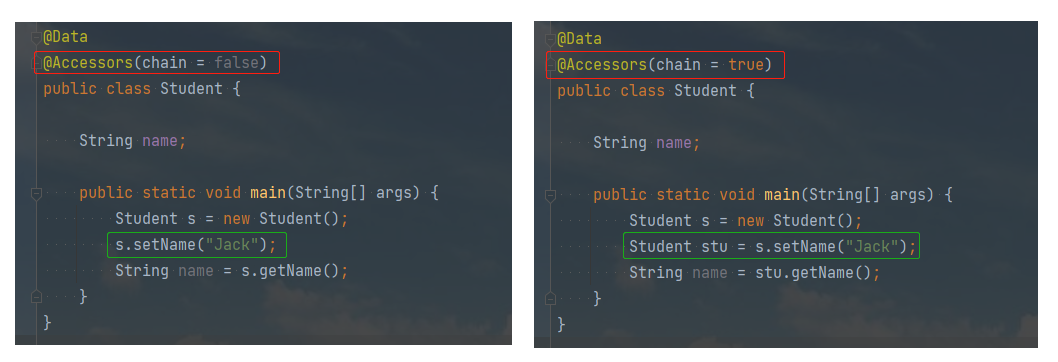
@Accessors 注解详解
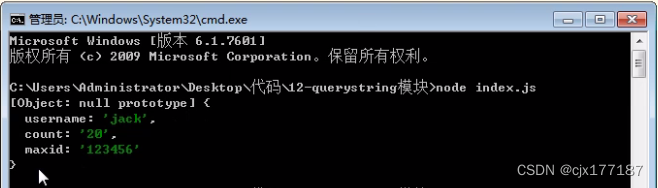
querystring模块

Phospholipid-polyethylene glycol-hydrazide, DSPE-PEG-Hydrazide, DSPE-PEG-HZ, MW: 5000
随机推荐
Redis simple study notes
广州华为面试总结
kettle 安装与配置
环形链表---------约瑟夫问题
MySQL占用CPU过高,排查原因及解决的多种方式法
骨架效果 之高级渐变,适用图片等待时
C语言 0长度数组/柔性数组
Basic usage of Monaco Editor
subprocess.CalledProcessError: Command 'pip install 'thop'' returned non-zero exit status 1.
相对路径和绝对路径
Usage of JOIN in MySQL
querystring模块
AttributeError: Can‘t get attribute ‘SPPF‘ on <module ‘models.common‘ from ‘/yolov5-5.0/models/commo
每天填坑,精卫填坑第二集,TX1 配置从固态启动,安装Pytorch
URL模块
Phospholipid-polyethylene glycol-targeted neovascularization targeting peptide APRPG, DSPE-PEG-APRPG
【程序人生】做了多年的运维,靠什么转行拿下12K+年终奖的薪资?
PCL—点云数据分割
【 application 】 life many years of operations, what turned scored 12 k + annual bonus salary?
这些JS题面试时一定要答对!