当前位置:网站首页>可视化领域 SVG
可视化领域 SVG
2022-07-27 03:45:00 【前端小草籽】
目录

1.什么是可视化?
在学习 SVG 之前,首先要了解 位图 和 矢量图 的区别。
简单来说:
- 位图:放大会失真图像边缘有锯齿;是由像素点组成;前端的
Canvas就是位图效果。- 矢量图:放大不会失真;使用
XML描述图形。
左边是位图,右边是矢量图

那么 SVG 是什么呢?它是矢量图的其中一种格式。它是用 XML 来描述图形的。
对于初学 SVG 的前端来说,可以简单的理解为 “SVG 是一套新标签”。
所以可以使用 CSS 来设置样式,也可以使用 JS 对 SVG 进行操作
2.SVG的使用方式
1.使用方法
SVG 的使用方式有很多种,我最推荐直接在 HTML 中直接使用,也就是直接当 HTML 标签使用。
这里记录了几种使用方法:
- 在浏览器直接打开
- 内嵌到
HTML中(推荐)CSS背景图(推荐)- 使用
img标签引入(推荐)- 使用
iframe标签引入(不推荐)- 使用
embed标签引入(不推荐)- 使用
object标签引入(不推荐)
2. SVG默认宽高
在 HTML 中使用 SVG ,直接用 <svg> 标签即可。
<svg></svg>在不给 <svg> 设置宽高时,它的默认宽度是 300px ,默认高度是 150px 。这点和 <canvas> 是一样的。
3.基础图形
HTML 的元素大多数默认都是矩形,SVG 在形状上更加丰富。
1.矩形
矩形使用 <rect> 标签,默认填充色是黑色,当只设置宽高时,渲染出来的矩形就是黑色的矩形。
稍后还会说明如何设置样式(比如边框、填充色等),这里只列出矩形基础属性:
x: 左上角x轴坐标y: 左上角y轴坐标width: 宽度height: 高度rx: 圆角,x轴的半径ry: 圆角,y轴的半径
eg: 基础款(只设置宽高)

<svg width="300" height="300" style="border: 1px solid red;">
  <rect width="200" height="100"></rect>
</svg>
设置矩形位置
通过 x 和 y 可以设置矩形位置

<svg width="300" height="300" style="border: 1px solid red;">
  <rect
    x="30"
    y="20"
    width="200"
    height="100"
  >
  </rect>
</svg>
2.圆角矩形

<svg width="300" height="300" style="border: 1px solid red;">
  <rect
    width="200"
    height="100"
    rx="20"
    ry="40"
  >
  </rect>
</svg>
rx 是设置x轴的半径,ry 设置y轴的半径。
rx 的最大值是矩形宽度的一半,ry 的最大值是矩形高度的一半。
当只设置 rx 或者 ry 其中一个值时,另一个属性也会使用一样的值。

<svg width="300" height="300" style="border: 1px solid red;">
  <rect
    width="200"
    height="100"
    rx="30"
  >
  </rect>
</svg>
此时 rx 和 ry 都是 30。
3.rect版的圆形
圆角的概念和 CSS 的 border-radius 有点像,所以有没有一种可能,用 <rect> 也可以画圆形呢?

<svg width="300" height="300" style="border: 1px solid red;">
  <rect
    width="100"
    height="100"
    rx="50"
  >
  </rect>
</svg>
只要把宽高设成一样,圆角设成宽度的一半就能实现圆形。这是在 HTML 里的实现方式之一。
同理也用 <rect> 实现椭圆,但在 SVG 中是不会这样做的。因为 SVG 里有专门的圆形和椭圆的标签。
4.圆形 circle
圆形使用 <circle> 标签,基础属性有:
cx: 圆心在x轴的坐标cy: 圆心在y轴的坐标r: 半径

<svg width="300" height="300" style="border: 1px solid red;">
  <circle
    cx="60"
    cy="80"
    r="50"
  >
  </circle>
</svg>
5.椭圆 ellipse
椭圆使用 <ellipse> 标签,基础属性有:
cx: 圆心在x轴的坐标cy: 圆心在y轴的坐标rx: x轴的半径ry: y轴的半径

<svg width="300" height="300" style="border: 1px solid red;">
  <ellipse
    cx="100"
    cy="40"
    rx="80"
    ry="30"
  >
  </ellipse>
</svg>
<ellipse> 和 <circle> 差不多,只是将半径拆成x轴和y轴的。
5.直线 line
直线使用 <line> 标签,基础属性有:
x1: 起始点x坐标y1: 起始点y坐标x2: 结束点x坐标y2: 结束点y坐标stroke: 描边颜色

<svg width="300" height="300" style="border: 1px solid red;">
  <line
    x1="30"
    y1="40"
    x2="200"
    y2="180"
    stroke="blue"
  >
  </line>
</svg>
只有 x1 和 x2 ,没有 x3 ,也没有 y3 。
需要注意的是,<line> 需要使用设置 stroke 属性才会有绘制效果。
6.折线 polyline
使用 <polyline> 可以绘制折线,基础属性有:
points: 点集stroke: 描边颜色fill: 填充颜色

<svg width="300" height="300" style="border: 1px solid red;">
  <polyline
    points="10 10, 200 80, 230 230"
    stroke="#000"
    fill="none"
  >
  </polyline>
</svg>
points 接受的值是一串点集,点集是两两一组表示一个坐标。
其实点集完全不需要用逗号隔开,上面的例子中我使用了逗号隔开,完全是为了让自己阅读代码时比价易懂。一个逗号分隔一个 xy 坐标。
在绘制折线是,我通常是将 fill 设置成 none ,因为 fill 默认值是黑色,如果不设置成 none 会出现以下效果:

<svg width="300" height="300" style="border: 1px solid red;">
  <polyline
    points="10 10, 200 80, 230 230"
    stroke="#000"
  >
  </polyline>
</svg>
将 fill 设置成 none 后,必须设置 stroke 为一个有颜色的值,不然不会有渲染效果。
7.多边形 polygon
多边形使用 <polygon> 标签,基础属性和 <polyline> 差不多:
points: 点集stroke: 描边颜色fill: 填充颜色
<polygon> 会自动闭合(自动将起始点和结束点链接起来)。

<svg width="300" height="300" style="border: 1px solid red;">
  <polygon points="10 10, 200 80, 230 230"></polygon>
</svg>
8.直线路径 path
其实在 SVG 里,所有基本图形都是 <path> 的简写。所有描述轮廓的数据都放在 d 属性里,d 是 data 的简写。
d 属性又包括以下主要的关键字(注意大小写!):
- M: 起始点坐标,
moveto的意思。每个路径都必须以M开始。M传入x和y坐标,用逗号或者空格隔开。L: 轮廓坐标,lineto的意思。L是跟在M后面的。它也是可以传入一个或多个坐标。大写的L是一个绝对位置。- l: 这是小写
L,和L的作用差不多,但l是一个相对位置。H: 和上一个点的Y坐标相等,是horizontal lineto的意思。它是一个绝对位置。h: 和H差不多,但h使用的是相对定位。V: 和上一个点的X坐标相等,是vertical lineto的意思。它是一个绝对位置。v: 这是一个小写的v,和大写V的差不多,但小写v是一个相对定位。Z: 关闭当前路径,closepath的意思。它会绘制一条直线回到当前子路径的起点。
边栏推荐
- A. Round Down the Price
- Do you know about wechat merchant billing?
- xxx is not in the sudoers file. This incident will be reported
- 新互联网时代已来 WEB 3.0 会给我们带来哪些新机遇
- [leetcode] day104 no overlapping interval
- Navicat exports Mysql to table structure and field description
- Elastic开源社区:开发者招募
- Anonymous named pipes, understanding and use of interprocess communication in shared memory
- DINO 论文精度,并解析其模型结构 & DETR 的变体
- Ant JD Sina 10 architects 424 page masterpiece in-depth distributed cache from principle to practice pdf
猜你喜欢

JS modify the key value of the object array

Nacos startup and login
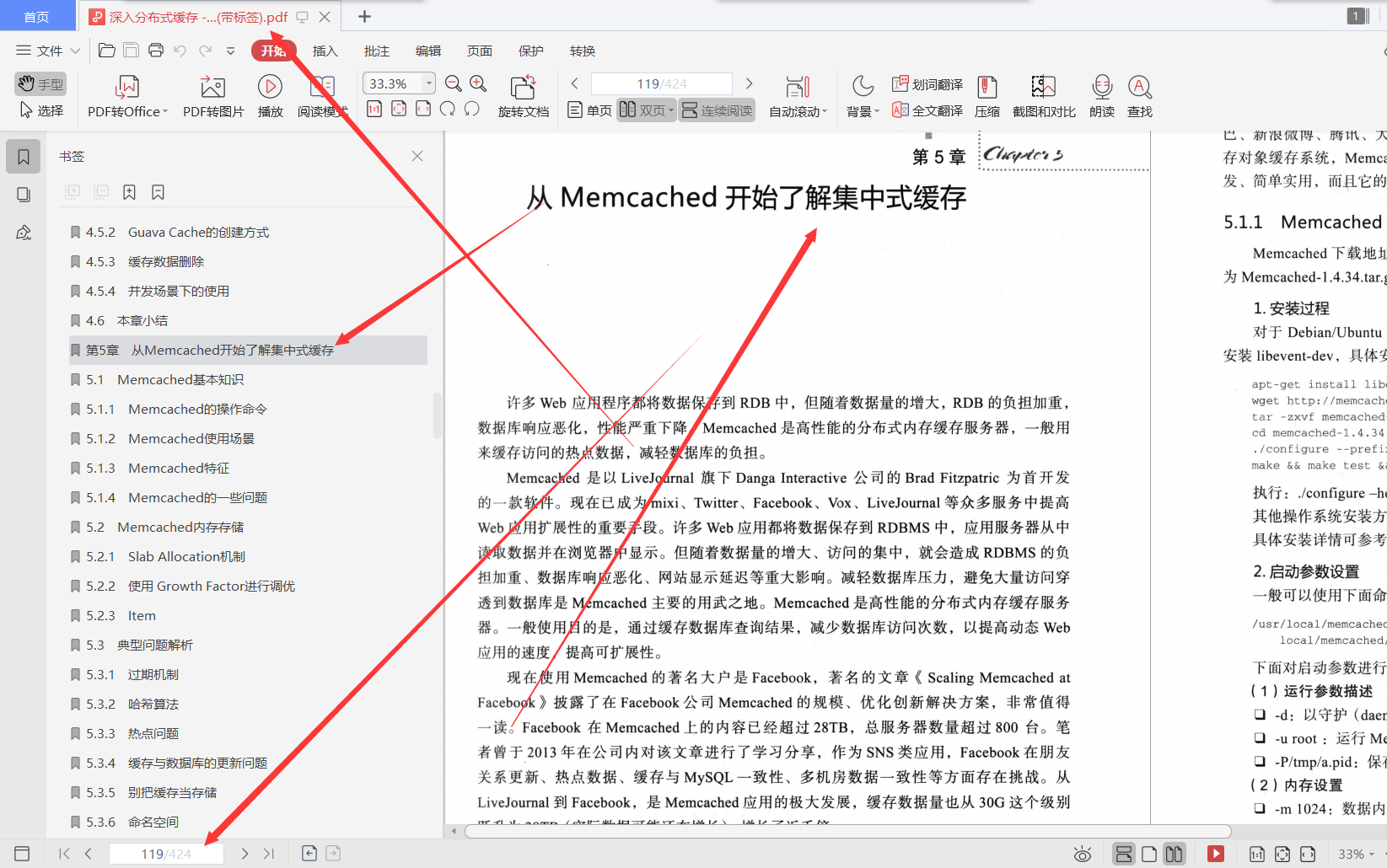
Ant JD Sina 10 architects 424 page masterpiece in-depth distributed cache from principle to practice pdf

F - Pre-order and In-order(Atcoder 255)
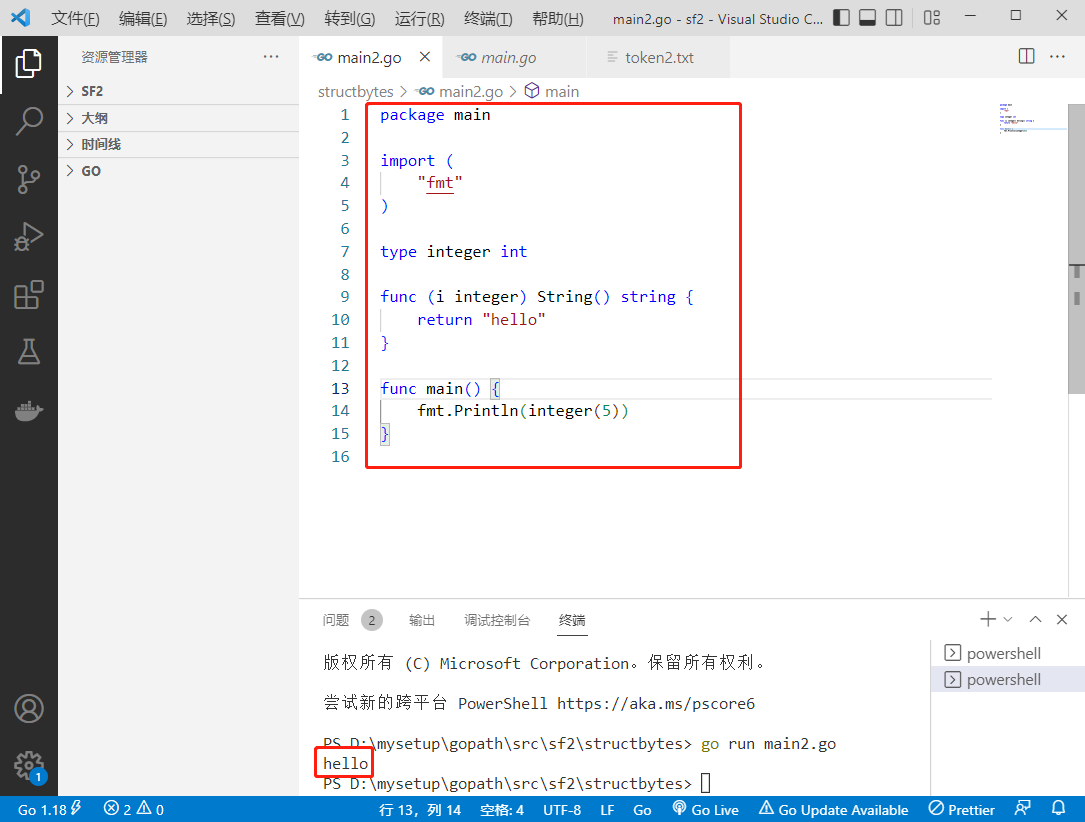
2022-07-26:以下go语言代码输出什么?A:5;B:hello;C:编译错误;D:运行错误。 package main import ( “fmt“ ) type integer in

Anonymous named pipes, understanding and use of interprocess communication in shared memory

JMeter learning notes 004-csv file line number control cycle times

从零开始C语言精讲篇4:数组

ArrayList与LinkedList区别

Eureka-服务注册中心
随机推荐
[small sample segmentation] msanet: multi similarity and attention guidance for boosting few shot segmentation
DINO 论文精度,并解析其模型结构 & DETR 的变体
P1438 boring sequence line segment tree + difference
452 pages, 130000 words, the overall solution of modern smart Township Xueliang project 2022 Edition
Elastic open source community: Developer Recruitment
Convolution neural network -- a detailed introduction to convolution of 24 bit color images
Is VR panorama just needed now? After reading it, you will understand
Navicat将MySQL导出表结构以及字段说明
e.target与e.currentTarget的区别
tcp协议知识详解
管理信息系统期末复习
ASP语音通知接口对接demo
Plato Farm全新玩法,套利ePLATO稳获超高收益
JMeter download and installation
Five basic data structures of redis
Overview of communication protocols
els 兼容性DC、传递图片到窗口
F - Pre-order and In-order(Atcoder 255)
ffmpeg合并视频功能
Elastic认证考试:30天必过速通学习指南