当前位置:网站首页>JDBC summary
JDBC summary
2022-07-26 21:49:00 【Cabbage 00】
Catalog
Table use cases -db Database emp surface
DriverManager( Driver management )
jdbc Manage affairs (Connection Interface defined 3 Corresponding methods )
sql Inject test cases -user surface
obtain PreparedStatement object :
Do not use database connection pool
Connection implementation of connection pool
Common database connection pool
jdbc Concept
jdbc:(java database connectivity)java Database connection , That is to use java Language to operate a database API, It defines a set of rules for operating all relational databases .
Be careful :jdbc Defines a set of interfaces , Through this set of interfaces, you can operate different relational databases

jdbc The essence
- official (sun company ) A set of rules defined to operate all relational databases , Interface
- Each database manufacturer to implement this set of interface , Provide database driver jar package
- We can use this interface (jdbc) Programming , The code that actually executes is the driver jar The implementation class in the package
jdbc benefits
- Each database manufacturer uses the same interface ,java The code does not need to be developed separately for different databases
- You can replace the underlying database at any time , Access database java The code is basically unchanged
jdbc Operating the database
The process :
- stay java Defined in the code sql sentence
- take sql Fagei mysql database
- mysql Database execution finished sql Then give us the result
Use the premise : Import the driver of the corresponding database jar package ( Implementation class )
Table use cases -db Database emp surface

public class JDBCDemo {
    public static void main(String[] args) throws Exception {
        // Registration drive —— load driver Class to memory ( You can omit it )
        Class.forName("com.mysql.jdbc.Driver");
        // The database address of the connection —— agreement 、 domain name 、 Port number 、 Database to connect to
        String url="jdbc:mysql://127.0.0.1:3306/db";
        // The user name set in the database
        String u="root";
        // Password set for the database
        String p="root";
        // Get database connection
        Connection connection = DriverManager.getConnection(url, u, p);
        // Definition sql sentence
        String sql="update emp set salary=8500 where id=3";
        // Access to perform sql The object of ( Transmitters )statement
        Statement statement = connection.createStatement();
        // perform sql—— Back to i Is the number of affected rows
        int i = statement.executeUpdate(sql);
        // Processing results
        System.out.println(i);
        // Release resources
        statement.close();
        connection.close();
    }
}
DriverManager( Driver management )
effect :
- Registration drive
- Get database connection
Be careful :DriverManager Is a utility class , There are many static methods
Registration drive
Registration drive :Class.forName("com.mysql.jdbc.Driver");
    //Driver Within class
    static {
        try {
            // Registration drive
            DriverManager.registerDriver(new Driver());
        } catch (SQLException var1) {
            throw new RuntimeException("Can't register driver!");
        }
    }
Tips :
- mysql 5 Later driver package , You can omit the steps of registering the driver (Class.forName("com.mysql.jdbc.Driver"))
- Automatic loading jar In bag META-INF/services/java.sql.Driver Driver class in file
Get database connection

Parameters
- url: Connection path
- user: user name
- password: password
About url

Connection
effect :
- Access to perform sql The object of
- Manage affairs
obtain sql Executed objects
Common execution sql object :Statement createStatement()
precompile sql Of sql Perform object :PreparedStatement prepareStatement(sql)
The object that executes the stored procedure :CallableStatement prepareCall(sql)
Business management
mysql Manage affairs

jdbc Manage affairs (Connection Interface defined 3 Corresponding methods )

public class JDBCDemo {
    public static void main(String[] args) throws Exception {
        Connection connection = DriverManager.getConnection("jdbc:mysql://127.0.0.1:3306/db","root","root");
        String sql1="update emp set salary=8500 where id=3";
        String sql2="update emp set salary=8500 where id=4";
        Statement statement = connection.createStatement();
        try {
            // Open transaction - Manual submission
            connection.setAutoCommit(false);
            int i1 = statement.executeUpdate(sql1);
            int i2 = statement.executeUpdate(sql2);
            System.out.println(i1+""+i2);
            // Commit transaction
            connection.commit();
        }catch (Exception e){
            // Roll back the transaction
            connection.rollback();
            // Print exception information
            e.printStackTrace();
        }
        statement.close();
        connection.close();
    }
}
Statement
effect : perform sql sentence
int executeUpdate(sql): Used to perform DML、DDL sentence
Return value
- DML The number of affected rows will be returned after the statement is executed , The number of affected lines is not 0 The successful
- DDL Statement execution finished , Successful execution will return 0
RestultSet executeQuery(sql): Used to perform DQL sentence
Return value :ResultSet Result set object
    @Test
    public void testdb() throws Exception {
        Connection connection = DriverManager.getConnection("jdbc:mysql://127.0.0.1:3306/db","root","root");
        String sql1="update emp set salary=8400 where id=3";
        String sql2="drop  database db1";
        Statement statement = connection.createStatement();
        // perform DML sentence , Returns the number of affected rows
        int i1 = statement.executeUpdate(sql1);
        // perform DDL sentence ,DDL After the execution of the statement, it generally does not report exceptions ok
        int i2 = statement.executeUpdate(sql2);
        System.out.println(i1>0?" Successful implementation ":" Execution failure ");
        System.out.println(i2);
        statement.close();
        connection.close();
    }
ResultSet
effect : Encapsulates the DQL The result set object of the query statement

Get query results
Get the entire row

Get each element in the row
xxx getXxx( Parameters ): Get column data , Finally, the column data is returned
xxx: data type => Keep consistent with the data type of the corresponding column
eg:
- int getInt(1): Get the first column of the row ( The fields in this column are int type ) The data of
- String getString(2): Get the second column of the row ( The fields in this column are String type ) The data of
- Object getObject(3): Get the third column of the row ( The fields in this column are of arbitrary type ) The data of
Parameters :
- int Number of columns of type ( Number of columns from 1 Start )=> The element that represents the column number of the row
- String The column name of the type => The element that represents the specific column name of the row
ResultSet The process

ResultSet The table data queried above will be encapsulated , There is a cursor inside ( An arrow ) By default, this cursor points to the previous row of the current data row , Get the data, and the cursor will move down one row , After moving one line , To judge whether the current line is a valid line ( Data is a valid line ), If it is a valid row, you can start to get data one by one , If you want to get the second row after getting it, the cursor moves down another row , And so on and so on
ResultSet Use steps
- Move the cursor down one line , Judge whether there is data in this line :next()
- get data :getxxx( Parameters )

    @Test
    public void testRes() throws Exception {
        Connection connection = DriverManager.getConnection("jdbc:mysql://127.0.0.1:3306/db","root","root");
        String sql="select * from emp where id<4";
        Statement statement = connection.createStatement();
        ResultSet resultSet = statement.executeQuery(sql);
        // Processing return results
        // Move the cursor down one line , And judge whether there is data in the current line
        while (resultSet.next()){
            // get data
            // Get the field value of the first column of this row as int Element of type
            System.out.println(resultSet.getInt(1));
            // Get the field value of the second column of this row as String Element of type
            System.out.println(resultSet.getString(2));
            // Get the element whose field value in the third column of the row is of any type
            System.out.println(resultSet.getObject(3));
            // Get the field name of this row as entrydate Corresponding field value
            System.out.println(resultSet.getObject("entrydate"));
        }
        statement.close();
        connection.close();
    }
sql Inject
sql Inject : Modify pre-defined by operating input sql sentence , The method used to execute code to attack the server
sql Inject test cases -user surface

    public static void main(String[] args) throws Exception {
        Connection connection = DriverManager.getConnection("jdbc:mysql://127.0.0.1:3306/db","root","root");
        System.out.println(" Please enter your name :");
        String u = new Scanner(System.in).nextLine();
        System.out.println(" Please enter your password ");
        String p = new Scanner(System.in).nextLine();
        //select * from user where username="lili" and password=123; because username Field is varchar type , Double quotation marks are required ,password by int Type does not need double quotation marks ( Of course, you can add it )
        String sql="select * from user where username='"+u+"'and password="+p;
        Statement statement = connection.createStatement();
        ResultSet resultSet = statement.executeQuery(sql);
        // as long as resultSet If there is data in it, it will succeed
        if(resultSet.next()){
            System.out.println(" Login successful ");
        }else {
            System.out.println(" Login failed ");
        }
        statement.close();
        connection.close();
    }
verification sql Inject : Write directly after the input name “lili'#” Annotate the following password part, and then login successfully
PreparedStatement
effect : precompile sql Statement and execute , The prevention of sql Injection problem
Use
obtain PreparedStatement object :
String sql="select * from where username=? and password=?"
PreparedStatement p=connection.prepareStatement(sql);
Be careful : above sql by sql skeleton , Inside ? As a placeholder
Set the parameter value
to ? assignment :p.setXxx( Parameters 1, Parameters 2);
xxx: Represents the data type of the field value ( use Object Cover all types )
Parameters
- Parameters 1:? Location number of ( from 1 Start )
- Parameters 2: Corresponding ? Value
perform sql
executeUpdate();/executeQuery();
Be careful : This execution does not need to be delivered again sql
solve sql Inject
    public static void main(String[] args) throws Exception {
        Connection connection = DriverManager.getConnection("jdbc:mysql://127.0.0.1:3306/db","root","root");
        System.out.println(" Please enter your name :");
        String u = new Scanner(System.in).nextLine();
        System.out.println(" Please enter your password ");
        String p = new Scanner(System.in).nextLine();
        // The prevention of sql Inject
        String sql="select * from user where username=? and password=?";
        PreparedStatement preparedStatement = connection.prepareStatement(sql);
        preparedStatement.setString(1,u);
        // use object Represents all types of
        preparedStatement.setObject(2,p);
        ResultSet resultSet = preparedStatement.executeQuery();
        if(resultSet.next()){
            System.out.println(" Login successful ");
        }else {
            System.out.println(" Login failed ");
        }
        preparedStatement.close();
        connection.close();
    }
Be careful :PreparedStatement It's essentially a sql Skeleton and sql Parameters are executed separately , Yes # Just as an ordinary text instead of annotation symbols ( Escape sensitive characters )
PreparedStatement benefits
- precompile sql, Higher performance
- prevent sql Inject : Escape sensitive characters
Be careful :
- PreparedStatement The precompiled function of is off by default
- Turn on the precompile function :useServerPrepStmts=true( Add to url? Back )
How to understand precompile
- First of all statement, We wrote it sql issue mysql The server , Server run sql Syntax check ,sql compile ( Compile into executable functions ), After execution sql sentence .
- about PreparedStatement Come on , He'll check first sql Skeleton grammar , Compile after checking , In the future, when we set the value, we can directly execute
Database connection pool
brief introduction
- The database connection pool is a container , To be responsible for the distribution of , Manage database connections
- It allows applications to reuse an existing database connection , Instead of re establishing a
- Release database connection with idle time exceeding the maximum idle time to avoid missing database connection caused by no free database connection
benefits :
- Resource reuse
- Improve system response speed
- Avoid missing database connections
Do not use database connection pool
There are many users accessing this database , A user will now open a database connection to serve the user , After service , Connection is closed , Another user opens another connection to serve them , Close connection after service , cycle , however : Opening the database connection is a very time-consuming work ( To open the database connection, you must establish the resources at the bottom of the system , waste time ) And close the connection after use , Closing connections also consumes resources , Cannot reuse resources

Use database connection pool
Initialize a container before the system starts , Then apply for many database connections in advance in the container ( The connection is created in advance ) After creation, users will access this database in the future , Then you will first take a database connection from the container to the user , The user ran out of this connection , Then the connection will be returned to the database connection pool container

Connection implementation of connection pool
Standard interface :DataSource
official sun Database connection pool standard interface provided , This interface is implemented by a third-party organization
function : Get the connection =>Connection getConnection()
Be careful : There is such a method in every database connection pool , Inherited from DataSource Interface , Used to get the connection object
Common database connection pool
- DBCP
- C3P0
- Druid
Druid( Druid )
- Druid connection pool is an open source database connection pool project of Alibaba
- Powerful , Excellent performance , yes java One of the best database connection pools in language
Driud Use steps
- Import jar package -druid-1.1.12.jar
- Define configuration file
- Load profile
- Get database connection pool object
- Get the connection
The configuration file
# Project src Put the directory druid.properties file
driverClassName=com.mysql.jdbc.Driver
url=jdbc:mysql:///db?useSSL=false&userServerPrepStmts=true
username=root
password=root
# Initialize configuration
initialSize=5
# maximum connection
maxActive=10
# Maximum waiting time ——ms
maxWait=3000
Table use cases -emp
public class DruidDemo {
    public static void main(String[] args) throws Exception {
        // Load profile
        Properties prop=new Properties();
        prop.load(new FileInputStream("jdbc-demo/src/druid.properties"));
        // Get connection pool object —— The parameter is prop object
        DataSource dataSource = DruidDataSourceFactory.createDataSource(prop);
        // Get the corresponding database connection
        Connection connection = dataSource.getConnection();
        String name=" Jin yong ";
        Integer age=43;
        String sql="select * from emp where name=? or age=?";
        PreparedStatement preparedStatement = connection.prepareStatement(sql);
        preparedStatement.setObject(1, name);
        preparedStatement.setObject(2, age);
        ResultSet resultSet = preparedStatement.executeQuery();
        while (resultSet.next()){
            // there i Indicates the number of columns in this row
            for (int i=1;i<9;i++){
                System.out.println(resultSet.getObject(i));;
            }
        }
    }
}边栏推荐
猜你喜欢

TypeScript中的类型断言

安全浏览器“隐身”模式可以查看历史记录吗?

京东一面:Redis 如何实现库存扣减操作?如何防止商品被超卖?

Isilon 的OneFs常见操作命令(一)

新来个技术总监要我做一个 IP 属地功能~

《暑假每日一题》Week 7:7.18 - 7.24

Cmake compiling obs-studio-27.2.0
![[MySql]substr用法-查询表的某个字段的具体位数的值](/img/d5/68658ff15f204dc97abfe7c9e6b354.png)
[MySql]substr用法-查询表的某个字段的具体位数的值

吃透负载均衡
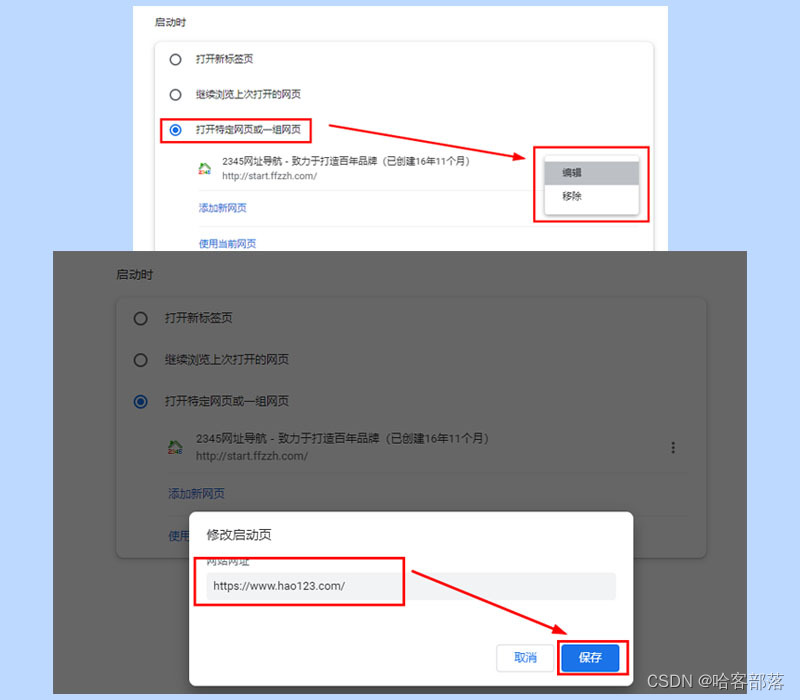
What to do if the browser home page is tampered with, and how to recover if the home page is tampered with
随机推荐
Talk about TCP time_ WAIT
同花顺上面开户安全吗,开户怎么选券商
Six instructions of Memcache based caching mechanism
[MySql]substr用法-查询表的某个字段的具体位数的值
contenteditable 元素的placeholder
What to do if the browser home page is tampered with, and how to recover if the home page is tampered with
CMake 的使用
A unified label space for entity relationship extraction
kalibr标定realsenseD435i --多相机标定
拖放表格行
任正非再谈美国打压:活下去就是胜利,要战胜美国
Pinduoduo gets search term recommendation API
Flask对token的解码&挂载&装饰器&七牛云上传
Pytorch 使用RNN模型构建人名分类器
京东一面:Redis 如何实现库存扣减操作?如何防止商品被超卖?
Shrimp Shope takes the commodity list API according to keywords
Solution to the problem of sticking and unpacking TCP
event. preventDefault VS return false
Dream weaving prompt dedecms error:tag disabled:php!
Tester: "I have five years of testing experience" HR: "no, you just used one year of work experience for five years."