当前位置:网站首页>Rain Scene Effect (I)
Rain Scene Effect (I)
2022-07-28 06:43:00 【Mr.QSheng】
Rain scene effect ( One )
The effect of rain
List of articles
Preface
Rain effect realization ideas . The general combination is a dark cloud effect + Rainwater effect + Umbrella effect + The surface effect + High fog effect + Swaying effect of vegetation + The flowing water effect of the building .
This film will explain the effect of rain + Umbrella effect + The surface effect + High fog effect .
The second article will explain the realization of the dark cloud effect + Swaying effect of vegetation + Building water effect .
One 、 The effect of rain scene
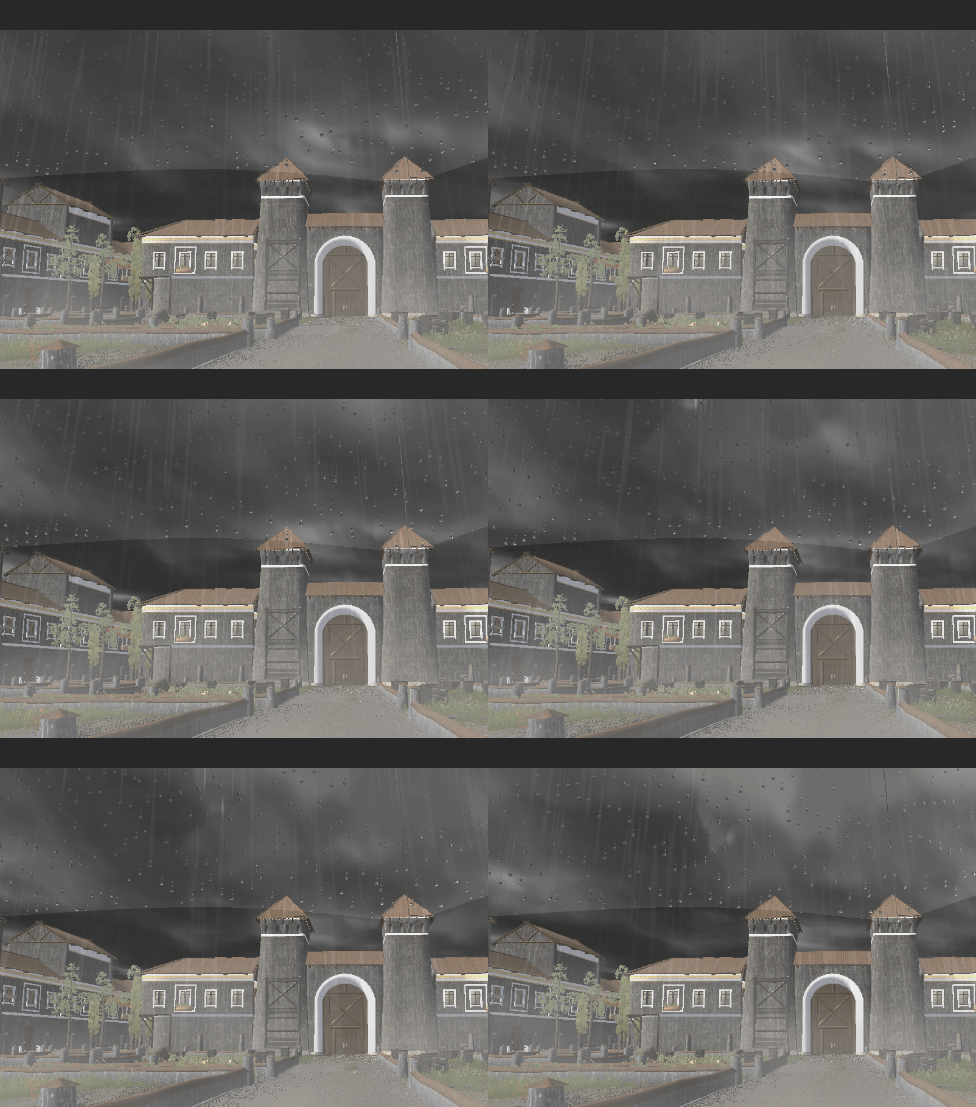
Two 、 Implementation steps
1. Rainwater effect
We use screen post-processing to realize , We need a noise texture . Direct sampling superposition effect
 fixed4 frag (v2f i) : SV_Target
            {

                // sample the texture
                float2 ruv = i.uv ;
                float2 st = i.uv;
                fixed3 final_col = tex2D(_MainTex, i.uv).rgb;
                final_col = final_col + tex2D(_NoiseTex, st).rgb;
                return fixed4(final_col.rgb, 1);
            }

Get the above effect , We continue to optimize him . We don't need to mix rgb The value of three channels , We just need to take one .
  fixed4 frag (v2f i) : SV_Target
            {

                // sample the texture
                float2 ruv = i.uv ;
                float2 st = i.uv ;
                float f = tex2D(_NoiseTex, st).y ;

                fixed3 col = float3(f, f, f) ;

                fixed3 final_col = tex2D(_MainTex, i.uv).rgb;
                final_col = final_col + col;
                return fixed4(final_col.rgb, 1);
            }

Increase the line effect
            fixed4 frag (v2f i) : SV_Target
            {

                // sample the texture
                float2 ruv = i.uv ;
                float2 st = i.uv * float2(.5 + (ruv.y + 1.0) * 0.5
                , 0.03) + float2(_Time.y * 0.2 - ruv.y * 0.2,
                _Time.y * 0.2);
                //float2(.5 + (ruv.y + 1.0) * 0.5, 0.03)  Finish the line effect , Simulate the migration effect of wind on rainwater trajectory
                // + float2(_Time.y * 0.2 - ruv.y * 0.2, _Time.y * 0.2)  Complete the line flow effect
                float f = tex2D(_NoiseTex, st).y ;

                fixed3 col = float3(f, f, f) * _NormalPower;

                fixed3 final_col = tex2D(_MainTex, i.uv).rgb;
                final_col = final_col + col;
                return fixed4(final_col.rgb, 1);
            }
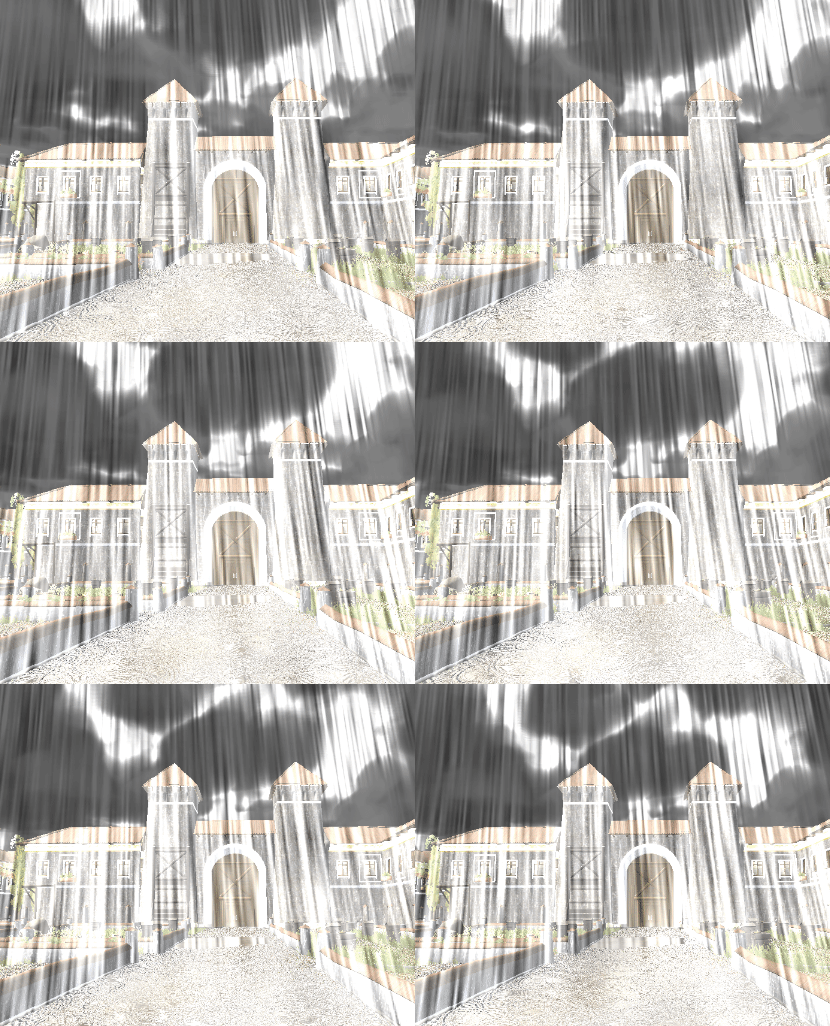
Adjust density , Optimize the final effect
            fixed4 frag (v2f i) : SV_Target
            {

                // sample the texture
                float2 ruv = i.uv ;
                float2 st = i.uv * float2(.5 + (ruv.y + 1.0) * 0.5
                , 0.03) + float2(_Time.y * 0.2 - ruv.y * 0.2,
                _Time.y * 0.2);
                float f = tex2D(_NoiseTex, st).y * tex2D(_NoiseTex, st * .773).x
                * 2;
                f = clamp(pow(abs(f), 23.0) * 13.0, 0.0, (ruv.y - .2) * .14);
                fixed3 col = float3(f, f, f) * _NormalPower;

                fixed3 final_col = tex2D(_MainTex, i.uv).rgb;
                final_col = final_col + col;
                return fixed4(final_col.rgb, 1);
            }
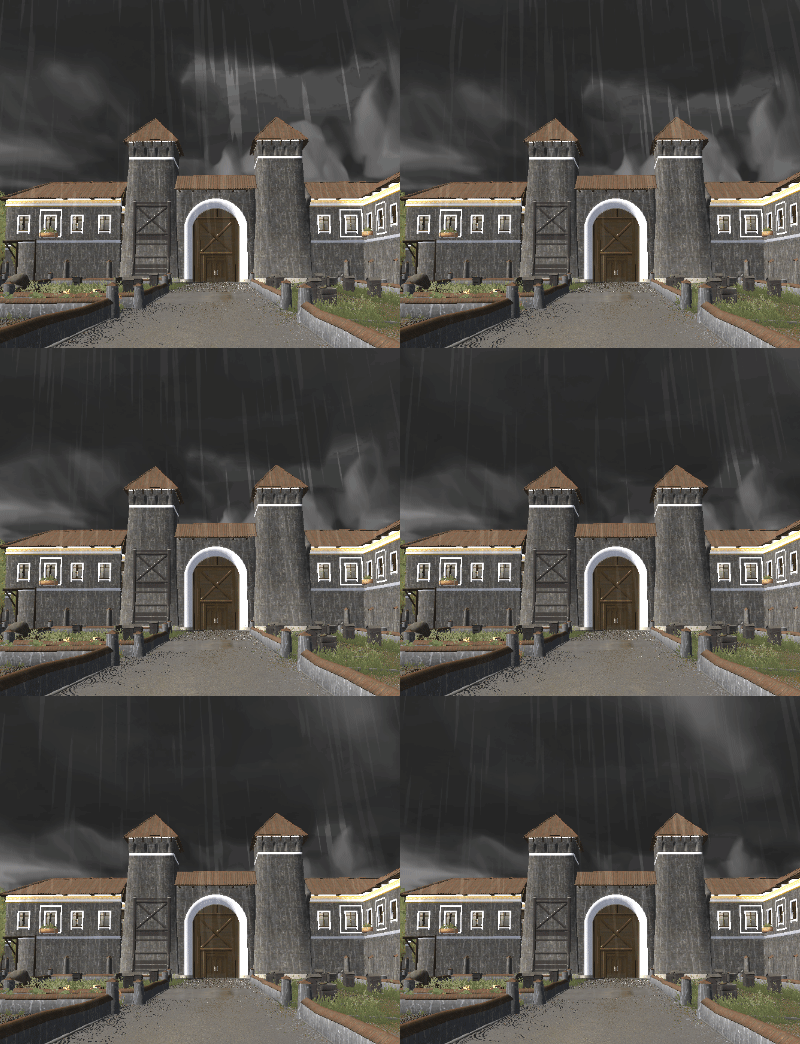
The above is the realization effect of rainwater
2. Fog effect
We use high fog here . The main principle is to use the fog formula in world space
(_FogEnd - worldPos.y) / (_FogEnd - _FogStart) Realization .
First, we need to get the world coordinates
    // Calculate the world space coordinates
            float4 GetWorldSpacePosition(float depth, float2 uv)
            {

                //  Screen space  -->  Viewing cone space
                float4 view_vector = mul(_InverseProjectionMatrix, float4(2.0 * uv - 1.0, depth, 1.0));
                view_vector.xyz /= view_vector.w;
                // Viewing cone space  -->  World space
                float4x4 l_matViewInv = _InverseViewMatrix;
                float4 world_vector = mul(l_matViewInv, float4(view_vector.xyz, 1));
                return world_vector;
            }
Next, combined with the noise map, we can directly realize the effect of high fog , And integrate the previous rainwater effect . Here is the complete code
              // Calculate the world space coordinates
            float4 GetWorldSpacePosition(float depth, float2 uv)
            {

                //  Screen space  -->  Viewing cone space
                float4 view_vector = mul(_InverseProjectionMatrix, float4(2.0 * uv - 1.0, depth, 1.0));
                view_vector.xyz /= view_vector.w;
                // Viewing cone space  -->  World space
                float4x4 l_matViewInv = _InverseViewMatrix;
                float4 world_vector = mul(l_matViewInv, float4(view_vector.xyz, 1));
                return world_vector;
            }

            fixed4 frag (v2f i) : SV_Target
            {

                // sample the texture
                float2 ruv = i.uv ;
                float2 st = i.uv * float2(.5 + (ruv.y + 1.0) * 0.5
                , 0.03) + float2(_Time.y * 0.2 - ruv.y * 0.2,
                _Time.y * 0.2);
                float f = tex2D(_NoiseTex, st).y * tex2D(_NoiseTex, st * .773).x
                * 2;
                f = clamp(pow(abs(f), 23.0) * 13.0, 0.0, (ruv.y - .2) * .14);
                fixed3 col = float3(f, f, f) * _NormalPower;

                fixed3 final_col = tex2D(_MainTex, i.uv).rgb;
                final_col = final_col + col;

                // float linearDepth = LinearEyeDepth(SAMPLE_DEPTH_TEXTURE(_CameraDepthTexture, i.uv_depth));
                // float3 worldPos = _WorldSpaceCameraPos + linearDepth * i.interpolatedRay.xyz;

                float depth = SAMPLE_DEPTH_TEXTURE(_CameraDepthTexture, i.uv);
                // World space coordinates
                float4 worldPos = GetWorldSpacePosition(depth, i.uv);

                float2 speed = _Time.y * float2(_FogXSpeed, _FogYSpeed);
                float noise = (tex2D(_FogNoiseTex, i.uv + speed).r - 0.5) * _NoiseAmount;

                float fogDensity = (_FogEnd - worldPos.y) / (_FogEnd - _FogStart);
                fogDensity = saturate(fogDensity * _FogDensity * (1 + noise));


                fixed3 finalColor = lerp(final_col, _FogColor.rgb, fogDensity);
                fixed4 volume_col = tex2D(_DownsampleColor, i.uv);


               /* finalColor.rgb *= volume_col.a; finalColor.rgb += volume_col.rgb;*/
                return fixed4(finalColor.rgb, 1);
            }
            ENDCG
        }
The results are as follows 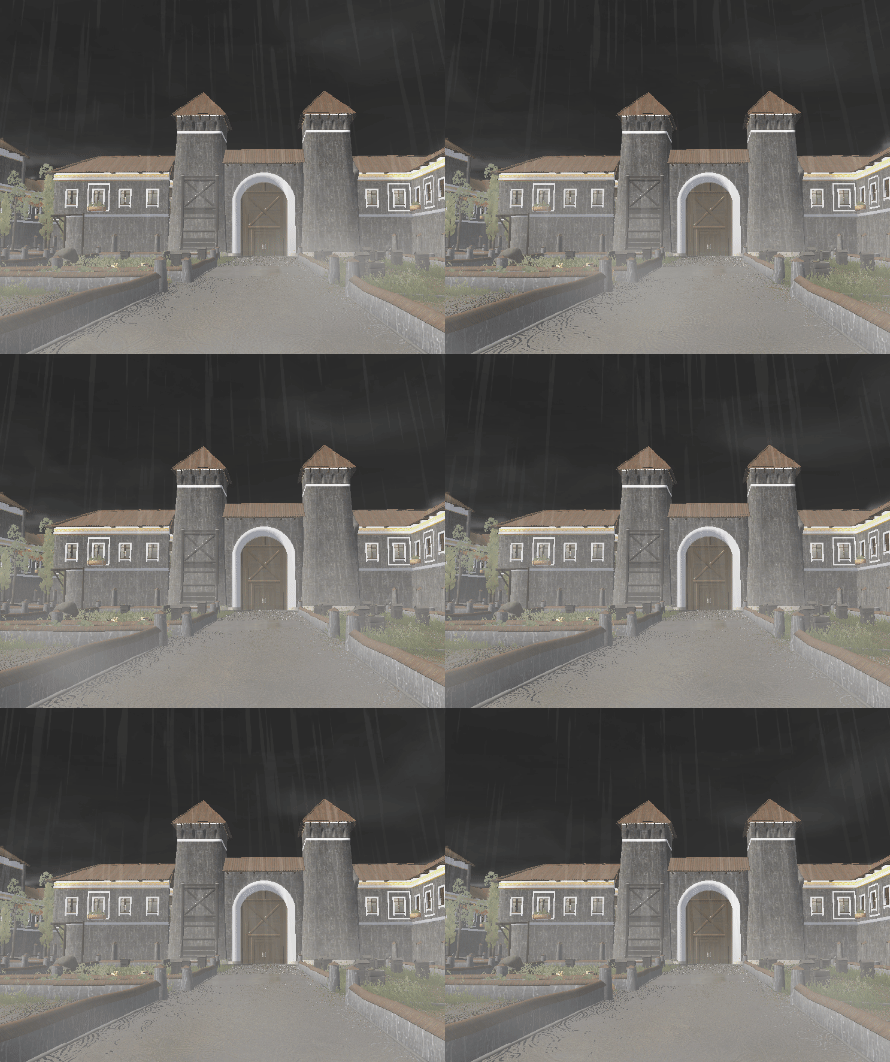
3. Umbrella effect
The previous article has explained , You can turn over this article
The umbrella effect is realized
4. The effect of water waves on the ground
General principles : Here is a new one panel Put it on the terrain ,panel Directly sample the screen rendering results , But in the sampling uv A waveform texture disturbance is superimposed on . The realization effect of ripple is that I encapsulate a noise function . The general idea of the function is to take the current pixel as the center , Take the given radius as the range , Calculate the amplitudes in the up, down, left and right directions , So as to calculate the amplitude of the current point . The detailed algorithm is not yet complete hold live , After thinking about it, I will open an article to introduce .
The specific code is as follows :
   fixed4 frag (v2f i) : SV_Target
            {

                float2 _uv = i.screenPos.xy / i.screenPos.w;
                float resolution8 = _Resolution;
                float2 uv8 = i.uv;
                int maxRadius8 = _MaxRadius;
                float mulTime16 = _Time.y * _TimeScale;
                float time8 = mulTime16;
                float hashScale8 = 0.1031;
                float3 hashScale38 = float3(0.1031,0.103,0.0973);
                float IntensityScale8 = _RippleIntensity;
                float3 my_normal = CalculateRipples( resolution8 , uv8 , maxRadius8 , time8 , hashScale8 , hashScale38 , IntensityScale8 );
                // sample the texture
                fixed4 col = tex2D(_MainSceneTexture, _uv + (my_normal * _NormalPower) );
                return col;
            }
The ripple function code is as follows :
    #define _m3 (float3x3( 0.00, 0.80, 0.60, -0.80, 0.36, -0.48, -0.60, -0.48, 0.64 ))
            #define HASHSCALE3 float3(.1031, .1030, .0973)
            float Hash12( float2 pos, float hashScale )
            {

                float3 p3  = frac(float3(pos.xyx) * hashScale);
                p3 += dot(p3, p3.yzx + 19.19);
                return frac((p3.x + p3.y) * p3.z);
            }

            float Hash22( float2 pos, float3 hashScale3 )
            {

                float3 p3 = frac(float3(pos.xyx) * hashScale3);
                p3 += dot(p3, p3.yzx+19.19);
                return frac((p3.xx+p3.yz)*p3.zy);
            }

                       /// 2 out, 2 in...
            float2 Hash33(float2 p)
            {

                float3 p3 = frac(float3(p.xyx) * HASHSCALE3);
                p3 += dot(p3, p3.yzx+19.19);
                return frac((p3.xx+p3.yz)*p3.zy);
            }

            float PNoise( in float3 p )
            {

                float3 i = floor( p );
                float3 f = frac( p );

                float3 u = f*f*(3.0-2.0*f);

                return lerp( lerp( lerp( dot( Hash33( i + float3(0.0,0.0,0.0) ), f - float3(0.0,0.0,0.0) ),
                          dot( Hash33( i + float3(1.0,0.0,0.0) ), f - float3(1.0,0.0,0.0) ), u.x),
                     lerp( dot( Hash33( i + float3(0.0,1.0,0.0) ), f - float3(0.0,1.0,0.0) ),
                          dot( Hash33( i + float3(1.0,1.0,0.0) ), f - float3(1.0,1.0,0.0) ), u.x), u.y),
                lerp( lerp( dot( Hash33( i + float3(0.0,0.0,1.0) ), f - float3(0.0,0.0,1.0) ),
                          dot( Hash33( i + float3(1.0,0.0,1.0) ), f - float3(1.0,0.0,1.0) ), u.x),
                     lerp( dot( Hash33( i + float3(0.0,1.0,1.0) ), f - float3(0.0,1.0,1.0) ),
                          dot( Hash33( i + float3(1.0,1.0,1.0) ), f - float3(1.0,1.0,1.0) ), u.x), u.y), u.z );
}

 float3 CalculateRipples( float resolution, float2 uv, int maxRadius, float time,
            float hashScale, float3 hashScale3, float IntensityScale )
            {

                uv *= resolution;
                float2 p0 = floor(uv);
                float2 circles = float2(0,0);
                float maxRadiusf = maxRadius;
                for (int j = -maxRadius; j <= maxRadius; ++j)
                {

                    for (int i = -maxRadius; i <= maxRadius; ++i)
                    {

                        float2 pi = p0 + float2(i, j);
                        #if DOUBLE_HASH
                        float2 hsh = Hash22(pi,hashScale3);
                        #else
                        float2 hsh = pi;
                        #endif
                        float2 p = pi + Hash22(hsh,hashScale3);
                        float t = frac(0.3*time + Hash12(hsh,hashScale));
                        float2 v = p - uv;
                        float d = length(v) - (maxRadiusf + 1.0)*t;
                        float h = 1e-3;
                        float d1 = d - h;
                        float d2 = d + h;
                        float p1 = sin(31.*d1) * smoothstep(-0.6, -0.3, d1) * smoothstep(0.0, -0.3, d1);
                        float p2 = sin(31.*d2) * smoothstep(-0.6, -0.3, d2) * smoothstep(0.0, -0.3, d2);
                        circles += 0.5 * normalize(v) * ((p2 - p1) / (2 * h) * (1.0 - t) * (1.0 - t));
                    }
                }
                circles /= float((maxRadiusf*2.0+1.0)*(maxRadiusf*2.0+1.0));

                float noise_n = FBMR(fixed3(uv * 5, _Time.y * 5)) * 1;
                //circles.y = noise_n;
                float3 n = float3(circles, sqrt(1.0 - dot(circles, circles)));
                return n;
            }
summary
The above is the whole content of this sharing , After the rain scene effect is achieved, I plan to open a lighting topic .
边栏推荐
- 七夕送什么礼物最实用?送人绝对不会出错的礼物值得买
- [dynamic planning -- the best period series for buying and selling stocks]
- NFT data storage blind box + mode system development
- Bug experience related to IAP jump of stm32
- OJ 1284 counting problem
- C语言的动态内存管理函数
- OJ 1131 beautiful number
- [PTA----树的遍历]
- ZOJ Problem 1005 jugs
- 2022年七夕礼物推荐!好看便宜又实用的礼物推荐
猜你喜欢

What's a gift for girls on Chinese Valentine's day? Selfie online and thoughtful gift recommendation
![[c语言]简易通讯录的实现](/img/75/8f2f4dd1c166808047cda6bea5a746.png)
[c语言]简易通讯录的实现
![[哈希表基础知识]](/img/8f/54a4780a02f81e5de3d92c25248e1e.png)
[哈希表基础知识]

气传导蓝牙耳机怎么样、最值得入手的气传导耳机

What's a good gift for your girlfriend on the Chinese Valentine's day in 2022? Practical and beautiful gift recommendation

SSAO By Computer Shader(二)

万字归纳总结并实现各大常用排序及性能对比

Leetcode 刷题日记 剑指 Offer II 053. 二叉搜索树中的中序后继

AQS之countDownLatch源码分析

2021-11-10
随机推荐
mysql索引优化
动态规划--多步爬楼梯(爬楼梯进阶版)
结构体、位段、联合体(共用体)的大小如何计算
2022-06-07 responsebodyadvice caused the spring frame problem in swagger
OJ 1131 美丽数
2022-05-24 SpEL使用
[pta---- output full arrangement]
战疫杯--奇奇怪怪的形状
战疫杯--我的账本
[队列,栈的简单应用----包装机]
关于时间复杂度,你不知道的都在这里
七夕送女朋友什么礼物好?不会送礼的男生速看!
项目编译NoSuch***Error问题
C语言的编译和预处理
Feignclient @requestmapping parameter setting and simple method setting of request header
图形管线基础(番外篇)
七夕送什么礼物最实用?送人绝对不会出错的礼物值得买
[dynamic planning -- the best period for buying and selling stocks Series 2]
OJ 1045 reverse and add
[basic knowledge of binary tree]