当前位置:网站首页>【小程序开发】宿主环境详解
【小程序开发】宿主环境详解
2022-07-25 18:59:00 【华为云】
本节学习目标:
深入了解小程序的宿主环境组成
@[toc]
1.小程序的宿主环境
手机微信是小程序的宿主环境,小程序借助宿主环境提供的能力,可以实现许多普通网页不能完成的功能。例如:小程序调用微信提供的API实现扫码,支付等功能。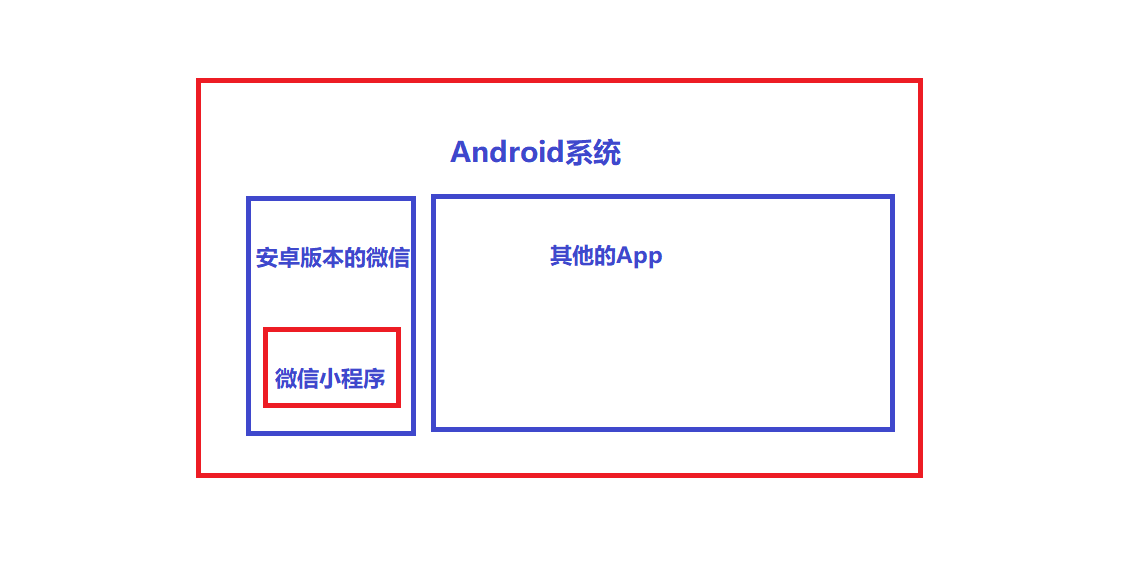
小程序的宿主环境包含的内容:
- 通信模型
- 运行机制
- 组件
- API
2.通信模型
1.通信的主体
小程序中通信的主体是渲染层和逻辑层,其中:
- WXML 模板和 WXSS 样式工作在渲染层
- JS 脚本工作在逻辑层
2.小程序的通信模型
小程序的通信模型分为两部分:
- 渲染层和逻辑层之间的通信
- 逻辑层和第三方服务器之间的通信
两者都通过微信客户端进行转发
3.运行机制
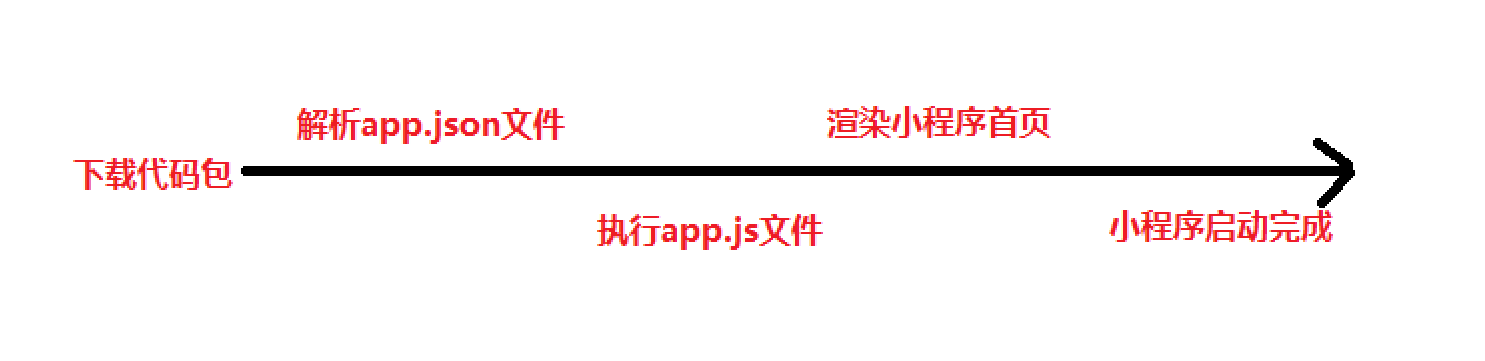
1.小程序的启动过程
- 把小程序的代码包下载到本地
- 解析 app.json 全局配置文件
- 执行 app.js 小程序入口文件,调用 App() 创建小程序实例
- 渲染小程序首页
- 小程序启动完成
2.页面渲染的过程
- 加载解析页面的 .json 配置文件
- 加载页面的 .wxml 模板和 .wxss 样式
- 执行页面的 .js 文件,调用 Page() 创建页面实例
- 页面渲染完成
4.组件
1.小程序中组件的分类:
小程序中的组件也是由宿主环境提供的,开发者可以基于组件快速搭建出漂亮的页面结构。官方把小程序的组件分为了 9 大类,分别是:
- 视图容器
- 基础内容</blue>
- 表单组件
- 导航组件
- 体组件
- map 地图组件
- canvas 画布组件
- 开放能力
- 无障碍访问
2. 常用的视图容器类组件
view
- 普通视图区域
- 类似于 HTML 中的 div,是一个块级元素
- 常用来实现页面的布局效果
例如:使用flex实现横向布局。
wxml代码:
<view class="container1"><view>A</view><view>B</view><view>C</view></view>wxss代码:
.container1 view{ width:100px; height:100px; text-align: center; line-height: 100px;}.container1 view:nth-child(1){ background-color: aquamarine;}.container1 view:nth-child(2){ background-color: azure;}.container1 view:nth-child(3){ background-color: darkorange;}.container1 { display: flex; justify-content: space-around;}实现效果: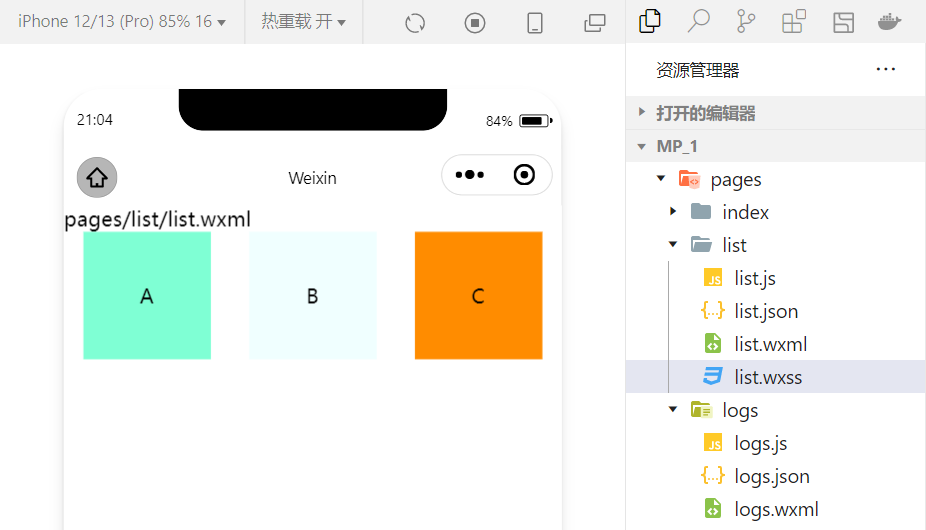
scroll-view
- 可滚动的视图区域
- 常用来实现滚动列表效果
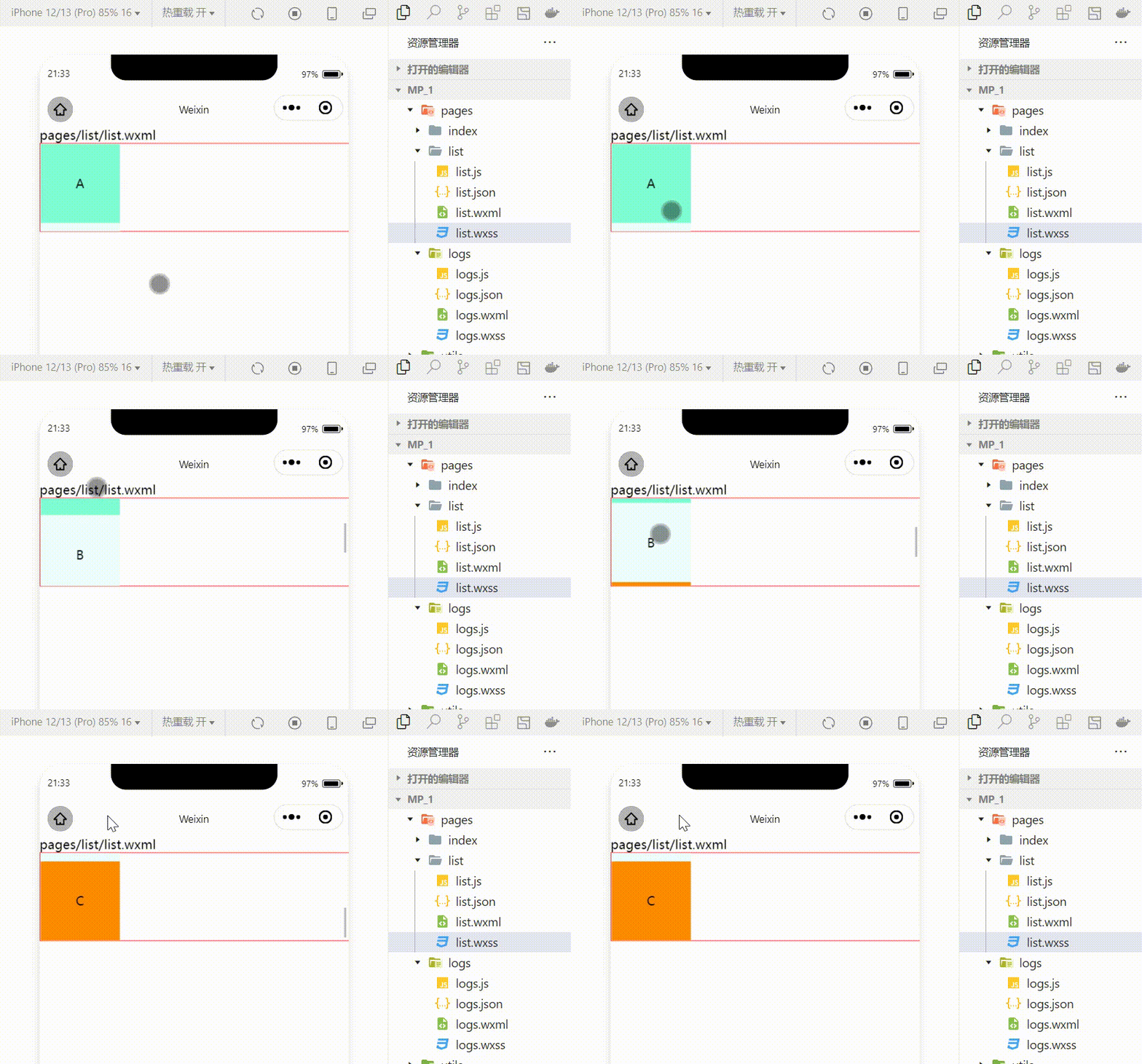
利用scroll-view实现上下滚动的效果
wxml代码:
<scroll-view class="container1" scroll-y><view>A</view><view>B</view><view>C</view></scroll-view>修改的wxss代码:
.container1 { border:1px solid red; height:110px; /*使用scroll-view时设置固定的高度*/实现效果:
swiper 和 swiper-item
- 轮播图容器组件 和 轮播图 item 组件
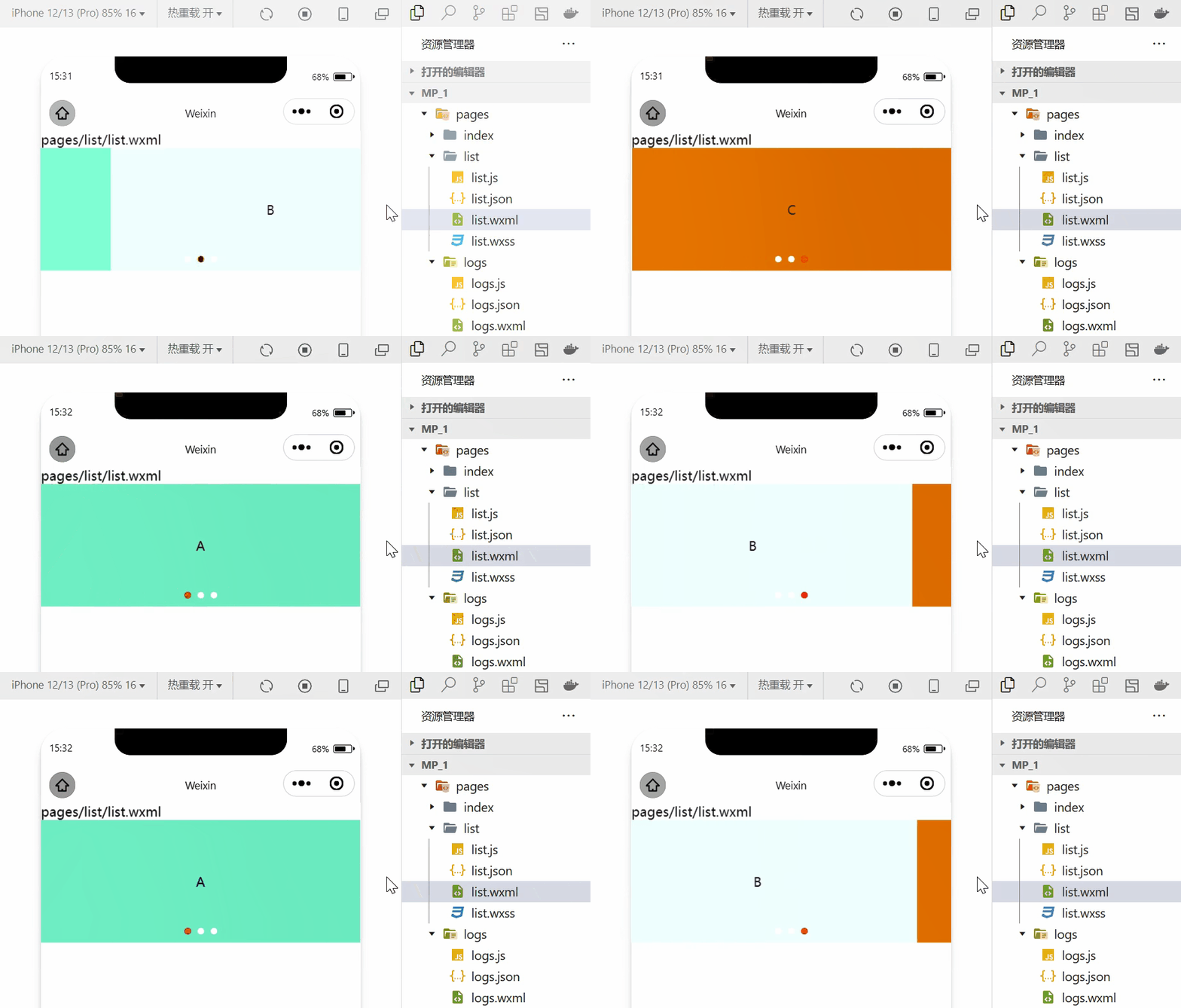
利用这两个组件可以实现轮播图效果:
wxml代码:
<swiper class="swiper-container" indicator-dots="true" indicator-color="white" indicator-active-color="red" autoplay="true" interval="1000" circular><swiper-item><view class="item">A</view></swiper-item><swiper-item> <view class="item">B</view></swiper-item><swiper-item> <view class="item">C</view></swiper-item></swiper>wxss代码:
.swiper-container{ height:150px;}.item{ height:100%; line-height: 150px; text-align: center;}swiper-item:nth-child(1) .item{ background-color: aquamarine;}swiper-item:nth-child(2) .item{ background-color: azure;}swiper-item:nth-child(3) .item{ background-color: darkorange;}实现效果:
3.常用的基础内容组件
text
- 文本组件
- 类似于 HTML 中的 span 标签,是一个行内元素
实现长按选中文本内容的效果
<view>长按可以选中文本内容:<text user-select>HelloWorld!</text></view>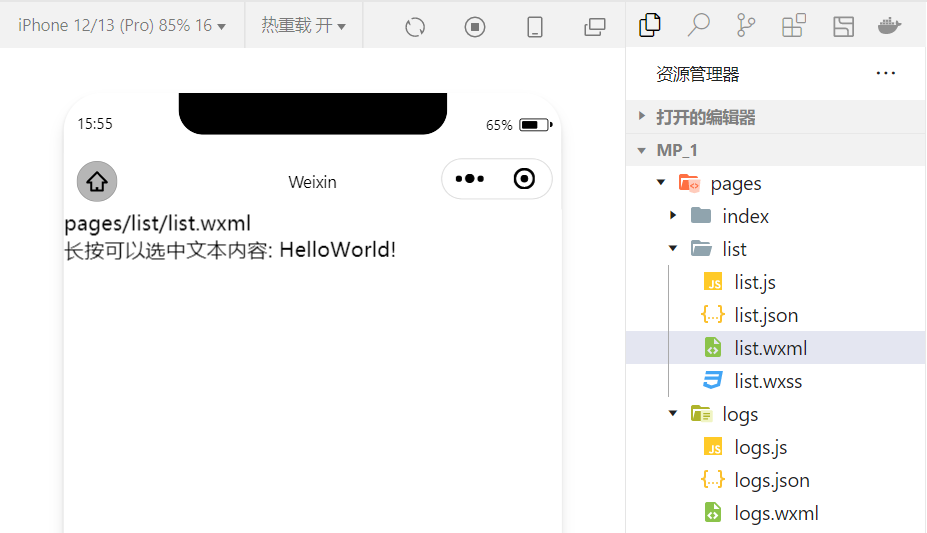
rich-text
- 富文本组件
- 支持把 HTML 字符串渲染为 WXML 结构
把 HTML 字符串渲染为对应的 UI 结构
<rich-text nodes="<h1 style='color:red'>标题</h1>"> </rich-text>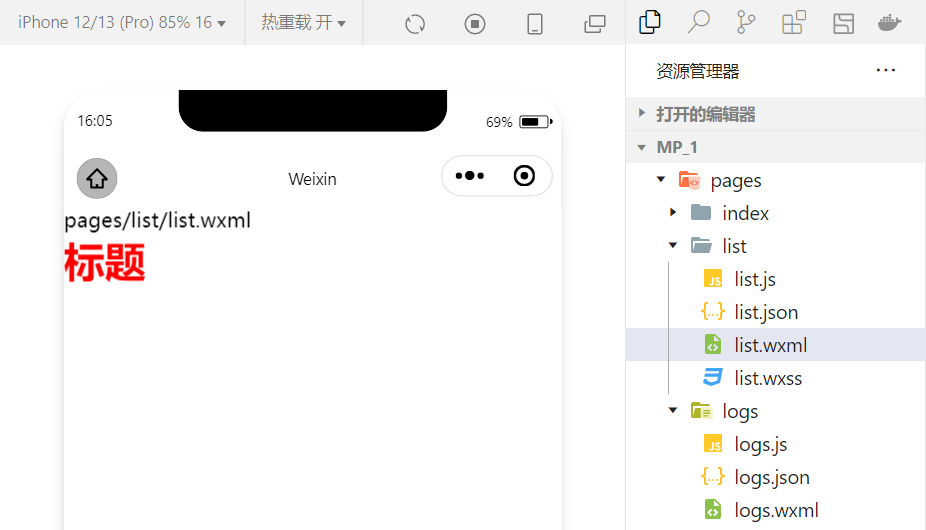
4.其他常用组件
button
- 按钮组件
- 功能比 HTML 中的 button 按钮丰富
- 通过 open-type 属性可以调用微信提供的各种功能(客服、转发、获取用户授权、获取用户信息等)
image
- 图片组件
- image 组件默认宽度约 300px、高度约 240px
navigator
- 页面导航组件
- 类似于 HTML 中的 a 链接,实现页面的跳转
5.API
小程序中的 API 是由宿主环境提供的,通过这些丰富的小程序 API,开发者可以方便的调用微信提供的能力,例如:实现支付,扫码等功能。
小程序 API 的 3 大分类:
事件监听 API
- 特点:以 on 开头,用来监听某些事件的触发
- 举例:wx.onWindowResize(function callback) 监听窗口尺寸变化的事件
同步 API
- 特点1:以 Sync 结尾的 API 都是同步 API
- 特点2:同步 API 的执行结果,可以通过函数返回值直接获取,如果执行出错会抛出异常
- 举例:wx.setStorageSync(‘key’, ‘value’) 向本地存储中写入内容
异步 API
- 特点:类似于 jQuery 中的 $.ajax(options) 函数,需要通过 success、fail、complete 接收调用的结果
- 举例:wx.request() 发起网络数据请求,通过 success 回调函数接收数据
6.总结
本节我们学习了小程序的宿主环境以及小程序宿主环境的具体内容。
边栏推荐
- 基础乐理--配置和弦
- The difference between QT exec and show
- The Yellow Crane Tower has a super shocking perspective. You've never seen such a VR panorama!
- JMeter performance test actual video (what are the common performance test tools)
- 如何创建一个有效的帮助文档?
- Interpretation of "cross chain interconnection smart contract"
- What is hpapaas platform?
- Detailed explanation of Bluetooth protocol (what is Bluetooth)
- A brief history from object detection to image segmentation
- Pixel2mesh generates 3D meshes from a single RGB image eccv2018
猜你喜欢
![[help center] provide your customers with the core options of self-service](/img/66/5a927e3bdcc165b78d4a9dee324871.png)
[help center] provide your customers with the core options of self-service

How to design product help center? The following points cannot be ignored

如何创建一个有效的帮助文档?

The auction house is a VC, and the first time it makes a move, it throws a Web3

微软Azure和易观分析联合发布《企业级云原生平台驱动数字化转型》报告

HTTP缓存通天篇,可能有你想要的
黄鹤楼超震撼视角,这样的VR全景你绝对没见过!

In the first half of the year, the shipment volume has exceeded that of the whole year of last year, and centritec millimeter wave radar has "captured" the international giant

2022 IAA industry category development insight series report - phase II

Alibaba cloud technology expert haochendong: cloud observability - problem discovery and positioning practice
随机推荐
hough变换理解[通俗易懂]
How to create an effective help document?
Single arm routing experiment demonstration (Huawei router device configuration)
无惧高温暴雨,有孚网络如何保您无忧?
【加密周报】加密市场有所回温?寒冬仍未解冻!盘点上周加密市场发生的重大事件!
Dachang cloud business adjustment, a new round of war turn
Interface automation test platform fasterrunner series (II) - function module
Interface automation test platform fasterrunner series (IV) - continuous integration and solution of multi domain names
软件测试(思维导图)
Circulaindicator component, which makes the indicator style more diversified
Typescript反射对象Reflect使用
Care for front-line epidemic prevention workers, Haocheng JIAYE and Gaomidian sub district office jointly build the great wall of public welfare
Vc/pe is running towards Qingdao
The understanding of domain adaptation in transfer learning and the introduction of three technologies
SQL 实现 Excel 的10个常用功能,附面试原题
有孚网络受邀参加2022全国CIO大会并荣获“CIO信赖品牌”称号
阿里云技术专家邓青琳:云上跨可用区容灾和异地多活最佳实践
Pymoo学习 (6):终止条件
阿里云技术专家秦隆:可靠性保障必备——云上如何进行混沌工程?
What is hpapaas platform?