当前位置:网站首页>Kubernetes cluster dashboard & kuboard installation demo
Kubernetes cluster dashboard & kuboard installation demo
2022-06-25 06:39:00 【InfoQ】
Write it at the front
- Study K8s, Organize your memory
- The content of the blog involves
- K8s Panel tools
dashboardandKuboard.
dashboardas well asKuboardDeployDemo
- Some places use
Ansible, It only tookshell,copymodular
- Partial content reference
dashboardK8s Official documents :https://kubernetes.io/zh/docs/tasks/access-application-cluster/web-ui-dashboard/kuboardOfficial website :http://press.demo.kuboard.cn/overview/share-coder.html
One 、 Environmental preparation
dashboardKuboardK8sMetrics Servermetric-server┌──[[email protected]]-[~/ansible]
└─$kubectl get nodes
NAME STATUS ROLES AGE VERSION
vms81.liruilongs.github.io Ready control-plane,master 68d v1.22.2
vms82.liruilongs.github.io Ready <none> 68d v1.22.2
vms83.liruilongs.github.io Ready <none> 68d v1.22.2
┌──[[email protected]]-[~/ansible]
└─$
install metric-server
curl -Ls https://api.github.com/repos/kubernetes-sigs/metrics-server/tarball/v0.3.6 -o metrics-server-v0.3.6.tar.gz
docker pull mirrorgooglecontainers/metrics-server-amd64:v0.3.6
┌──[[email protected]]-[~/ansible]
└─$ansible all -m copy -a "src=./metrics-img.tar dest=/root/metrics-img.tar"
┌──[[email protected]]-[~/ansible]
└─$ansible all -m shell -a "docker load -i /root/metrics-img.tar"
192.168.26.83 | CHANGED | rc=0 >>
Loaded image: k8s.gcr.io/metrics-server-amd64:v0.3.6
192.168.26.81 | CHANGED | rc=0 >>
Loaded image: k8s.gcr.io/metrics-server-amd64:v0.3.6
192.168.26.82 | CHANGED | rc=0 >>
Loaded image: k8s.gcr.io/metrics-server-amd64:v0.3.6
┌──[[email protected]]-[~/ansible]
└─$
┌──[[email protected]]-[~/ansible]
└─$mv kubernetes-sigs-metrics-server-d1f4f6f/ metrics
┌──[[email protected]]-[~/ansible]
└─$cd metrics/
┌──[[email protected]]-[~/ansible/metrics]
└─$ls
cmd                 deploy      hack      OWNERS          README.md          version
code-of-conduct.md  Gopkg.lock  LICENSE   OWNERS_ALIASES  SECURITY_CONTACTS
CONTRIBUTING.md     Gopkg.toml  Makefile  pkg             vendor
┌──[[email protected]]-[~/ansible/metrics]
└─$cd deploy/1.8+/
┌──[[email protected]]-[~/ansible/metrics/deploy/1.8+]
└─$ls
aggregated-metrics-reader.yaml  metrics-apiservice.yaml         resource-reader.yaml
auth-delegator.yaml             metrics-server-deployment.yaml
auth-reader.yaml                metrics-server-service.yaml
┌──[[email protected]]-[~/ansible/metrics/deploy/1.8+]
└─$vim metrics-server-deployment.yaml
 31       - name: metrics-server
 32         image: k8s.gcr.io/metrics-server-amd64:v0.3.6
 33         #imagePullPolicy: Always
 34         imagePullPolicy: IfNotPresent
 35         command:
 36         - /metrics-server
 37         - --metric-resolution=30s
 38         - --kubelet-insecure-tls
 39         - --kubelet-preferred-address-types=InternalIP
 40         volumeMounts:
metrics-server┌──[[email protected]]-[~/ansible/metrics/deploy/1.8+]
└─$kubectl apply -f .
┌──[[email protected]]-[~/ansible/metrics/deploy/1.8+]
└─$kubectl  get pods -n kube-system
NAME                                                 READY   STATUS    RESTARTS   AGE
calico-kube-controllers-78d6f96c7b-79xx4             1/1     Running   2          3h15m
calico-node-ntm7v                                    1/1     Running   1          12h
calico-node-skzjp                                    1/1     Running   4          12h
calico-node-v7pj5                                    1/1     Running   1          12h
coredns-545d6fc579-9h2z4                             1/1     Running   2          3h15m
coredns-545d6fc579-xgn8x                             1/1     Running   2          3h16m
etcd-vms81.liruilongs.github.io                      1/1     Running   1          13h
kube-apiserver-vms81.liruilongs.github.io            1/1     Running   2          13h
kube-controller-manager-vms81.liruilongs.github.io   1/1     Running   4          13h
kube-proxy-rbhgf                                     1/1     Running   1          13h
kube-proxy-vm2sf                                     1/1     Running   1          13h
kube-proxy-zzbh9                                     1/1     Running   1          13h
kube-scheduler-vms81.liruilongs.github.io            1/1     Running   5          13h
metrics-server-bcfb98c76-gttkh                       1/1     Running   0          70m
┌──[[email protected]]-[~/ansible/metrics/deploy/1.8+]
└─$kubectl top nodes
W1007 14:23:06.102605  102831 top_node.go:119] Using json format to get metrics. Next release will switch to protocol-buffers, switch early by passing --use-protocol-buffers flag
NAME                         CPU(cores)   CPU%   MEMORY(bytes)   MEMORY%
vms81.liruilongs.github.io   555m         27%    2025Mi          52%
vms82.liruilongs.github.io   204m         10%    595Mi           15%
vms83.liruilongs.github.io   214m         10%    553Mi           14%
┌──[[email protected]]-[~/ansible/metrics/deploy/1.8+]
└─$
Two 、dashboard install
Brief introduction
kubernetes-dashboardKubernetesWeb UIMetrics ServerInstallation steps
yamlpush┌──[[email protected]]-[~/ansible]
└─$cat recommended.yaml | grep -i image
#image: kubernetesui/dashboard:v2.0.0-beta8
image: registry.cn-hangzhou.aliyuncs.com/kube-iamges/dashboard:v2.0.0-beta8
#imagePullPolicy: Always
imagePullPolicy: IfNotPresent
#image: kubernetesui/metrics-scraper:v1.0.1
image: registry.cn-hangzhou.aliyuncs.com/kube-iamges/metrics-scraper:v1.0.1
imagePullPolicy: IfNotPresent
┌──[[email protected]]-[~/ansible]
└─$ansible node -m shell -a "docker pull registry.cn-hangzhou.aliyuncs.com/kube-iamges/dashboard:v2.0.0-beta8"
┌──[[email protected]]-[~/ansible]
└─$ansible node -m shell -a "docker pull registry.cn-hangzhou.aliyuncs.com/kube-iamges/metrics-scraper:v1.0.1"
dashboard┌──[[email protected]]-[~/ansible]
└─$kubectl apply -f recommended.yaml
namespace/kubernetes-dashboard created
serviceaccount/kubernetes-dashboard created
service/kubernetes-dashboard created
secret/kubernetes-dashboard-certs created
secret/kubernetes-dashboard-csrf created
secret/kubernetes-dashboard-key-holder created
configmap/kubernetes-dashboard-settings created
role.rbac.authorization.k8s.io/kubernetes-dashboard created
clusterrole.rbac.authorization.k8s.io/kubernetes-dashboard created
rolebinding.rbac.authorization.k8s.io/kubernetes-dashboard created
clusterrolebinding.rbac.authorization.k8s.io/kubernetes-dashboard created
deployment.apps/kubernetes-dashboard created
service/dashboard-metrics-scraper created
deployment.apps/dashboard-metrics-scraper created
┌──[[email protected]]-[~/ansible]
└─$
┌──[[email protected]]-[~/ansible]
└─$kubectl get pods  -n kubernetes-dashboard
NAME                                         READY   STATUS    RESTARTS   AGE
dashboard-metrics-scraper-669c88c9d9-c6jc7   1/1     Running   0          119s
kubernetes-dashboard-5d66bcd8fd-87hlx        1/1     Running   0          2m
┌──[[email protected]]-[~/ansible]
└─$kubectl get svc -n kubernetes-dashboard
NAME TYPE CLUSTER-IP EXTERNAL-IP PORT(S) AGE
dashboard-metrics-scraper ClusterIP 10.103.114.121 <none> 8000/TCP 2m11s
kubernetes-dashboard ClusterIP 10.98.100.249 <none> 443/TCP 2m12s
┌──[[email protected]]-[~/ansible]
└─$kubectl get sa  -n kubernetes-dashboard
NAME                   SECRETS   AGE
default                1         2m21s
kubernetes-dashboard   1         2m21s
┌──[[email protected]]-[~/ansible]
└─$kubectl get deploy  -n kubernetes-dashboard
NAME                        READY   UP-TO-DATE   AVAILABLE   AGE
dashboard-metrics-scraper   1/1     1            1           2m50s
kubernetes-dashboard        1/1     1            1           2m51s
┌──[[email protected]]-[~/ansible]
└─$
SVCNodePort┌──[[email protected]]-[~/ansible]
└─$kubectl edit svc kubernetes-dashboard -n kubernetes-dashboard
service/kubernetes-dashboard edited
┌──[[email protected]]-[~/ansible]
└─$
┌──[[email protected]]-[~/ansible]
└─$kubectl get svc -n kubernetes-dashboard
NAME TYPE CLUSTER-IP EXTERNAL-IP PORT(S) AGE
dashboard-metrics-scraper ClusterIP 10.103.114.121 <none> 8000/TCP 6m33s
kubernetes-dashboard NodePort 10.98.100.249 <none> 443:32329/TCP 6m34s
┌──[[email protected]]-[~/ansible]
└─$
┌──[[email protected]]-[~/ansible]
└─$kubectl config set-context $(kubectl config current-context) --namespace=kubernetes-dashboard
Context "[email protected]" modified.
┌──[[email protected]]-[~/ansible]
└─$
┌──[[email protected]]-[~/ansible]
└─$cat dashboard-adminuser.yaml
apiVersion: v1
kind: ServiceAccount
metadata:
  name: admin-user
  namespace: kubernetes-dashboard

---

apiVersion: rbac.authorization.k8s.io/v1
kind: ClusterRoleBinding
metadata:
  name: admin-user
roleRef:
  apiGroup: rbac.authorization.k8s.io
  kind: ClusterRole
  name: cluster-admin
subjects:
- kind: ServiceAccount
  name: admin-user
  namespace: kubernetes-dashboard
┌──[[email protected]]-[~/ansible]
└─$kubectl apply  -f dashboard-adminuser.yaml
serviceaccount/admin-user created
clusterrolebinding.rbac.authorization.k8s.io/admin-user unchanged
satokentokendashboard┌──[[email protected]]-[~/ansible]
└─$kubectl -n kubernetes-dashboard get secret $(kubectl -n kubernetes-dashboard get sa/admin-user -o jsonpath="{.secrets[0].name}") -o go-template="{{.data.token | base64decode}}"
eyJhbGciOiJSUzI1NiIsImtpZCI6ImF2MmJVZ3d6M21JRC1BZUwwaHlDdzZHSGNyaVJON1BkUHF6MlhPV2NfX00ifQ.eyJpc3MiOiJrdWJlcm5ldGVzL3NlcnZpY2VhY2NvdW50Iiwia3ViZXJuZXRlcy5pby9zZXJ2aWNlYWNjb3VudC9uYW1lc3BhY2UiOiJrdWJlcm5ldGVzLWRhc2hib2FyZCIsImt1YmVybmV0ZXMuaW8vc2VydmljZWFjY291bnQvc2VjcmV0Lm5hbWUiOiJhZG1pbi11c2VyLXRva2VuLXF3bWdtIiwia3ViZXJuZXRlcy5pby9zZXJ2aWNlYWNjb3VudC9zZXJ2aWNlLWFjY291bnQubmFtZSI6ImFkbWluLXVzZXIiLCJrdWJlcm5ldGVzLmlvL3NlcnZpY2VhY2NvdW50L3NlcnZpY2UtYWNjb3VudC51aWQiOiI1MWE0ZTU5Ni00OThiLTRhOGMtOTBjOC00YTExZGYxZDk3NzYiLCJzdWIiOiJzeXN0ZW06c2VydmljZWFjY291bnQ6a3ViZXJuZXRlcy1kYXNoYm9hcmQ6YWRtaW4tdXNlciJ9.epjeFx7jvYG6v0zf0RuMjpY7RisrzBxrNdYdfszCwXS2_AauHM9a6dLUSx1oLUimiUdbCZvX0tElC99u8f5YQS4xGL-8gNSIUpe3JvWjgTlYB-6I5BqRxKrckqkHrs0juzw0K2d4HdDwUe79AyS7pJwqrD4LTQKzAfOmpWbwzHbPI4WKJ7FKyYGcW76HOdTYTdXVb_Rr0ucdOIRQdEwbFceT9atiImqQhb1Kv9ByoFDxSx2YP6PXPo8zGMUwmXXtlimzv0IdghcPOrwe6gk96LoD3pV-Q2kGL3OPhnxVusfOJh-bdRznSGorvtXc_IGJh8gwhF1zluRmQ4tECCu1sw
Access test
thisisunsafe


3、 ... and 、kuboard
Brief introduction
Installation steps
┌──[[email protected]]-[~/ansible]
└─$wget https://kuboard.cn/install-script/kuboard.yaml
--2021-11-12 20:00:01--  https://kuboard.cn/install-script/kuboard.yaml
Resolving kuboard.cn (kuboard.cn)... 122.112.240.69, 119.3.92.138
Connecting to kuboard.cn (kuboard.cn)|122.112.240.69|:443... connected.
HTTP request sent, awaiting response... 200 OK
Length: 2318 (2.3K) [application/octet-stream]
Saving to: ‘kuboard.yaml’

100%[============================================================>] 2,318       --.-K/s   in 0s

2021-11-12 20:00:04 (58.5 MB/s) - ‘kuboard.yaml’ saved [2318/2318]
docker pull eipwork/kuboard:latest┌──[[email protected]]-[~/ansible]
└─$ansible all -m shell -a "docker pull eipwork/kuboard:latest"
┌──[[email protected]]-[~/ansible]
└─$cat kuboard.yaml | grep imagePullPolicy
        imagePullPolicy: Always
┌──[[email protected]]-[~/ansible]
└─$cat kuboard.yaml | grep Always
        imagePullPolicy: Always
┌──[[email protected]]-[~/ansible]
└─$sed -i s#Always#IfNotPresent#g  kuboard.yaml
┌──[[email protected]]-[~/ansible]
└─$cat kuboard.yaml | grep imagePullPolicy
        imagePullPolicy: IfNotPresent
┌──[[email protected]]-[~/ansible]
└─$
┌──[[email protected]]-[~/ansible]
└─$kubectl apply -f kuboard.yaml
deployment.apps/kuboard created
service/kuboard created
serviceaccount/kuboard-user created
clusterrolebinding.rbac.authorization.k8s.io/kuboard-user created
serviceaccount/kuboard-viewer created
clusterrolebinding.rbac.authorization.k8s.io/kuboard-viewer created
┌──[[email protected]]-[~/ansible]
└─$
┌──[[email protected]]-[~/ansible]
└─$kubectl get pods -n kube-system
NAME                                                 READY   STATUS             RESTARTS          AGE
calico-kube-controllers-78d6f96c7b-csdd6             1/1     Running            240 (4m56s ago)   17d
calico-node-ntm7v                                    1/1     Running            145 (8m22s ago)   36d
calico-node-skzjp                                    0/1     CrashLoopBackOff   753 (4m30s ago)   36d
calico-node-v7pj5                                    1/1     Running            169 (4m59s ago)   36d
coredns-7f6cbbb7b8-2msxl                             1/1     Running            4                 17d
coredns-7f6cbbb7b8-ktm2d                             1/1     Running            5 (20h ago)       17d
etcd-vms81.liruilongs.github.io                      1/1     Running            7 (7d11h ago)     24d
kube-apiserver-vms81.liruilongs.github.io            1/1     Running            15 (20h ago)      24d
kube-controller-manager-vms81.liruilongs.github.io   1/1     Running            56 (108m ago)     24d
kube-proxy-nzm24                                     1/1     Running            3 (11h ago)       23d
kube-proxy-p2zln                                     1/1     Running            3 (14d ago)       24d
kube-proxy-pqhqn                                     1/1     Running            7 (7d11h ago)     24d
kube-scheduler-vms81.liruilongs.github.io            1/1     Running            60 (108m ago)     24d
kuboard-78dccb7d9f-rsnrp                             1/1     Running            0                 49s
metrics-server-bcfb98c76-76pg5                       1/1     Running            0                 20h
┌──[[email protected]]-[~/ansible]
└─$kubectl config set
echo $(kubectl -n kube-system get secret $(kubectl -n kube-system get secret | grep kuboard-user | awk '{print $1}') -o go-template='{{.data.token}}' | base64 -d)┌──[[email protected]]-[~/ansible]
└─$echo $(kubectl -n kube-system get secret $(kubectl -n kube-system get secret | grep kuboard-user | awk '{print $1}') -o go-template='{{.data.token}}' | base64 -d)
eyJhbGciOiJSUzI1NiIsImtpZCI6IkZ1NHI1RkhSemVhN2s1OWthS1ZEQ0dueDRmS2RkMDdyR0FZYklkaWFnbmsifQ.eyJpc3MiOiJrdWJlcm5ldGVzL3NlcnZpY2VhY2NvdW50Iiwia3ViZXJuZXRlcy5pby9zZXJ2aWNlYWNjb3VudC9uYW1lc3BhY2UiOiJrdWJlLXN5c3RlbSIsImt1YmVybmV0ZXMuaW8vc2VydmljZWFjY291bnQvc2VjcmV0Lm5hbWUiOiJrdWJvYXJkLXVzZXItdG9rZW4tYmY4bjgiLCJrdWJlcm5ldGVzLmlvL3NlcnZpY2VhY2NvdW50L3NlcnZpY2UtYWNjb3VudC5uYW1lIjoia3Vib2FyZC11c2VyIiwia3ViZXJuZXRlcy5pby9zZXJ2aWNlYWNjb3VudC9zZXJ2aWNlLWFjY291bnQudWlkIjoiMzQ4YWYyNTQtZDI5NS00Yjc4LTg3ZWItNmE0ZDFkMjFkZmU4Iiwic3ViIjoic3lzdGVtOnNlcnZpY2VhY2NvdW50Omt1YmUtc3lzdGVtOmt1Ym9hcmQtdXNlciJ9.Nzjerrlpw6XcBRkqXPQzDlSmMZrDf89yuVjXkL7vV1nhgWXX0iqZsqF8DPiy7Sjj-2JFYPD_zojgqV0sgOlKV_7Ou6p3F7K6lhu4VI9CGkM8OJxFdPIh-ETKVnIlb7l9s1jN4hvhBWck8geOIx4pnOawUU3jbOH7TQKz43bTnvUx_FACvnxG9gVU6KyQm6GVzs28SDs1YrqpMFWZgnJ_vCAe-KfUrqYChLecIHXM-vuB4JODxrwB4n3z2GtsJdigTIpd_FjeDs9Bl7v3CoWrozMa73rxPZyO58fo8D1bi1XTbJNeRjTjYnQc0-GvSoupQaNAfYloD1pwimmcFnIKxQ
┌──[[email protected]]-[~/ansible]
└─$
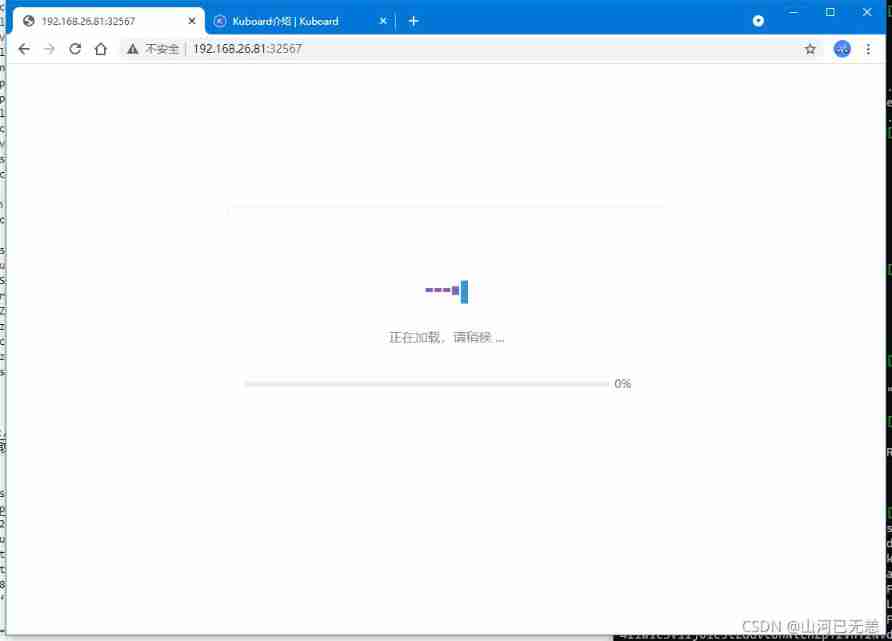
Access test
┌──[[email protected]]-[~/ansible]
└─$kubectl get svc -A | grep kuboard
kube-system kuboard NodePort 10.96.142.159 <none> 80:32567/TCP 51s
┌──[[email protected]]-[~/ansible]
└─$



recommended.yaml Resource file # Copyright 2017 The Kubernetes Authors.
#
# Licensed under the Apache License, Version 2.0 (the "License");
# you may not use this file except in compliance with the License.
# You may obtain a copy of the License at
#
# http://www.apache.org/licenses/LICENSE-2.0
#
# Unless required by applicable law or agreed to in writing, software
# distributed under the License is distributed on an "AS IS" BASIS,
# WITHOUT WARRANTIES OR CONDITIONS OF ANY KIND, either express or implied.
# See the License for the specific language governing permissions and
# limitations under the License.
apiVersion: v1
kind: Namespace
metadata:
name: kubernetes-dashboard
---
apiVersion: v1
kind: ServiceAccount
metadata:
labels:
k8s-app: kubernetes-dashboard
name: kubernetes-dashboard
namespace: kubernetes-dashboard
---
kind: Service
apiVersion: v1
metadata:
labels:
k8s-app: kubernetes-dashboard
name: kubernetes-dashboard
namespace: kubernetes-dashboard
spec:
ports:
- port: 443
targetPort: 8443
selector:
k8s-app: kubernetes-dashboard
---
apiVersion: v1
kind: Secret
metadata:
labels:
k8s-app: kubernetes-dashboard
name: kubernetes-dashboard-certs
namespace: kubernetes-dashboard
type: Opaque
---
apiVersion: v1
kind: Secret
metadata:
labels:
k8s-app: kubernetes-dashboard
name: kubernetes-dashboard-csrf
namespace: kubernetes-dashboard
type: Opaque
data:
csrf: ""
---
apiVersion: v1
kind: Secret
metadata:
labels:
k8s-app: kubernetes-dashboard
name: kubernetes-dashboard-key-holder
namespace: kubernetes-dashboard
type: Opaque
---
kind: ConfigMap
apiVersion: v1
metadata:
labels:
k8s-app: kubernetes-dashboard
name: kubernetes-dashboard-settings
namespace: kubernetes-dashboard
---
kind: Role
apiVersion: rbac.authorization.k8s.io/v1
metadata:
labels:
k8s-app: kubernetes-dashboard
name: kubernetes-dashboard
namespace: kubernetes-dashboard
rules:
# Allow Dashboard to get, update and delete Dashboard exclusive secrets.
- apiGroups: [""]
resources: ["secrets"]
resourceNames: ["kubernetes-dashboard-key-holder", "kubernetes-dashboard-certs", "kubernetes-dashboard-csrf"]
verbs: ["get", "update", "delete"]
# Allow Dashboard to get and update 'kubernetes-dashboard-settings' config map.
- apiGroups: [""]
resources: ["configmaps"]
resourceNames: ["kubernetes-dashboard-settings"]
verbs: ["get", "update"]
# Allow Dashboard to get metrics.
- apiGroups: [""]
resources: ["services"]
resourceNames: ["heapster", "dashboard-metrics-scraper"]
verbs: ["proxy"]
- apiGroups: [""]
resources: ["services/proxy"]
resourceNames: ["heapster", "http:heapster:", "https:heapster:", "dashboard-metrics-scraper", "http:dashboard-metrics-scraper"]
verbs: ["get"]
---
kind: ClusterRole
apiVersion: rbac.authorization.k8s.io/v1
metadata:
labels:
k8s-app: kubernetes-dashboard
name: kubernetes-dashboard
rules:
# Allow Metrics Scraper to get metrics from the Metrics server
- apiGroups: ["metrics.k8s.io"]
resources: ["pods", "nodes"]
verbs: ["get", "list", "watch"]
---
apiVersion: rbac.authorization.k8s.io/v1
kind: RoleBinding
metadata:
labels:
k8s-app: kubernetes-dashboard
name: kubernetes-dashboard
namespace: kubernetes-dashboard
roleRef:
apiGroup: rbac.authorization.k8s.io
kind: Role
name: kubernetes-dashboard
subjects:
- kind: ServiceAccount
name: kubernetes-dashboard
namespace: kubernetes-dashboard
---
apiVersion: rbac.authorization.k8s.io/v1
kind: ClusterRoleBinding
metadata:
name: kubernetes-dashboard
roleRef:
apiGroup: rbac.authorization.k8s.io
kind: ClusterRole
name: kubernetes-dashboard
subjects:
- kind: ServiceAccount
name: kubernetes-dashboard
namespace: kubernetes-dashboard
---
kind: Deployment
apiVersion: apps/v1
metadata:
labels:
k8s-app: kubernetes-dashboard
name: kubernetes-dashboard
namespace: kubernetes-dashboard
spec:
replicas: 1
revisionHistoryLimit: 10
selector:
matchLabels:
k8s-app: kubernetes-dashboard
template:
metadata:
labels:
k8s-app: kubernetes-dashboard
spec:
containers:
- name: kubernetes-dashboard
#image: kubernetesui/dashboard:v2.0.0-beta8
image: registry.cn-hangzhou.aliyuncs.com/kube-iamges/dashboard:v2.0.0-beta8
#imagePullPolicy: Always
imagePullPolicy: IfNotPresent
ports:
- containerPort: 8443
protocol: TCP
args:
- --auto-generate-certificates
- --namespace=kubernetes-dashboard
# Uncomment the following line to manually specify Kubernetes API server Host
# If not specified, Dashboard will attempt to auto discover the API server and connect
# to it. Uncomment only if the default does not work.
# - --apiserver-host=http://my-address:port
volumeMounts:
- name: kubernetes-dashboard-certs
mountPath: /certs
# Create on-disk volume to store exec logs
- mountPath: /tmp
name: tmp-volume
livenessProbe:
httpGet:
scheme: HTTPS
path: /
port: 8443
initialDelaySeconds: 30
timeoutSeconds: 30
securityContext:
allowPrivilegeEscalation: false
readOnlyRootFilesystem: true
runAsUser: 1001
runAsGroup: 2001
volumes:
- name: kubernetes-dashboard-certs
secret:
secretName: kubernetes-dashboard-certs
- name: tmp-volume
emptyDir: {}
serviceAccountName: kubernetes-dashboard
nodeSelector:
"kubernetes.io/os": linux
# Comment the following tolerations if Dashboard must not be deployed on master
tolerations:
- key: node-role.kubernetes.io/master
effect: NoSchedule
---
kind: Service
apiVersion: v1
metadata:
labels:
k8s-app: dashboard-metrics-scraper
name: dashboard-metrics-scraper
namespace: kubernetes-dashboard
spec:
ports:
- port: 8000
targetPort: 8000
selector:
k8s-app: dashboard-metrics-scraper
---
kind: Deployment
apiVersion: apps/v1
metadata:
labels:
k8s-app: dashboard-metrics-scraper
name: dashboard-metrics-scraper
namespace: kubernetes-dashboard
spec:
replicas: 1
revisionHistoryLimit: 10
selector:
matchLabels:
k8s-app: dashboard-metrics-scraper
template:
metadata:
labels:
k8s-app: dashboard-metrics-scraper
annotations:
seccompProfile: 'runtime/default'
spec:
containers:
- name: dashboard-metrics-scraper
#image: kubernetesui/metrics-scraper:v1.0.1
image: registry.cn-hangzhou.aliyuncs.com/kube-iamges/metrics-scraper:v1.0.1
imagePullPolicy: IfNotPresent
ports:
- containerPort: 8000
protocol: TCP
livenessProbe:
httpGet:
scheme: HTTP
path: /
port: 8000
initialDelaySeconds: 30
timeoutSeconds: 30
volumeMounts:
- mountPath: /tmp
name: tmp-volume
securityContext:
allowPrivilegeEscalation: false
readOnlyRootFilesystem: true
runAsUser: 1001
runAsGroup: 2001
serviceAccountName: kubernetes-dashboard
nodeSelector:
"kubernetes.io/os": linux
# Comment the following tolerations if Dashboard must not be deployed on master
tolerations:
- key: node-role.kubernetes.io/master
effect: NoSchedule
volumes:
- name: tmp-volume
emptyDir: {}
边栏推荐
- Wechat applet simply realizes chat room function
- How to chain multiple different InputStreams into one InputStream
- Sleep quality today 67 points
- VMware virtual machine prompt: the virtual device ide1:0 cannot be connected because there is no corresponding device on the host.
- Zhinai's database
- Preliminary practice of niuke.com (summary)
- 北京网上开股票账户安全吗?
- 这些老系统代码,是猪写的么?
- Viewing Chinese science and technology from the Winter Olympics (V): the Internet of things
- sin(a-b)=sina*cosb-sinb*cosa的推导过程
猜你喜欢

Sophomores majoring in mechanics build a manipulator by hand -- full of compromise
![Analysis of China's food cold chain logistics, output of quick-frozen noodles and rice products and operation of major enterprises in 2021 [figure]](/img/66/f723dc48a1009a503f521c4d81c306.jpg)
Analysis of China's food cold chain logistics, output of quick-frozen noodles and rice products and operation of major enterprises in 2021 [figure]

How to use asemi FET 7n80 and how to use 7n80

How two hosts in different network segments directly connected communicate

Gb28181 protocol -- timing

Cs8126t 3.1w mono ultra low EMI unfiltered class D audio power amplifier IC

Cannot activate inspection type when SAP retail uses transaction code mm41 to create commodity master data?

With a younger brother OCR, say no to various types of verification codes!

System dilemma and software complexity: Why are our systems so complex?

How to create a handy vs Code?
随机推荐
Missing libgmp-10 dll - libgmp-10. dll is missing
北京网上开股票账户安全吗?
Understand what MSS is
集群常用群起脚本
Asemi fast recovery diode us1m parameters, us1m recovery time, us1m voltage drop
[轻松学会shell编程]-5、计划任务
@Detailed explanation of valid annotation usage
At the age of 26, I was transferred to software testing with zero foundation. Now I have successfully entered the job with a monthly salary of 12K. However, no one understands my bitterness
Which of the top ten securities companies has the lowest Commission and is the most safe and reliable? Do you know anything
Tp6 interface returns three elements
cos(a-b)=cosa*cosb+sina*sinb的推导过程
Derivation of sin (a+b) =sina*cosb+sinb*cosa
这些老系统代码,是猪写的么?
Arm instructions and others
Record of friend guide
With a younger brother OCR, say no to various types of verification codes!
DataX tutorial (10) - hot plug principle of dataX plug-in
JS dynamic table creation
Wechat applet simply realizes chat room function
Explain @builder usage