当前位置:网站首页>Flutter SliverAppBar全解析,你要的效果都在这了!
Flutter SliverAppBar全解析,你要的效果都在这了!
2022-06-27 22:40:00 【InfoQ】

什么是SliverAppBar
CollapsingToolbarLayout常用属性
 const SliverAppBar({
 Key key,
 this.leading,//左侧的图标或文字,多为返回箭头
 this.automaticallyImplyLeading = true,//没有leading为true的时候,默认返回箭头,没有leading且为false,则显示title
 this.title,//标题
 this.actions,//标题右侧的操作
 this.flexibleSpace,//可以理解为SliverAppBar的背景内容区
 this.bottom,//SliverAppBar的底部区
 this.elevation,//阴影
 this.forceElevated = false,//是否显示阴影
 this.backgroundColor,//背景颜色
 this.brightness,//状态栏主题,默认Brightness.dark,可选参数light
 this.iconTheme,//SliverAppBar图标主题
 this.actionsIconTheme,//action图标主题
 this.textTheme,//文字主题
 this.primary = true,//是否显示在状态栏的下面,false就会占领状态栏的高度
 this.centerTitle,//标题是否居中显示
 this.titleSpacing = NavigationToolbar.kMiddleSpacing,//标题横向间距
 this.expandedHeight,//合并的高度,默认是状态栏的高度加AppBar的高度
 this.floating = false,//滑动时是否悬浮
 this.pinned = false,//标题栏是否固定
 this.snap = false,//配合floating使用
 })
基本效果
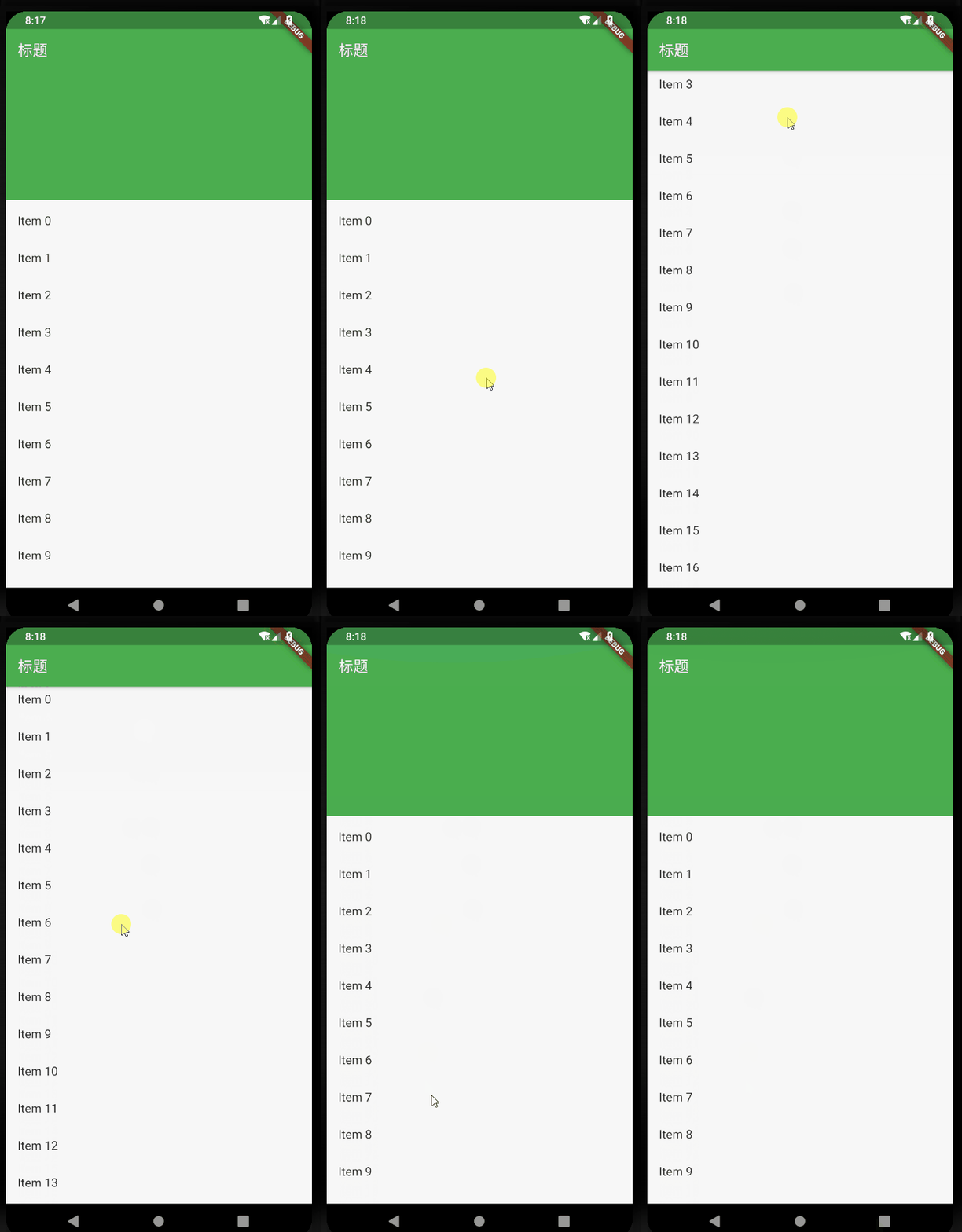
return Scaffold(
body: new CustomScrollView(
slivers: <Widget>[
new SliverAppBar(
title: Text("标题"),
expandedHeight: 230.0,
floating: false,
pinned: true,
snap: false,
),
new SliverFixedExtentList(
itemExtent: 50.0,
delegate: new SliverChildBuilderDelegate(
(context, index) => new ListTile(
title: new Text("Item $index"),
),
childCount: 30,
),
),
],
),
);
添加leading
 leading: new IconButton(
 icon: Icon(Icons.arrow_back),
 onPressed: () {},
 ),

添加actions
actions: <Widget>[
new IconButton(
icon: Icon(Icons.add),
onPressed: () {
print("添加");
},
),
new IconButton(
icon: Icon(Icons.more_horiz),
onPressed: () {
print("更多");
},
),
],

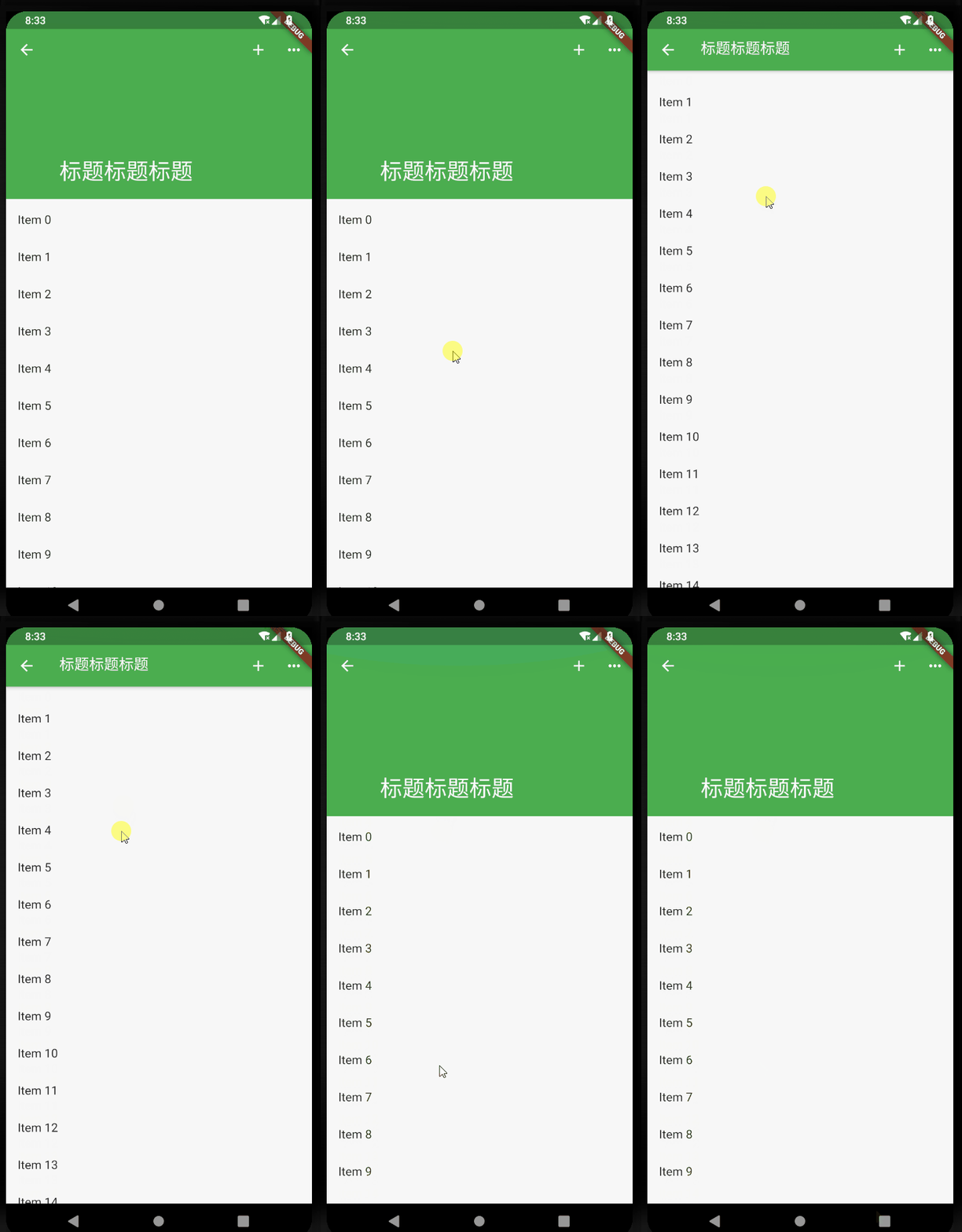
滑动标题上移效果
 flexibleSpace: new FlexibleSpaceBar(
 title: new Text("标题标题标题"),
 centerTitle: true,
 collapseMode: CollapseMode.pin,
 ),
背景图片沉浸式
pubspec.yaml assets:
- images/a.jpg
 flexibleSpace: new FlexibleSpaceBar(
 background: Image.asset("images/a.jpg", fit: BoxFit.fill),
 ),
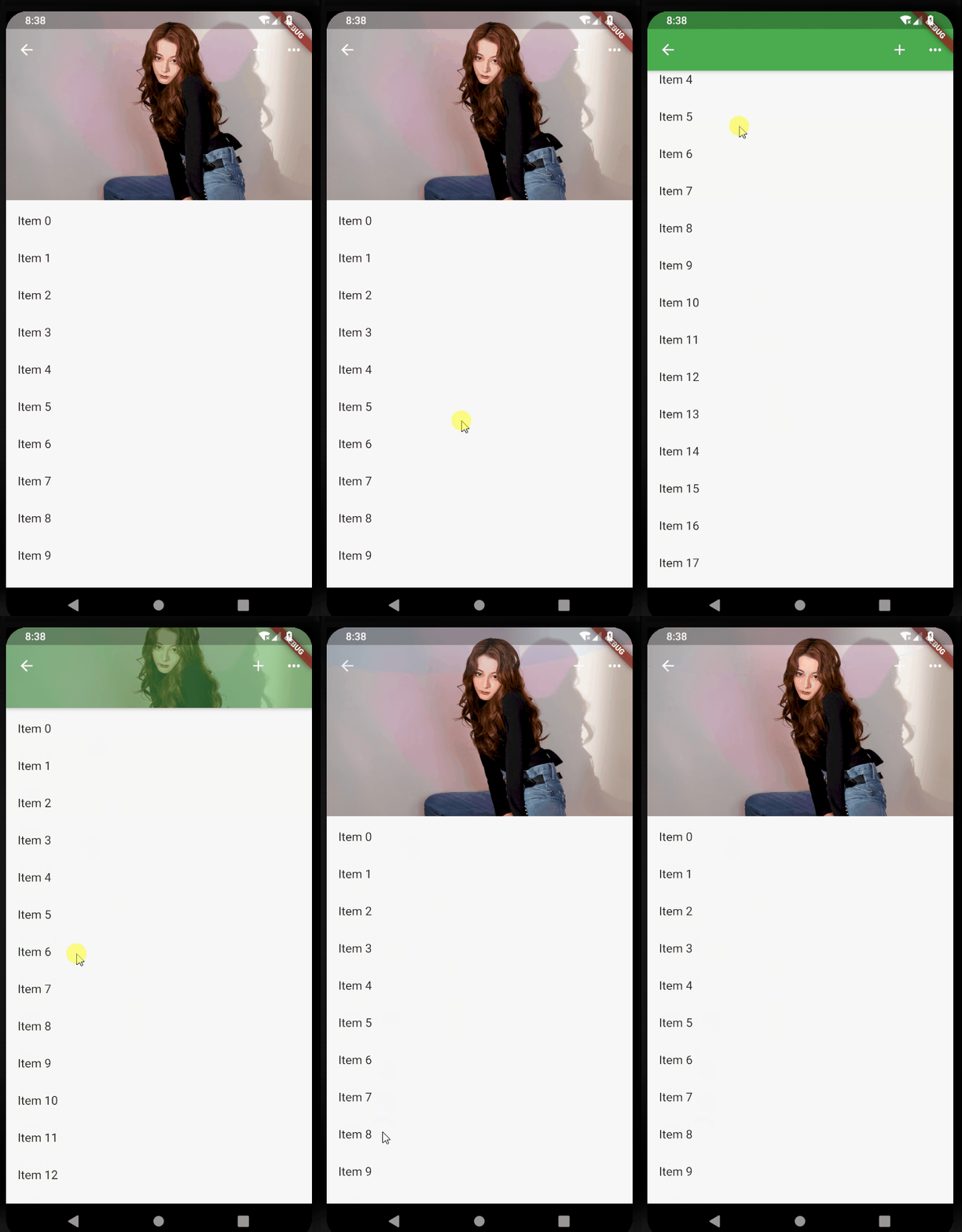
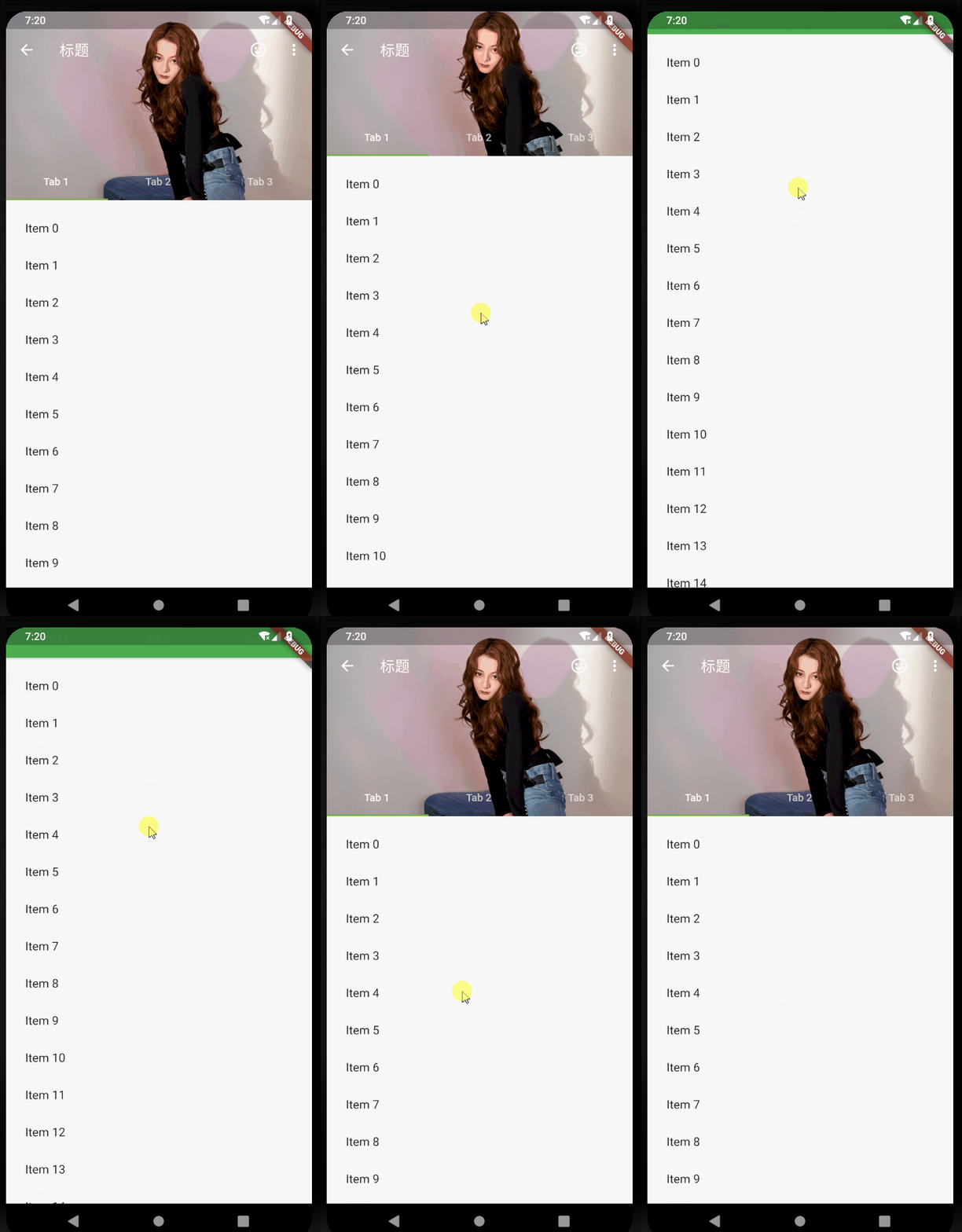
各种滑动效果演示
- floating: false, pinned: true, snap: false:
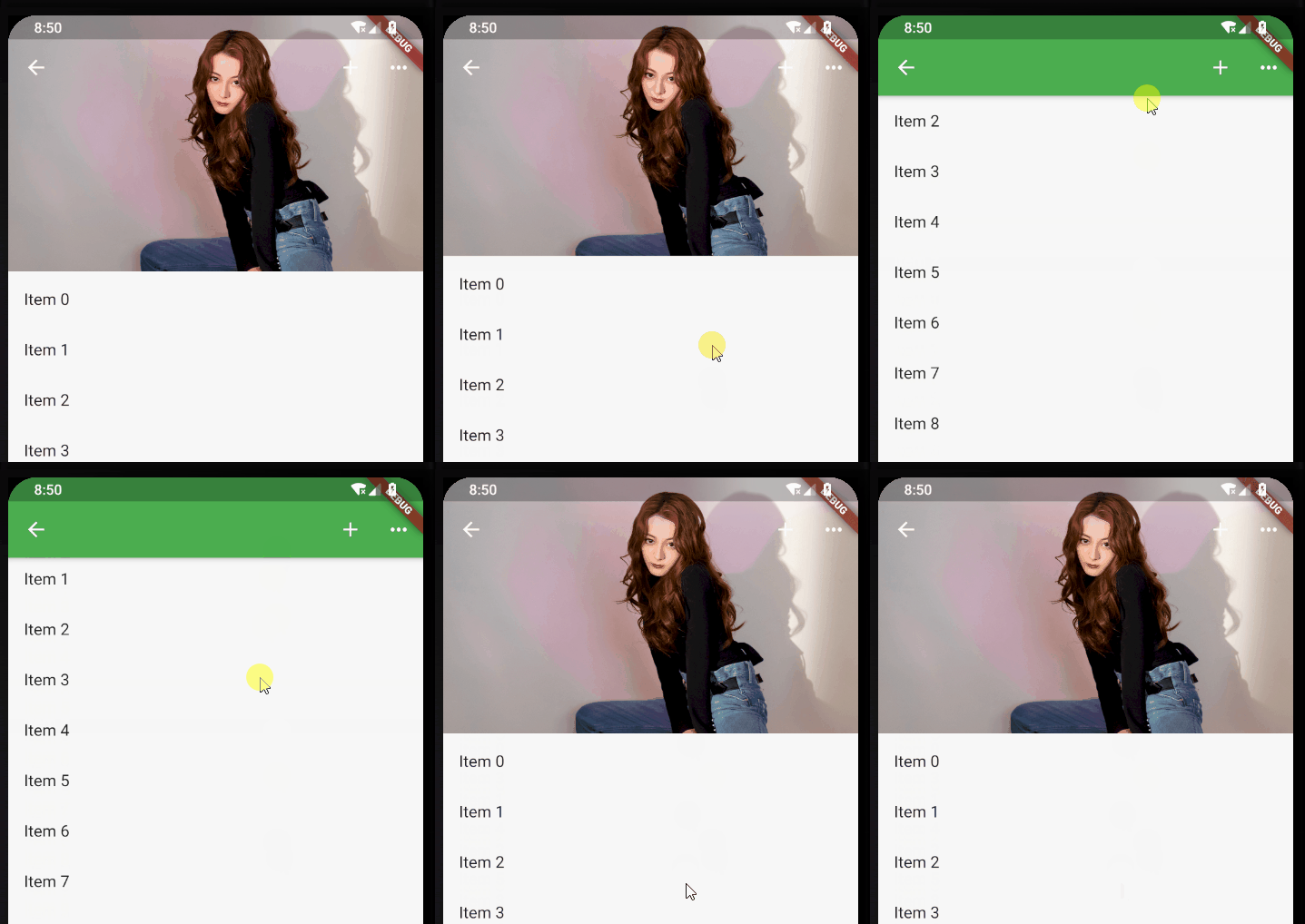
- floating: true, pinned: true, snap: true:
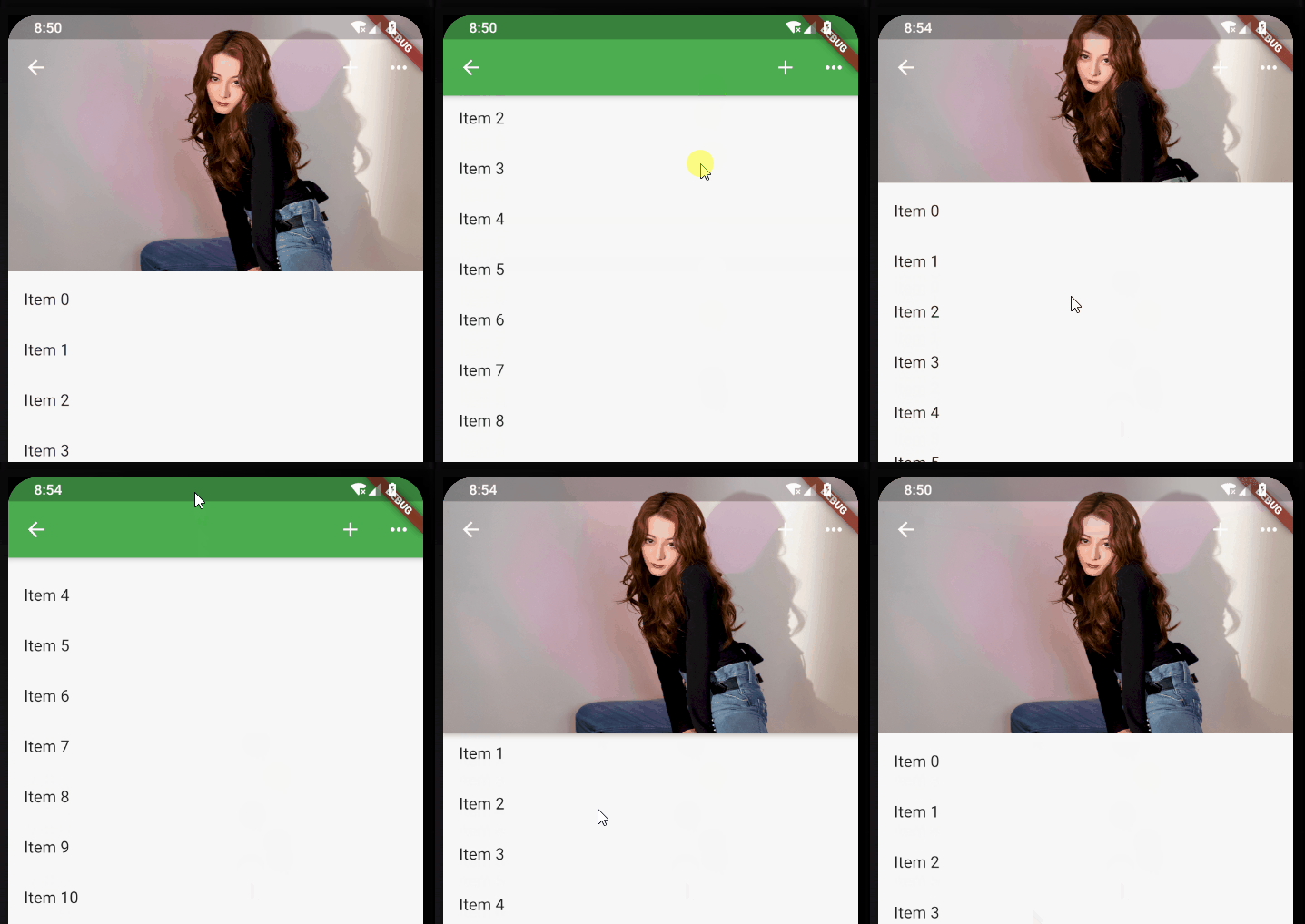
- floating: false, pinned: false, snap: false:
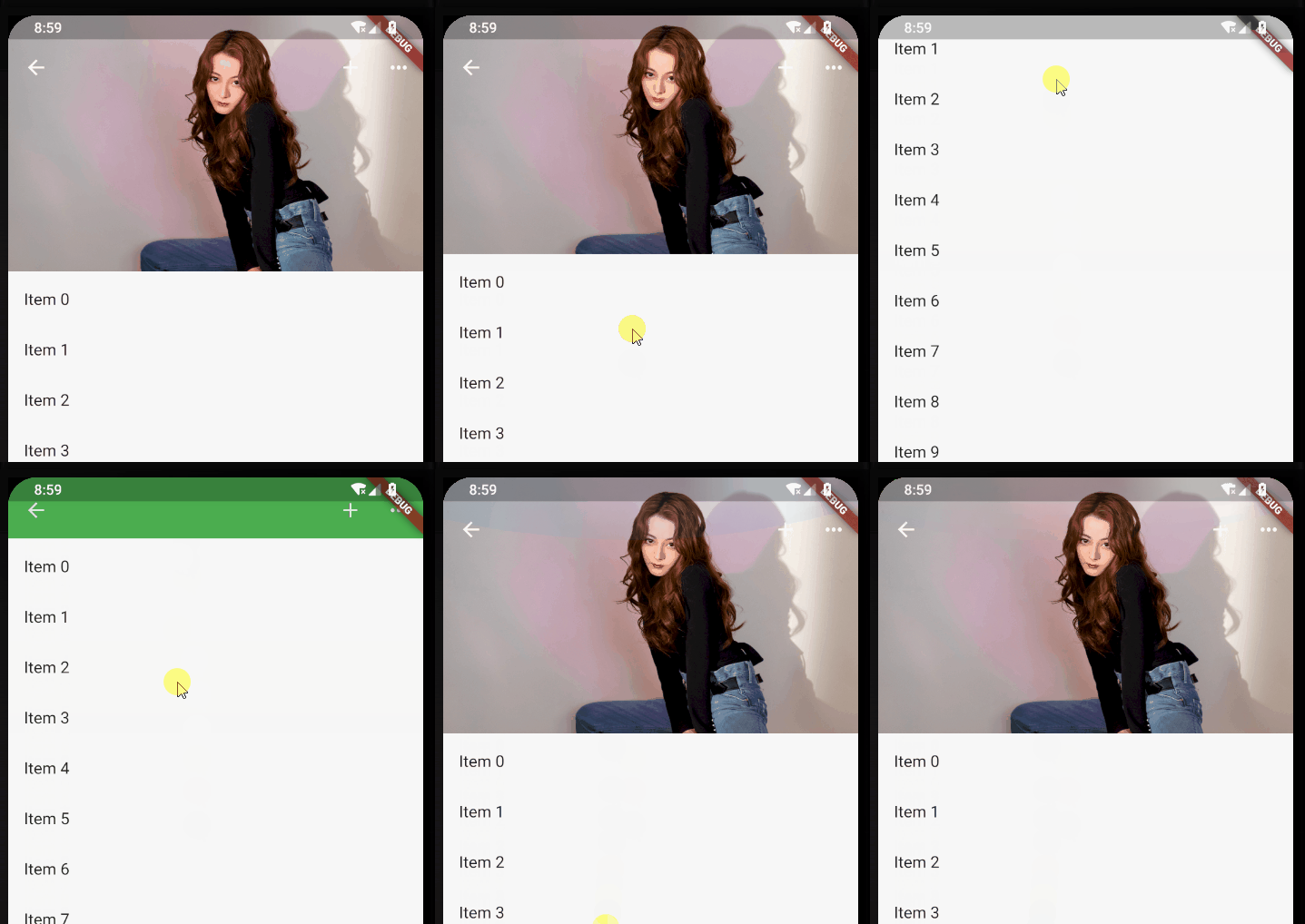
- floating: true, pinned: false, snap: false:
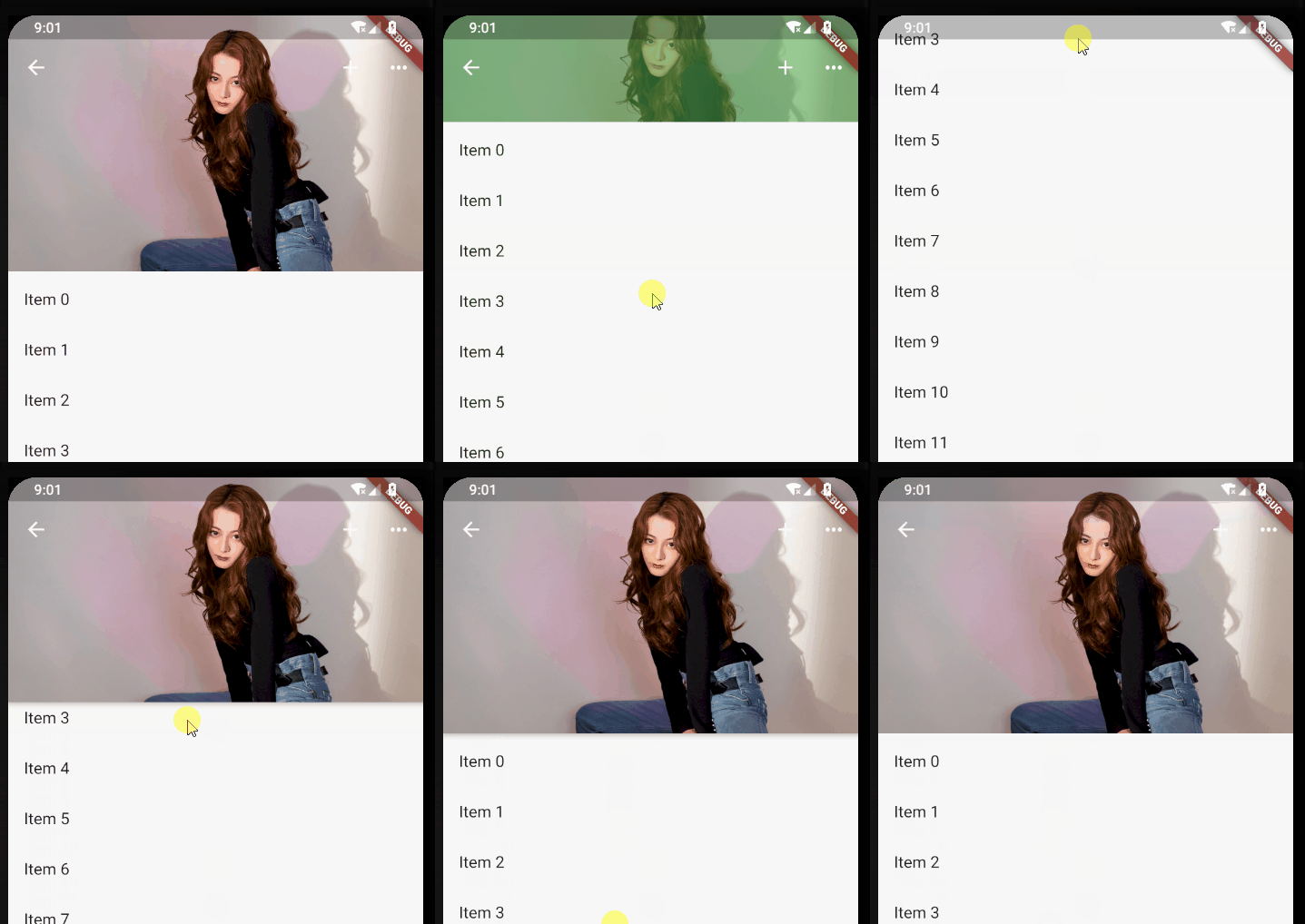
- 标题栏是否跟着一起滑动
- 上滑的时候,SliverAppBar是直接滑上去还是先合并然后再滑上去。
- 下拉的时候,SliverAppBar是直接拉下来还是先拉下来再展开。
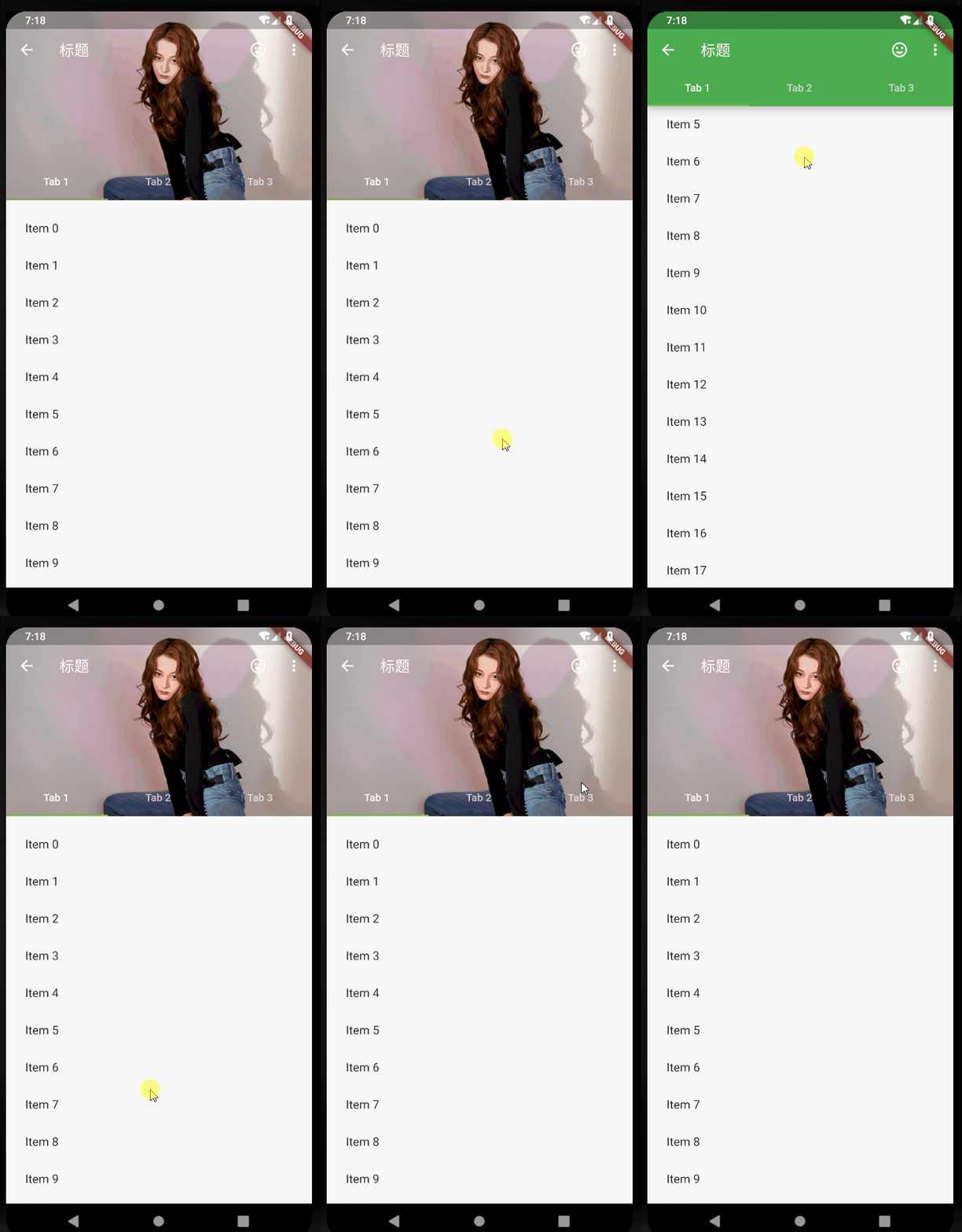
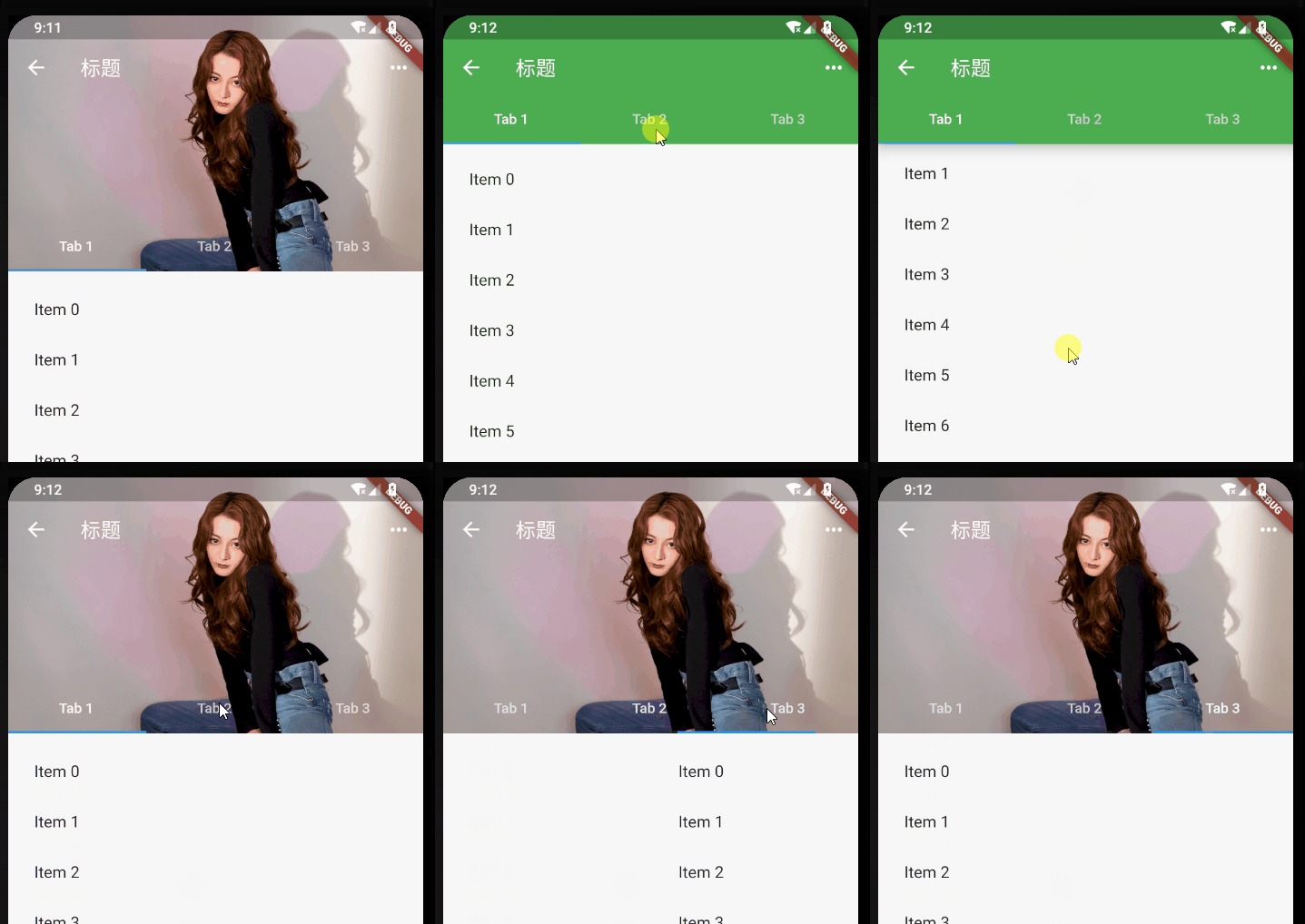
添加TabBar
var _tabs = <String>[];
_tabs = <String>[
"Tab 1",
"Tab 2",
"Tab 3",
];
/// 加TabBar
DefaultTabController(
length: _tabs.length, // This is the number of tabs.
child: NestedScrollView(
headerSliverBuilder: (BuildContext context, bool innerBoxIsScrolled) {
// These are the slivers that show up in the "outer" scroll view.
return <Widget>[
SliverOverlapAbsorber(
handle:
NestedScrollView.sliverOverlapAbsorberHandleFor(context),
child: SliverAppBar(
leading: new IconButton(
icon: Icon(Icons.arrow_back),
onPressed: () {},
),
title: const Text('标题'),
centerTitle: false,
pinned: true,
floating: false,
snap: false,
primary: true,
expandedHeight: 230.0,
elevation: 10,
//是否显示阴影,直接取值innerBoxIsScrolled,展开不显示阴影,合并后会显示
forceElevated: innerBoxIsScrolled,
actions: <Widget>[
new IconButton(
icon: Icon(Icons.more_horiz),
onPressed: () {
print("更多");
},
),
],
flexibleSpace: new FlexibleSpaceBar(
background: Image.asset("images/a.jpg", fit: BoxFit.fill),
),
bottom: TabBar(
tabs: _tabs.map((String name) => Tab(text: name)).toList(),
),
),
),
];
},
body: TabBarView(
// These are the contents of the tab views, below the tabs.
children: _tabs.map((String name) {
//SafeArea 适配刘海屏的一个widget
return SafeArea(
top: false,
bottom: false,
child: Builder(
builder: (BuildContext context) {
return CustomScrollView(
key: PageStorageKey<String>(name),
slivers: <Widget>[
SliverOverlapInjector(
handle:
NestedScrollView.sliverOverlapAbsorberHandleFor(
context),
),
SliverPadding(
padding: const EdgeInsets.all(10.0),
sliver: SliverFixedExtentList(
itemExtent: 50.0, //item高度或宽度,取决于滑动方向
delegate: SliverChildBuilderDelegate(
(BuildContext context, int index) {
return ListTile(
title: Text('Item $index'),
);
},
childCount: 30,
),
),
),
],
);
},
),
);
}).toList(),
),
),
),
边栏推荐
- 内网IP和公网IP的区别及作用
- Character interception triplets of data warehouse: substrb, substr, substring
- RNA SEQ introduction practice (I): upstream data download, format conversion and quality control cleaning
- 代码整洁之道--格式
- Alchemy (6): iteratable models and use cases
- 快速掌握grep命令及正则表达式
- LabVIEW连续采样与有限采样模式
- Code neatness -- format
- GFS 分布式文件系统概述与部署
- Quickly master grep commands and regular expressions
猜你喜欢

Introduction to memory model of JVM

LabVIEW连续采样与有限采样模式

MATLB|改进的前推回代法求解低压配电网潮流
![Software engineering job design (1): [personal project] implements a log view page](/img/95/0c3f0dde16d220ddecb5758a4c31e7.png)
Software engineering job design (1): [personal project] implements a log view page

免费、好用、强大的开源笔记软件综合评测

给女朋友看的消息中间件

吴恩达《机器学习》课程总结(13)_聚类

吴恩达《机器学习》课程总结(11)_支持向量机

MySQL enterprise parameter tuning practice sharing
Leetcode 720. 词典中最长的单词(为啥感觉这道题很难?)
随机推荐
What is promise
QStringList 的学习笔记
Function and usage of malloc function in C language
Comprehensive evaluation of free, easy-to-use and powerful open source note taking software
796 div.2 C. managing history thinking
TIME_ Solutions to excessive wait
剑指 Offer 65. 不用加减乘除做加法
券商买股票用什么app是比较好的,比较安全的
#795 Div.2 E. Number of Groups set *
HCIP/HCIE Routing&Switching / Datacom备考宝典系列(十九)PKI知识点全面总结(公钥基础架构)
JVM的内存模型简介
plot_ Model error: pydot and graphviz are not installed
[paper reading | deep reading] sdne:structural deep network embedding
Is the securities registration account safe? Is there any risk?
SQL报了一个不常见的错误,让新来的实习生懵了
Installation and use of Zotero document management tool
LabVIEW continuous sampling and limited sampling mode
股票投资交流群安全吗?入群免费开户靠谱嘛?
Internship: business process introduction
信息学奥赛一本通 1359:围成面积