当前位置:网站首页>Docker installs redis!!! (including detailed illustration of each step) actual combat
Docker installs redis!!! (including detailed illustration of each step) actual combat
2022-07-26 03:12:00 【InfoQ】
One 、Docker Search for redis Mirror image
docker search redis
Two 、Docker Pull the mirror image
docker pull redis
3、 ... and 、Docker Mount profile
Four 、 start-up redis Containers
docker run --restart=always --log-opt max-size=100m --log-opt max-file=2 -p 6379:6379 --name myredis -v /home/redis/myredis/myredis.conf:/etc/redis/redis.conf -v /home/redis/myredis/data:/data -d redis redis-server /etc/redis/redis.conf --appendonly yes --requirepass 000415
- --restart=always Always turn on
- --log It's about logs
- -p 6379:6379 take 6379 Port mount out
- --name Give this container a name
- -v Data volume mount /home/redis/myredis/myredis.conf:/etc/redis/redis.conf Here is the general liunx The next path myredis.conf and redis Under the redis.conf Mounted together ./home/redis/myredis/data:/data This is the same as above
- -d redis Indicates background start redis
- redis-server /etc/redis/redis.conf Start with configuration file redis, Load the... In the container conf file , Finally, we found the directory of the mount /etc/redis/redis.conf alsoNamely liunx Under the /home/redis/myredis/myredis.conf
- --appendonly yes Turn on redis Persistence
- ==--requirepass 000415 Set the password == ( If you pass docker If the container is internally connected , Just feel free , Can be set or not . But if you want to open up , Be sure to set , I've been fucked , You can read this article “Alibaba cloud server is poisoned ‘Kirito666’ experience”)
- Success interface
5、 ... and 、 test
1、 adopt docker ps Command to view the startup status
docker ps -a |grep myredis # adopt docker ps Command to view the startup status , The success of .
2、 View the container run log
docker logs --since 30m myredis
3、 Container internal connection for testing
docker exec -it myredis redis-cli
auth password
config get requirepass
6、 ... and 、 The configuration file
# bind 192.168.1.100 10.0.0.1
# bind 127.0.0.1 ::1
#bind 127.0.0.1
protected-mode no
port 6379
tcp-backlog 511
requirepass [email protected]
timeout 0
tcp-keepalive 300
daemonize no
supervised no
pidfile /var/run/redis_6379.pid
loglevel notice
logfile ""
databases 30
always-show-logo yes
save 900 1
save 300 10
save 60 10000
stop-writes-on-bgsave-error yes
rdbcompression yes
rdbchecksum yes
dbfilename dump.rdb
dir ./
replica-serve-stale-data yes
replica-read-only yes
repl-diskless-sync no
repl-disable-tcp-nodelay no
replica-priority 100
lazyfree-lazy-eviction no
lazyfree-lazy-expire no
lazyfree-lazy-server-del no
replica-lazy-flush no
appendonly yes
appendfilename "appendonly.aof"
no-appendfsync-on-rewrite no
auto-aof-rewrite-percentage 100
auto-aof-rewrite-min-size 64mb
aof-load-truncated yes
aof-use-rdb-preamble yes
lua-time-limit 5000
slowlog-max-len 128
notify-keyspace-events ""
hash-max-ziplist-entries 512
hash-max-ziplist-value 64
list-max-ziplist-size -2
list-compress-depth 0
set-max-intset-entries 512
zset-max-ziplist-entries 128
zset-max-ziplist-value 64
hll-sparse-max-bytes 3000
stream-node-max-bytes 4096
stream-node-max-entries 100
activerehashing yes
hz 10
dynamic-hz yes
aof-rewrite-incremental-fsync yes
rdb-save-incremental-fsync yes
7、 ... and 、Docker Delete Redis
6.1、 Delete Redis Containers
- View all running containers : command :
docker ps -a
- Stop running Redis
- Stop the order :docker stop < Container name >
docker stop myredis # myredis I started it redis Named don't
- Delete redis Containers :
- Delete container command : ==docker rm < Container name >==
docker rm myredis
6.2、 Delete Redis Mirror image
- View all mirrors command :
docker images
- delete mirror command docker rmi < Containers id>
docker rmi 739b59b96069 # This is my mirror image redis id- You can see Redis The image of has been deleted .
Daily self talk
边栏推荐
- JSD-2204-酷鲨商城(管理商品模块)-Day02
- Continuous delivery and Devops are good friends
- Is the galaxy VIP account opened by qiniu safe?
- Leetcode · 83 biweekly match · 6128. best poker hand · simulation
- Anti electronic ink screen st7302
- Win11麦克风权限的开启方法
- GoLang日志编程系统
- Usage of fuser and lsof
- Quick check of OGC WebGIS common service standards (wms/wmts/tms/wfs)
- [noip2001 popularization group] the problem of maximum common divisor and minimum common multiple
猜你喜欢

Multithreaded programming
![[C Advanced] deeply explore the storage of data (in-depth analysis + interpretation of typical examples)](/img/1e/33f9cc9446dcad8cdb78babbb5a22c.jpg)
[C Advanced] deeply explore the storage of data (in-depth analysis + interpretation of typical examples)

Digital commerce cloud DMS dealer management system solution: DMS system realizes business Omni channel and sales data collection

Opencv error: (parameter or structure field)) unrecognized or unsupported array type in functon 'cvgetmat‘
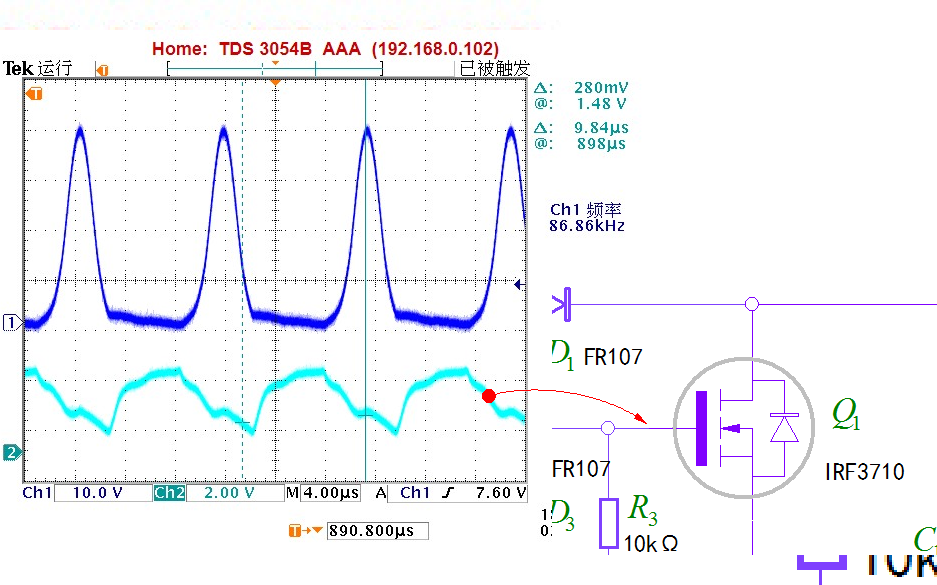
Influence of middle tap change on ZVS oscillation circuit

中国信通院陈屹力:降本增效是企业云原生应用的最大价值

Arthas' dynamic load class (retransform)

ByteDance (Tiktok) software test monthly salary 23K post, technical two-sided interview questions are newly released

LeetCode·
![[translation] safety. Value of sboms](/img/8b/1ad825e7c9b6a87ca1fea812556f3a.jpg)
[translation] safety. Value of sboms
随机推荐
Opening method of win11 microphone permission
Application of shift distance and hypothesis
Golang log programming system
Win11更改磁盘驱动器号的方法
Hello World driver (II) - primary version
STM32——PWM学习笔记
【C语言】深入理解 整型提升 和 算术转换
JVM内存模型解析
els 窗口设置、WM_CREATE、WM_PAINT
Programming example of STM32 state machine -- fully automatic washing machine (Part 1)
[SQL] 自连接的用法
Implement a method to find the sum of the number k and m in the array
78. 子集
Arthas view the source code of the loaded class (JAD)
Arthas download and startup
Small test (I)
多线程编程
Classic interview questions -- three characteristics of OOP language
File operation (I) -- File introduction and file opening and closing methods
STM32——DMA笔记