当前位置:网站首页>6. 毕业设计温湿度监控系统(ESP8266 + DHT11 +OLED 实时上传温湿度数据给公网服务器并在OLED显示屏上显示实时温湿度)
6. 毕业设计温湿度监控系统(ESP8266 + DHT11 +OLED 实时上传温湿度数据给公网服务器并在OLED显示屏上显示实时温湿度)
2022-06-28 05:35:00 【张三编程分享】
文章目录
硬件环境
- ESP8266开发板一块;
- DHT11温湿度传感器一个;
- OLED 128*64分辨率显示屏幕一个;
硬件连线图入下所示:

软件环境
1. WiFi联网和HttpPost配置
参照我的另一篇博文,该博文中展示了如何建立PostHttpClient工程,修改后上传数据到公网服务器的Web服务器,
《5. ESP8266使用PostHttpClient例程上传数据给Web服务器后台》。
2. DHT11温湿度读取和OLED显示配置
参照我的另一篇博文,该博文中展示了如何使用ESP8266 NodeMCU开发板获取DHT11温湿度传感器并将数据显示在OLED显示屏上,《4. ESP8266通过OLED实时显示DHT11温湿度参数》。
3. Web服务器配置(用于接收HTTP数据请求)
如果服务器系统为windos,可以参照之前博文《树莓派+传感器+公网服务器 组件自己的物联网平台(三)WEB服务器配置》;
如果服务器系统是Ubuntu,可以根据本人的B站视频同步搭建,B站ID为张三编程分享,地址为:https://space.bilibili.com/243861879,该账号会实时更新服务器配置过程。
Web服务器环境搭建过程最为复杂,如果是小白可以根据B站视频的内容一步步来搭建。
代码的git将Web服务器的代码下载到本地,命令如下:
git clone git://116.198.42.221/ESP8266_IOT.git
Use_Mysql目录下的代码就是Django工程的所有代码,下载后在服务器中运行,需要修改其中的mysql数据库相关信息

实验过程
1. ESP8266 NodeMCU完整代码
将下面代码编程上传到ESP8266 NodeMCU中,代码中只需要修改服务器地址和WiFi相关信息即可
#include <SPI.h>
#include <Wire.h>
#include <Adafruit_GFX.h>
#include <Adafruit_SSD1306.h>

#include <DHT.h> // Include DHT library code

//begin********http head and define***************
#include <ESP8266WiFi.h>
#include <ESP8266HTTPClient.h>

#define SERVER_IP "116.198.42.221" //这里是我的公网服务器的IP地址,这个需要修改

#ifndef STASSID
#define STASSID "WiFi name"
#define STAPSK "WiFi password"
#endif
//end********http head and define***************
#define DHTPIN 14 // DHT11 data pin is connected to ESP8266 GPIO14 (NodeMCU D5)
#define DHTTYPE DHT11 // DHT11 sensor is used
DHT dht(DHTPIN, DHTTYPE);             // Configure DHT library

char temperature[] = "00.0";
char humidity[]    = "00.0";

// OLED FeatherWing buttons map to different pins depending on board.
// The I2C (Wire) bus may also be different.
#if defined(ESP8266)
  #define BUTTON_A 0
  #define BUTTON_B 16
  #define BUTTON_C 2
  #define WIRE Wire
#elif defined(ESP32)
  #define BUTTON_A 15
  #define BUTTON_B 32
  #define BUTTON_C 14
  #define WIRE Wire
#elif defined(ARDUINO_STM32_FEATHER)
  #define BUTTON_A PA15
  #define BUTTON_B PC7
  #define BUTTON_C PC5
  #define WIRE Wire
#elif defined(TEENSYDUINO)
  #define BUTTON_A 4
  #define BUTTON_B 3
  #define BUTTON_C 8
  #define WIRE Wire
#elif defined(ARDUINO_FEATHER52832)
  #define BUTTON_A 31
  #define BUTTON_B 30
  #define BUTTON_C 27
  #define WIRE Wire
#elif defined(ARDUINO_ADAFRUIT_FEATHER_RP2040)
  #define BUTTON_A 9
  #define BUTTON_B 8
  #define BUTTON_C 7
  #define WIRE Wire1
#else // 32u4, M0, M4, nrf52840 and 328p
  #define BUTTON_A 9
  #define BUTTON_B 6
  #define BUTTON_C 5
  #define WIRE Wire
#endif

Adafruit_SSD1306 display = Adafruit_SSD1306(128, 64, &WIRE);

void setup() {

  Serial.begin(9600);

  Serial.println("OLED FeatherWing test");
  // SSD1306_SWITCHCAPVCC = generate display voltage from 3.3V internally
  display.begin(SSD1306_SWITCHCAPVCC, 0x3C); // Address 0x3C for 128x32
  //display.begin(SSD1306_SWITCHCAPVCC, 0x3D); // initialize with the I2C addr 0x3D (for the 128x64)

  Serial.println("OLED begun");

  // Show image buffer on the display hardware.
  // Since the buffer is intialized with an Adafruit splashscreen
  // internally, this will display the splashscreen.
  display.display();
  delay(1000);

  // Clear the buffer.
  display.clearDisplay();
  display.display();

  Serial.println("IO test");

  pinMode(BUTTON_A, INPUT_PULLUP);
  pinMode(BUTTON_B, INPUT_PULLUP);
  pinMode(BUTTON_C, INPUT_PULLUP);

  // text display tests
  display.setTextSize(1);
  display.setTextColor(SSD1306_WHITE);


  dht.begin();                // Initialize the DHT library
  // Clear the display buffer.
  display.clearDisplay();


  display.setTextSize(1);
  display.setTextColor(WHITE, BLACK);
  display.setCursor(10, 5);
  display.print("DHT11 TEMPERATURE:");
  display.setCursor(19, 37);
  display.print("DHT11 HUMIDITY:");
  display.display();

  //begin************WiFi Setup*****************
  WiFi.begin(STASSID, STAPSK);

  while (WiFi.status() != WL_CONNECTED) {

    delay(500);
    Serial.print(".");
  }
  Serial.println("");
  Serial.print("Connected! IP address: ");
  Serial.println(WiFi.localIP());
  //end************WiFi Setup*****************
}

void loop() {


  // Read humidity
  byte RH = dht.readHumidity();
  //Read temperature in degree Celsius
  byte Temp = dht.readTemperature();

  temperature[0] = Temp / 10 + '0';
  temperature[1] = Temp % 10 + '0';
  humidity[0]    = RH / 10   + '0';
  humidity[1]    = RH % 10   + '0';

  // print data on serial monitor
  Serial.printf("Temperature = %02u°C\r\n", Temp);
  Serial.printf("Humidity = %02u %%\r\n\r\n", RH);

  // Clear the display buffer.
  display.clearDisplay();
  // print data on the SSD1306 display
  display.setTextSize(1);
  display.setTextColor(WHITE, BLACK);
  display.setCursor(10, 5);
  display.print("DHT11 TEMPERATURE:");
  display.setCursor(19, 37);
  display.print("DHT11 HUMIDITY:");
  display.display();
  display.setCursor(46, 20);
  display.print(temperature);
  display.setCursor(46, 52);
  display.print(humidity);
  display.drawRect(71, 20, 3, 3, WHITE);     // Put degree symbol ( ° )
  display.display();

  //begin********HttpPost wait for WiFi connection
  if ((WiFi.status() == WL_CONNECTED)) {


    WiFiClient client;
    HTTPClient http;

    Serial.print("[HTTP] begin...\n");
    // configure traged server and url
    http.begin(client, "http://" SERVER_IP "/IOT/add_environments"); //HTTP
    http.addHeader("Content-Type", "application/x-www-form-urlencoded");

    Serial.print("[HTTP] POST...\n");
    // start connection and send HTTP header and body
    String content = "temperatures=";
    String str2 = temperature;
    String str3 = "&humidity=";
    String str4 = humidity;
    String str5 = "&pressure=111";
    content.concat(str2);
    content.concat(str3);
    content.concat(str4);
    content.concat(str5);

    //const String content = "temperatures=" + temperature + "&humidity=" + humidity +"&pressure=111";
    int httpCode = http.POST(content);

    // httpCode will be negative on error
    if (httpCode > 0) {

      // HTTP header has been send and Server response header has been handled
      Serial.printf("[HTTP] POST... code: %d\n", httpCode);

      // file found at server
      if (httpCode == HTTP_CODE_OK) {

        const String& payload = http.getString();
        Serial.println("received payload:\n<<");
        Serial.println(payload);
        Serial.println(">>");
      }
    } else {

      Serial.printf("[HTTP] POST... failed, error: %s\n", http.errorToString(httpCode).c_str());
    }

    http.end();
  }
  //end********HttpPost wait for WiFi connection
  delay(5000);
}
2. 服务器Web后台代码运行
使用git将代码下载到本地,修改一下settings.py文件中的数据库配置信息,进入Use_Mysql目录,运行如下命令:
cd Use_Mysql/
sudo python3 manage.py runserver 0.0.0.0:80

数据库中增加的环境数据:
Web服务器接收到的来自ESP8266的HttpPost请求:
前端的get_environments请求:
3. 实验效果展示
通过前端地址访问:http://116.198.42.221/IOT/get_environments/
前端展示效果:
ESP8266 + DHT11 + OLED 展示效果:
整体效果图:
视频展示:
毕业设计--ESP8266自建联网温湿度监控系统
边栏推荐
- 什么是WebRTC?
- Animation de ligne
- RL 实践(0)—— 及第平台辛丑年冬赛季【Rule-based policy】
- Steve Jobs' speech at Stanford University -- follow your heart
- [untitled] drv8825 stepping motor drive board schematic diagram
- 拉萨手风琴
- How to learn programmable logic controller (PLC)?
- What does mysql---where 1=1 mean
- Enum
- How does the power outlet transmit electricity? Simple problems that have plagued my little friend for so many years
猜你喜欢

Oracle 条件、循环语句

Solution of dam safety automatic monitoring system for medium and small reservoirs

Mysql-17- create and manage tables

Animation de ligne

JS中的链表(含leetcode例题)<持续更新~>

Lhasa accordion
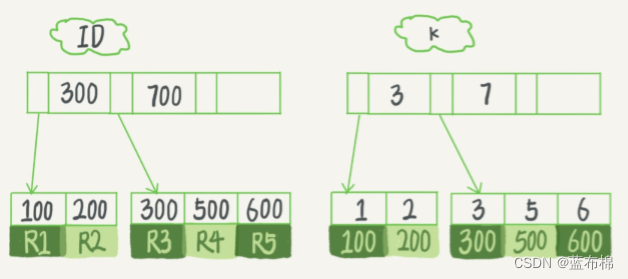
MySQL 45 talk | 05 explain the index in simple terms (Part 2)
![[leetcode] 12. Integer to Roman numeral](/img/3e/815f24a85a3333ce924acee1856f62.png)
[leetcode] 12. Integer to Roman numeral

Jdbc的使用

To batch add background pictures and color changing effects to videos
随机推荐
Binder面试之:内存管理单元
2022 special operation certificate examination question bank and simulation examination for safety management personnel of fireworks and firecrackers business units
Error: the following arguments are required:
Is it enough for the project manager to finish the PMP? no, it isn't!
The heading angle of sliceplane is the same as that of math Corresponding transformation relation of atan2 (y, x)
8VC Venture Cup 2017 - Elimination Round D. PolandBall and Polygon
How to learn programmable logic controller (PLC)?
How long will the PMP test results come out? You must know this!
线条动画
Qcom LCD commissioning
分享|智慧环保-生态文明信息化解决方案(附PDF)
Disable right-click, keyboard open console events
qtcanpool 知 05:无边框
开发者的时代红利在哪里?
Line animation
Docker installs mysql5.7 and starts binlog
JSP
JS中的链表(含leetcode例题)<持续更新~>
What are functions in C language? What is the difference between functions in programming and functions in mathematics? Understanding functions in programming languages
File foundation - read / write, storage