当前位置:网站首页>Anaconda3安装过程及安装后缺失大量文件,没有scripts等目录
Anaconda3安装过程及安装后缺失大量文件,没有scripts等目录
2022-06-27 03:06:00 【Nirvana_x x】
先直接说我的坑和我的解决方法吧,大家先去试试能不能解决。
1.安装之前关闭各种杀毒软件
2.配置环境这里加 \ !!!(非常重要各位)
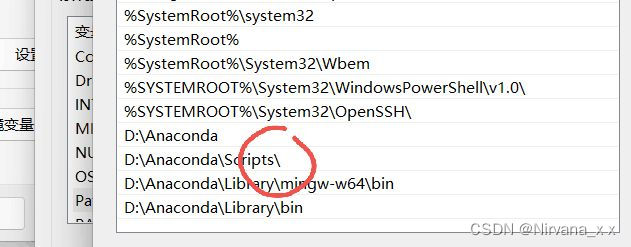
就是这个!!!
这是我安装好之后的文件

好再说我的安装过程
Anaconda安装过程
1.官网下载Anaconda | The World's Most Popular Data Science Platform
2.选择适合自己的版本(我的是windows)
3.下载好了之后选择以管理员身份运行(不知道为什么,看好几个帖子这么说的)


这里我选择的是just for me
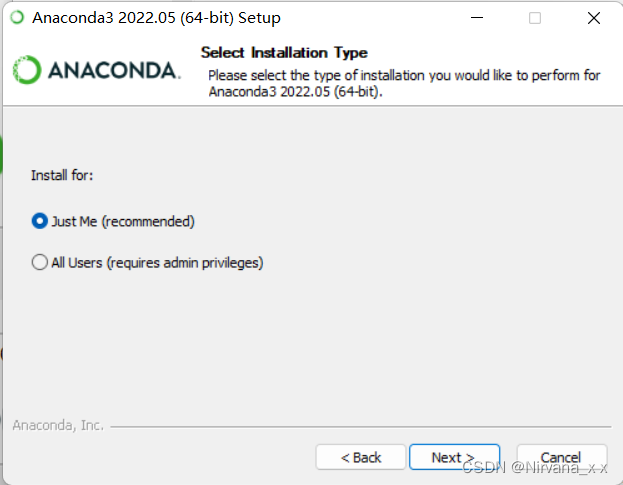
这里的默认路径可以改

另外:在选择添加到路径的时候不用选了,因为我们自己去配
可以直接在搜索框搜索:编辑系统环境变量
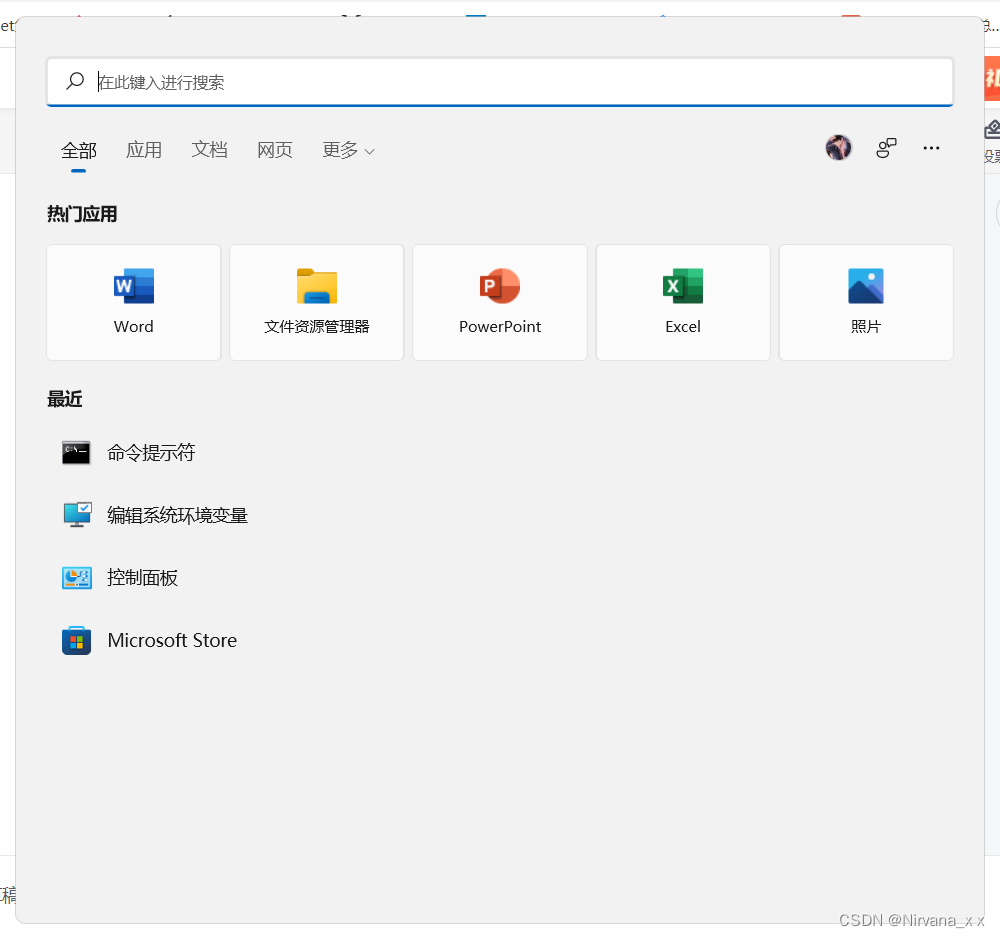


路径中增加这些

D:\Anaconda
D:\Anaconda\Scripts\
D:\Anaconda\Library\mingw-w64\bin
D:\Anaconda\Library\usr\bin(这个路径我没有,后面发现不影响)
D:\Anaconda\Library\bin
一个个复制过去,朋友们注意自己的实际路径
确定之后,打开 命令提示符查看

warning是后面的工作,到这里就是没问题。
好,虽然现在大家看的是我装好了,说说到这一步中间我的痛苦。
1.在cmd里面一直说我环境未激活,然后搜,把这个文件删了(在回收站找的哈哈哈)

然后,我又卸了anaconda……重装,因为这是之前的文件,先都删干净。
而且大家的安装目录不要夹杂中文,目录也尽量简单一点。
关于这个warning
warning: this python interpreter is in a conda environment, but the environment has not been activate.
这个warning就别管了。这是后面环境的事情,先装成功。
2.name conda is not define
因为在配置环境变量的时候没有加\,我加了之后就好了,也就是开头给大家看的两个方法。
好了,就这些,大家加油啊!
边栏推荐
- 剑指Offer || :栈与队列(简单)
- Uni app's uparse rich text parsing perfectly parses rich text!
- 455. distribute biscuits [distribution questions]
- Dameng database installation
- What if asreml-r does not converge in operation?
- pytorch 22 8种Dropout方法的简介 及 基于Dropout用4行代码快速实现DropBlock
- Human soberness: bottom logic and top cognition
- PAT甲级 1024 Palindromic Number
- Flink learning 3: data processing mode (stream batch)
- 2021:Beyond Question-Based Biases:Assessing Multimodal Shortcut Learning in Visual Question Answeri
猜你喜欢

企业数字化转型:信息化与数字化

dat. gui. JS star circle track animation JS special effect

Window 加密壳实现

Geometric distribution (a discrete distribution)

How does the brain do arithmetic? Both addition and subtraction methods have special neurons, and the symbol text can activate the same group of cell sub journals

PAT甲级 1023 Have Fun with Numbers
学习太极创客 — MQTT(六)ESP8266 发布 MQTT 消息

TopoLVM: 基于LVM的Kubernetes本地持久化方案,容量感知,动态创建PV,轻松使用本地磁盘
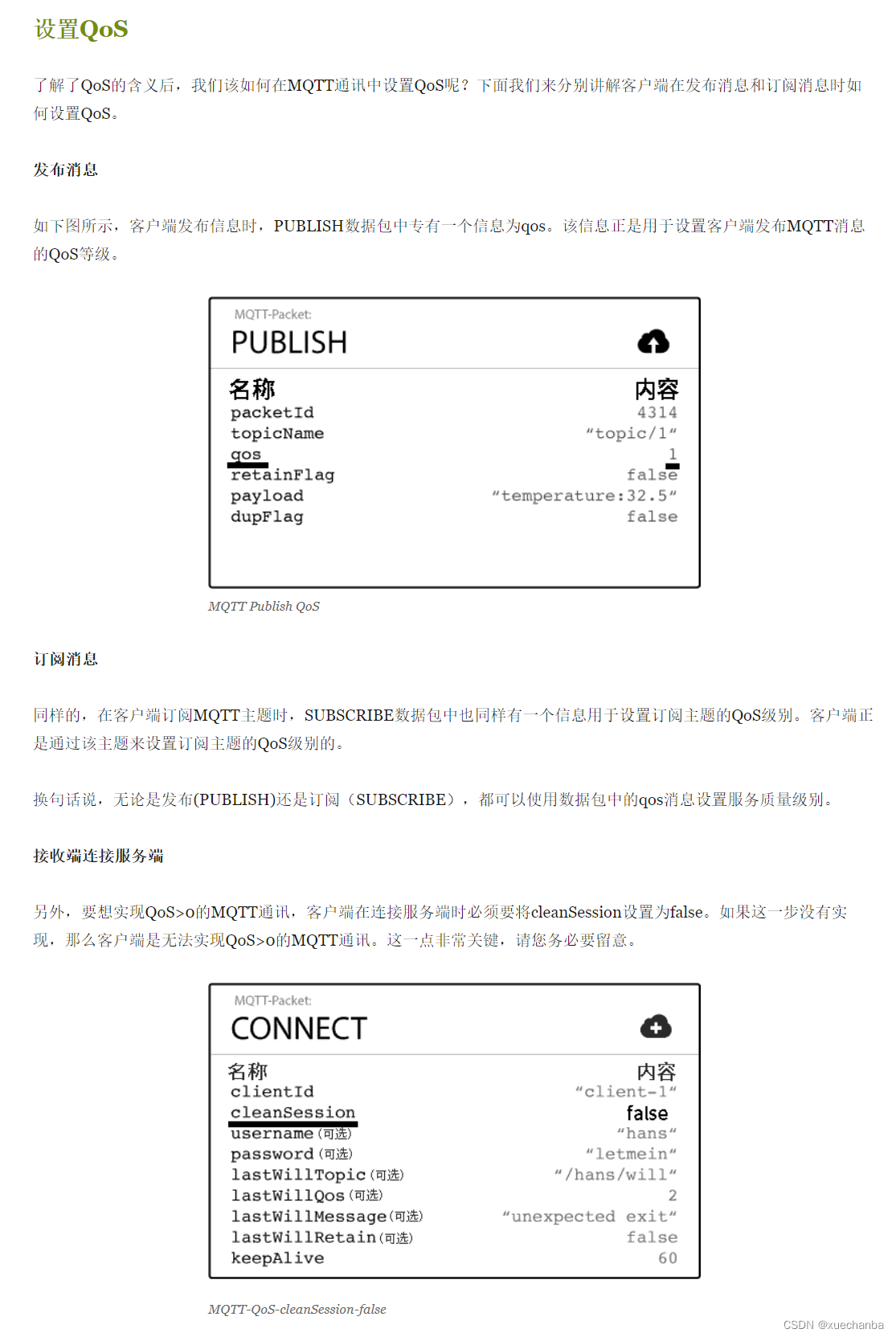
Learn from Taiji Maker - mqtt Chapter 2 (I) QoS service quality level
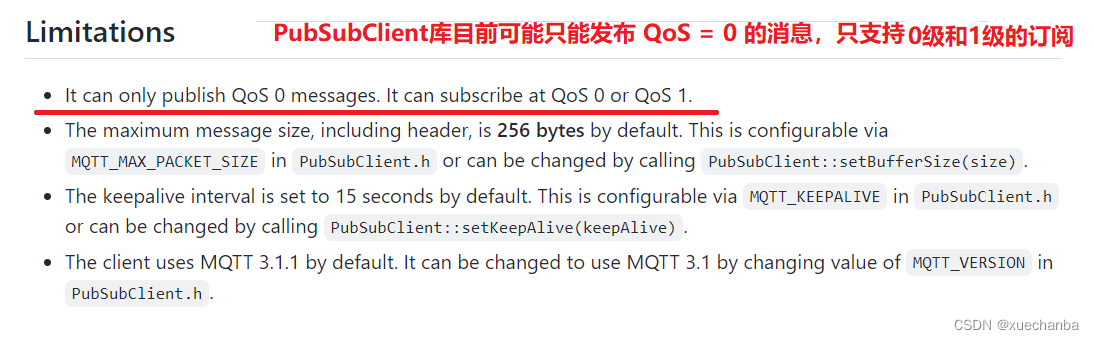
学习太极创客 — MQTT 第二章(二)ESP8266 QoS 应用
随机推荐
C # check whether the date is in the correct format
Learn Tai Chi Maker - mqtt Chapter 2 (3) reserved messages
Learn Tai Chi maker mqtt (IX) esp8266 subscribe to and publish mqtt messages at the same time
resnet152 辣椒病虫害图像识别1.0
Implementation of window encryption shell
Pat grade a 1023 have fun with numbers
Installing the Damon database using the command line
Easy to use plug-ins in idea
servlet与JSP期末复习考点梳理 42问42答
Learning Tai Chi Maker - mqtt Chapter 2 (II) esp8266 QoS application
企业数字化转型:信息化与数字化
学习太极创客 — MQTT(六)ESP8266 发布 MQTT 消息
Career outlook, money outlook and happiness outlook
Record the method of reading excel provided by unity and the solution to some pits encountered
Cs5213 HDMI to VGA (with audio) single turn scheme, cs5213 HDMI to VGA (with audio) IC
人间清醒:底层逻辑和顶层认知
2022中式面点师(高级)复训题库及在线模拟考试
Topolvm: kubernetes local persistence scheme based on LVM, capacity aware, dynamically create PV, and easily use local disk
PAT甲级 1019 General Palindromic Number
Summer planning for the long river