当前位置:网站首页>SAP mts/ato/mto/eto topic 10: ETO mode q+ empty mode unvalued inventory policy customization
SAP mts/ato/mto/eto topic 10: ETO mode q+ empty mode unvalued inventory policy customization
2022-06-24 04:37:00 【Layman sees SAP】
SAP ETO Pattern Q+ Empty mode policy customization
- 1 Background special configuration
- 1.1 Policy group configuration
- 1.2 Create a new sales order type 、 Billing type
- 1.2.1 Sales organization OVX5
- 1.2.2 Expand customers , The current extension is 10000001 and 10000008 Two customers
- 1.2.3 Determine the sales account VKOA
- 1.2.4 Create a sales order type and assign it to the company code
- 1.2.5 Create order line item type
- 1.2.6 The order to line type is determined
- 1.2.7 Define delivery type
- 1.2.8 Delivery item category
- 1.2.9 The delivery line category is determined
- 1.2.10 Define Invoicing type
- 2. Basic preparation
- 2.1 Construction materials 、BOM、 Work center 、 Process route, etc
- 2.1.1 The new company maintains the company code of material management
- 2.1.1 Construction materials MM01, The specified policy group is PS
- 2.1.2 build BOM CS01
- 2.1.3 Build profit center and cost center
- 2.1.3 Assign activity to cost center , Maintenance price
- 2.1.4 OKEW Allocate the split structure to the assembly and manufacturing department of the direct cost center
- 2.1.3 Build a work center CR01
- 2.1.4 Build a process route CA01
- 2.2 Product cost estimation and evaluation
- 2.3 Sales processing
- 3 Simulate sales orders with virtual materials
Today we will focus on simulation ETO Project configuration not evaluated in , Tell the truth , An unvalued item , Generally, few people use it , This mode was used in the first project , Follow E+ The empty mode is similar , Material movement has no inventory value .
1 Background special configuration
1.1 Policy group configuration
1.1.1 Demand class

1.1.2 Type of demand

1.1.3 Production strategy

1.1.4 Strategy Group

1.2 Create a new sales order type 、 Billing type
ETO The mode is generally project delivery , There are many materials involved , Assemble at the customer's site , In fact, the project inventory delivery posting is also related to SD The walk is similar .
1.2.1 Sales organization OVX5
1.2.2 Expand customers , The current extension is 10000001 and 10000008 Two customers
1.2.3 Determine the sales account VKOA
1.2.4 Create a sales order type and assign it to the company code
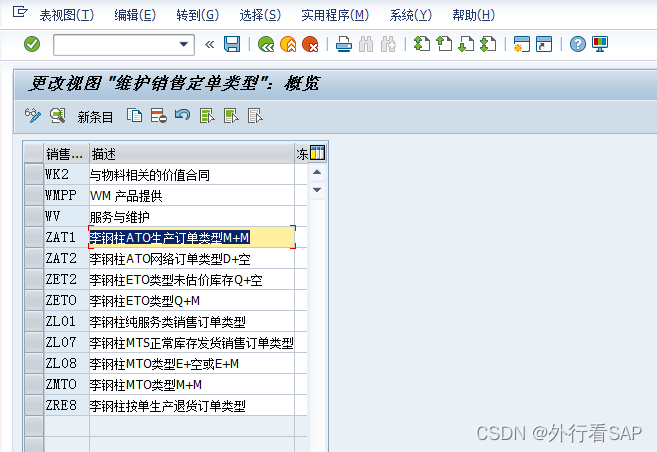

1.2.5 Create order line item type

1.2.6 The order to line type is determined

1.2.7 Define delivery type
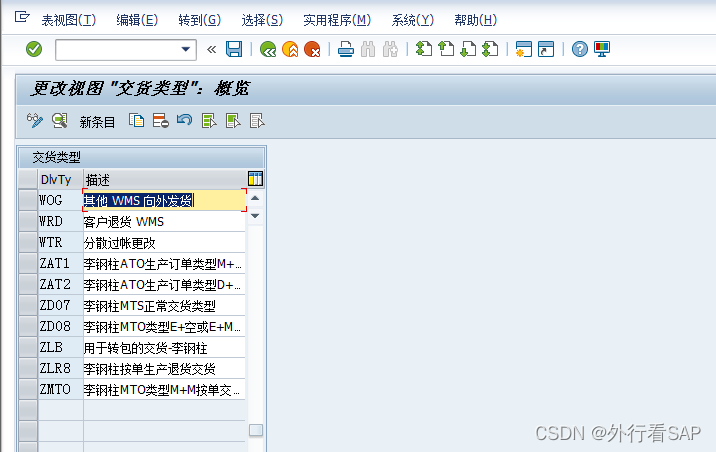
1.2.8 Delivery item category

1.2.9 The delivery line category is determined
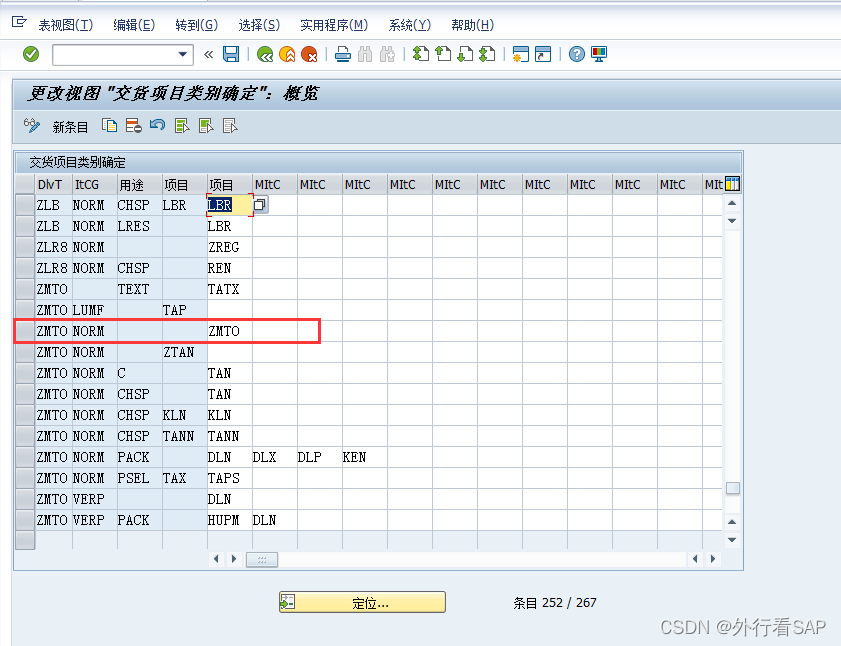
1.2.10 Define Invoicing type

2. Basic preparation
This simulation is the whole computer , But not to deliver the whole computer to the customer , It is delivered by parts .
BOM The computer contains a host 、 There are two kinds of semi-finished products for display , And the mouse 、 Keyboard raw materials . One of the hosts 、 Monitor 、 mouse 、 The keyboard is sent to the customer through project delivery .
At the same time, milestone billing , Invoicing by stages according to the billing plan
2.1 Construction materials 、BOM、 Work center 、 Process route, etc
2.1.1 The new company maintains the company code of material management

2.1.1 Construction materials MM01, The specified policy group is PS

Finished product material selection strategy 
2.1.2 build BOM CS01

2.1.3 Build profit center and cost center
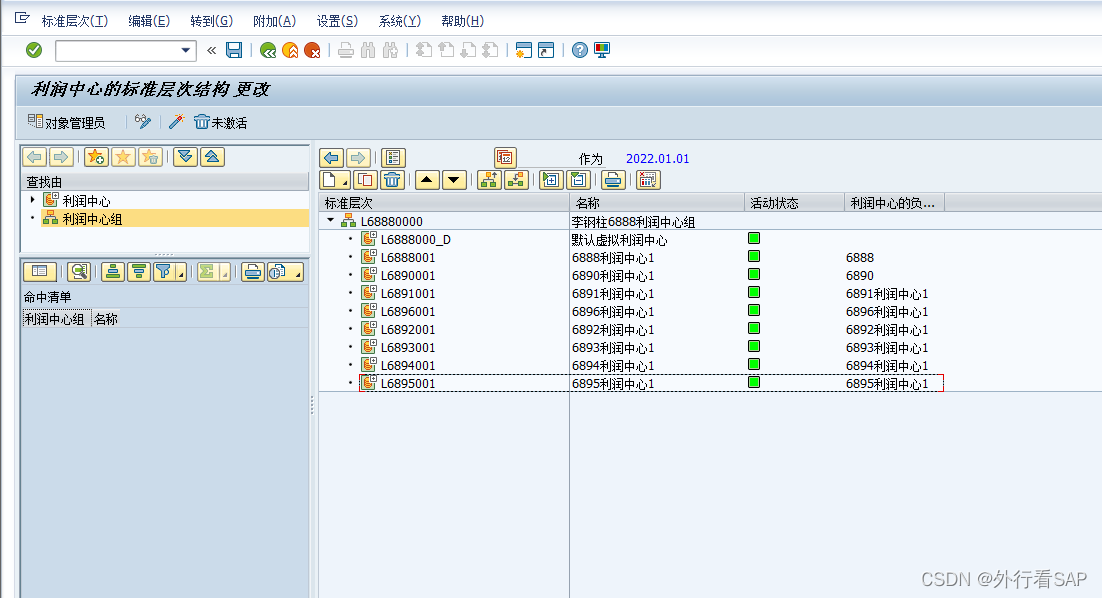

2.1.3 Assign activity to cost center , Maintenance price

2.1.4 OKEW Allocate the split structure to the assembly and manufacturing department of the direct cost center

2.1.3 Build a work center CR01

2.1.4 Build a process route CA01

2.2 Product cost estimation and evaluation
2.2.1 CK11N Evaluate the price

2.2.2 CK24 Mark and publish material prices
After the tag

2.3 Sales processing
2.3.1 Expand customers XD01

2.3.2 Shipment point configuration OVL2

2.3.3 Configure automatic posting of sales organization VKOA


3 Simulate sales orders with virtual materials
3.1 Create virtual material


3.2 Build order
Virtual materials + The demand classification confirmed by the line item is empty 

price is 8W, Internal price pricing should not appear , No change 
maintain WBS

3.3 Project linked material requirements

After release , track MD04, At this time, there is no information about the non inventory
3.4 MRP
3.4.1 By project /WBS run MRP MD51, Pay attention to releasing items , After running all raw materials, planned orders are generated

Planned orders are generated after running 
3.4.2 Transfer planned order to manufacturing order MD04 or CO40 or CO41

2.4.2 Raw material batch plan order is transferred to purchase requisition MD04 or MD15

3.5 purchase
3.5.1 Transfer purchase requisition to purchase order ME21N
The accounts automatically brought out are inventory accounts 
3.5.2 migo Receiving goods


Follow E+ Empty mode is very similar to , Costs are incurred upon receipt , The movement of goods has nothing to do with the cost .

3.6 production PP
3.6.1 Display production order COOIS

3.6.2 MB1A Issue material to production order

3.6.3 CO15 Report work , Generate order costs , But there is no material cost

3.6.4 MB31 Receiving goods , There is still no accounting voucher for material movement

Look at inventory

The value of receipt is also 0.
3.7 CNS0 Delivery or delivery to reservation
migo Shipment to reservation


3.8 The work reporting cost of the production order is settled to the project

Back heel SDI Settlement to sales order is similar , We will analyze the results of the project later , Carry forward the main business cost .
边栏推荐
- How does ECS build websites? Is it troublesome for ECs to build websites?
- 华为云GaussDB(for Redis)揭秘第19期:GaussDB(for Redis)全面对比Codis
- 开源之夏2022中选结果公示,449名高校生将投入开源项目贡献
- Congratulations to Zhong Jun for becoming the maintainer of chaos metric model working group
- web渗透测试----5、暴力破解漏洞--(6)VNC密码破解
- Chemical properties and specificity of Worthington Papain
- ribbon
- Advanced authentication of uni app [Day12]
- Clickhouse thread occupation troubleshooting and killing
- ServiceStack. Source code analysis of redis (connection and connection pool)
猜你喜欢

Apipost interface assertion details
Advanced authentication of uni app [Day12]

Weibo International Edition changed its name to Weibo light sharing Edition
线性回归的损失和优化,机器学习预测房价
一款支持内网脱机分享文档的接口测试软件

编译器是如何将芯片执行的第一个指令放到芯片起始地址的?

15+ urban road element segmentation application, this segmentation model is enough
微博国际版更名为微博轻享版

外网访问svn服务器(外网访问部署在云上的svn服务器)
应用实践 | Apache Doris 整合 Iceberg + Flink CDC 构建实时湖仓一体的联邦查询分析架构
![Advanced authentication of uni app [Day12]](/img/2e/59ad76ce8911d6d1f644322b34aaa5)
随机推荐
Worthington弹性蛋白酶的应用和相关研究
[receive] new benefits of 60 yuan / year? Lowest in history! Double 11 has now begun to seize resources! Get started quickly!!
What is etcd and its application scenarios
After purchasing Tencent ECs, how to solve packet loss in Internet access?
How to build a website for ECS is the price of ECS very expensive
Tencent ECS installs the Minio object storage tool
Physicochemical properties and specificity of Worthington trypsin
What technology is VPS? How does the server VPS?
What are the functions of ASP files on ECs? What if the ECS cannot run ASP with a low version?
Final summary of freshman semester (supplement knowledge loopholes)
How to open the port of ECS what are the precautions for using ECS
Web technology sharing | [map] to realize customized track playback
Summary of the activation function sigmoid relu tanh Gelu in machine learning and deep learning
Why is on-line monitoring of equipment more and more valued by people?
How to adjust the alarm information that remains unchanged after paging is selected on the easygbs alarm page?
图书馆管理后台
web渗透测试----5、暴力破解漏洞--(9)MS-SQL密码破解
To the world's first full frame 3D games!
How to create an FTP server on the ECS? Is it safe to create an FTP server on the ECS?
Specificity and correlation of Worthington deoxyribonuclease I