当前位置:网站首页>Electron中设置菜单(Menu),主进程向渲染进程共享数据
Electron中设置菜单(Menu),主进程向渲染进程共享数据
2022-07-30 05:50:00 【HW-Header】
需求分析:设置主窗口的应用菜单以及鼠标的右击菜单,同时要求实现在应用菜单中开启
打开调试工具(当用户自定义应用菜单时,应用菜单中的打开调试工具便会被取代),并设置快捷键F12
实现看看主进程main.js:
var electron = require('electron')  // 引入electron模块

var app = electron.app   // 创建electron引用

var BrowserWindow = electron.BrowserWindow;  // 创建窗口引用

var mainWindow = null ;  // 声明要打开的主窗口
app.on('ready',()=>{

    mainWindow = new BrowserWindow({
        //设置打开的窗口大小
    	width:400,
    	height:400,
    	webPreferences: {

        	nodeIntegration: true,   // 集成node环境
        	enableRemoteModule: true   // 开启remote,默认不能使用remote模块
    	}
    })
    mainWindow.loadFile('index2.html')  // 加载那个页面

    // 监听关闭事件,把主窗口设置为null
    mainWindow.on('closed',()=>{

        mainWindow = null
    })
    // 分享主进程的数据
    global.sharedObject = {

    	mainWindow: mainWindow
    };

})
在main.js中需要把mainWindow设置为分享数据,因为在渲染进程中,我们需要通过mainWindow打开调试工具
一、创建Menu.js
设置窗口的主菜单
var template = [
    {

        label:'文件',    // 一级标题
        submenu:[        // 二级标题
            {

                label:'新建文件',
                accelerator:'ctrl+n',
                submenu: [          // 三级标题
                    {

                        label: 'HTML文件'
                    },
                    {

                        label: 'JS文件'
                    },
                    {

                        label: 'CSS文件'
                    }
                ],
                click:()=>{


                }
            },
            {

                label:'打开文件',
                accelerator: 'ctrl+o',
                click:()=>{


                }
            }
        ]

    },
    {

        label:'编辑',
        submenu:[
            {

                label: '撤销',
                accelerator: 'ctrl+z',
                click:()=>{


                }
            },
            {

                label: '重做',
                accelerator: 'ctrl+y',
                click:()=>{

                }
            }
        ]
    },
    {

        label: '工具',
        submenu: [
            {

                label: '打开调试工具',
                accelerator: 'f12',
                click: ()=>{

                    mainWindow.webContents.openDevTools();   // 通过主进程共享的mainWindow打开调试工具
                }
            }
        ]

    }
]

// 构建菜单模板
var m = Menu.buildFromTemplate(template)
// 设置菜单模板为当前应用的菜单
Menu.setApplicationMenu(m)
二、在渲染进程中引入menu.js文件
const {
     remote } = require('electron');
const {
     Menu } = remote;
const mainWindow = remote.getGlobal('sharedObject').mainWindow;   // 获取主进程中共享的mainWindow
/* 设置应用程序菜单 */
require('./renders/menu.js');

// 菜单变量
const menu = [
    {
    label: '复制'},
    {
    label: '粘贴'}
]

/* 设置右键菜单 */
// 得到菜单模板
const menuTemp = Menu.buildFromTemplate(menu);

// 右击菜单
window.addEventListener('contextmenu',function(e){

    // 阻止默认右击事件
    e.preventDefault();
    // 把菜单模板设置为当前右击菜单
    menuTemp.popup({
    window:remote.getCurrentWindow()});
})
获取mainWindow必须在导入菜单之前,否则menu.js中将无法使用mainWindow打开调试工具。
运行效果: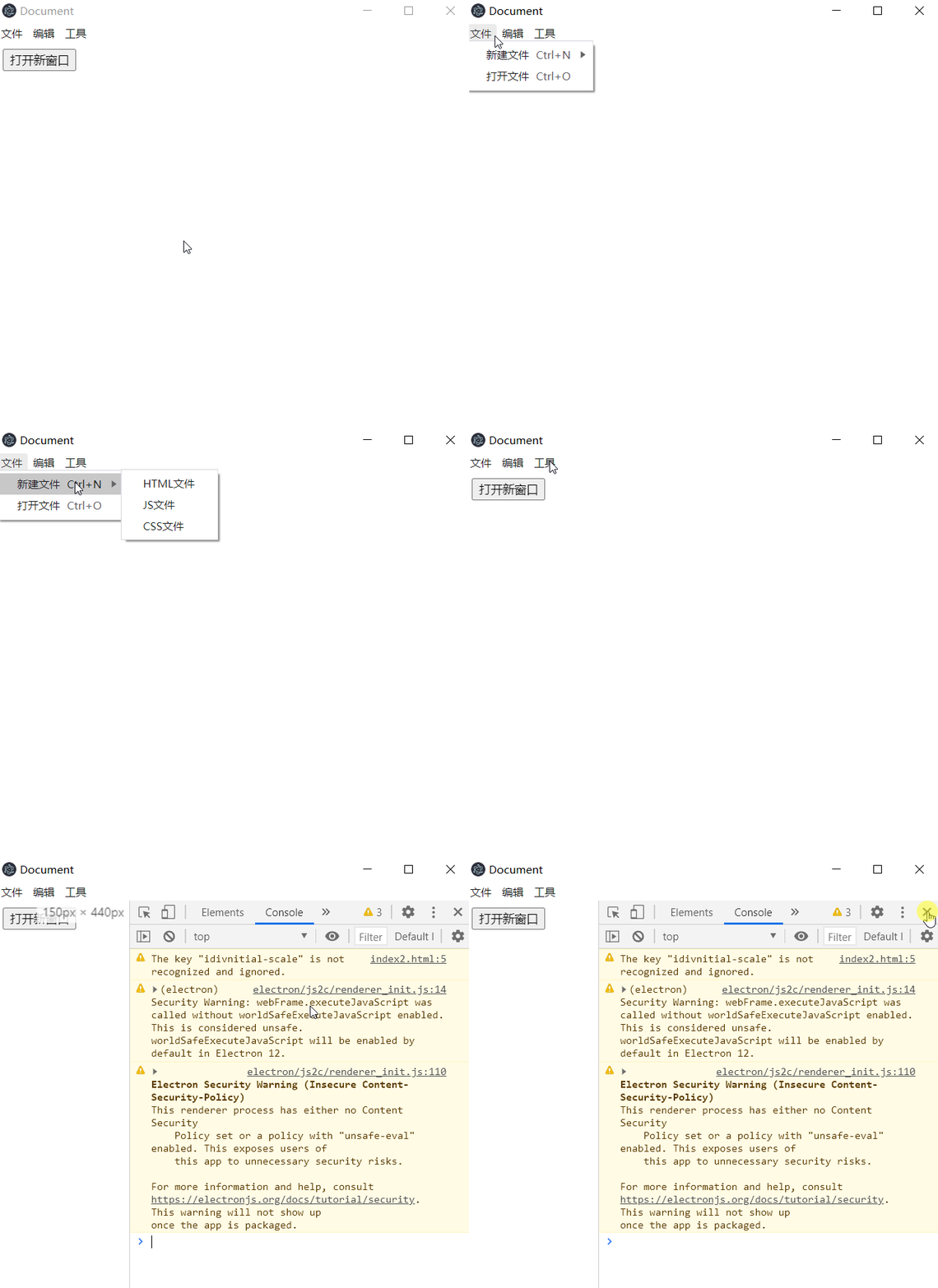
边栏推荐
猜你喜欢

MongoDB-CUD without R

export , export default,import完整用法

Test Development Engineer Growth Diary 001 - Some Introduction to Agile Testing, CI/CD/CT, DecOps

CTO说不建议我使用SELECT * ,这是为什么?

The Geometric Meaning of Vector Cross Product and the Calculation of Modulus

AI可通过X光片识别种族,但没人知道为什么

Network Protocol 01 - Basic Concepts

prometheus监控minio

如何理解普吕克坐标(几何理解)

@Bean 与 @Component 用在同一个类上,会怎样?
随机推荐
PXE高效批量网络装机
bin文件夹下的roslyn文件夹
From catching up to surpassing, domestic software shows its talents
B站崩了,如果是你是那晚负责的开发人员你会怎么做?
What happens when @Bean and @Component are used on the same class?
人工肌肉智能材料新突破
AI元学习引入神经科学,医疗效果有望精准提升
进程和计划任务管理
idea built-in translation plugin
Boot process and service control
阿里二面:Sentinel vs Hystrix 对比,如何选择?
Multithreading basics (concept, create, interrupt)
prometheus-federation-tls加密
VR机器人教你如何正确打乒乓球
Test the basics 01
STL源码剖析:迭代器的概念理解,以及代码测试。
Software Testing Terminology - Scenario Testing
Detailed explanation of numpy multidimensional array ndarray
Ali: How many methods are there for multi-threaded sequential operation?
Huawei released "ten inventions", including computing, intelligent driving and other new fields