当前位置:网站首页>BGP第二次试验
BGP第二次试验
2022-06-23 03:54:00 【空丶白灬】
s
一、如图所示配置IP和环回
二、AS2配置OSPF协议
[r2-ospf-1-area-0.0.0.0]dis th
[V200R003C00]
area 0.0.0.0
network 172.16.0.0 0.0.15.255
network 172.16.32.0 0.0.15.255
network 172.16.128.0 0.0.15.255
return
[r3-ospf-1-area-0.0.0.0]dis th
[V200R003C00]
area 0.0.0.0
network 172.16.0.0 0.0.15.255
network 172.16.16.0 0.0.15.255
network 172.16.144.0 0.0.15.255
return
[r4-ospf-1-area-0.0.0.0]dis th
[V200R003C00]
area 0.0.0.0
network 172.16.16.0 0.0.15.255
network 172.16.80.0 0.0.15.255
network 172.16.160.0 0.0.15.255
return
[r5-ospf-1-area-0.0.0.0]dis th
[V200R003C00]
area 0.0.0.0
network 172.16.32.0 0.0.15.255
network 172.16.48.0 0.0.15.255
network 172.16.176.0 0.0.15.255
return
[r6-ospf-1-area-0.0.0.0]dis th
[V200R003C00]
area 0.0.0.0
network 172.16.48.0 0.0.15.255
network 172.16.64.0 0.0.15.255
network 172.16.192.0 0.0.15.255
return
[r7-ospf-1-area-0.0.0.0]dis th
[V200R003C00]
area 0.0.0.0
network 172.16.64.0 0.0.15.255
network 172.16.80.0 0.0.15.255
network 172.16.208.0 0.0.15.255
return
三、建立BGP
1、AS1与AS2直连建立邻居
[r1]bgp 1
[r1-bgp]router-id 1.1.1.1
[r1-bgp]peer 12.1.1.2 as-number 2
[r2]bgp 64512
[r2-bgp]router-id 2.2.2.2
[r2-bgp]confederation id 2
[r2-bgp]peer 12.1.1.1 as-number 1
2、AS2与AS3之间用环回建邻
[r7]bgp 64513
[r7-bgp]router-id 7.7.7.7
[r7-bgp]confederation id 2
[r7-bgp]peer 23.1.1.2 as-number 3
[r8]bgp 3
[r8-bgp]router-id 8.8.8.8
[r8-bgp]peer 23.1.1.1 as-number 2
3、AS2之间建邻
[r2]bgp 64512
[r2-bgp]confederation peer-as 64513
[r2-bgp]peer 172.16.144.1 as-number 64512
[r2-bgp]peer 172.16.144.1 connect-interface LoopBack 0
[r2-bgp]peer 172.16.176.1 as-number 64513
[r2-bgp]peer 172.16.176.1 ebgp-max-hop 255
[r2-bgp]peer 172.16.176.1 connect-interface LoopBack 0
[r2-bgp]peer 172.16.144.1 next-hop-local
[r2-bgp]peer 172.16.176.1 next-hop-local
[r4]bgp 64512
[r4-bgp]router-id 4.4.4.4
[r4-bgp]confederation id 2
[r4-bgp]confederation peer-as 64513
[r4-bgp]peer 172.16.144.1 as-number 64512
[r4-bgp]peer 172.16.144.1 connect-interface LoopBack 0
[r4-bgp]peer 172.16.208.1 as-number 64513
[r4-bgp]peer 172.16.208.1 ebgp-max-hop 255
[r4-bgp]peer 172.16.208.1 connect-interface LoopBack 0
[r5]bgp 64513
[r5-bgp]router-id 5.5.5.5
[r5-bgp]confederation id 2
[r5-bgp]confederation peer-as 64512
[r5-bgp]peer 172.16.128.1 as-number 64512
[r5-bgp]peer 172.16.128.1 ebgp-max-hop 255
[r5-bgp]peer 172.16.128.1 connect-interface LoopBack 0
[r5-bgp]peer 172.16.192.1 as-number 64513
[r5-bgp]peer 172.16.192.1 connect-interface LoopBack 0
[r6-bgp]router-id 6.6.6.6
[r6-bgp]confederation id 2
[r6-bgp]peer 172.16.176.1 as-number 64513
[r6-bgp]peer 172.16.176.1 connect-interface LoopBack 0
[r6-bgp]peer 172.16.208.1 as-number 64513
[r6-bgp]peer 172.16.208.1 connect-interface LoopBack 0
[r7-bgp]dis th
bgp 64513
router-id 7.7.7.7
confederation id 2
confederation peer-as 64512
peer 10.1.2.1 as-number 3
peer 10.1.2.1 ebgp-max-hop 2
peer 10.1.2.1 connect-interface LoopBack0
peer 172.16.160.1 as-number 64512
peer 172.16.160.1 ebgp-max-hop 255
peer 172.16.160.1 connect-interface LoopBack0
peer 172.16.192.1 as-number 64513
peer 172.16.192.1 connect-interface LoopBack0
peer 172.16.160.1 next-hop-local
peer 172.16.192.1 next-hop-local
ipv4-family unicast
undo synchronization
peer 10.1.2.1 enable
peer 172.16.160.1 enable
peer 172.16.192.1 enable
return
四、宣告路由(汇总)
[r1]ip route-static 10.1.1.0 24 NULL 0
[r1]bgp 1
[r1-bgp]net 10.1.1.0 255.255.255.0
[r2]ip route-static 172.16.0.0 16 NULL 0
[r2]bgp 64512
[r2-bgp]net 172.16.0.0
[r7]ip route-static 172.16.0.0 16 NULL 0
[r7]bgp 64513
[r7-bgp]network 172.16.0.0
[r8]ip route-static 10.1.2.0 24 NULL 0
[r8]bgp 3
[r8-bgp]network 10.1.2.0 255.255.255.0
五、配置反射器
[r3]bgp 64512
[r3-bgp]peer 172.16.160.1 r
[r3-bgp]peer 172.16.160.1 reflect-client
[r6]bgp 64513
[r6-bgp]peer 172.16.176.1 r
[r6-bgp]peer 172.16.176.1 reflect-client
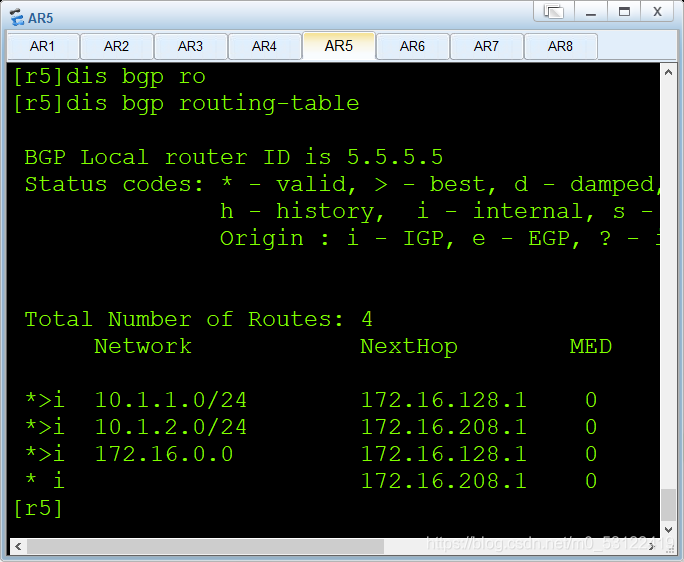
测试连通性
六、配置vpn
[r1-Tunnel0/0/0]dis th
[V200R003C00]
interface Tunnel0/0/0
ip address 10.1.3.1 255.255.255.0
tunnel-protocol gre
source 10.1.1.1
destination 10.1.2.1
ospf network-type broadcast
return
[r1]ip route-static 192.168.2.0 24 10.1.3.2
[r8-Tunnel0/0/0]dis th
[V200R003C00]
interface Tunnel0/0/0
ip address 10.1.3.2 255.255.255.0
tunnel-protocol gre
source 10.1.2.1
destination 10.1.1.1
ospf network-type broadcast
return
[r8]ip route-static 192.168.1.0 24 10.1.3.1
边栏推荐
猜你喜欢

"Wechat applet - Basics" takes you to understand the routing system of the applet (2)

apache atlas 快速入门

Notepad++ find replace group replace retain

云原生数据库如荼如火,未来可期

Receive incoming files and download (simple usage) a tag

微信小程序:全新趣味测试
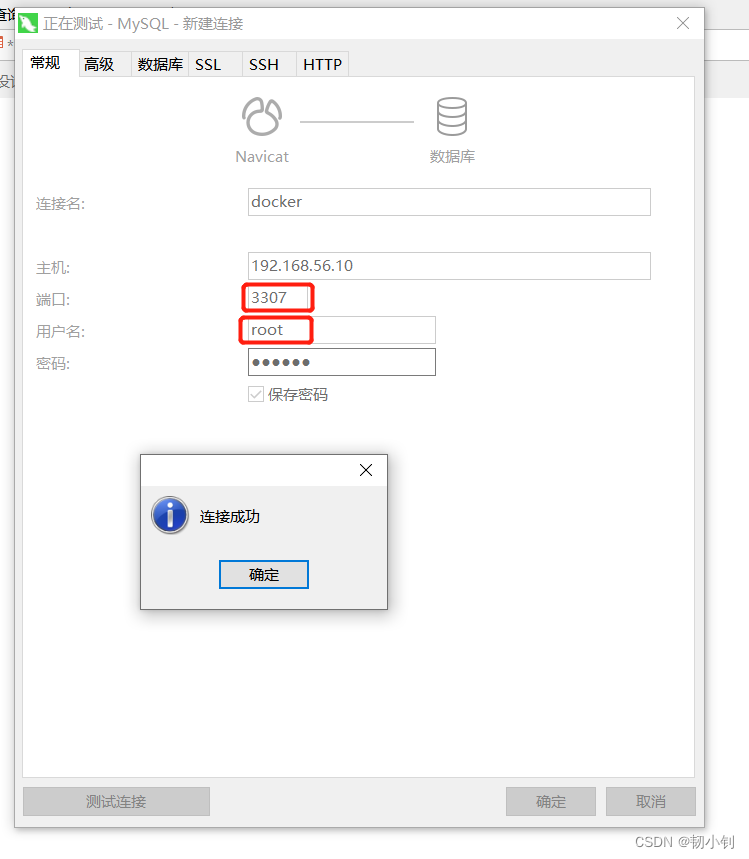
centos7部署docker,安装mysql

硬核,成为高素质测试人员:学会和产品沟通需求
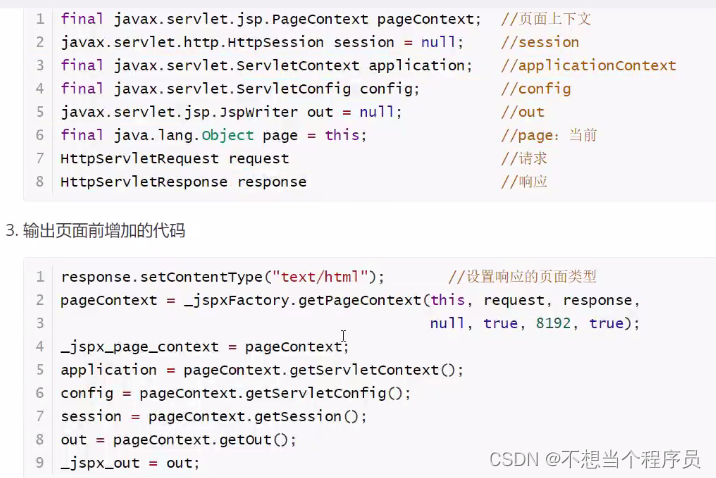
JSP入门级笔记

实战| 记一次借Viper来多重内网渗透
随机推荐
A mvc5+easyui enterprise rapid development framework source code BS framework source code
Object structure diagram, which can quickly illustrate the internal structure of an object
使用PX4的ECL进行多传感器数据融合的后处理
centos7部署docker,安装mysql
Unity中,如何在【编辑器】和【运行时】状态下读写一个ScriptableObject对象
新晋职场人的 技术进击?之旅
Is data scientist a promising profession?
工作5-8年的外包测试员,平均年薪有多少?
laravel8实现图片验证码
Meituan's good article: understand swift, Objective-C and the mixing mechanism from the perspective of precompiling
E45: ‘readonly‘ option is set (add ! to override)
dolphinscheduler 1.2.1 数据迁移到 dolphinscheduler 2.0.5方法及迁移后数据测试记录
Architecture à trois niveaux MVC
UI自动化定位利器-xpath实战
Flask Foundation: environment setup + configuration + mapping between URL and attempt + redirection + database connection
Small problems in the spoole framework for TCP communication in PHP
Official download and installation of QT and QT vs tools plug-ins
掌握 Shell,一篇就够了!
Shadertoy基础教学02、画笑脸
Amazing tips for using live chat to drive business sales