当前位置:网站首页>openstack详解(二十三)——Neutron其他配置、数据库初始化与服务启动
openstack详解(二十三)——Neutron其他配置、数据库初始化与服务启动
2022-06-11 08:57:00 【永远是少年啊】
今天继续给大家介绍Linux运维相关知识,本文主要内容是Neutron其他配置、数据库初始化与服务启动。
一、Neutron元数据代理配置
在上文openstack详解(二十二)——Neutron插件配置中,我们完成了Neutron插件的配置,今天,我们来进行Neutron的元数据代理配置、数据库初始化以及服务启动。
打开Neutron的元数据代理配置文件/etc/neutron/metadata_agent.ini,在[DEFAULT]模块下,我们找到如下参数,并修改为以下内容:
nova_metadata=192.168.136.101
metadata_proxy_shared_secret=neutron
第一个配置表示指定元数据主机,第二个配置表示指定元数据共享密码,完成后的配置文件如下所示:
这样,我们的Neutron元数据代理配置就完成了。
二、Neutron网络服务配置
在完成Neutron元数据代理配置后,我们接下来需要配置Neutron的网络服务,打开nova的配置文件/etc/nova/nova.conf,在其中的neutron模块添加如下内容:
[neutron]
url = http://192.168.136.101:9696
auth_url = http://192.168.136.101:35357
auth_type = password
project_domain_name = default
user_domain_name = default
region_name = RegionOne
project_name = service
username = neutron
password = neutron
service_metadata_proxy=true
metadata_proxy_shared_secret = neutron
注意,在上述配置中,最后的metadata_proxy_shared_secret要和上一模块配置的密钥一致。
完成后的配置文件如下所示: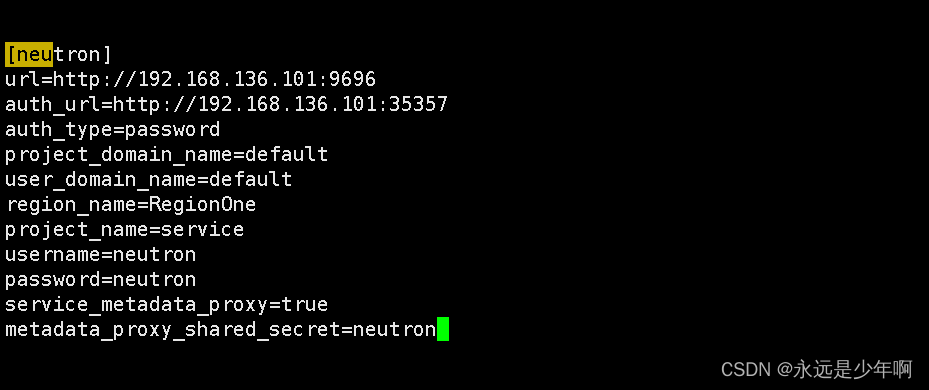
之后,我们需要创建一个软链接/etc/neutron/plugin.ini,指向/etc/neutron/plugins/ml2/ml2_conf.ini。
执行命令:
ln -s /etc/neutron/plugins/ml2/ml2_conf.ini /etc/neutron/plugin.ini
即可完成软链接的创建。
这样,我们的Neutron的网络配置就完成了。
三、Neutron数据库初始化
在完成Neutron的网络配置后,我们就可以进行Neutron的数据库配置了。执行命令:
su -s /bin/sh -c "neutron-db-nanage --config /etc/neutron/neutron.conf --config-file /etc/neutron/plugins/ml2/ml2_conf.ini upgrade head " neutron
该命令执行结果如下所示: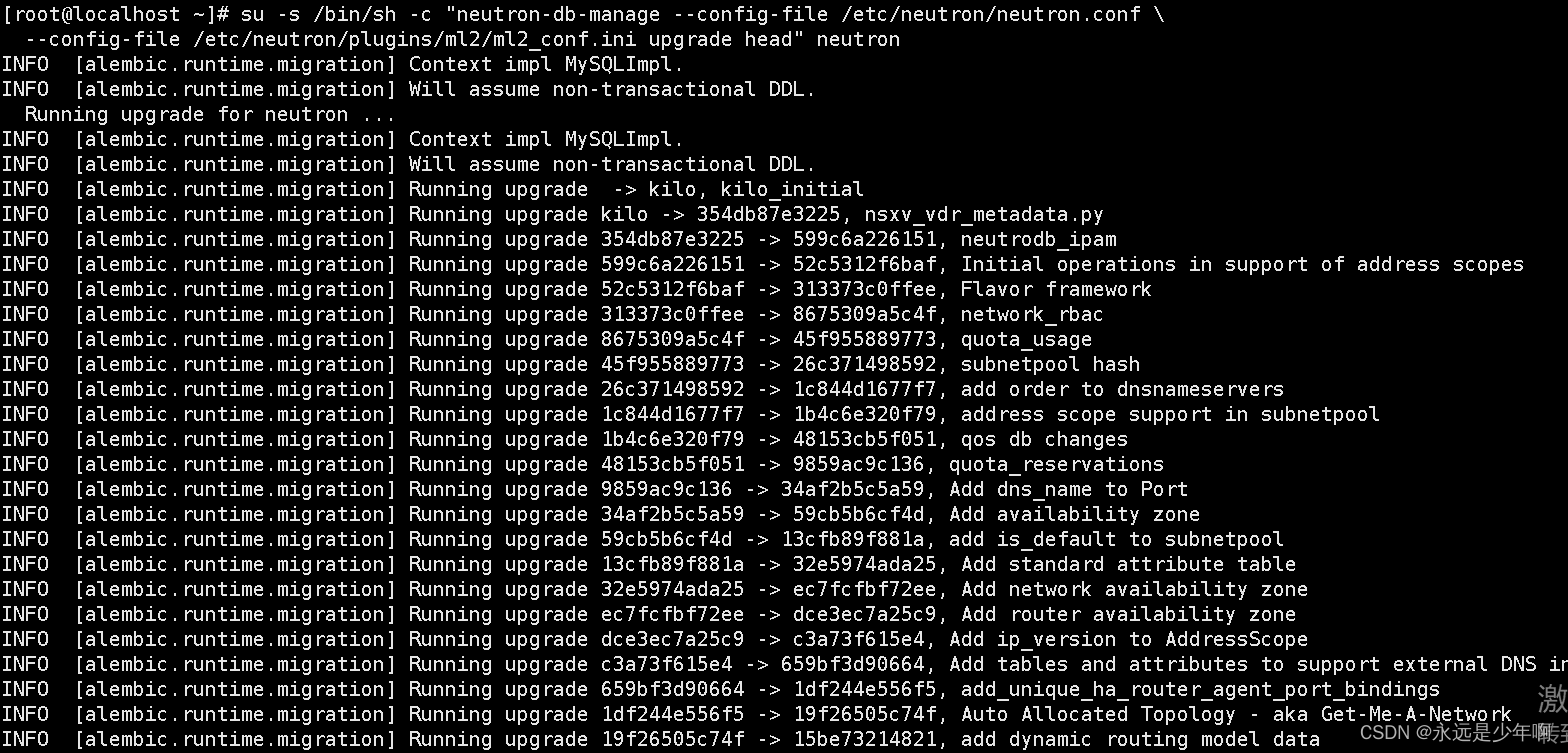
之后,我们执行命令:
mysql -h 192.168.136.101 -uneutron -pneutron -e "use neutron;show tables"
查看当前数据库下的配置,发现配置如下所示:
从上图可以知道,我们的Neutron数据库初始化服务配置成功。
之后,我们要重启计算API服务,执行命令:
systemctl restart openstack-nova-api
即可。
四、Neutron服务启动
最后,我们要启动Neutron服务,执行命令:
systemctl start neutron-server
systemctl start neutron-linuxbridge-agent
systemctl start neutron-dhcp-agent
systemctl start neutron-metadata-agent
即可完成Neutron服务的启动,上述命令执行如下所示: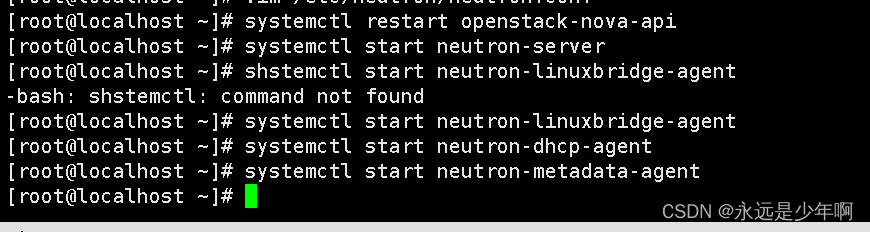
原创不易,转载请说明出处:https://blog.csdn.net/weixin_40228200
边栏推荐
- 欧洲家具EN 597-1 跟EN 597-2两个阻燃标准一样吗?
- Getting started with Zipkin
- 剑指 Offer 18. 删除链表的节点
- C language printing diamond
- Sword finger offer 62 The last remaining number in the circle
- MATLAB R2022a 安装教程
- SAP abap 数据类型与数据对象
- 19. delete the penultimate node of the linked list
- Usage and difference between map and set in JS
- 剑指 Offer 31. 栈的压入、弹出序列
猜你喜欢

MATLAB R2022a 安装教程

显示器要申请BS 476-7 怎么送样?跟显示屏一样吗

M1 chip guide: M1, M1 pro, M1 Max and M1 ultra
How to apply for BS 476-7 sample for display? Is it the same as the display

Vagrant mounting pit

File system check of the root filesystem failed

领导让我重写测试代码,我也要照办嘛?
![[C language - data storage] how is data stored in memory?](/img/cb/2d0cc83fd77de7179a9c45655c1a2d.png)
[C language - data storage] how is data stored in memory?

面试官问了四个问题,总结了4个经验

Android interview transcript (carefully sorted out)
随机推荐
Which Apple devices support this system update? See if your old apple device supports the latest system
Sword finger offer 06 Print linked list from end to end
Sword finger offer 51 Reverse pair in array
445. adding two numbers II
Codetop - sort odd ascending even descending linked list
【237. 删除链表中的节点】
BS 7176软垫家具阻燃防火测试
面試題 02.02. 返回倒數第 k 個節點
Android interview transcript (carefully sorted out)
20. valid brackets
Android 面试笔录(精心整理篇)
Mazhiqiang: research progress and application of speech recognition technology -- RTC dev Meetup
EN 45545-2T10水平法烟密度检测的注意事项
剑指 Offer 06. 从尾到头打印链表
Iso8191 test is mentioned in as 3744.1. Are the two tests the same?
leetcode - 460. LFU cache
SAP ODATA 开发教程
处理RAW格式的图像,需要什么软件?
SAP ABAP internal table classification, addition, deletion, modification and query
844. compare strings with backspace