当前位置:网站首页>微信小程序自动生成打卡海报
微信小程序自动生成打卡海报
2022-06-26 22:44:00 【Socialphobia_FOGO】
1 背景
最近在做一款背单词的小程序,用户在学习完成有对外展示的需求。计划小程序可以自动生成打卡海报,用户可以将海报保存,将保存的图片发布至朋友圈。除此之外,为推广小程序,还需要在海报中加入小程序的二维码。
2 源码下载
微信小程序源码下载:代码下载
3 成品展示
在首页点击生成海报;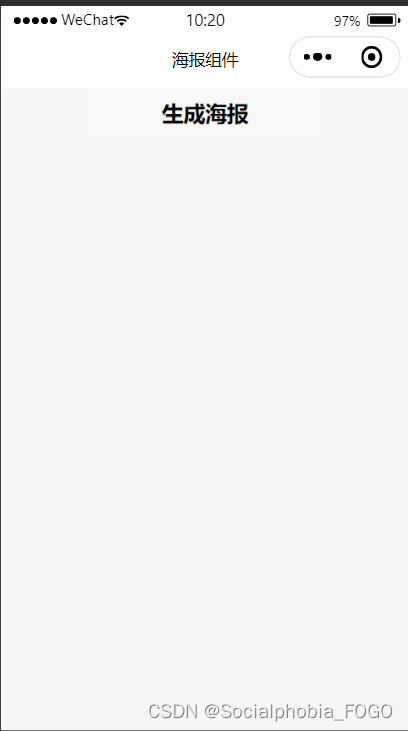
小程序会自动生成海报;
用户可以点击“保存相册,分享到朋友圈”将海报图片保存至相册!注:由于是原型开发,后期可以不断调整使得海报更加美观。
4 部分代码展示以及原理解释
4.1 wxml
<!--index.wxml-->
<button bindtap="formSubmit">生成海报</button>

<view hidden="{
     {canvasHidden}}" class="mask">
    <view class="canvas-box">
        <canvas style="width: 800rpx;height: 1600rpx;" canvas-id="mycanvas" />
    </view>
</view>
<view class='imagePathBox' hidden="{
     {maskHidden == false}}" style="height: 100%;">
    <image src="{
     {imagePath}}" class='shengcheng'></image>
    <button class='baocun' bindtap='baocun'>保存相册,分享到朋友圈</button>
</view>
imagePathBox框体用于展示海报以及保存按钮;mask框体用于生成海报图片组件;
4.2 js
代码注释讲解得比较详细,逻辑比较简单。就是利用canvas生成海报并进行保存,然后调出之保存的海报并进行展示。最后利用wx.saveImageToPhotosAlbum()完成保存海报至相册的功能需求。
//index.js
Page({


  /** * 页面的初始数据 */
  data: {

    maskHidden: false,
    imagePath:"",
  },
  createNewImg: function () {

    var that = this;
    var context = wx.createCanvasContext('mycanvas');
    context.setFillStyle("#fff")
    context.fillRect(0, 0, 375, 667)
    var path = "../../images/city.png";
    context.drawImage(path, 56, 56, 262, 349);
    var path5 = "../../images/erweicode.jpg";//二维码
    var name = that.data.name;
    //绘制学习情况
    context.setFontSize(25);
    context.setFillStyle('#333');
    context.setTextAlign('left');
    context.fillText("今日学习英语词汇", 80, 450);
    context.stroke();
    context.setFontSize(50);
    context.setFillStyle('#333');
    context.setTextAlign('left');
    context.fillText(0, 150, 510);
    context.stroke();
    //绘制左下角文字
    context.setFontSize(14);
    context.setFillStyle('#333');
    context.setTextAlign('left');
    context.fillText("长按识别小程序", 70, 560);
    context.stroke();
    context.setFontSize(14);
    context.setFillStyle('#333');
    context.setTextAlign('left');
    context.fillText("跟我一起来学习吧~~", 70, 580);
    context.stroke();
    //绘制右下角小程序二维码
    context.drawImage(path5, 230, 530,80,80);
    context.draw();
    //将生成好的图片保存到本地
    setTimeout(function () {

      wx.canvasToTempFilePath({

        canvasId: 'mycanvas',
        success: function (res) {

          var tempFilePath = res.tempFilePath;
          that.setData({

            imagePath: tempFilePath,
            canvasHidden: true
          });
        },
        fail: function (res) {

          console.log(res);
        }
      });
    }, 200);
  },
  baocun: function () {

    var that = this
    wx.saveImageToPhotosAlbum({

      filePath: that.data.imagePath,
      success(res) {

        wx.showModal({

          content: '海报已保存到相册',
          showCancel: false,
          confirmText: '确定',
          confirmColor: '#333',
          success: function (res) {

            if (res.confirm) {

              console.log('用户点击确定');
              /* 该隐藏的隐藏 */
              that.setData({

                maskHidden: false
              })
            }
          }, fail: function (res) {

            console.log(res)
          }
        })
      }
    })
  },
  formSubmit: function (e) {

    var that = this;
    this.setData({

      maskHidden: true
    });
    wx.showToast({

      title: '海报生成中...',
      icon: 'loading',
      duration: 1000
    });
    setTimeout(function () {

      wx.hideToast()
      that.createNewImg();
      that.setData({

        maskHidden: true
      });
    }, 1000)
  },
  /** * 生命周期函数--监听页面加载 */
  onLoad: function (options) {


  },

  /** * 生命周期函数--监听页面初次渲染完成 */
  onReady: function () {


  },

  /** * 生命周期函数--监听页面显示 */
  onShow: function () {


  },

  /** * 生命周期函数--监听页面隐藏 */
  onHide: function () {


  },

  /** * 生命周期函数--监听页面卸载 */
  onUnload: function () {


  },

  /** * 页面相关事件处理函数--监听用户下拉动作 */
  onPullDownRefresh: function () {


  },

  /** * 页面上拉触底事件的处理函数 */
  onReachBottom: function () {


  },

  /** * 用户点击右上角分享 */
  onShareAppMessage: function () {


  }
})
其余代码这里不就不展示了,主要是一些组件外观的调整,逻辑已经展示完了。如果大家想要上面截图的样子,请至下载区下载!
边栏推荐
- Unity3d plug-in anyportrait 2D bone animation
- What is the “ How to remove a custom form list?
- Vulnhub's dc9
- Do an online GIF synthesis service at no cost
- 分享三種在Excel錶格中自動求和的方法
- Is there any risk in opening a new bond registration account? Is it safe?
- 【图像处理基础】基于matlab GUI图像直方图均衡化系统【含Matlab源码 1924期】
- Parsing complex JSON in fluent
- The sharp sword of API management -- eolink
- Pass note 【 dynamic planning 】
猜你喜欢

leetcode:6103. 从树中删除边的最小分数【dfs + 联通分量 + 子图的值记录】

What are the test case design methods?

The sharp sword of API management -- eolink

Microservices, an important part of cloud native architecture

Reading graph augmentations to learn graph representations (lg2ar)

Implementation of collaborative filtering evolution version neuralcf and tensorflow2

WordPress collection plug-ins are recommended to be free collection plug-ins

Vulnhub's DC8
![Flower shop window layout [dynamic planning]](/img/d9/6b8f9cd0f74e70b313d2571c2ded30.png)
Flower shop window layout [dynamic planning]

Three solutions for improving embedded software development environment
随机推荐
分享三種在Excel錶格中自動求和的方法
C language: a simple calculator is implemented by using code many times
从位图到布隆过滤器,C#实现
[mixed programming JNI] Part 7: JNI command lines
leetcode:152. Product maximum subarray [consider DP of two dimensions]
用C#通过sql语句操作Sqlserver数据库教程
CVPR 2022 - Interpretation of selected papers of meituan technical team
BS-GX-016基于SSM实现教材管理系统
Open world mecha games phantom Galaxy
Briefly describe the model animation function of unity
How to write test cases and a brief introduction to go unit test tool testify
Unity animation knowledge of Art
不花一分钱做个在线的gif合成服务
The sharp sword of API management -- eolink
leetcode:1567. Length of the longest subarray whose product is a positive number [dp[i] indicates the maximum length ending with I]
leetcode - 买卖股票的最佳时机
【图像处理基础】基于matlab GUI图像曲线调整系统【含Matlab源码 1923期】
VB. Net class library (Advanced - 2 overload)
Some ways out for older programmers
Which securities company is the most convenient, safe and reliable for opening an account