当前位置:网站首页>How to use phpstudy to build WordPress website locally
How to use phpstudy to build WordPress website locally
2022-07-24 05:37:00 【Net security beginner】
How to use it locally phpstudy build WordPress Website ( Xiaobai Learning Edition )
- Tool preparation
WordPress Website : You can use the extraction code to download , You can also download the latest version on the official website
link :https://pan.baidu.com/s/1145CTxmJy1lSN3byGpHt7A
Extraction code :jwoc
Phpstudy( Small leather panel ): Download the version according to your needs
link :https://pan.baidu.com/s/1iJw qH9J_fHiuWsZP9JEZcg
Extraction code :97ja
2. demonstration
After installing the small leather panel , Click on the website , Create website custom domain name and port ( Demonstrate the process of creating a website , The following is a recreated website )

As shown in the figure below, the website is successfully created , Restart service has taken effect

Click the website management just created —— Open the web site

In this way, the website will be created successfully

stay phpstudy_pro Under installation path www Find the website file you created
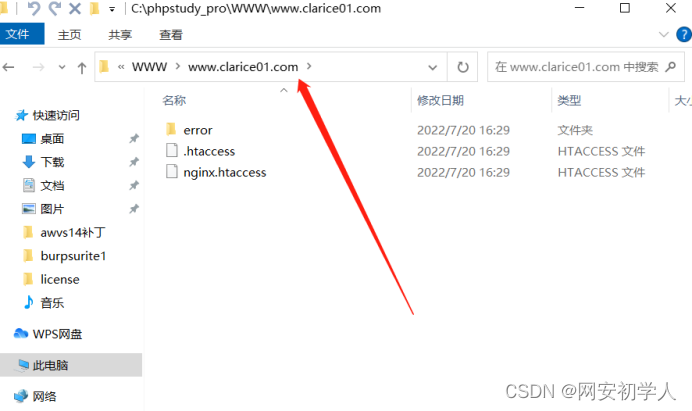
Will download okay WordPress Unpack the package and copy it to the website file

visit wp-admin/setup-config.php Start installation

After jumping to this page, there will be an error in establishing a database connection , Because the database was not created


Go back to the small skin panel to create the database
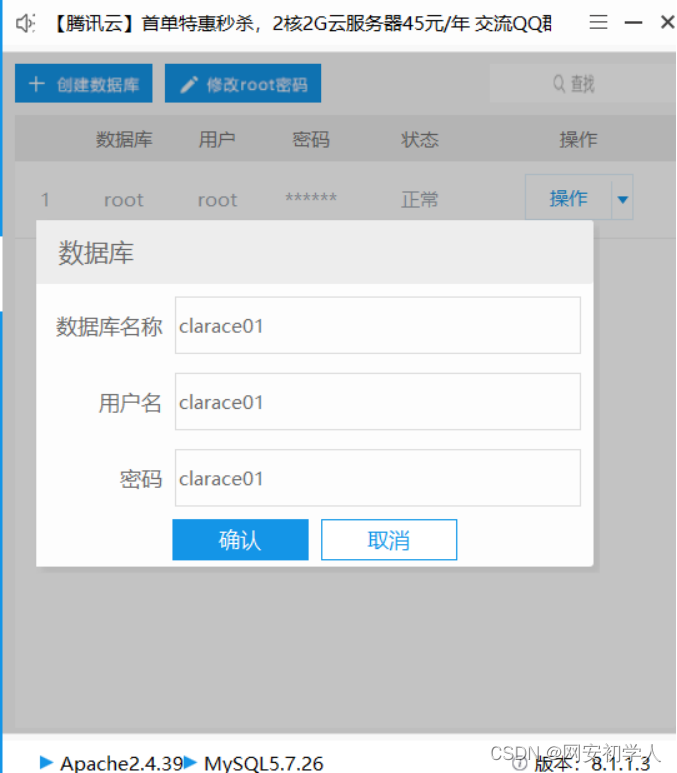
find wp-config-sample Change the name of the file to wp-config, Database name after opening in Notepad 、 user name 、 Password three parameters and save .

Find... In software management phpMyAdmin4.8.5 The installation to localhost Next , Other projects can also use . If it is installed incorrectly, it can be unloaded and reinstalled .

Add user data to Xiaopi's database , In order to establish a connection between the web page and the database .

Host name select local setting password and user name information

Pull down and check the following two options .

Visit the browser after submitting wp-admin/install.php Just fill in the information .

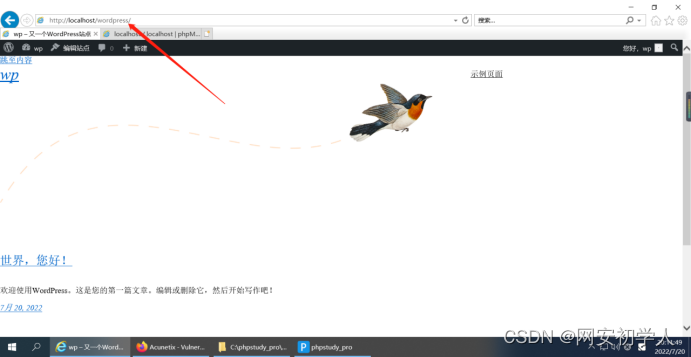
such wordpress Just install it


After logging in, you can access the following interface , You can customize the website .
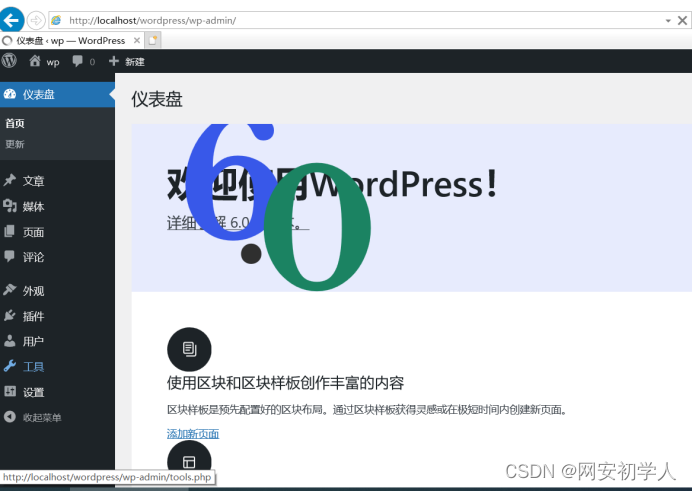
This will create an interface .
边栏推荐
- 公链Sui Layer1网络
- mysql查询手机号码后四位,前几位怎么写?
- Moonbeam Orbiters Program:为收集人参与 Moonbeam 和 Moonriver 提供新方式
- 第五届 Polkadot Hackathon 创业大赛全程回顾,获胜项目揭秘!
- Geoserver自动化上传Shapefile
- canvas - 填充
- 微信小程序报错request:fail -2:net::ERR_FAILED
- 首届波卡黑客松项目「Manta Network」的进击之路
- Interpretation of the randomness of POS mechanism, how does poca's randomness principle work?
- php+mysql导出excel文件方法
猜你喜欢


随机推荐
jsp标签02
通用分页2.0
MySQL的使用
6. Draw a Bezier curve and a Bezier surface on the screen
Function analysis of GeoServer rest API
Vscode configuring autoprefixer
过渡 效果
px和em和rem区别
How to forcibly uninstall Google browser? Don't worry about Google opening as a whiteboard. It's effective for personal testing.
String_ Method_ 01match method
公链Sui Layer1网络
JS输出字符串中出现最多次数的字符
Substrate 技术及生态5月大事记 | Square One 计划启动,波卡上线 XCM!
es10小计flat和flatMap
3. Draw a five sided cone with a square bottom on the screen. The bottom of the cone is on the xoz plane and the top of the cone is on the Y axis. Use the following figure to map the texture of the fo
闲来写博~简单说说let和var和const
Web3 Foundation grant program empowers developers to review four successful projects
GeoServer automatically uploads shapefiles
Summary of data types
自定义MVC 3.0