当前位置:网站首页>【Unity入门计划】界面介绍(2)-Games视图&Hierarchy&Project&Inspector
【Unity入门计划】界面介绍(2)-Games视图&Hierarchy&Project&Inspector
2022-07-25 07:26:00 【flashinggg】
目录
正式记录前的废话
定亿个小目标!尽量在最短时间内学习完课程!
学习依据的视频教程
本文章是学习B站UP主chutianbo的Unity入门教程的学习记录,个人认为讲得非常详细,课程链接:【unity2022入门】整合Unity官方教程设计最佳学习路线,Unity精讲入门系列,持续更新中...._
学习参考的文档教程
官方帮助文档:Unity - Manual: The Game view (unity3d.com)
我用的Unity版本

虽说入门的开始相对简单,介绍一些软件的基本操作,但是我还是想写一些学习记录,这样能提高我的注意力,不容易分心,如果以后忘了哪些操作还可以回来看看,这是我写学习记录的初衷~下面是我提炼过后的学习记录。
Game视图


是个类似测试游戏运行效果的界面,通过游戏控制按钮进行操作,同时也有快捷键。
- ctrl+P 开始运行
- ctrl+shift+P 暂停
- ctrl+alt+P 逐帧运行
值得注意的是,所有在Game运行模式下进行的修改都是暂时的,推出运行后一切修改都会重置。
Game视图的操作栏
Simulator 设备模拟器
第一个可以切换Game/Simulator,模拟不同设备游戏运行的效果,右边可以选择设备。

Game -> Aspect 自定义尺寸
但是Simulator这里只有一些市面上比较好的机型,如果没有想要的尺寸,可以在Game界面右侧自己添加想要的尺寸。


Play Focused/Maximized 调整运行窗口

如果选择Maximized,运行的窗口将会全屏显示。

Mute Audio 是否静音

Statistics 游戏性能反馈
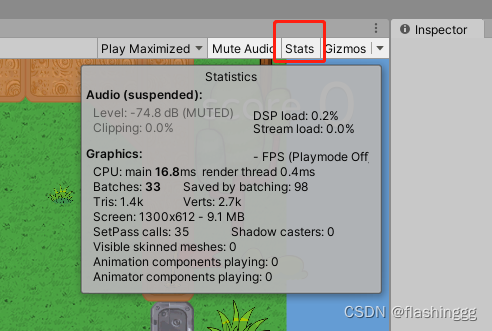
可以看到当前运行的一些性能效果,在进行优化的时候可以得到反馈。
Gizmos 图标
跟Scene视图的类似,将一些照相机、灯光等原本不可见的对象可视化。单击这个按钮可以切换辅助图标的可见性。
- Gizmos开启
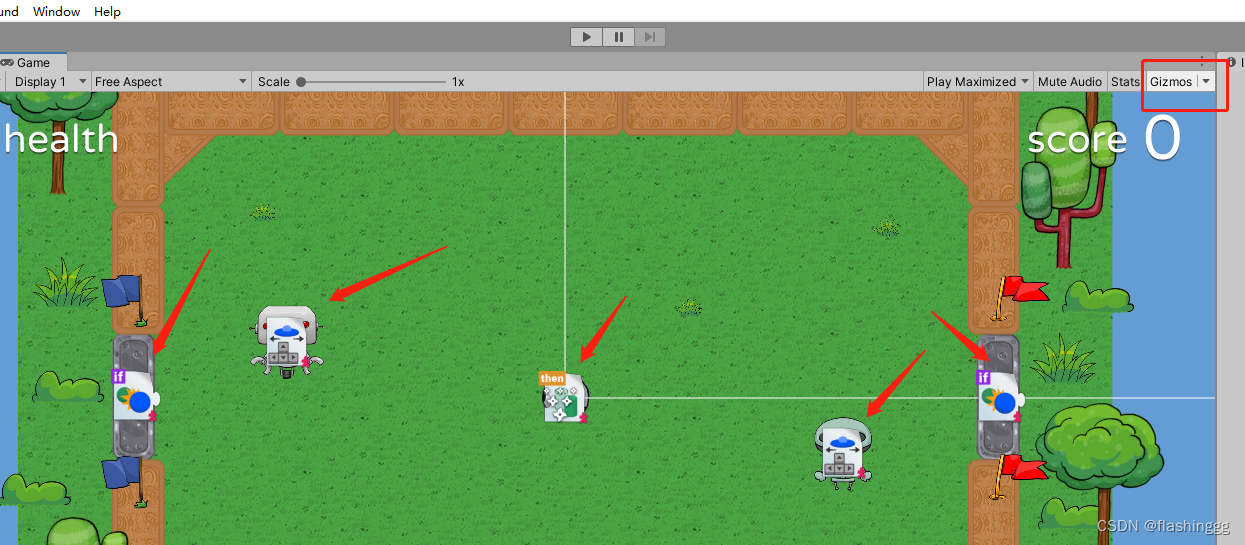
- Gizmos关闭

Hierarchy窗口
Hierarchy窗口就是一个Scene场景中游戏对象的管理器。Scene视图和Hierarchy窗口的操作是相互关联的。
主要操作
展示父子包含关系
父子关系可以方便我们对对象进行管理。对父对象进行的操作,所有的子对象也会同步,比如移动、变换等;

管理游戏对象
- 可以右键进行对象创建、复制粘贴对象、选取或删除对象等操作;
- 更改嵌套关系(父子关系)
- 对象是否可选、对象是否可见
- 排序
值得注意的是,根节点通常是场景对象(Scene),所有游戏对象都包含在场景中。比如例子中的football就是当前的场景对象。

Project 窗口
这是管理项目资源的一个窗口,显示与当前项目相关的所有文件。

左侧 -> 目录
左侧创建一些文件夹以实现资源管理。
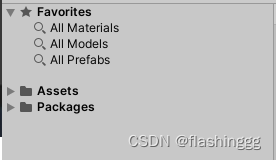
- Favorites -> 一个收藏夹,存了一些常用的资源。
- Asset -> 资源文件,这也是我们直接操作的文件,包含了一些图片、动画、声音等。
- Packages -> 官方给的一些运行游戏需要的库,这里一般不动它。
右侧 -> 搜索栏
右侧搜索栏实现搜索,如果想根据类型搜索,可以在右侧Search by Type实现类型搜索;
如果想按照label搜索右侧还有by label的。

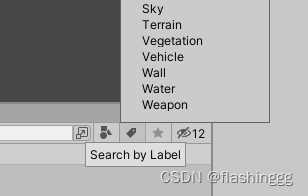
右侧最后还有是否可视的按钮。
Inspector 窗口
是个当前选择对象的属性窗口。
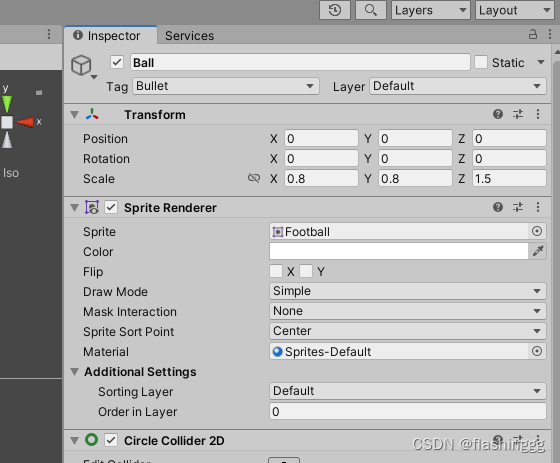
值得注意的是,当选择多个对象时候,Inspector窗口会显示共有的属性,进行同时编辑和更改。
Ping 查找源
从游戏对象的Inspector窗口,右上角的More Items选择Ping,可以高亮这个对象。

边栏推荐
猜你喜欢

New tea, start "fighting in groups"

Xinku online | cnopendata shareholder information data of A-share listed companies

《游戏机图鉴》:一份献给游戏玩家的回忆录
![[300 + selected interview questions from big companies continued to share] big data operation and maintenance sharp knife interview question column (V)](/img/cf/44b3983dd5d5f7b92d90d918215908.png)
[300 + selected interview questions from big companies continued to share] big data operation and maintenance sharp knife interview question column (V)

论文阅读:UNET 3+: A FULL-SCALE CONNECTED UNET FOR MEDICAL IMAGE SEGMENTATION
Robot Framework移动端自动化测试----01环境安装

Openatom xuprechain open source biweekly report | 2022.7.11-2022.7.22
![[cloud native] the ribbon is no longer used at the bottom of openfeign, which started in 2020.0.x](/img/7e/1d27e3f1856ab8c6cbfc5221c717bb.png)
[cloud native] the ribbon is no longer used at the bottom of openfeign, which started in 2020.0.x
![[computer explanation] NVIDIA released geforce RTX Super Series graphics cards, and the benefits of game players are coming!](/img/11/24f92b4362026ec2c01492d195560b.png)
[computer explanation] NVIDIA released geforce RTX Super Series graphics cards, and the benefits of game players are coming!

js无法获取headers中Content-Disposition
随机推荐
Design of workflow system
华为无线设备配置WPA2-802.1X-AES安全策略
Price reduction, game, bitterness, etc., vc/pe rushed to queue up and quit in 2022
Wechat applet switchtab transmit parameters and receive parameters
UXDB怎么从日期值中提取时分秒?
Lidar construction map (overlay grid construction map)
Paddlepaddle 34 adjust the layer structure and forward process of the model (realize the addition, deletion, modification and forward modification of the layer)
A fast method of data set enhancement for deep learning
Boiling short drama Jianghu: nine of the ten production teams are shooting, with a head sharing fund of more than 30million, and users are addicted to paying routines
QT6 with vs Code: compiling source code and basic configuration
RPC通信原理与项目技术选型
About --skip networking in gbase 8A
批量导入数据,一直提示 “失败原因:SQL解析失败:解析文件失败::null”怎么回事?
nanodet训练时出现问题:ModuleNotFoundError: No module named ‘nanodet‘的解决方法
Rust standard library - implement a TCP service, and rust uses sockets
3. Promise
各位老板 问一下 就是我们mysql cdc保存的是配置数据 然后kafka里面堆积的有历史
Wechat applet wx.request interface
分布式爬虫中的增量爬虫
Flinkcdc2.0 uses flinksql to collect MySQL