当前位置:网站首页>Tkinter uses WPF controls
Tkinter uses WPF controls
2022-07-26 20:44:00 【Smart-Space】
tkinter Use wpf Control
introduction
wpf As an advanced Windows UI frame , It has rich controls and functions , And super fast rendering speed .
Before that , I have achieved in tkinter Use in WinFroms Control , however WinFroms More like tradition win32, and wpf have access to xaml Design interface . So can we be here tkinter Use in wpf Control? ?
The answer is yes .
because wpf There are many controls , It is unrealistic to bind them one by one . Therefore, this article only allows you to tkinter Use in wpf, Then the writer himself adds WPF Control .
For the convenience of writing , One tkWPF Only one wpf Control , After all, it's not about creating a wpf window , We just want to use some of these controls .
Of course , If the writer adds a Window Control to display xaml Content , Then I don't insist .
Advance statement
We need to have wpf The core support of the library and pythonnet.
The program needs to be STA Run in thread mode .
Can be displayed wpf Of tkinter Control
wpf The embedded WinFroms
here , First, we need to wpf Control embedded in WinFroms in , The next thing is easy to do .
First import what you need :
import clr
clr.AddReference('System.Windows.Forms')
clr.AddReference("PresentationFramework.Classic, Version=3.0.0.0, Culture=neutral, PublicKeyToken=31bf3856ad364e35")
clr.AddReference("PresentationCore, Version=3.0.0.0, Culture=neutral, PublicKeyToken=31bf3856ad364e35")
clr.AddReference('WindowsFormsIntegration, Version=3.0.0.0, Culture=neutral, PublicKeyToken=31bf3856ad364e35')#?
clr.AddReference('System.Threading')
from clr import System
from System import Uri
from System.Windows.Controls import ContentControl,Button as wpfButton,MediaElement
from System.Windows.Forms.Integration import ElementHost
from System.Windows.Forms import Control
from System.Threading import Thread,ApartmentState,ThreadStart
from tkinter import Frame,Tk
from tkinter import ttk
import ctypes
user32=ctypes.windll.user32
Create a class :
class tkWPF(Frame):
    """ stay tkinter Shows a wpf Control """

    def __init__(self,parent,width=500,height=500):
        Frame.__init__(self,parent,width=width,height=height)
        #...
establish WinFroms carrier :
        wf=Control()#WinForm carrier
        wf.Width=width
        wf.Height=height
establish wpf Carrier and embedded WinFroms In the carrier :
        el=ElementHost()#WPF carrier
        el.Width,el.Height=width,height
        wf.Controls.Add(el)
        el.Visible=True
        uc=ContentControl()#WPF Control
        el.Child=uc
        self.wf=wf
        self.el=el
        self.uc=uc
Use this WinFroms Control
This was said before , Just give the code .
        self.wfhwnd=int(str(self.wf.Handle))
        user32.SetParent(self.wfhwnd,self.winfo_id())
        user32.MoveWindow(self.wfhwnd,0,0,width,height,True)
        self.bind('<Configure>',self.__resize)

    def __resize(self,event):
        width=self.winfo_width()
        height=self.winfo_height()
        self.wf.Width,self.el.Width=width,width
        self.wf.Height,self.el.Height=height,height
Create a wpf Control
This process is decided by the author ,tkWPF Provide a control Method .
    def control(self,control):# Identify new wpf Control
        self.uc.AddChild(control)
here ContentControl Class can only use one wpf Control
Complete class code
class tkWPF(Frame):
    """ stay tkinter Shows a wpf Control """

    def __init__(self,parent,width=500,height=500):
        Frame.__init__(self,parent,width=width,height=height)
        wf=Control()#WinForm carrier
        wf.Width=width
        wf.Height=height
        el=ElementHost()#WPF carrier
        el.Width,el.Height=width,height
        wf.Controls.Add(el)
        el.Visible=True
        uc=ContentControl()#WPF Control
        el.Child=uc
        self.wf=wf
        self.el=el
        self.uc=uc
        self.wfhwnd=int(str(self.wf.Handle))
        user32.SetParent(self.wfhwnd,self.winfo_id())
        user32.MoveWindow(self.wfhwnd,0,0,width,height,True)
        self.bind('<Configure>',self.__resize)

    def __resize(self,event):
        width=self.winfo_width()
        height=self.winfo_height()
        self.wf.Width,self.el.Width=width,width
        self.wf.Height,self.el.Height=height,height

    def control(self,control):# Identify new wpf Control
        self.uc.AddChild(control)
A simple example
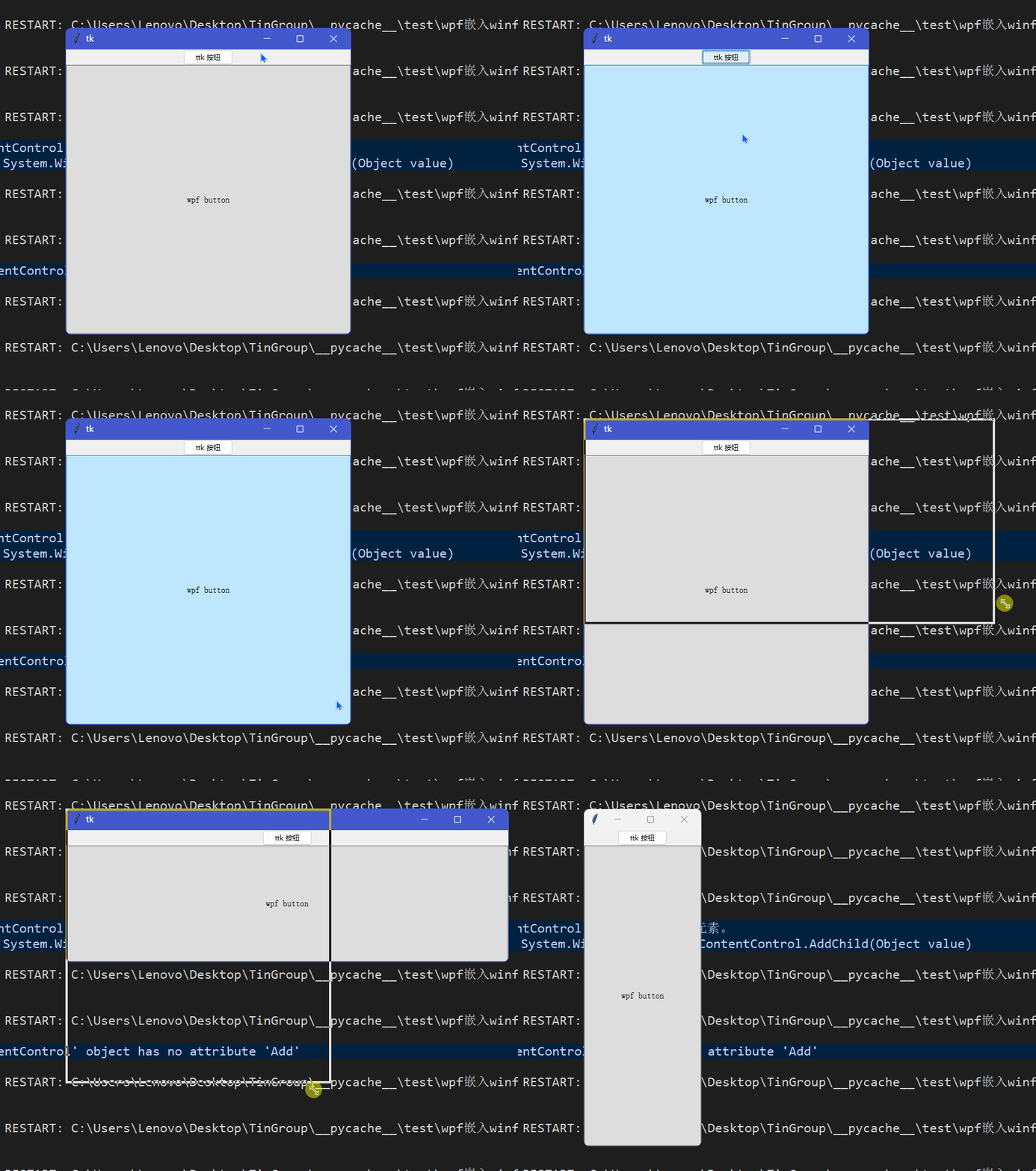
here , We will use both wpf Buttons and ttk The button . there wpf The button size varies with tkWPF Control changes .
def STAMain():
    global media
    try:
        a=Tk()
        a.geometry('500x500')
        ttk.Button(a,text=' Play ',command=play).pack()
        f=tkWPF(a)
        f.pack(fill='both',expand=True)

        btn=wpfButton()
        btn.Content='wpf button'
        f.control(btn)

        a.mainloop()
    except Exception as err:
        print(err)

def main():
    t = Thread(ThreadStart(STAMain))
    t.ApartmentState = ApartmentState.STA
    t.Start()
    t.Join()

if __name__ == "__main__":
    main()
Be sure to use STA Threads .
tryThe third code block in the statement is to confirm the display wpf What is the control .
The effect is as follows :
Conclusion
wow,tkinter It also has a very powerful function .
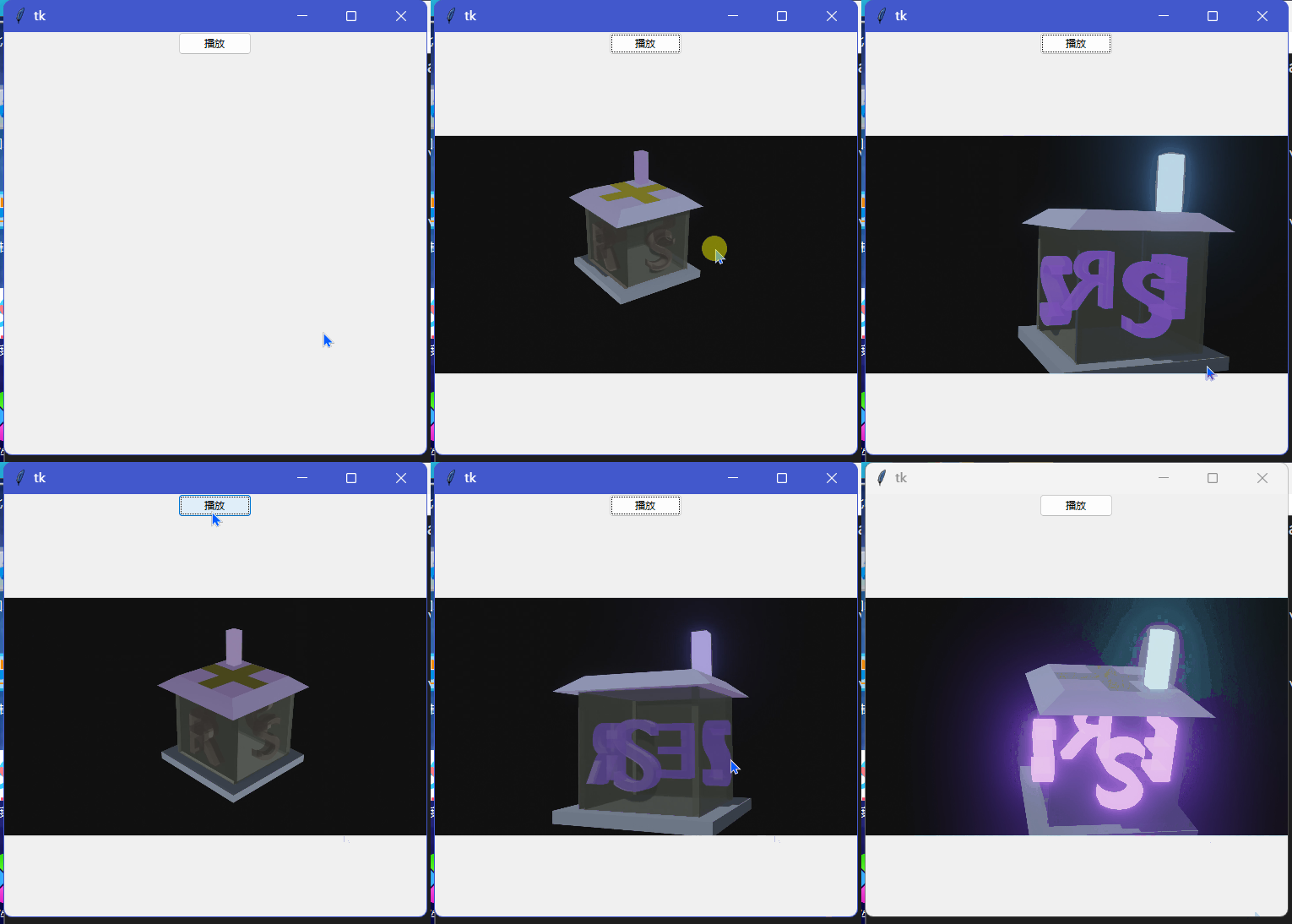
With wpf,tkinter There are many things that can be done , For example, play videos in common formats (MPEG-4) etc. . Usually tkinter Playing video also requires OpenCV、PIL These miscellaneous things , The effect is not good . Now? tkinter Only by pythonnet( as well as wpf Core support ) You can play audio video and audio . Here is a very simple example :
tkinter Is becoming stronger , There are also more fan groups .
tkinter innovation
边栏推荐
- 数字化工厂的优势有哪些
- 如何优雅地赞美他人?不妨尝试下这几种方式
- hello 你好吗
- 81. (cesium home) cesium modifies the gray background (default blue)
- Typescript asynchronous function promise use
- South Korea plans to spend 1 trillion won a year on research and development of semiconductor materials and equipment
- Kotlin - 协程上下文 CoroutineContext
- How to check whether the pytorch you are using is a GPU version
- Gbase learning - install gbase 8A MPP cluster v95
- Game partner topic: breederdao and ultiverse have established a new metauniverse
猜你喜欢

81.(cesium之家)cesium修改灰色背景(默认蓝色)

Where are the single dogs in the evening of 5.20?

BUU刷题记4

The typing competition is over!
Solve the horizontal segmentation of iBGP and BGP routing principles
小场景带来大提升!百度飞桨EasyDL助力制造业流水线AI升级
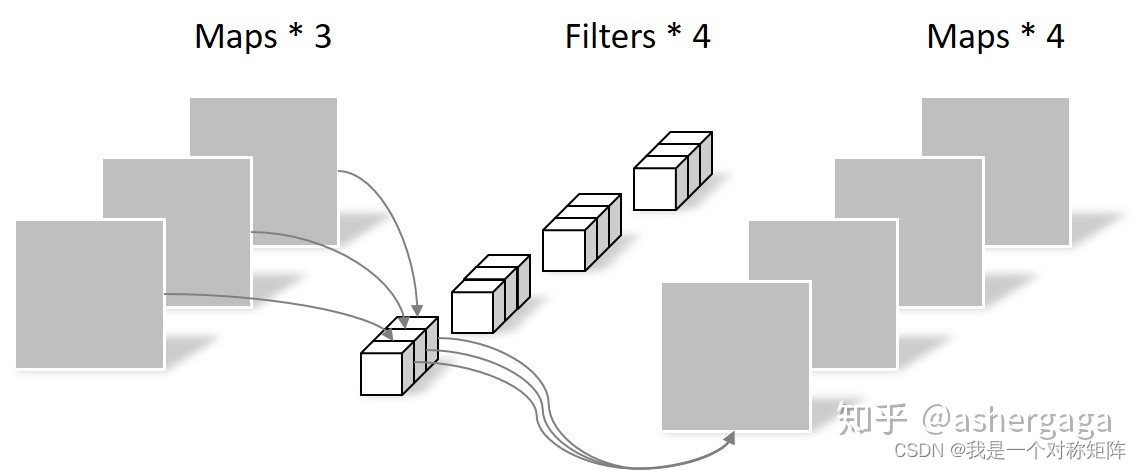
Depthwiseseparableconvolution: depthwise convolution and pointwise convolution

How to implement an asynchronous task queue system that can handle massive data (supreme Collection Edition)

How to assemble a registry?
![[基础服务] [数据库] ClickHouse的安装和配置](/img/fe/5c24e4c3dc17a6a96985e4fe97024e.png)
[基础服务] [数据库] ClickHouse的安装和配置
随机推荐
Principle and application of one click login of local number (glory Collection Edition)
gospel! Wechat personal official account can be renamed!
YGG cooperates with my pet hooligan, AMGI's flagship NFT project, to enter the rabbit hole
What functions does the medical live broadcast platform need
884. 两句话中的不常见单词-哈希表
How can small companies break through with small and beautiful products?
How to obtain Cu block partition information in HM and draw with MATLAB
ST表、带权并查集
[pyqt5 basic control usage analysis]
从零开始搭建Prometheus自动监控报警系统
TinUI发展历程
Pandonia spirit voxedit creation competition
[基础服务] [数据库] ClickHouse的安装和配置
confd+etcd实现高可用自动发现
How to implement an asynchronous task queue system that can handle massive data (supreme Collection Edition)
Basic configuration and aggregation of BGP
数字化工厂的优势有哪些
Software testing - development test content specification (project test template)
Correct the classpath of your application so that it contains compatible versions of the classes com
Typescript asynchronous function promise use