当前位置:网站首页>【数据库连接】——节选自培训
【数据库连接】——节选自培训
2022-07-22 18:12:00 【terrific51】
本篇笔记主要是关于用java连接mysql数据库,实现对数据库的增删改查。
如图为该实验的大致框架:
运行结果:
各部分代码及解释:
1. DBconnector
package Dao;

import java.sql.Connection;
import java.sql.DriverManager;
import java.sql.SQLException;

public class DBconnector {
//java连接数据库
	private static final String DBDRIVER = "com.mysql.cj.jdbc.Driver"; // 驱动串
	private static final String DBURL = "jdbc:mysql://localhost:3306/grate";// 连接URL
	private static final String DBUSER = "root"; // 用户名
	private static final String DBPASSWORD = "123456"; // 密码
	public static Connection getConnection() {
		Connection conn = null;
		//判断异常
		try {
			Class.forName(DBDRIVER);//加载驱动
			//获取连接
			conn = (Connection) DriverManager.getConnection(DBURL, DBUSER, DBPASSWORD);
		} catch (ClassNotFoundException e) {
			// TODO Auto-generated catch block
			e.printStackTrace();
			System.out.println("驱动加载异常");
		}
		catch (SQLException e) {
			// TODO Auto-generated catch block
			e.printStackTrace();
			System.out.println("连接异常");
		}
		return conn;
	}

}
2. Add_users(增)
package Dao_users;


import Dao.DBconnector;

import javax.swing.*;
import java.awt.*;
import java.awt.event.ActionEvent;
import java.awt.event.ActionListener;
import java.awt.event.WindowAdapter;
import java.awt.event.WindowEvent;
import java.sql.Connection;
import java.sql.ResultSet;
import java.sql.SQLException;
import java.sql.Statement;

public class Add_users extends JDialog implements ActionListener{
	/*
	 * 实现序列化接口,用于跨版本翻译
	 */
	private static final long SerialVersionUID =1L;

	private JPanel jp1,jp2;	//局面分布面板。

	JLabel JL=new JLabel("添加学生信息",JLabel.CENTER);//创建主标签

//JLabel     JTextField
	JLabel JLSno= new JLabel("学号:");
	JTextField JTSno= new JTextField();

	JLabel JLSname= new JLabel("姓名:");
	JTextField JTSname= new JTextField();

	JLabel JLSsex= new JLabel("性别:");
	JTextField JTSsex= new JTextField();

	JLabel JLSage= new JLabel("年龄:");
	JTextField JTSage= new JTextField();

	JLabel JLSdept= new JLabel("学院:");
	JTextField JTSdept= new JTextField();

	// 三个按钮
	JButton JB1=new JButton("添加");
	JButton JB2=new JButton("重置");
	JButton JB3=new JButton("退出");

	//图片
	ImageIcon image=new ImageIcon("D:\\小窝海绵宝宝.png");
	JLabel label=new JLabel(image);

	// 创建连接数据方法
	String sql="";
	//创建构造方法
	public Add_users()
	{
		Container c = this.getContentPane();
		jp1 = new JPanel();

		// 设置窗口大小
		this.setSize(700,450);
		this.setLocationRelativeTo(null);
		this.setVisible(true);

		// 添加
		this.setTitle("添加学生信息");
		this.setLayout(null);//设置窗口布局管理器为null,用setBounds()方法设置组件位置

		//JL.setFont(new Font("宋体",Font.PLAIN,30));
		//JL.setBounds(100,40,200,40);
		//jp1.add(JL);

		//布局

		JLSno.setFont(new Font("黑体", Font.PLAIN, 30));
		JTSno.setFont(new Font("黑体", Font.PLAIN, 30));
		JLSno.setBounds(50,50,100,30);
		this.add(JLSno);
		JTSno.setBounds(150,50,150,30);
		this.add(JTSno);

		JLSname.setFont(new Font("黑体", Font.PLAIN, 30));
		JTSname.setFont(new Font("黑体", Font.PLAIN, 30));
		JLSname.setBounds(370,50,100,30);
		this.add(JLSname);
		JTSname.setBounds(470,50,150,30);
		this.add(JTSname);

		JLSsex.setFont(new Font("黑体", Font.PLAIN, 30));
		JTSsex.setFont(new Font("黑体", Font.PLAIN, 30));
		JLSsex.setBounds(50,125,100,30);
		this.add(JLSsex);
		JTSsex.setBounds(150,125,150,30);
		this.add(JTSsex);

		JLSage.setFont(new Font("黑体", Font.PLAIN, 30));
		JTSage.setFont(new Font("黑体", Font.PLAIN, 30));
		JLSage.setBounds(350,125,120,30);
		this.add(JLSage);
		JTSage.setBounds(470,125,150,30);
		this.add(JTSage);

		JLSdept.setFont(new Font("黑体", Font.PLAIN, 30));
		JTSdept.setFont(new Font("黑体", Font.PLAIN, 30));
		JLSdept.setBounds(200,200,100,30);
		this.add(JLSdept);
		JTSdept.setBounds(300,200,150,30);
		this.add(JTSdept);

		// 三个按钮
		JB1.setFont(new Font("黑体", Font.PLAIN, 30));
		JB2.setFont(new Font("黑体", Font.PLAIN, 30));
		JB3.setFont(new Font("黑体", Font.PLAIN, 30));
		JB1.setBounds(80,320,120,40);
		this.add(JB1);
		JB1.addActionListener(this);
		JB2.setBounds(280,320,120,40);
		this.add(JB2);
		JB2.addActionListener(this);
		JB3.setBounds(480,320,120,40);
		this.add(JB3);
		JB3.addActionListener(this);

		//图片
		this.setLayout(null);
		this.add(label);
		label.setBounds(0,0,700,450);

		addWindowListener(new WindowAdapter() {
			public void windowClosing(WindowEvent e)
			{
				dispose();
			}
		});

	}
	public void actionPerformed(ActionEvent e) {
		if(e.getSource()==JB1)
		{
			users users=new users();//实例化对象
			users.setSno(JTSno.getText());
			users.setSname(JTSname.getText());
			users.setSsex(JTSsex.getText());
			users.setSage(JTSage.getText());
			users.setSdept(JTSdept.getText());

			sql="select * from student where Sno='"+users.getSno()+"'";
			//sql="select * from student where Sno=123";
			//连接数据库
			DBconnector conn=new DBconnector();
			Connection con=conn.getConnection();
			//创建Statement对象
			try {
				Statement stmt=(Statement) con.createStatement();
				ResultSet rs= (ResultSet) stmt.executeQuery(sql);
				System.out.println("OK!");
				if(rs.next())
				{
					JOptionPane.showMessageDialog(null,"该学号已经存在");
					rs.close();
				}
				else{
					sql="insert into student(Sno,Sname,Ssex,Sage,Sdept) "
							+ "values('"+users.getSno()+"','"+users.getSname()+"','"+users.getSsex()+"','"+users.getSage()+"','"+
							users.getSdept()+"');";//  字符串类型的放到sql语句里统一一个双引号和一个单引号。注意分号。
					int i=stmt.executeUpdate(sql);
					if(i>0)
					{
						JOptionPane.showMessageDialog(null,"添加成功");
					}
					else{
						JOptionPane.showMessageDialog(null,"添加失败");
					}
				}
			} catch (SQLException e1) {
				e1.printStackTrace();
			}
		}
		else if(e.getSource()==JB2)
		{
			JTSno.setText(null);
			JTSname.setText(null);
			JTSsex.setText(null);
			JTSage.setText(null);
			JTSdept.setText(null);
		}
		else if(e.getSource()==JB3)
		{
			this.setVisible(false);
		}

	}
	public static void main(String[] args) {
		new Add_users();
	}
}
3. Delete_users(删)
//根据学号删除
package Dao_users;

import Dao.DBconnector;
import javax.swing.*;
import java.awt.*;
import java.awt.event.ActionEvent;
import java.awt.event.ActionListener;
import java.awt.event.WindowAdapter;
import java.awt.event.WindowEvent;
import java.sql.Connection;
import java.sql.ResultSet;
import java.sql.SQLException;
import java.sql.Statement;

public class Delete_users extends JFrame implements ActionListener{

	private static final long serialVersionUID=1L;

	ImageIcon image=new ImageIcon("D:\\小窝海绵宝宝.png");
	JLabel label=new JLabel(image);
	// 标题
	JLabel JL=new JLabel("删除基本信息",JLabel.CENTER);
	//
	JLabel JLSno= new JLabel("学号:");
	JTextField JTSno= new JTextField();


	JButton JB1=new JButton("删除");
	JButton JB2=new JButton("重置");
	JButton JB3=new JButton("退出");

	String sql="";
	//定义构造函数
	public Delete_users()
	{
		//设置窗口
		this.setTitle("删除学生信息");
		this.setSize(700,450);
		this.setLocationRelativeTo(null);
		this.setLayout(null);
		this.setVisible(true);

		this.setLayout(null);
		this.add(label);
		label.setBounds(0,0,700,260);

		// 设置题目信息
		JL.setForeground(Color.red);
		JL.setFont(new Font("宋体",Font.PLAIN,19));
		JL.setBounds(150,30,200,40);
		this.add(JL);

		//
		JLSno.setFont(new Font("黑体", Font.PLAIN, 30));
		JTSno.setFont(new Font("黑体", Font.PLAIN, 30));
		JLSno.setBounds(200,280,100,30);
		this.add(JLSno);
		JTSno.setBounds(300,280,150,30);
		this.add(JTSno);

		// 三个按钮
		JB1.setFont(new Font("黑体", Font.PLAIN, 30));
		JB2.setFont(new Font("黑体", Font.PLAIN, 30));
		JB3.setFont(new Font("黑体", Font.PLAIN, 30));
		JB1.setBounds(80,340,120,40);
		this.add(JB1);
		JB1.addActionListener(this);
		JB2.setBounds(280,340,120,40);
		this.add(JB2);
		JB2.addActionListener(this);
		JB3.setBounds(480,340,120,40);
		this.add(JB3);
		JB3.addActionListener(this);

		addWindowListener(new WindowAdapter() {
			public void windowClosing(WindowEvent e)
			{
				dispose();
			}
		});
	}

	public void actionPerformed(ActionEvent e) {
		if(e.getSource()==JB1)
		{
			users users=new users();//实例化对象
			users.setSno(JTSno.getText());

			sql="select * from student where Sno="+users.getSno();
			DBconnector conn=new DBconnector();
			Connection con=conn.getConnection();
			try {
				Statement stmt=(Statement) con.createStatement();
				ResultSet rs=(ResultSet) stmt.executeQuery(sql);
				if(rs.next())//如果查询结果存在
				{
					sql="delete from student where Sno="+users.getSno();
					int n=stmt.executeUpdate(sql);//更新
					if(n>0)JOptionPane.showMessageDialog(null, "删除成功");
					else JOptionPane.showMessageDialog(null, "删除失败");
				}
				else
				{
					rs.close();
					JOptionPane.showMessageDialog(null, "此学生不存在");
				}
			} catch (SQLException e1) {
				e1.printStackTrace();
			}
		}
		else if(e.getSource()==JB2)
		{
			JTSno.setText(null);
		}
		else
		{
			this.setVisible(false);//隐藏当前窗口
		}

	}
	public static void main(String[] args) {
		new Delete_users();
	}
}
4. Get_users(查)
package Dao_users;

import Dao.DBconnector;
import javax.swing.*;
import java.awt.*;
import java.awt.event.ActionEvent;
import java.awt.event.WindowAdapter;
import java.awt.event.WindowEvent;
import java.sql.Connection;
import java.sql.ResultSet;
import java.sql.SQLException;
import java.sql.Statement;
import java.util.Vector;

public class Get_users extends JFrame{
	private static final long serialVersionUID = 1L;

	//存放所有信息
	Vector all=new Vector();
	//存储表头信息向量
	Vector tablehead=new Vector();

	JLabel JL=new JLabel("查询学生基本信息",JLabel.CENTER);
	JScrollPane jsl=new JScrollPane();//设置滚动面板

	JLabel JLSno= new JLabel("学号:");
	JTextField JTSno= new JTextField();

	JLabel JLSname= new JLabel("姓名:");
	JTextField JTSname= new JTextField();

	JLabel JLSsex= new JLabel("性别:");
	JTextField JTSsex= new JTextField();

	JLabel JLSage= new JLabel("年龄:");
	JTextField JTSage= new JTextField();

	JLabel JLSdept= new JLabel("学院:");
	JTextField JTSdept= new JTextField();

	// 定义构造方法
	// 建立数据库连接
	String sql="";
	public Get_users()
	{

		//this.setLayout(null);
		//this.add(label);
		//label.setBounds(100,100,1000,700);

		// 数据库查询语句
		sql="select * from student;";
		//连接数据库
		DBconnector conn=new DBconnector();
		Connection con=(Connection) conn.getConnection();
		ResultSet rs=null;
		Statement stmt;
		try {
			stmt = (Statement) con.createStatement();
			rs=(ResultSet) stmt.executeQuery(sql);

			tablehead.add("学号");
			tablehead.add("名字");
			tablehead.add("性别");
			tablehead.add("年龄");
			tablehead.add("学院");


			while(rs.next())
			{
				// 建立对象
				users users=new users();
				users.setSno(rs.getString("Sno"));
				users.setSname(rs.getString("Sname"));
				users.setSsex(rs.getString("Ssex"));
				users.setSage(rs.getString("Sage"));
				users.setSdept(rs.getString("Sdept"));


				Vector vc=new Vector();

				vc.add(users.getSno());
				vc.add(users.getSname());
				vc.add(users.getSsex());
				vc.add(users.getSage());
				vc.add(users.getSdept());
				System.out.println(vc);


				// 全部放入vc集合中
				all.add(vc);
			}


			JTable JT=new JTable(all,tablehead);


			JT.setRowHeight(20);//设置表格行高
			JT.setEnabled(false);//设置表格不可编辑
			jsl.setViewportView(JT);//显示在滚动面板


			this.add(jsl,BorderLayout.NORTH);
			//this.add(JL);添加
			this.setTitle("查询所有学生信息");
			this.setSize(700,450);
			this.setLocationRelativeTo(null);
			this.setVisible(true);


		} catch (SQLException e1) {
			e1.printStackTrace();
		}

		addWindowListener(new WindowAdapter() {//设置窗口监听器
			@SuppressWarnings("unused")
			public void windowsClosing(WindowEvent e)
			{
				dispose();
			}
		});
	}
	public void actionPerformed(ActionEvent e) {


	}


	public static void main(String[] args) {
		new Get_users();
	}
}
5. Update_users(改)
package Dao_users;

import Dao.DBconnector;

import javax.swing.*;
import java.awt.*;
import java.awt.event.ActionEvent;
import java.awt.event.ActionListener;
import java.awt.event.WindowAdapter;
import java.awt.event.WindowEvent;
import java.sql.Connection;
import java.sql.ResultSet;
import java.sql.SQLException;
import java.sql.Statement;

public class Update_users extends JFrame implements ActionListener {

	private static final long SerialVersionUID =1L;

	JLabel JLSno= new JLabel("学号:");
	JTextField JTSno= new JTextField();

	JLabel JLSname= new JLabel("姓名:");
	JTextField JTSname= new JTextField();

	JLabel JLSsex= new JLabel("性别:");
	JTextField JTSsex= new JTextField();

	JLabel JLSage= new JLabel("年龄:");
	JTextField JTSage= new JTextField();

	JLabel JLSdept= new JLabel("学院:");
	JTextField JTSdept= new JTextField();

	// 三个按钮
	JButton JB1=new JButton("添加");
	JButton JB2=new JButton("重置");
	JButton JB3=new JButton("退出");
	ImageIcon image=new ImageIcon("D:\\小窝海绵宝宝.png");
	JLabel label=new JLabel(image);

	// 创建数据库语句对象
	String sql="";
	public Update_users()
	{
		// 设置窗口位置及大小,并添加标题
		this.setSize(700,450);
		this.setLocationRelativeTo(null);
		this.setVisible(true);
		this.setTitle("修改学生信息");
		// 设置窗口管理器为空
		this.setLayout(null);

		//
		JLSno.setFont(new Font("黑体", Font.PLAIN, 30));
		JTSno.setFont(new Font("黑体", Font.PLAIN, 30));
		JLSno.setBounds(50,50,100,30);
		this.add(JLSno);
		JTSno.setBounds(150,50,150,30);
		this.add(JTSno);

		//
		JLSname.setFont(new Font("黑体", Font.PLAIN, 30));
		JTSname.setFont(new Font("黑体", Font.PLAIN, 30));
		JLSname.setBounds(370,50,100,30);
		this.add(JLSname);
		JTSname.setBounds(470,50,150,30);
		this.add(JTSname);


		//
		JLSsex.setFont(new Font("黑体", Font.PLAIN, 30));
		JTSsex.setFont(new Font("黑体", Font.PLAIN, 30));
		JLSsex.setBounds(50,125,100,30);
		this.add(JLSsex);
		JTSsex.setBounds(150,125,150,30);
		this.add(JTSsex);

		//
		JLSage.setFont(new Font("黑体", Font.PLAIN, 30));
		JTSage.setFont(new Font("黑体", Font.PLAIN, 30));
		JLSage.setBounds(350,125,120,30);
		this.add(JLSage);
		JTSage.setBounds(470,125,150,30);
		this.add(JTSage);

		JLSdept.setFont(new Font("黑体", Font.PLAIN, 30));
		JTSdept.setFont(new Font("黑体", Font.PLAIN, 30));
		JLSdept.setBounds(200,200,100,30);
		this.add(JLSdept);
		JTSdept.setBounds(300,200,150,30);
		this.add(JTSdept);

		// 三个按钮
		JB1.setFont(new Font("黑体", Font.PLAIN, 30));
		JB2.setFont(new Font("黑体", Font.PLAIN, 30));
		JB3.setFont(new Font("黑体", Font.PLAIN, 30));
		JB1.setBounds(80,320,120,40);
		this.add(JB1);
		JB1.addActionListener(this);
		JB2.setBounds(280,320,120,40);
		this.add(JB2);
		JB2.addActionListener(this);
		JB3.setBounds(480,320,120,40);
		this.add(JB3);
		JB3.addActionListener(this);

		this.setLayout(null);
		this.add(label);
		label.setBounds(0,0,700,450);


		addWindowListener(new WindowAdapter() {
			public void windowClosing(WindowEvent e)
			{
				dispose();
			}
		});
	}
	// 按钮事件
	public void actionPerformed(ActionEvent e) {
		if(e.getSource()==JB1)
		{
			users users=new users();//实例化对象
			users.setSno(JTSno.getText());
			users.setSname(JTSname.getText());
			users.setSsex(JTSsex.getText());
			users.setSage(JTSage.getText());
			users.setSdept(JTSdept.getText());
			// 数据库查询语句
			sql="select * from student where Sno="+users.getSno();
			//连接数据库
			DBconnector conn=new DBconnector();
			Connection con=conn.getConnection();
			try {
				Statement stmt=(Statement) con.createStatement();
				ResultSet rs=(ResultSet) stmt.executeQuery(sql);
				if(rs.next())
				{
					sql="update student set Sname='"+users.getSname()+"',Ssex='"+users.getSsex()+"',Sage='"+
							users.getSage()+"',Sdept='"+users.getSdept()+"' where Sno ="+users.getSno();


					int n=stmt.executeUpdate(sql);
					if(n>0)
					{
						JOptionPane.showMessageDialog(null,"更新成功");
					}
					else
					{
						JOptionPane.showMessageDialog(null, "更新失败");
					}

				}
				else
				{
					JOptionPane.showMessageDialog(null, "此学号不存在");
				}
			} catch (SQLException e1) {
				e1.printStackTrace();
			}
		}
		else if(e.getSource()==JB2)
		{
			JTSno.setText(null);
			JTSname.setText(null);
			JTSsex.setText(null);
			JTSage.setText(null);
			JTSdept.setText(null);
		}
		else if(e.getSource()==JB3)
		{
			this.setVisible(false);
		}


	}

	public static void main(String[] args) {

		new Update_users();
	}

}
6. users
package Dao_users;

public class users {
//进行各个数据的传入
	public String getSno() {
		return Sno;
	}

	public void setSno(String sno) {
		Sno = sno;
	}

	public String getSname() {
		return Sname;
	}

	public void setSname(String sname) {
		Sname = sname;
	}

	public String getSsex() {
		return Ssex;
	}

	public void setSsex(String ssex) {
		Ssex = ssex;
	}

	public String getSage() {
		return Sage;
	}

	public void setSage(String sage) {
		Sage = sage;
	}

	public String getSdept() {
		return Sdept;
	}

	public void setSdept(String sdept) {
		Sdept = sdept;
	}

//私有化
	// 学号
	private String Sno;
	// 姓名
	private String Sname;
	// 性别
	private String Ssex;
	// 年龄
	private String Sage;
	// 学院
	private String Sdept;
	public users() {
	}

}
//主界面代码
7. employee
package Main;

import Dao_users.Add_users;
import Dao_users.Delete_users;
import Dao_users.Get_users;
import Dao_users.Update_users;

import javax.swing.*;
import java.awt.*;
import java.awt.event.ActionEvent;
import java.awt.event.ActionListener;
import java.awt.event.WindowAdapter;
import java.awt.event.WindowEvent;

public class employee extends JFrame implements ActionListener{


	// 创建四个按钮
	private static final long serialVersionUID = 1L;
	JButton JB1=new JButton();
	JButton JB2=new JButton();
	JButton JB3=new JButton();
	JButton JB4=new JButton();

	ImageIcon image=new ImageIcon("D:\\小窝海绵宝宝.png"); //插入界面显示的图片
	JLabel label=new JLabel(image);
	String name1 = null;
	public employee(String name)   //构造方法添加内容
	{
		// 标题
		name1 = name;
		this.setTitle("学生界面管理");
		this.setBackground(Color.DARK_GRAY); //界面字体颜色
		this.setLayout(null);
		this.setSize(800,800);            //运行窗口大小
		this.setLocationRelativeTo(null);
		this.setVisible(true);

		// 个人信息查询
		JB1.setText("学生信息查询");
		JB1.setFont(new Font("黑体", Font.PLAIN, 20));//字体设置
		JB1.setBounds(120,420,200,40);//按钮位置及大小设置
		JB1.addActionListener(this);
		this.add(JB1);

		// 个人成绩查询
		JB2.setText("学生信息删除");
		JB2.setFont(new Font("黑体", Font.PLAIN, 20));
		JB2.setBounds(350,420,200,40);
		JB2.addActionListener(this);
		this.add(JB2);

		// 修改密码
		JB3.setText("学生信息添加");
		JB3.setFont(new Font("黑体", Font.PLAIN, 20));
		JB3.setBounds(120,540,200,40);
		JB3.addActionListener(this);
		this.add(JB3);


		JB4.setText("学生信息修改");
		JB4.setFont(new Font("黑体", Font.PLAIN, 20));
		JB4.setBounds(350,540,200,40);
		JB4.addActionListener(this);
		this.add(JB4);

		// 设置图片大小
		this.setLayout(null);
		this.add(label);
		label.setBounds(0,0,700,400);

		addWindowListener(new WindowAdapter() {
			public void windowClosing (WindowEvent e)
			{
				dispose();
			}
		});

	}

//通过按按钮使信息转自相应页面
	@Override
	public void actionPerformed(ActionEvent e) {
		// 查询信息
		if(e.getSource()==JB1)
		{
			new Get_users();
		}
		// 删除信息
		else if(e.getSource()==JB2)
		{
			new Delete_users();
		}
		// 增添信息
		else if(e.getSource()==JB3)
		{
			new Add_users();

		}
		//更改信息
		else if (e.getSource()==JB4)
		{
			new Update_users();
		}
	}
	public static void main(String[] args) {
		String name  = "111";
		new employee(name);
	}
}


修改后界面:
边栏推荐
猜你喜欢

JMeter regular expression extractor

Transplantation de systèmes embarqués

The difference between get request and post request and packet capturing

get请求和post请求区别
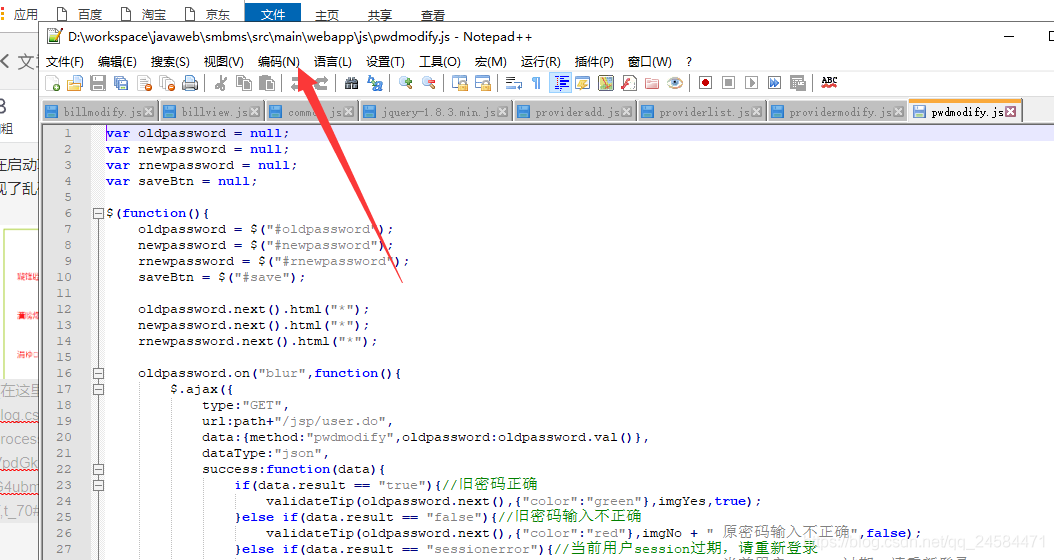
Garbled JS file

UNIX实现IO多路复用之使用epoll函数实现网络socket服务端

01. Introduction to large Internet Architecture
Embedded system transplantation [1] - Guidance

APUE进程深层理解fork和execl-程序代码里获取虚拟机IP地址
APUE process deeply understands fork and EXECL - obtain virtual machine IP address in program code
随机推荐
The difference between get request and post request and packet capturing
循环与函数
[JMeter]响应内容中文乱码解决办法
读《高效阅读法-最划算的自我投资》有感
UNIX Programming - network socket
About the problem of re creation after deleting the module in idea:
LC:剑指 Offer 05. 替换空格
存储过程
Introduction to programming 3 - seeking the maximum value
[Research Report on the contents, methods, tools and results of information collection]
性能测试流程
UNIX编程项目—基于树莓派的客户端定时获取温度上报给服务器
判断Set中课程是否存在,Contains方法
读刘润《底层逻辑》摘录
APUE进程深层理解fork和execl-程序代码里获取虚拟机IP地址
esp-idf vscode配置 从下载工具链到创建工程,步骤记录
About count=count++
Implementing IO multiplexing in UNIX using epoll function to realize network socket server
机器学习理论基础
A rough understanding of firewall