当前位置:网站首页>微搭低代码中实现二维码生成
微搭低代码中实现二维码生成
2022-06-28 22:16:00 【低代码布道师】
我们上一篇讲解了在小程序中利用第三方库生成二维码,按道理讲我们可以使用自定义组件来构造一个二维码生成组件。但是实测,微搭中不支持canvas组件的调用,所以自定义组件这条路就行不通了。
日常在粉丝群里也会经常交流低码使用方法,有一位粉丝就利用第三方接口来生成二维码,亲测好使。我们本篇就讲解一下低码中如何自动生成二维码。
自定义连接器
要使用第三方接口,我们必须通过创建自定义连接器来实现。登录微搭的控制台,点击自定义连接器,点击新建自定义连接器
输入连接器的名称和标识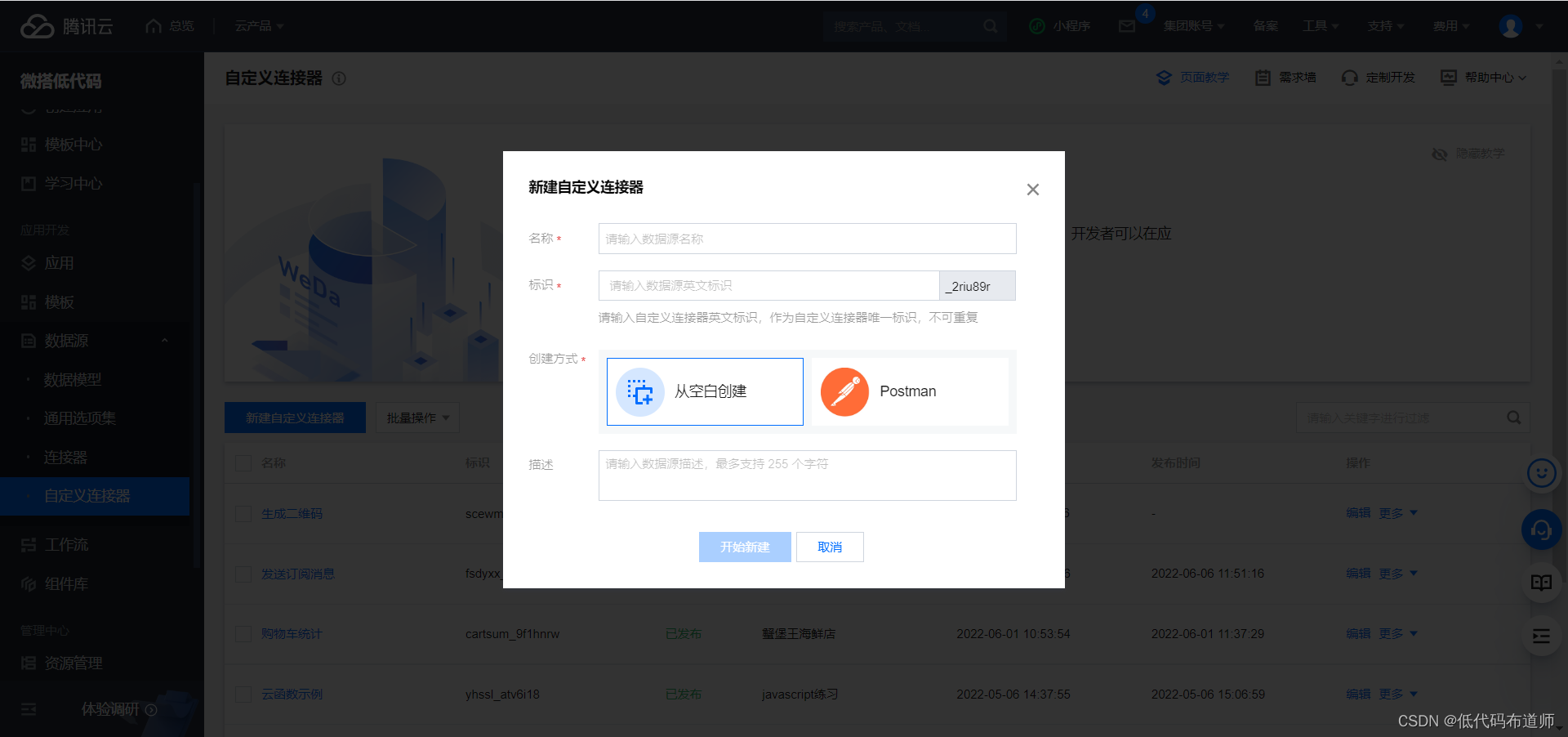
创建连接器之后,点击添加方法,添加方法的名称和标识,方法的意图选择查询单条,输入URL,选择GET,并且添加一个参数content
URL贴入如下地址
https://www.mxnzp.com/api/qrcode/create/single
接着是配置Query,按照如下表格进行配置
| key | value |
|---|---|
| app_id | omaolnqojgsiupfm |
| app_secret | R2k3VmJLQ3FieFZPNXlTVEMySlZjUT09 |
| size | 500 |
| type | 0 |
| content | { {params.content}} |
我们这里的content是引用的入参,需要用双大括号的语法来引用

参数定义好之后就可以点击方法测试,看一下测试结果
看到成功之后就可以点击出参映射,映射出参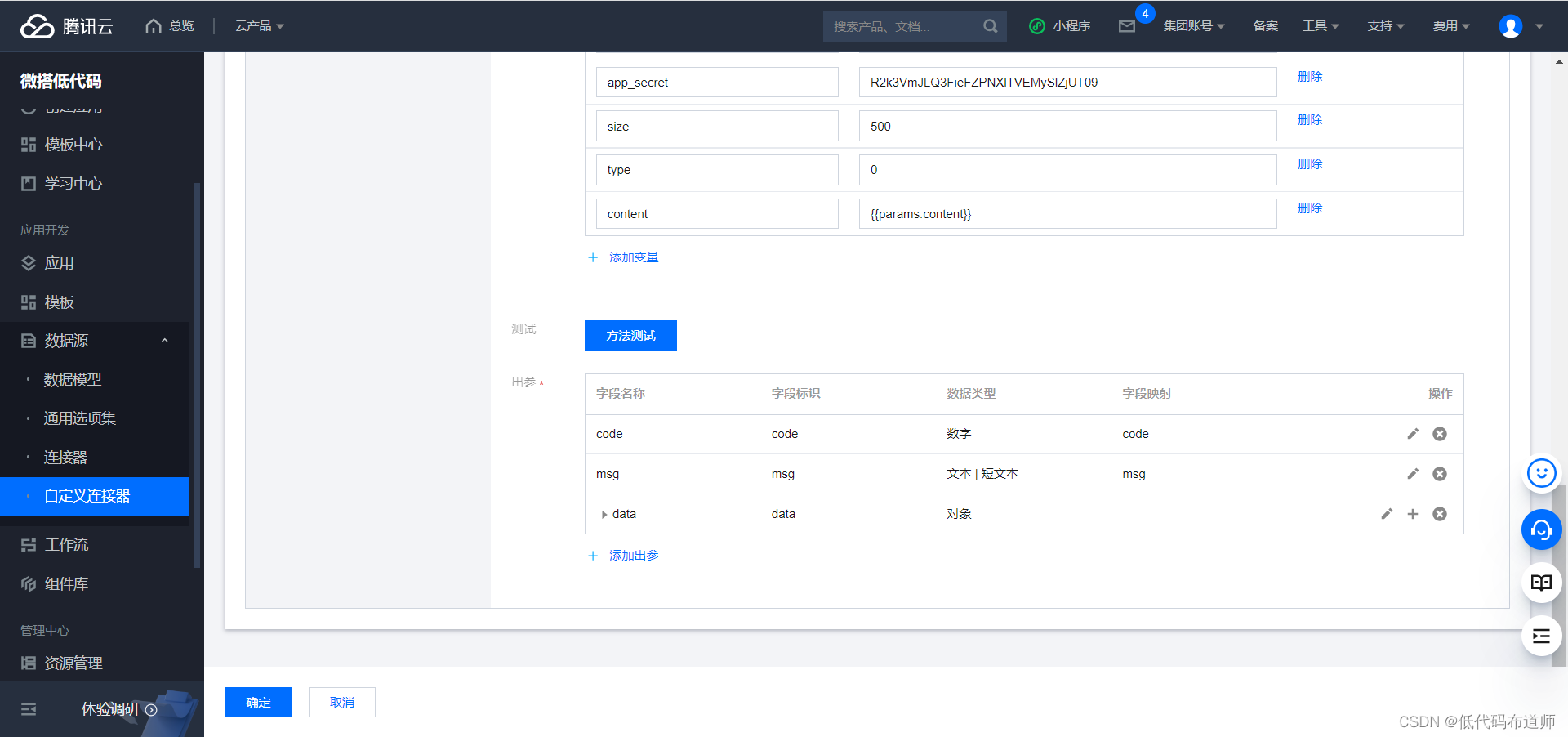
当然如果希望深入了解的可以查看这个接口的文档
https://www.mxnzp.com/doc/detail?id=2
应用中使用自定义连接器
我们要使用自定义连接器需要先定义两个变量,一个用来承载二维码的文字内容,一个用来显示二维码

创建一个低码方法,用来调用连接器来获取二维码
export default async function({
     event, data}) {

    const result = await app.cloud.callConnector({

        name: 'scewm_rsldp71',
        methodName: 'qcode',
        params: {

            content:$page.dataset.state.content
        }, // 方法入参
    });
    $page.dataset.state.qrCodeUrl = result.data.qrCodeUrl
    console.log($page.dataset.state.qrCodeUrl)
}
组件的话我们基本上三个组件就够,分别是表单输入组件、按钮和图片。实现的思路是把表单输入的值赋值给变量,当点击按钮的时候获取图片的地址,自动渲染到图片组件里。
先给表单输入组件定义一个事件,定义onchange事件

按钮设置点击事件,调用自定义方法

给图片组件的图片地址绑定变量即可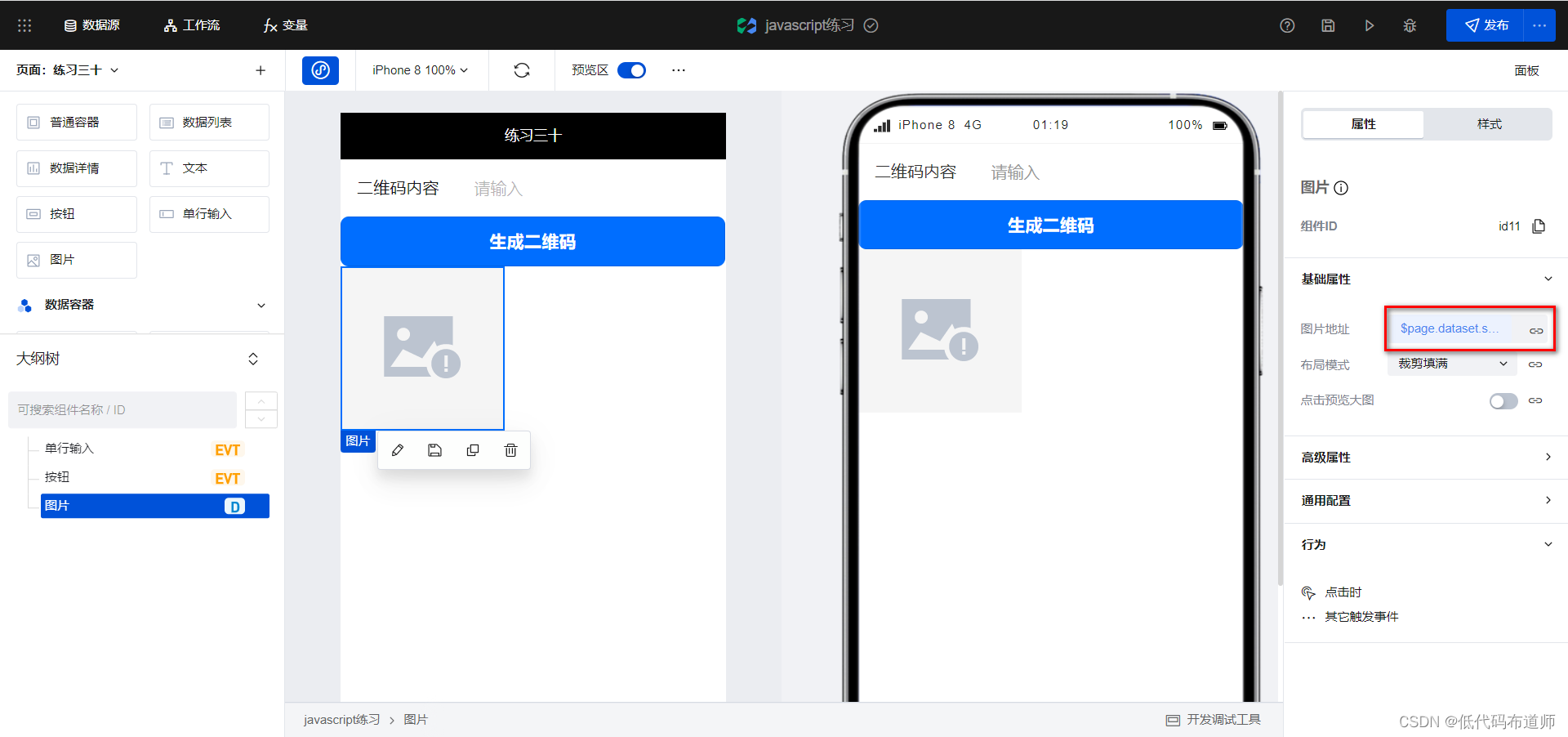

设置好之后,在文本框里输入内容,点击按钮即可自动生成二维码,是不是很简单,练起来吧。
边栏推荐
猜你喜欢

YAYA LIVE CTO 唐鸿斌:真正本地化,要让产品没有「产地」属性

Use of axurer9 master

Get to know Alibaba cloud (Cloud Computing) - development history, technical architecture, region and availability zone!

The new version of OpenAPI engine of Kingdee cloud dome is coming!

GO语言-反射reflect

How to advance data analysis from 1 to 10?

Post-00 cloud native Engineer: use Zadig to increase revenue and reduce expenditure for the R & D of Sichuang Technology (Guangzhou public transport)

Gross vs60 billion. Is food safety the biggest obstacle to Weilong's listing?
Zadig + cave Iast: let safety dissolve in continuous delivery

Icon fill color and background color change together
随机推荐
QtCreator5.15.0源码编译全过程记录
Description détaillée du schéma technique du sous - environnement syntonique auto - test de Zadig pour les développeurs
基于graph-linked embedding的多组学单细胞数据整合与调控推理
Career consultation | in the data analysis interview, it is only reliable to introduce yourself in this way
解读 | 数据分析的发展和演变都经过哪几个阶段?
Quartz定时任务触发器启动时设置
apipost脚本使用讲解一~全局变量
Redis+AOP+自定义注解实现限流
Oracle deleting archived logs and adding scheduled tasks
After crossing, she said that the multiverse really exists
GO语言-反射reflect
Detailed explanation of Zadig's self-test and joint debugging sub environment for developers
With the development of industrial Internet as the starting point, the industry can enter a new stage of development
如何制作精美的图片
稳!上千微服务如何快速接入 Zadig(Helm Chart 篇)
Advanced workplace | understand the "entry" of position advantages
Career consultation | how to answer the question of career planning during the interview?
How to use the apipost script - global variables
Simple understanding of counting and sorting
Zadig + cave Iast: let safety dissolve in continuous delivery