当前位置:网站首页>Kubernetes Chapter 8: deploy NFS system with kubernetes to complete database persistence (kubernetes work practice class)
Kubernetes Chapter 8: deploy NFS system with kubernetes to complete database persistence (kubernetes work practice class)
2022-07-27 17:12:00 【Mao Qizhi】
List of articles
One 、 Preface
This paper belongs to Kubernetes Work practice , In the work , Need to complete kubernetes Persistence .
kubernetes Persistence includes four steps :
(1) Automatically create a new directory :pod take effect , Then it means to create two directories ( Add two properties ,selector and (1) tolerance )
(2) NFS Persistence :MySQL and redis Be persistent , be nfs take effect
(3) If the namespace disappears, the specified directory of the namespace will be deleted automatically :crontab Scheduled tasks and cleanup scripts take effect
(4) df -h /nfs Check the directory disk size , If not enough , Use soft links when /nfs The directory is soft linked to the directory with large disk , As a subdirectory under it
NFS A way of storing server files , There are other ways , such as cephs, Good blog references are as follows :
k8s pv Of accessMode The way and persistentVolumeReclainPolicy Introduction of methods
https://www.jianshu.com/p/0fab432831b3
k8s Manage storage resources
http://t.zoukankan.com/zzzynx-p-11065612.html
K8S Chapter nine of the series ( Persistent storage ,emptyDir、hostPath、PV/PVC)
https://blog.csdn.net/qq_33261700/article/details/119549172
SpringBoot Source download :k8s-demo
Two 、 Set up the machine NFS The server
1、 Set up well NFS Server on
2、NFS Label the node where the server is located label, Let me create the directory automatically Pod Assigned to yes NFS On this node of the server , Create a new directory on this node
3、 Write the cleaning script on the machine clean.sh And timing tasks crontab
4、df -h /nfs Check the directory disk size , If not enough , Use soft links when /nfs The directory is soft linked to the directory with large disk , As a subdirectory under it
2.1 Set up well NFS Server on
01 choice master Node as nfs Of server, So in master Node , Execute the following command
#  First step , start-up nfs and rpcbind
#  start-up nfs
systemctl status nfs ( Open if it exists  systmctl start nfs , But if it doesn't exist, install  yum -y install nfs-utils  and  systemctl start nfs)
systemctl status nfs ( Check the status again after startup , Successful status means successful startup )
systemctl enable nfs  ( Set it to start automatically )

#  start-up rpcbind
systemctl restart rpcbind   ( restart )
systemctl enable rpcbind    ( Set to power on self starting )
systemctl status rpcbind  ( Check the status , Verify that the restart is successful )


#  The second step , establish nfs Directory and grant permissions  /nfs/data/  This directory is nfs ip That catalog
#  establish nfs Catalog
mkdir -p /nfs/data/
#  Grant authority
chmod -R 777 /nfs/data

#  The third step , edit export File and save
#  edit export file   about /nfs/data Catalog , Grant read and write permission 、 Root permissions 、 Synchronize data permissions
vi /etc/exports
  /nfs/data *(rw,no_root_squash,sync)
  /nfs/data *(rw,no_root_squash,sync,no_subtree_check)  #  new edition nfs
#  Make configuration effective
exportfs -r
#  Check in effect
exportfs

#  Step four , verification rpcbind、nfs
#  see rpc Registration of services
rpcinfo -p localhost
# showmount test
# showmount The command is used to query NFS Information about the server    -e or --exports  Show NFS Output list of the server .
showmount -e master-ip
showmount -e 192.168.100.151
02 all node Install the client on ps -ef|grep nfs
#  start-up nfs
systemctl status nfs ( Open if it exists  systmctl start nfs , But if it doesn't exist, install  yum -y install nfs-utils  and  systemctl start nfs)
systemctl status nfs ( Check the status again after startup , Successful status means successful startup )
systemctl enable nfs  ( Set it to start automatically )

#  start-up rpcbind
systemctl restart rpcbind   ( restart )
systemctl enable rpcbind    ( Set to power on self starting )
systemctl status rpcbind  ( Check the status , Verify that the restart is successful )
2.2 NFS Label the node where the server is located label
#  tagging
kubectl label nodes w1 nfs=server
#  test
kubectl describe node w1 | grep nfs
NFS Label the node where the server is located label, Then create a new directory automatically Pod.yaml Written in the document nodeSelector, You can automatically create a new directory Pod Dispatch (scheduler) To NFS Server node , Finish creating new directory ,
2.3 Clean up scripts and scheduled tasks
Clean up scripts :shell Write a language clean.sh Script , The logic is “ For variables /nfs/data The following table of contents , If this namespace does not exist , Just delete this directory ”.
Timing task
systemctl status crond ( Start when you have , No installation )
vi /etc/crontab
systemctl start crond
systemctl enable crond
2.4 Soft link operation
Find one with disk df -h Check the remaining capacity of each disk
Create a soft connection ln -s Actual catalog Shortcut
View soft links df -h /nfs
df -h /nfs Check the remaining capacity of the directory
du -h /nfs Check the disk capacity

There is no need to hang the tray , There is still left 8.4G, Show a hanging tray

3、 ... and 、 springboot Connect k8s Cluster and write
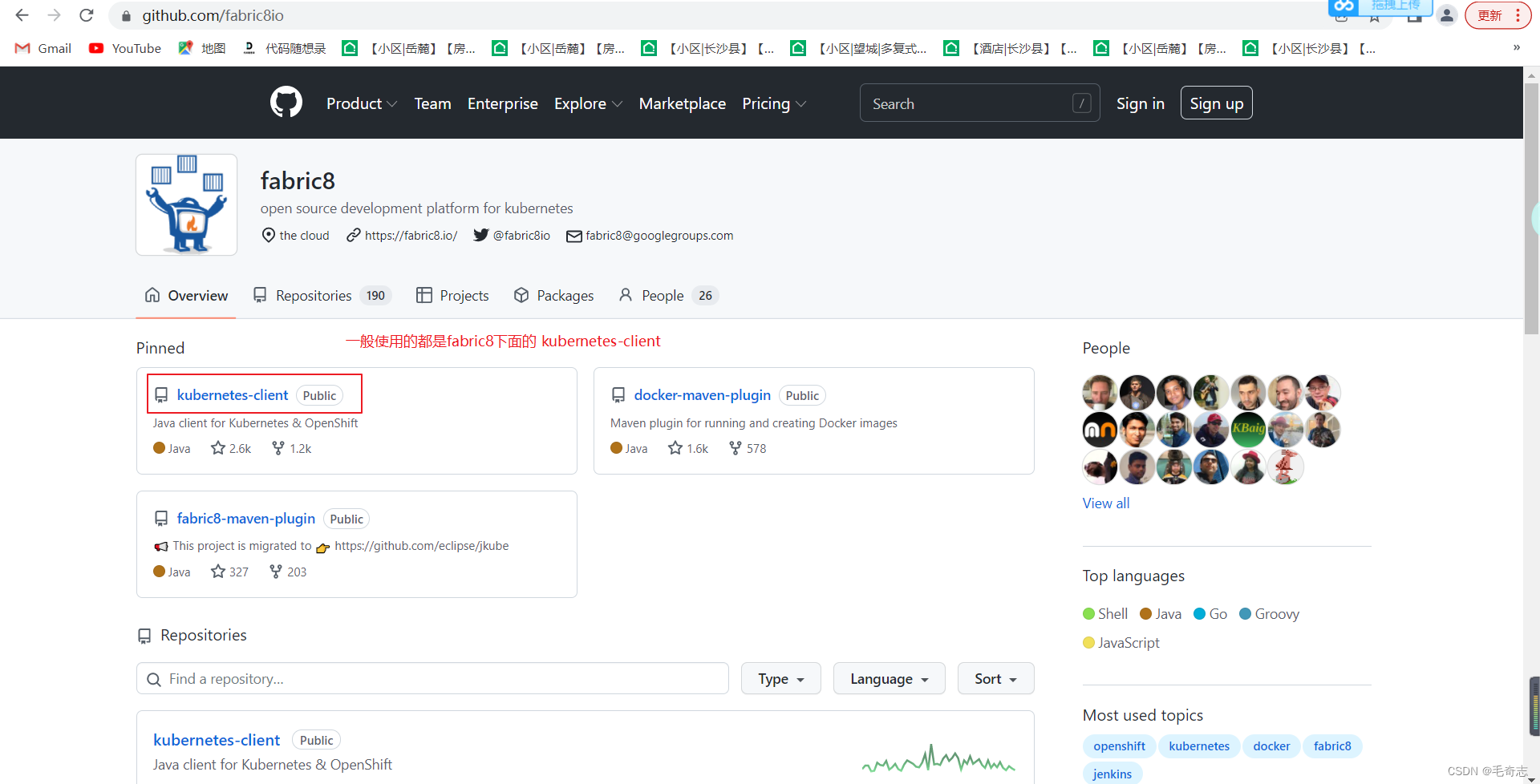
Official website :http://fabric8.io/
github: https://github.com/fabric8io/kubernetes-client
fabric8: Using document https://github.com/fabric8io/kubernetes-client Below readme.txt
Be careful , In general, we use fabric8 Below kubernetes-client

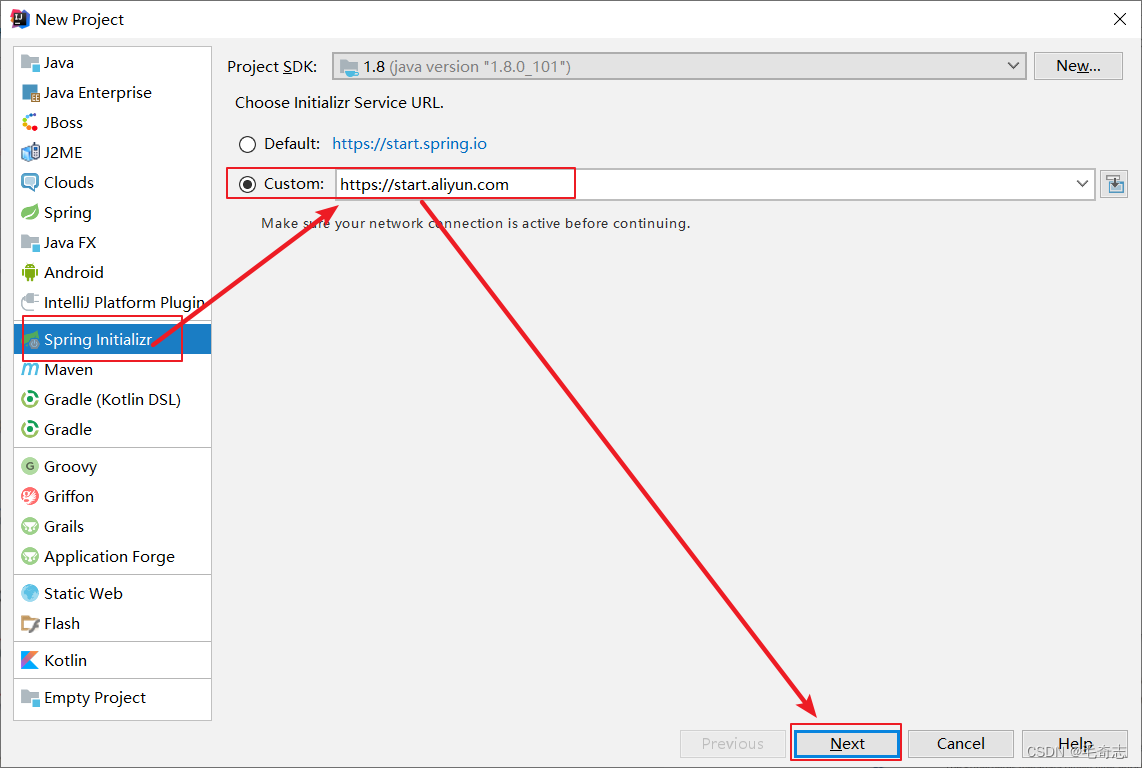
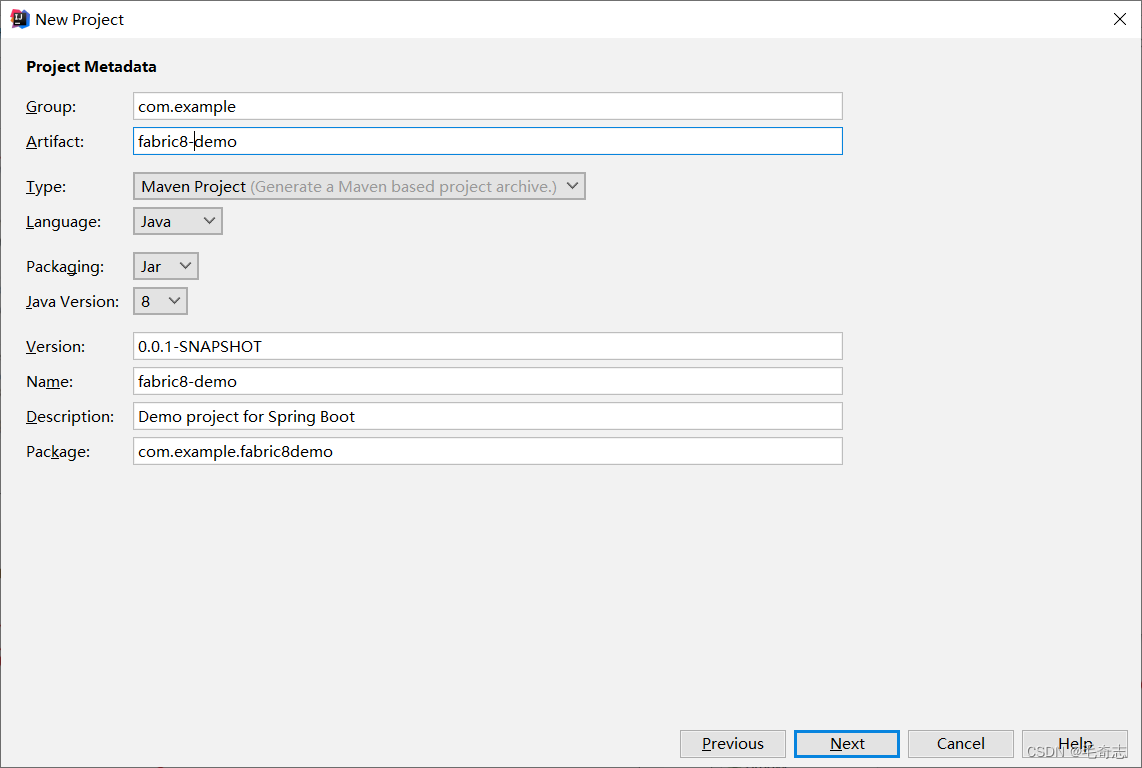

Okay , One springboot The project is set up .
If you will fabric8 Integrated into the springboot in , You can first refer to others , as follows :
Chinese references ,http://t.zoukankan.com/larrydpk-p-14928606.html
Chinese references ( Through local or network yaml File to create resources to k8s On the cluster ):https://www.jianshu.com/p/48e0896b1608
Chinese references ( take token Put it in a file or data table ):https://blog.csdn.net/weixin_43962314/article/details/110094808
Okay , I began to write by myself .


The successful running , as follows :

Four 、 The end of the
finish!!
Learn technology well, Day Day Up !
边栏推荐
- Hyperlink parsing in MD: parsing `this$ Set() `, ` $` should be preceded by a space or escape character`\`
- 密集光流提取dense_flow理解
- App Crash收集和分析
- 被动收入:回归原始且安全的两种赚取方法
- C语言之字符函数和字符串函数及内存函数
- High precision timer
- Node package depends on download management
- 神经网络实现手写数字分类matlab
- Random number formula random
- JSP El expression, JSTL tag
猜你喜欢

mysql视图及存储过程

webView基本使用
Sharing of local file upload technology of SAP ui5 fileuploader

技术实践干货 | 从工作流到工作流

神经网络实现手写数字分类matlab

Flex弹性盒布局2

Complete steps of JDBC program implementation

C语言之数组
Xcode 发布测试包TestFlight

How does vs2019 C language run multiple projects at the same time, how to add multiple source files containing main functions in a project and debug and run them respectively
随机推荐
Gartner 权威预测未来4年网络安全的8大发展趋势
VS2019 C语言如何同时运行多个项目,如何在一个项目中添加多个包含main函数的源文件并分别调试运行
基于STM32的智能鱼缸设计
meta-data 占位符的引用
Flex弹性盒布局
JD Zhang Zheng: practice and exploration of content understanding in advertising scenes
选 择 结 构
Random number formula random
C语言之数据的储存
C语言之函数
Shardingsphere-proxy-5.0.0 distributed snowflake ID generation (III)
MySQL: 函数
2021-06-18 automatic assembly error in SSM project
被动收入:回归原始且安全的两种赚取方法
渐变环形进度条
Day07 operation
Big manufacturers finally can't stand "adding one second", and companies such as Microsoft, Google meta propose to abolish leap seconds
CUE语言基础入门:CUE是一门为配置而生的语言
Servlet uses cookies to realize the last login time of users
Kubernetes第八篇:使用kubernetes部署NFS系统完成数据库持久化(Kubernetes工作实践类)