当前位置:网站首页>ROS2安装时出现Connection failed [IP: 91.189.91.39 80]
ROS2安装时出现Connection failed [IP: 91.189.91.39 80]
2022-07-27 08:29:00 【龙之幻】
ROS2安装出错:Connection failed [IP: 91.189.91.39 80]
虚拟机ROS2安装过程出现以下报错:
E: Failed to fetch http://cn.archive.ubuntu.com/ubuntu/pool/universe/f/freeglut/freeglut3_2.8.1-6_amd64.deb Connection failed [IP: 91.189.91.39 80]
E: Failed to fetch http://cn.archive.ubuntu.com/ubuntu/pool/universe/f/flann/libflann1.9_1.9.1%2bdfsg-11_amd64.deb Connection failed [IP: 91.189.91.39 80]
E: Failed to fetch http://cn.archive.ubuntu.com/ubuntu/pool/universe/f/flann/libflann-dev_1.9.1%2bdfsg-11_amd64.deb Connection failed [IP: 91.189.91.38 80]
E: Failed to fetch http://cn.archive.ubuntu.com/ubuntu/pool/universe/f/fmtlib/libfmt8_8.1.1%2bds1-2_amd64.deb Connection failed [IP: 91.189.91.39 80]
E: Failed to fetch http://cn.archive.ubuntu.com/ubuntu/pool/universe/f/fyba/libfyba0_4.1.1-7_amd64.deb Connection failed [IP: 91.189.91.38 80]
E: Failed to fetch http://cn.archive.ubuntu.com/ubuntu/pool/universe/f/fyba/libfyba-dev_4.1.1-7_amd64.deb Connection failed [IP: 91.189.91.39 80]
E: Failed to fetch http://cn.archive.ubuntu.com/ubuntu/pool/universe/f/freexl/libfreexl1_1.0.6-1_amd64.deb Connection failed [IP: 91.189.91.38 80]
E: Failed to fetch http://cn.archive.ubuntu.com/ubuntu/pool/universe/f/fmtlib/libfmt-dev_8.1.1%2bds1-2_amd64.deb Connection failed [IP: 91.189.91.39 80]
E: Failed to fetch http://cn.archive.ubuntu.com/ubuntu/pool/universe/f/freexl/libfreexl-dev_1.0.6-1_amd64.deb Connection failed [IP: 91.189.91.38 80]
E: Failed to fetch http://cn.archive.ubuntu.com/ubuntu/pool/universe/f/fonttools/python3-fonttools_4.29.1-2build1_amd64.deb Connection failed [IP: 91.189.91.39 80]
E: Unable to fetch some archives, maybe run apt-get update or try with --fix-missing?

解决方法
1、分析问题,根据提示尝试自己解决
问题最后一句:Unable to fetch some archives, maybe run apt-get update or try with --fix-missing?翻译过来的意思是:无法获取某些存档,或许运行apt-get update或加上 --fix-missing再尝试(就能解决)。其中分别指的是以下两条指令:
sudo apt-get update
sudo apt-get update --fix-missing
2、解决不了,检查是不是网络问题
如果运行上面的两条指令还是不行(我的就是不行),参考在网上能查到的资料,大部分都是说需要修改DNS地址。当我开始修改的时候,思考了一下,为什么原来的DNS用不了,才想起了我连接的是由路由器中继产生的WiFi(WiFi名称不一样),会不会是这个原因导致的访问网站连接出错。我换了个没有中继的WiFi,重新执行了一遍,发现没报错,问题解决了。
如果你们不是上述情况,可以试一下用手机数据开热点,电脑用网线直接连接宽带等方法,如果都不行的话,试一下下面的方法了。
3、修改DNS地址或者修改软件源
如果上面的方法解决不了,只能根据网上修改DNS和修改软件源的方法试一下了。为了更好地解决这个问题,我特意总结了DNS的修改方法和软件源的修改方法汇总的文章,大家可以参考一下: DNS地址修改和软件源修改汇总
在这里,我以ubuntu22.04为例,根据上述文章的内容,给出了以下两种解决方法:
3.1 修改DNS地址
因为解决这个问题只需要暂时修改DNS地址,所以这里修改DNS客户机配置文件,即修改/etc/resolv.conf文件。
(1)echo 指令覆盖resolv.conf文件内容(对vim编辑器熟练,也可以用vim打开resolv.conf文件修改)
sudo echo "nameserver 8.8.8.8" | sudo tee /etc/resolv.conf > /dev/null
(2)查看文件是否修改成功
方式一:终端方式查看:
cat /etc/resolv.conf

方式二:文本方式查看:
cat /etc/resolv.conf

(3)重新更新
sudo apt-get update --fix-missing
如果是安装ROS2,也可以重新执行ROS2安装指令:
sudo apt install ros-humble-desktop
基本上面步骤就能解决标题的问题,如果还不行,就只能尝试修改软件源的方法了。
3.2 修改软件源
(1)备份待修改文件
sudo cp /etc/apt/sources.list /etc/apt/sources.list.bak
(2)用文本编辑器打开sources.list文件
sudo gedit /etc/apt/sources.list
(3)将文件内容全部替换成以下内容,然后保存退出
# 清华大学开源软件镜像站 Ubuntu22.04 镜像源
# 默认注释了源码镜像以提高 apt update 速度,如有需要可自行取消注释
deb https://mirrors.tuna.tsinghua.edu.cn/ubuntu/ jammy main restricted universe multiverse
# deb-src https://mirrors.tuna.tsinghua.edu.cn/ubuntu/ jammy main restricted universe multiverse
deb https://mirrors.tuna.tsinghua.edu.cn/ubuntu/ jammy-updates main restricted universe multiverse
# deb-src https://mirrors.tuna.tsinghua.edu.cn/ubuntu/ jammy-updates main restricted universe multiverse
deb https://mirrors.tuna.tsinghua.edu.cn/ubuntu/ jammy-backports main restricted universe multiverse
# deb-src https://mirrors.tuna.tsinghua.edu.cn/ubuntu/ jammy-backports main restricted universe multiverse
deb https://mirrors.tuna.tsinghua.edu.cn/ubuntu/ jammy-security main restricted universe multiverse
# deb-src https://mirrors.tuna.tsinghua.edu.cn/ubuntu/ jammy-security main restricted universe multiverse

# 中国科学技术大学开源软件镜像站 Ubuntu22.04 镜像源
# 默认注释了源码仓库,如有需要可自行取消注释
deb https://mirrors.ustc.edu.cn/ubuntu/ jammymain restricted universe multiverse
# deb-src https://mirrors.ustc.edu.cn/ubuntu/ focal main restricted universe multiverse
deb https://mirrors.ustc.edu.cn/ubuntu/ jammy-security main restricted universe multiverse
# deb-src https://mirrors.ustc.edu.cn/ubuntu/ focal-security main restricted universe multiverse
deb https://mirrors.ustc.edu.cn/ubuntu/ jammy-updates main restricted universe multiverse
# deb-src https://mirrors.ustc.edu.cn/ubuntu/ focal-updates main restricted universe multiverse
deb https://mirrors.ustc.edu.cn/ubuntu/ jammy-backports main restricted universe multiverse
# deb-src https://mirrors.ustc.edu.cn/ubuntu/ focal-backports main restricted universe multiverse

# 阿里云开源软件镜像站 Ubuntu22.04 镜像源
deb http://mirrors.aliyun.com/ubuntu/ jammymain restricted universe multiverse
deb-src http://mirrors.aliyun.com/ubuntu/ focal main restricted universe multiverse
deb http://mirrors.aliyun.com/ubuntu/ jammy-security main restricted universe multiverse
deb-src http://mirrors.aliyun.com/ubuntu/ focal-security main restricted universe multiverse
deb http://mirrors.aliyun.com/ubuntu/ jammy-updates main restricted universe multiverse
deb-src http://mirrors.aliyun.com/ubuntu/ jammy-updates main restricted universe multiverse
# deb http://mirrors.aliyun.com/ubuntu/ jammy-proposed main restricted universe multiverse
# deb-src http://mirrors.aliyun.com/ubuntu/ jammy-proposed main restricted universe multiverse
deb http://mirrors.aliyun.com/ubuntu/ jammy-backports main restricted universe multiverse
deb-src http://mirrors.aliyun.com/ubuntu/ jammy-backports main restricted universe multiverse
PS:如要用于其他版本,把 jammy换成其他版本代号即可: 22.04:jammy;20.04:focal;18.04:bionic;16.04:xenial。
(4)检查软件源是否成功载入
# 检查更新
sudo apt-get update
# 更新软件
sudo apt-get upgrade
如果软件源没有问题,就可以重新更新
sudo apt-get update --fix-missing
sudo apt install ros-humble-desktop
参考资料:
1、【Linux 配置】E: Unable to fetch some archives, maybe run apt-get update or try with --fix-missing?
2、DNS地址修改和软件源修改汇总(基于ubuntu22.04)
边栏推荐
- Implementation of adding function of background user management display
- [MRCTF2020]Ezpop 1
- Notes in "PHP Basics" PHP
- SSTI template injection
- Realization of backstage brand management function
- 【目标检测】YOLOv6理论解读+实践测试VisDrone数据集
- Process control - Branch
- All in one 1319 - queue for water
- Redis configuration file download
- Interviewer: what is scaffolding? Why do you need scaffolding? What are the commonly used scaffolds?
猜你喜欢

Massive data Xiao Feng: jointly build and govern opengauss root community and share a thriving new ecosystem

"PHP Basics" uses echo statements to output information

Oppo self-developed large-scale knowledge map and its application in digital intelligence engineering

Hundreds of people participated. What are these people talking about in the opengauss open source community?

"PHP Basics" tags in PHP

借生态力量,openGauss突破性能瓶颈
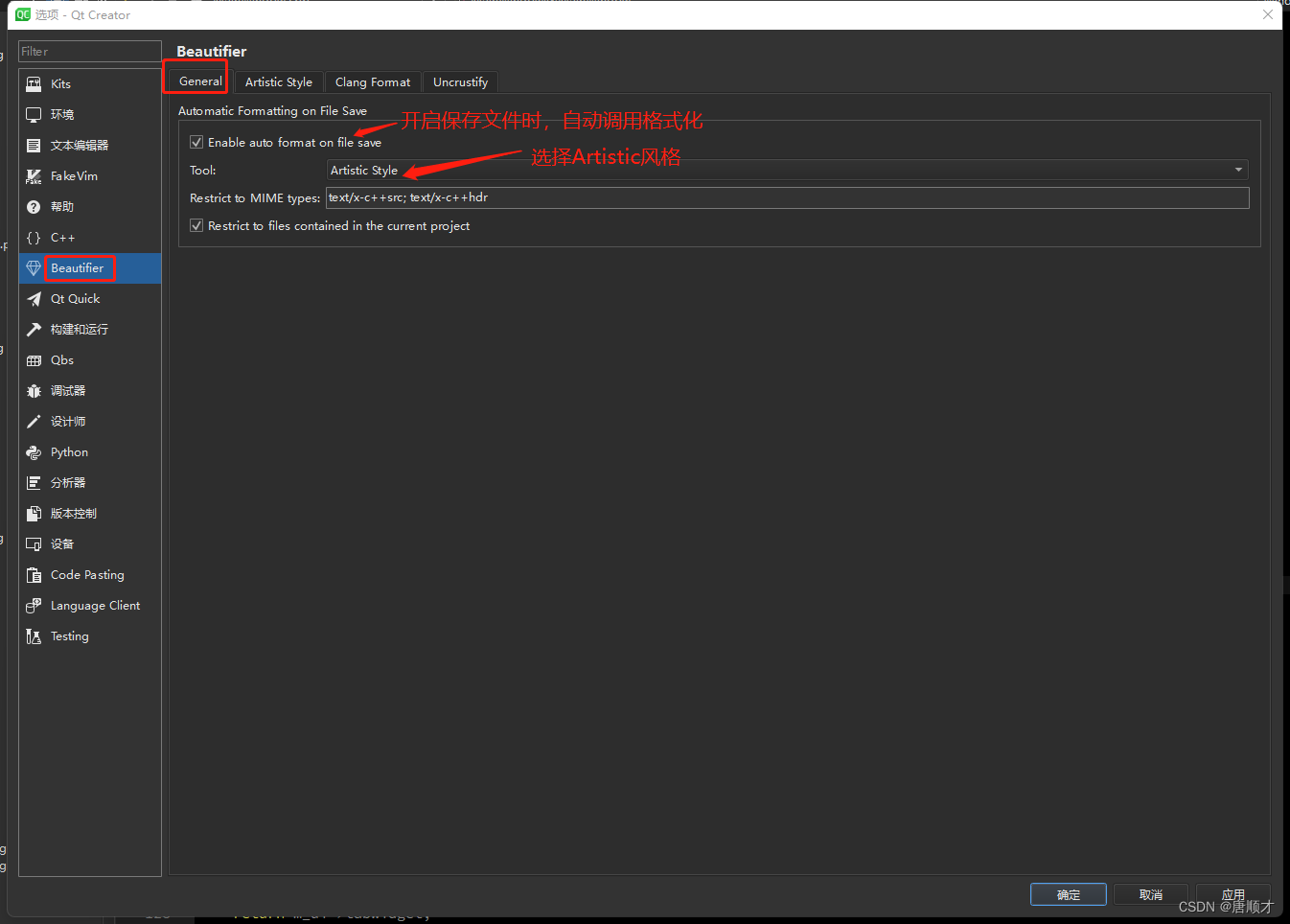
Qt Creator代码风格插件Beautifier

Alibaba cloud international receipt message introduction and configuration process

面试官:什么是脚手架?为什么需要脚手架?常用的脚手架有哪些?
![[NPUCTF2020]ReadlezPHP 1](/img/d9/590446b45f917be3f077a9ea739c20.png)
[NPUCTF2020]ReadlezPHP 1
随机推荐
Virtual machine cloning
Prevent cookies from modifying ID to cheat login
Creation and simple application of QPushButton button button
Realization of backstage brand management function
All in one 1329 cells (breadth first search)
Teach you to build a nail warning robot hand in hand
"PHP Basics" uses echo statements to output information
Leetcode56. Consolidation interval
Qt Creator代码风格插件Beautifier
Map structure
【uni-app高级实战】手把手带你学习一个纯实战复杂项目的开发1/100
PHP realizes data interaction with MySQL
I can't figure out why MySQL uses b+ trees for indexing?
Ubuntu: install PostgreSQL
You may need an additional loader to handle the result of these loaders.
[NPUCTF2020]ReadlezPHP 1
"PHP Basics" PHP statements and statement blocks
Login to homepage function implementation
STM32 small bug summary
Vcenter7.0 installation of ibm3650m4 physical machine