当前位置:网站首页>ORBSLAM2安装测试,及各种问题汇总
ORBSLAM2安装测试,及各种问题汇总
2022-07-29 09:45:00 【weixin_52402390】
目录
1.Pangolin时报错:‘No package ‘xkbcommon’ found’
2.error: ‘usleep’ was not declared in this scope usleep(5000);
3.collect2:error:id returued 1exit status
5.fatal error:Eigen/Core: 没有那个文件或目录 #include
6. install cimpiler error:killed(program cciplus)
准备一个纯净的Ubuntu系统,如果是第一次安装,这样可以少采好多坑,好刚要用在刀把上(手动狗头),我的是18.04,各位按照自己的情况来,主要就是ros的版本,其他那一版都没多大影响。
一、安装测试
ORBSLAM2各个依赖项版本汇总
| 序号 | 依赖项 | 版本 | 地址 |
|---|---|---|---|
| 1 | pangolin | v0.5 | Tags · stevenlovegrove/Pangolin · GitHub (0z.gs) |
| 2 | Eigen3 | 3.3.4 | 3.3.4 · Tags · libeigen / eigen · GitLab |
| 3 | opencv | 3.4.1 | Release OpenCV 3.4.1 · opencv/opencv · GitHub (0z.gs) |
| 4 | DBow2 | v1.1-free | Release v1.1-free · dorian3d/DBoW2 · GitHub (0z.gs) |
| 5 | g2o | 20170730_git | Release 20170730_git · RainerKuemmerle/g2o · GitHub (0z.gs) |
| 6 | Ros | melodic | 小鱼的一键安装系列 | 鱼香ROS (fishros.org.cn) |
准备好各个依赖项后,开始安装
1.更新软件列表
sudo apt-get update
2.配置c++编译环境
sudo apt-get install gcc
sudo apt-get install g++
sudo apt-get install cmake
3.安装vscode
进入vscode官网https://code.visualstudio.com/Download,在下载页,下载.deb文件。

找到下载的.deb文件,双击进行安装。

安装完成后,即可在主菜单下找到vscode,右键添加到收藏夹。

打开VScode进行配置
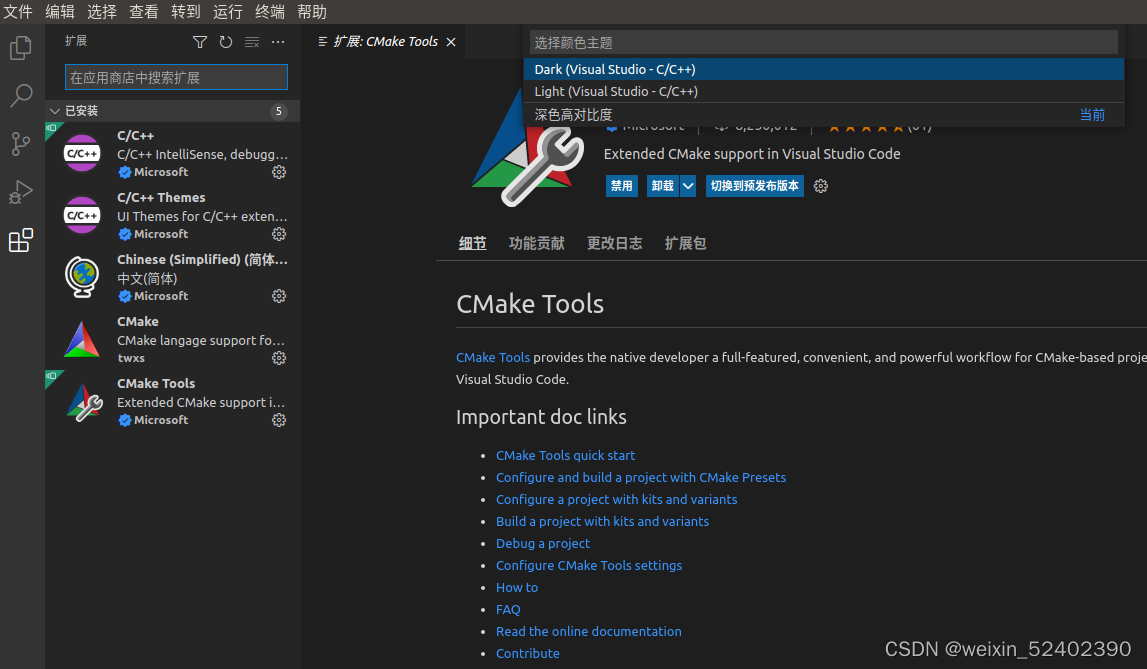
4.安装git
sudo apt-get install git5.配置依赖环境

5.1安装Eigen3
sudo apt-get install libeigen3-dev5.2安装pangolin
 根据官方给出的Dependencies,安装相关的依赖项,其中大部分依赖项是可选的,可更具自己的需求进行选择,如下是作者选择的安装的依赖项,这几项都是必须安装的。
~$ sudo apt-get install libglew-dev
~$ sudo apt-get install libboost-dev libboost-thread-dev libboost-filesystem-dev
进入放置下载文件的路径,解压安装包。
tar -zxvf Pangolin-0.5.tar.gz进入安装包文件夹进行安装
cd Pangolin-0.5
mkdir build
cd build
cmake ..
make
sudo make install
安装成功。

5.3安装OpenCV
和安装pangolin一样,先从官网下载安装包,配置好必要的依赖项后,进行安装, 安装指令如下,具体操作看如下执行过程操作图片
sudo apt-get install libgtk2.0-dev
sudo apt-get install pkg-config
sudo apt-get install ffmpeg
sudo apt-get install libavcodec-dev
sudo apt-get install libavformat-dev
sudo apt-get install libswscale-dev
//可选项
sudo apt-get install libjpeg-dev libpng-dev libtiff-dev
//安装
tar -zxvf opencv-3.4.1.tar.gz
cd opencv-3.4.1
mkdir build
cd build
cmake ..
make -j2
sudo make install
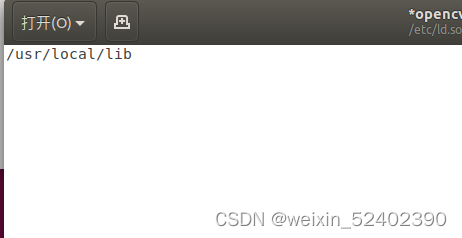
//配置编译环境
sudo gedit /etc/ld.so.conf.d/opencv.conf
/usr/local/lib
sudo ldconfig
sudo gedit /etc/bash.bashrc
PKG_CONFIG_PATH=$PKG_CONFIG_PATH:/usr/local/lib/pkgconfig
export PKG_CONFIG_PATH
source /etc/bash.bashrc
sudo updatedb
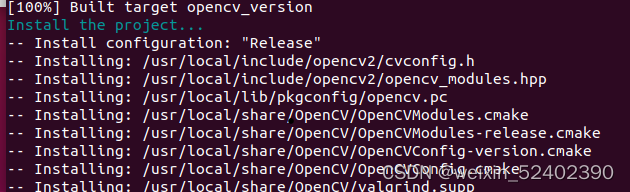
执行过程如下:
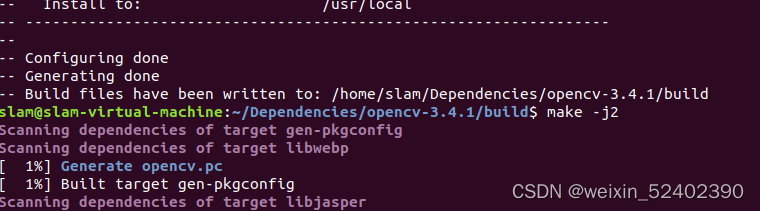
编译成功
安装
配置编译环境

5.4 安装G2O
同上下载安装包,然后按照官方提供的依赖项依次安装
//安装依赖项
sudo apt-get install libsuitesparse-dev
sudo apt-get install qtdeclarative5-dev
sudo apt-get install qt5-qmake
sudo apt-get install libqglviewer-dev-qt5

//解压安装包
tar -zxvf g2o-20170730_git.tar.gz
cd g2o-20170730_git/

//安装
mkdir build
cd build
cmake ..
make
编译成功即可。

5.5安装 DBow2
同样先下载安装包,然后编译
tar -zxvf DBoW2-1.1-free.tar.gz
cd DBoW2-1.1-free/
mkdir build
cd build
cmake ..
make -j2
sudo make install
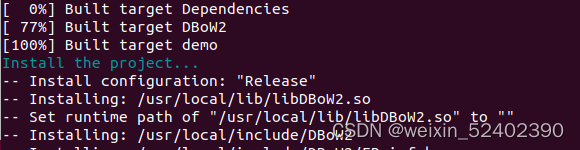
执行过程如下图

5.6安装Ros1
Ros安装使用小鱼的一键安装系列 | 鱼香ROS (fishros.org.cn)
一步到位,不再多说。
6 安装ORBSLAM2
新建ros工作空间,在ros工作空间下下载源码
git clone https://github.com/raulmur/ORB_SLAM2.git ORB_SLAM2

设置build.sh文件权限
chmod +x build.sh
编译
。/build.sh
make -j2
成功后下载数据集测试,运行代码如下(注意:不同的数据集对应不同的配置文件)
//可执行文件路径  词典路径   配置文件路径   数据集路径
./Examples/Monocular/mono_tum Vocabulary/ORBvoc.txt Examples/Monocular/TUM1.yaml /home/slam/Data/rgbd_dataset_freiburg1_xyz
运行成功

二 . 问题汇总
1.Pangolin时报错:‘No package ‘xkbcommon’ found’
2.error: ‘usleep’ was not declared in this scope usleep(5000);
3.collect2:error:id returued 1exit status
问题1~3的解决方法:(45条消息) Ubuntu18.04 ORB_SLAM2的安装、配置、运行SLAM单目实例_君琴的博客-CSDN博客
4. Eigen相关
Build type: Debug
CMake Error at CMakeLists.txt:45 (find_package):
Found package configuration file:
/usr/local/lib/cmake/Pangolin/PangolinConfig.cmake
but it set Pangolin_FOUND to FALSE so package "Pangolin" is considered to
be NOT FOUND. Reason given by package:
Pangolin could not be found because dependency Eigen3 could not be found.
5.fatal error:Eigen/Core: 没有那个文件或目录 #include<Eigen/Core>

解决方法: Pangolin版本问题,更换 Pangolin版本
6. install cimpiler error:killed(program cciplus)
解决方法:关机重启
(45条消息) ORB-SLAM2项目的准备工作及其程序的编译(途中解决各种疑难杂症)_心清似水淡若云、的博客-CSDN博客
7. 其他
其他问题我还没碰到过,大家可以参考上面两个文章。
参考资料:
 https://blog.csdn.net/weixin_43374723/article/details/84064644?ops_request_misc=%257B%2522request%255Fid%2522%253A%2522165182929616781683930040%2522%252C%2522scm%2522%253A%252220140713.130102334.pc%255Fall.%2522%257D&request_id=165182929616781683930040&biz_id=0&utm_medium=distribute.pc_search_result.none-task-blog-2~all~first_rank_ecpm_v1~rank_v31_ecpm-2-84064644-null-null.142%5Ev9%5Epc_search_result_cache,157%5Ev4%5Econtrol&utm_term=ubuntu%E9%85%8D%E7%BD%AEc%2B%2B%E7%8E%AF%E5%A2%83&spm=1018.2226.3001.4187
边栏推荐
- 综合设计一个OPPE主页--页面的底部
- 机器学习入门的百科全书-2018年“机器学习初学者”公众号文章汇总
- Unity xchart3.0 basic usage quick start
- 7.9-7.17 new features and grammar of learning plan ES6
- CS assurance and research experience in 2021 (IV): pre promotion and exemption of Xijiao soft Research Institute and the third room of Information Technology Institute
- In simple terms, dependency injection and its application in Tiktok live broadcast
- Summary of pit trampling records and solutions of data warehouse project
- 【C语言】扫雷(递归展开 + 标记功能)
- 什么是卡特兰数?有哪些应用?
- redis命令[逐渐完善]
猜你喜欢

Use cpolar to publish raspberry pie web pages (improvement of cpolar function)

Which hero is the most difficult for lol in terms of code?

综合设计一个OPPE主页--页面的底部

vector实现

On contract testing

7.9-7.17 new features and grammar of learning plan ES6

Mysql database final review question bank

PyQt5快速开发与实战 6.5 QGridLayout(网格布局)

Network security (5)

Data type of MySQL
随机推荐
What kind of framework is friendly to developers?
A little knowledge ~ miscellaneous notes on topics ~ a polymorphic problem
What is Cartland number? What are the applications?
详解:到底什么是GPS北斗授时服务器?
How to realize the isolation level between MySQL transactions and mvcc
Custom configuration
Nucleic acid scanning code registration experience (how to improve the correct character recognition rate of OCR)
Network security (5)
Nutnews developed based on arkui ETS
Window系统操作技巧汇总
C# 值类型和引用类型讲解
开放原子开源基金会黄金捐赠人优博讯携手合作伙伴,助力OpenHarmony破圈!
Problems and solutions of introducing redis cache
First order traversal / second order traversal determines the approximate shape of the tree
How to query express logistics and filter out no information doc No. to delete or copy
数仓项目踩坑记录与解决方法总结
Div horizontal layout aligned on both sides
《LOL》从代码上来说最难的是哪个英雄?
A sharp tool for data visualization Seaborn easy to get started
Configuration file settings for remote connection to Windows version server redis