当前位置:网站首页>Realization of flip animation
Realization of flip animation
2022-06-13 01:12:00 【Steamed bread Dad】
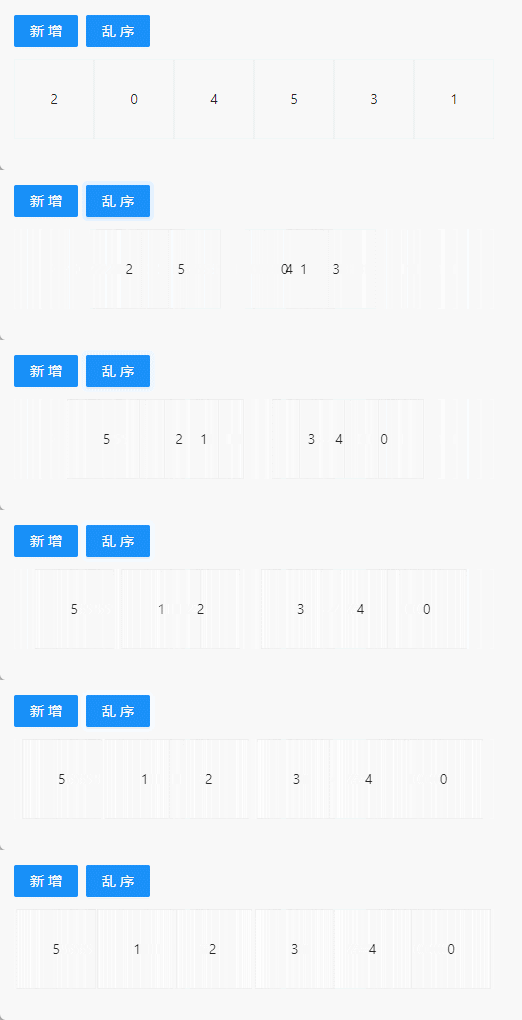
What would you do if you were allowed to achieve the following animation effects ?
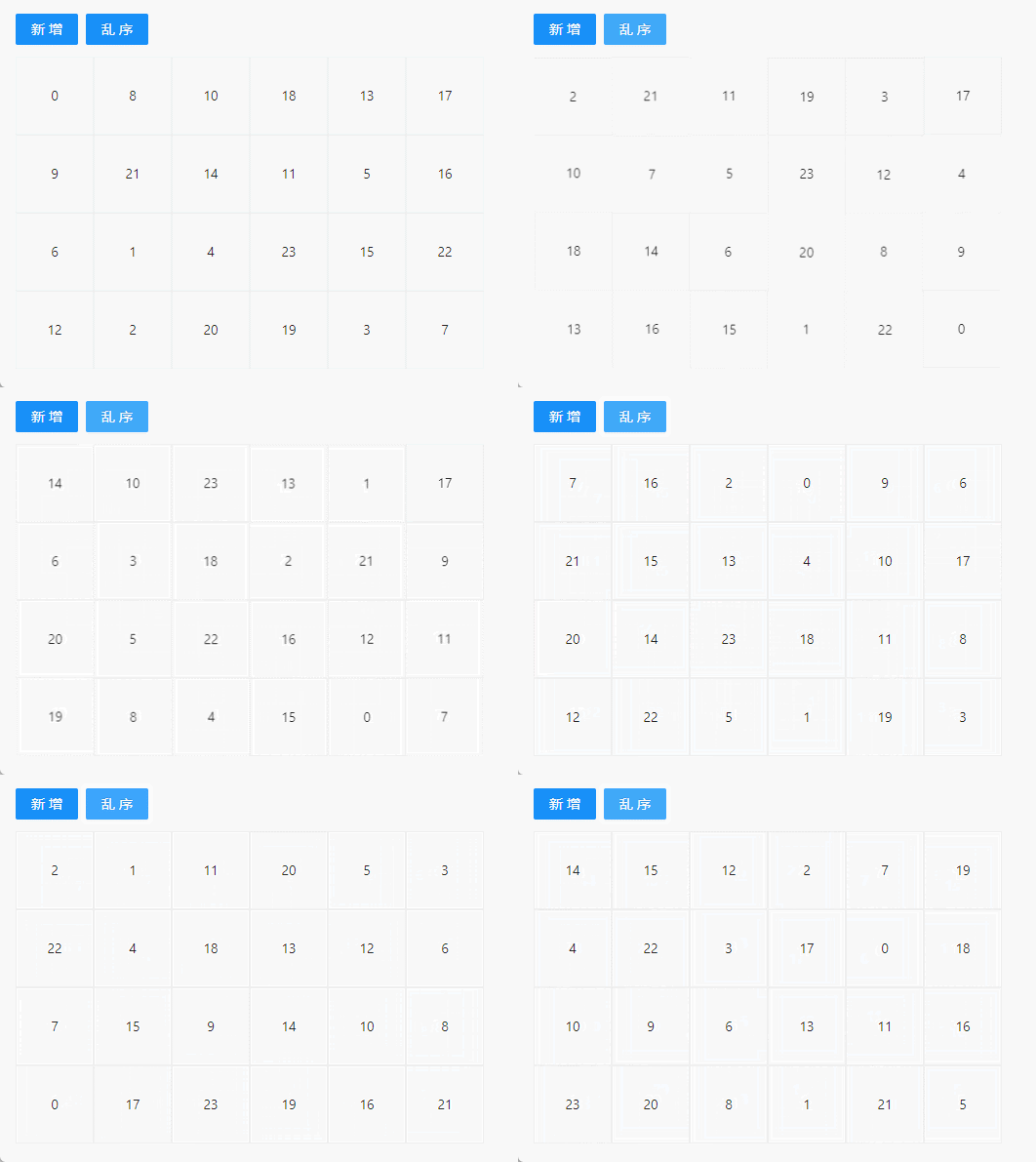
Maybe the first idea of many people is to use absolute positioning for layout , When the order changes , Calculate the position after the change , Then transition to the specified position through animation . This is a very common implementation , But there are several problems :
- The location information of each node needs to be maintained
- After sequence change , Each... Needs to be calculated DOM Target location
- Use absolute positioning , The number of small squares displayed in each row is fixed , Unable to adapt to container changes .
process analysis
No matter how complex the animation , Can be disassembled into multiple animation combinations . For the above effect , It can be seen as the change of each small square , Only the change of position is involved here , Of course, there may also be size 、 Color, etc .
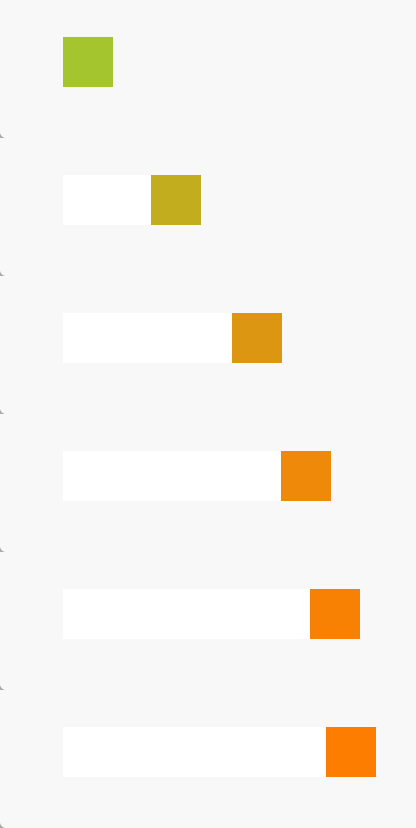
Extract some of the most important information from the entire animation process :
- Start status information : Yellow green 、 wide 50px、 high 50px、 coordinates 0,0
- End status information : Orange 、 wide 50px、 high 50px、 coordinates 100,0
- Changing properties :
- Color : Yellow green =》 Orange
- Location :left 0 => 100
To achieve the above transition effect , We can usually use animation、transition and requestAnimationFrame To achieve . Let's use code to achieve the above effect .
animation
@keyframes identifier {

    from {

        left:100px;
        background: yellowgreen;
    }
    to {

        left:400px;
        background: rgb(255, 123, 0);
    }
}

.animation-dom {

    position: absolute;
    display: inline-block;
    height: 50px;
    width: 50px;
    background: yellowgreen;
    animation: identifier 3s infinite;
    -webkit-animation:identifier 3s infinite;
}
transition
Use transition Set the transition effect when the attribute changes , Create two different class names for the start and end states , Set the properties of their states respectively . The transition effect is achieved by changing the class name .
.transition-dom {
    transition: all 1s;
    &.start {
        left: 0;
        background: yellowgreen;
    }
    &.end {
        left: 100px;
        background: rgb(255, 123, 0);
    }
}
requestAnimationFrame
It is mainly used for the control of controlled attributes , Such as location 、 Size and other information . This method is not suitable for general animation effect development , You need to calculate the state of each moment by yourself , And there's nothing I can do about this excess of color .
FLIP
FLIP Namely First 、Last 、Invert 、 Play Abbreviations of four words ;
First
The starting state of an element , Such as the location 、 size 、 shape 、 Color information
Last
The ending state of an element after its movement
Invert
The changing process of elements , That is, the final state relative to the actual state , What properties have changed . for example : The position moves to the right 100px, The color changes from yellow to orange . Count all the attributes of the element that have changed .
Play
Perform the animation process , Set all changed attributes , Transition from the actual state to the end state . You can set the transition time 、 Transition mode, etc . This process can be realized in the above ways .
Realize the idea
In order to make our animation more flexible , Lower development costs , First, eliminate the use of Absolute positioning The way . If not by calculation , How do we know the attributes of the element at the end of the animation ?
Here is a very important knowledge point :DOM When the attributes of an element change , It will be collected to the next frame of the browser for unified rendering . That is to say, there will be such a period of time ,DOM The element properties of have changed , And the browser hasn't had time to render , At this time, we can still get DOM Of the updated attributes .
Knowing the termination state of the element , You can realize the transition animation . It's better to use animation The way to achieve , The advantage is that it won't be DOM Add any... To the element CSS.
Concrete realization
With React For example
//  Data source for looping rendering with this list
const [dataList, setDataList] = useState<any[]>([0, 1, 2, 3, 4, 5]);
//  Container elements
const wrapperRef = useRef<HTMLDivElement>(null);

return (
    <div className='flip-demo'>
        <Space>
            <Button>
                 newly added
            </Button>
            <Button>
                 Disorder
            </Button>
        </Space>
        <div className='list' ref={wrapperRef}>
            {dataList.map(item => (
                <div
                    key={item}
                    className="item"
                    >
                    {item}
                </div>
            ))}
        </div>
    </div>
);
.list {

    display: flex;
    flex-wrap: wrap;
    width: 550px;
}

.item {

    display: flex;
    align-items: center;
    justify-content: center;
    width: 80px;
    height: 80px;
    border: 1px solid #eee;
}
First step : Record the starting state of the element
Record and save the initial state of each element , Recommended here Map To store , There are two advantages :
- Convenient value , Unlike arrays, which have to guarantee order .
- have access to DOM Node as KEY value , Even if DOM The properties of have changed ,DOM The reference to is unchanged .
//  Used to store the last state
const lastRectRef = useRef<Map<HTMLElement, DOMRect>>(new Map());


//  Store all child elements under the container in MAP in
function createChildrenElementMap(wrapperNode: HTMLElement | null) {
    if (!wrapperNode) {
        return new Map();
    }
    //  Get all the child elements
    const childNodes = Array.from(wrapperNode.childNodes) as HTMLElement[];
    //  The original element acts as KEY, Its attribute value is taken as VALUE
    const result = new Map(childNodes.map(node => [node, node.getBoundingClientRect()]));
    return result;
}

//  as long as  dataList  There is a change , You need to update the status
useEffect(() => {
    const currentRectMap = createChildrenElementMap(wrapperRef.current);
	lastRectRef.current = currentRectMap;
}, [dataList]);
Knowledge point : One n * 2 A binary array of , Turn it into Map when , Array of arr[n][0] Will act as Map Of key , arr[n][1] For the corresponding value .
The second step : Realize new and disordered functions
It's easy to add new items and disorder the order , Just change the data source .
import { shuffle } from 'lodash';

//  Disorder , Use lodash Of shuffle Method
function handleShuffle() {
    setDataList(shuffle);
}

//  add to
function addItem() {
    setDataList((list) => [list.length, ...list]);
}
The third step : Get the final status , Calculate the change attribute value , Perform animation
In this case, we clearly know that only the position information of the element has changed .
useLayoutEffect(() => {
    //  The latest status information is obtained here , That is, the final state
    const currentRectMap = createChildrenElementMap(wrapperRef.current);
    //  Traverse the elements of the last saved state
    lastRectRef.current.forEach((prevNode, node) => {
        //  because DOM The reference will not change after the attribute of , So you can currentRectMap Get its final status from
        const currentRect = currentRectMap.get(node);
        //  Calculate the change of location information
        const invert = {
            left: prevNode.left - currentRect?.left,
            top: prevNode.top - currentRect?.top,
        };
        //  Set the animation process
        const keyframes = [
            {
                transform: `translate(${invert.left}px, ${invert.top}px)`
            },
            {
                transform: `translate(0, 0)`
            }
        ];
        //  Perform animation
        node.animate(keyframes, {
            duration: 800,
            easing: 'cubic-bezier(0.25, 0.8, 0.25, 1)',
        })
    });
    lastRectRef.current = currentRectMap;
}, [dataList]);
Animation debugging
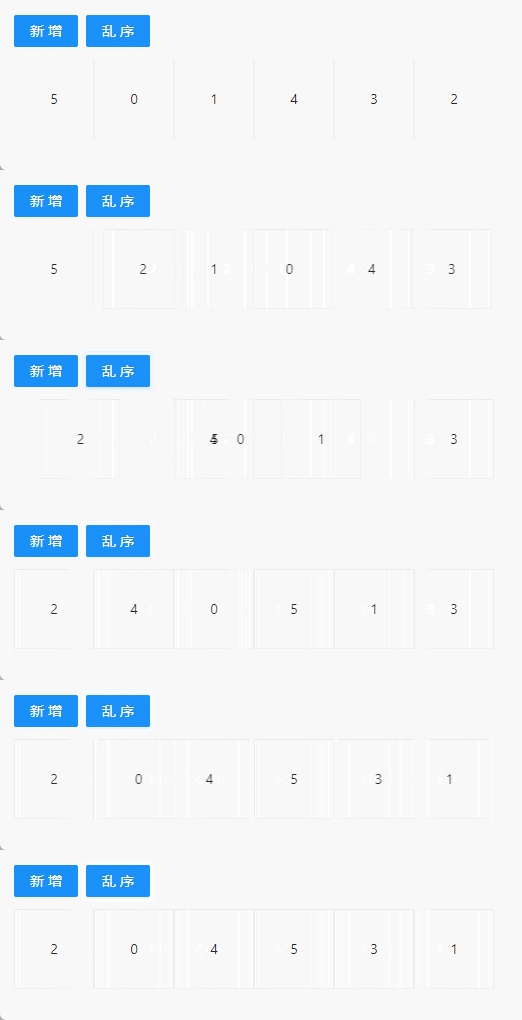
When we develop animation , In order to pursue better transition effect , We need to analyze the whole process of animation more deeply . But the process of animation is usually relatively fast , It's hard for the naked eye to see the details .
Since it's too fast , Let's slow down the animation , So slow that we can see . This method is very direct and practical , But you need to modify the code manually , After debugging, it needs to be changed back manually .
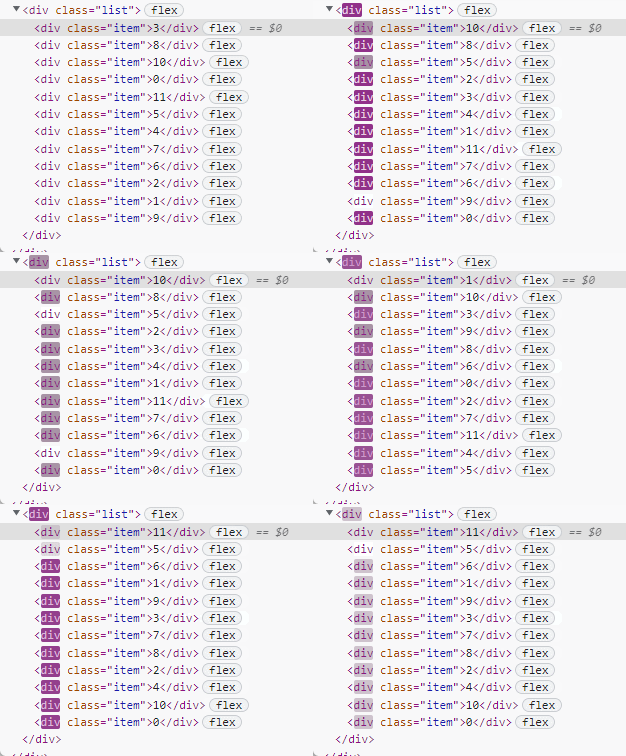
Browser developer tools support animation debugging , The specific location is shown in the figure below :

Click on 10% You can slow down the animation process 10 times , And you can see all the animated elements below .

Click the snapshot list to repeat the animation , It will also be re executed in the interface .

You can even drag the timeline below , To individually control the execution time of an element :

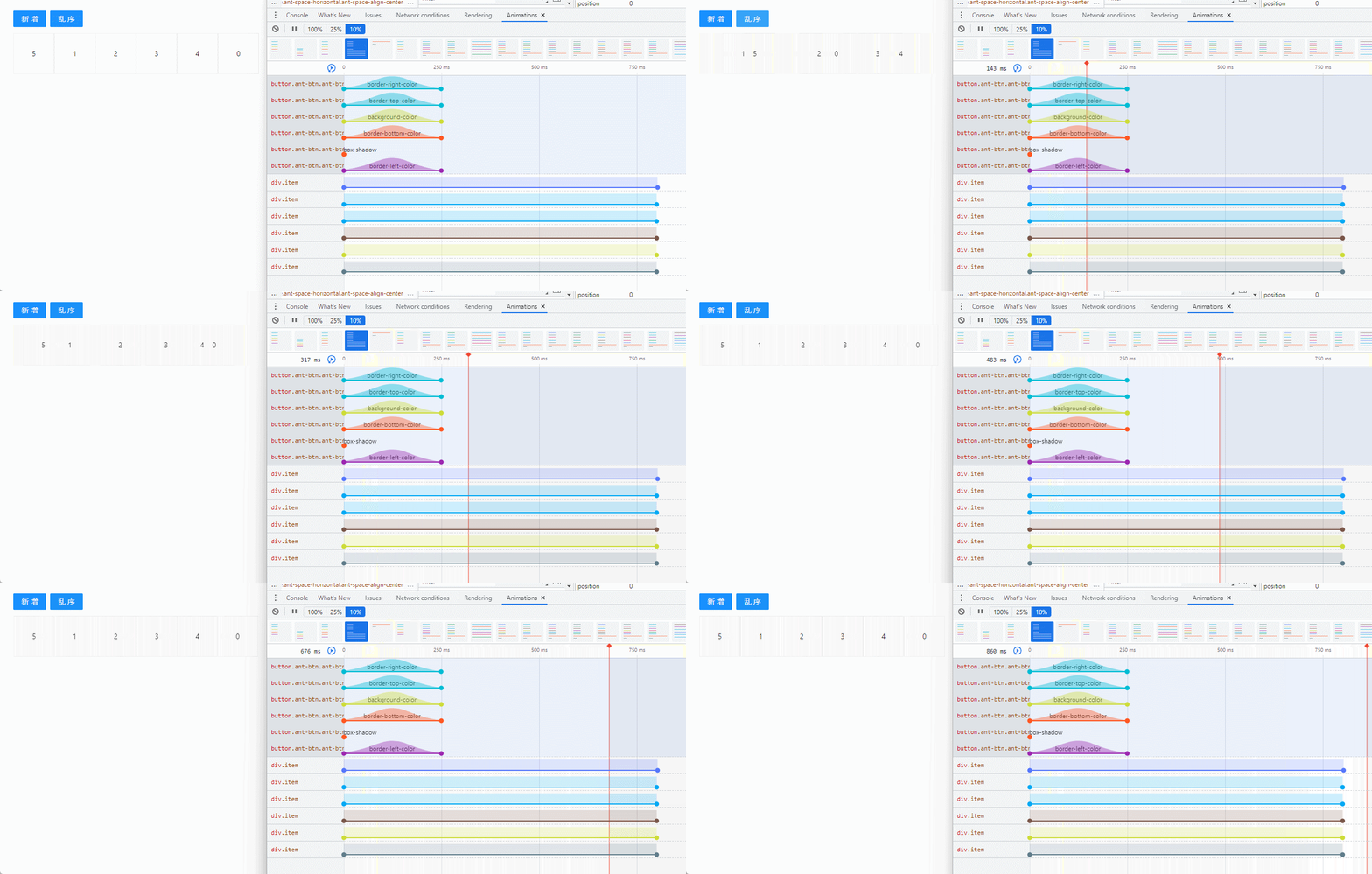
Download this article :https://www.dengzhanyong.com/resource
Personal website :www.dengzhanyong.com
Official account 【 Front end Xiaoyuan 】, Don't miss every article

边栏推荐
- leetcode. 151. flip the words in the string
- Go simple read database
- 3623. Merge two ordered arrays
- HashSet underlying source code
- Minimum spanning tree problem
- How to turn on the hotspot for the mobile phone after the computer is connected to the network cable
- Rasa对话机器人之HelpDesk (三)
- Install pycharm process
- leetcode 206. Reverse linked list
- Kotlin coroutine suspend function suspend keyword
猜你喜欢

【斯坦福计网CS144项目】Lab1: StreamReassembler
![[latex] insérer une image](/img/0b/3304aaa03d3fea3ebb93b0348c3131.png)
[latex] insérer une image

What kind of experience is it to be a software test engineer in a state-owned enterprise: every day is like a war
[Latex] 插入图片

Addition and modification of JPA

Deadlock problem summary

Jenkins continuous integration operation

Physical orbit simulation
![[JS component] previous queue prompt](/img/79/9839f68b191b0db490e9bccbeaae1d.jpg)
[JS component] previous queue prompt

MySQL exception: com mysql. jdbc. PacketTooBigException: Packet for query is too large(4223215 > 4194304)
随机推荐
[backtrader source code analysis 7] analysis of the functions for calculating mean value, variance and standard deviation in mathsupport in backtrader (with low gold content)
Lessons learned from the NLP part of the course "Baidu architects hands-on deep learning"
Continue when the condition is not asked, execute the parameter you compare
MySQL performance analysis - explain
Quantitative investment traditional index investment decision vs Monte Carlo simulation method
Rasa对话机器人之HelpDesk (三)
[latex] insérer une image
How to choose stocks? Which indicator strategy is reliable? Quantitative analysis and comparison of strategic returns of vrsi, bbiboll, WR, bias and RSI indicators
Leetcode-78- subset (medium)
[JS component library] drag sorting component
Et5.0 value type generation
Alexnet实现Caltech101数据集图像分类(pytorch实现)
Understanding of the detach() function of pytorch
Tree - delete all leaf nodes
MySQL异常:com.mysql.jdbc.PacketTooBigException: Packet for query is too large(4223215 > 4194304)
Illustrator tutorial, how to add dashes and arrows in illustrator?
The tle4253gs is a monolithic integrated low dropout tracking regulator in a small pg-dso-8 package.
Common skills for quantitative investment - indicators Chapter 3: detailed explanation of RSI indicators, their code implementation and drawing
Minimum spanning tree problem
[Latex] 插入圖片