当前位置:网站首页>Activereports report practical application tutorial (19) -- multi data source binding
Activereports report practical application tutorial (19) -- multi data source binding
2022-06-22 19:33:00 【Interface development Starling】
ActiveReports Support single data source binding and multi data source binding , This article will focus on how to create regional reports and RDL/ Set multiple data sources for page reports .
obtain ActiveReports v16.0 Download the official version
Regional report multi data source binding
ActiveReports The implementation method of multi data source binding in regional reports is in ActiveReports Regional reports (Section) Loading multiple data sources The article has a very detailed introduction .
RDL/ Page report multi data source binding
RDL/ Multiple data source connections can be added to the page report (DataSource), Multiple datasets can be added under each data source (DataSet, The DataSet Is not System.Data.DataSet type , It is GrapeCity.ActiveReports.PageReportModel.DataSet type ). Next, we will add a data source for the report , And add two datasets to the data source ( Categories and products ).
First step : Create a project named PageReport_DataSource_MultiSources.rdlx Page report for :


The second step : from Visual Studio In the menu bar “ View ”->“ Other windows ”->“ Report Explorer V9” Open in ActiveReports Report Explorer , here , You can see “ data source ” node , Right click the node and select “ Add data sources ” A menu item , In the pop-up “ Report data source ” In the dialog box, follow the wizard steps to connect to a Access database , Here's the picture :

Click on “ determine ” Button , Complete data source creation , here , In the report Explorer window “ data source ” A new node named “DataSource1” Child nodes of .
The third step : stay “DataSource1” Right click the node , choice “ Add dataset ” A menu item , In the pop-up dialog box “ Inquire about ” Write the following... In the tab SQL Query statement [Select * from Category ], And then click “ determine ” Button to complete the data set creation operation . After returning to the report resource management window , Click on “DataSet1” node , You can see SQL The query statement returns all the data fields of the query result .


Step four : Repeat step three , Add a name “DataSet2” Data set of , Corresponding SQL The query statement is [Select * from product ] , And then click “ determine ” Button to complete the data set creation operation . After returning to the report resource management window , Click on “DataSet2” node , You can see SQL The query statement returns all the data fields of the query result .

Step five : stay Visual Studio Table controls in the toolbox (Table) Drag to the report design interface , Then click on the table Detail line Cells in , here , It will automatically display DataSet1 and DataSet2 Two data sets , We specify for the first table DataSet1 data source ; Add the second table repeatedly and specify DataSet2 As its data source .


ActiveReports Report control | Download trial
ActiveReports It's one that focuses on .NET Report control of the platform , Full satisfaction HTML5 / WinForm / ASP.NET / ASP.NET MVC / WPF Report design and development work requirements under the platform , As a professional reporting tool for more than 300,000 Developers provide comprehensive report development services .
Reprinted from Grape City
边栏推荐
- Weizhi technology appeared in the Western Digital Expo, and the space-time AI technology was highly recognized
- 消息中间件(一)MQ详解及四大MQ比较
- 数组对象实现一 一对比(索引和id相同的保留原数据,原数组没有的数据从默认列表加进去)
- Typescript (7) generic
- 插槽里如何判断text为数组
- 实验七 触发器
- 基于云架构的业务稳定性建设思路
- Do you use thread or service?
- Shell script explanation (IV) -- while loop and until loop of loop statements (additional examples and analysis)
- IPLOOK 成为 RedHat(红帽)业务合作伙伴
猜你喜欢

Digital commerce cloud: analyze the design idea of B2B2C multi-user mall system architecture, and open a new era of intelligent mall

Digital enabling machinery manufacturing industry, supply chain collaborative management system solution helps enterprises upgrade their supply chain

Message Oriented Middleware (I) MQ explanation and comparison of four MQS
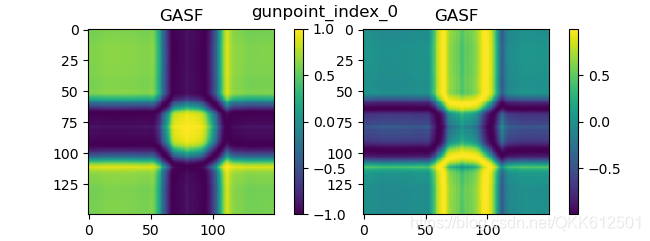
将一维数据(序列)转化为二维数据(图像)的方法汇总GAFS, MTF, Recurrence plot,STFT
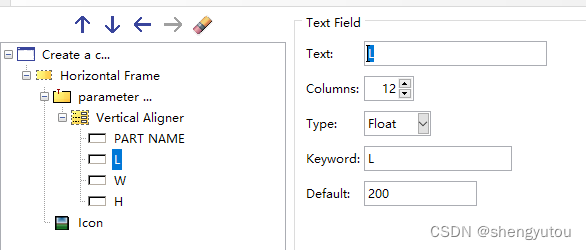
ABAQUS 使用RSG绘制插件初体验

实现领域驱动设计 - 使用ABP框架 - 解决方案概览

Active directory user logon Report

NLP-D57-nlp比赛D26&刷题D13&读论文&&找了一个多小时bug

200亿VS 50亿,“脱水”小红书,到底值多钱?

Experiment 7 trigger
随机推荐
Do you use thread or service?
实践出真知:全网最强秒杀系统架构解密,不是所有的秒杀都是秒杀!!
如何提高工作效率?苹果电脑效率工具合集
org. apache. ibatis. binding. BindingException: Invalid bound statement (not found)
Active directory user logon Report
通过base64下载文件(将base64转为blob)
数组对象根据id一 一对应填入(将arr1填入arr2中)
界面开发组件DevExpress ASP.NET Core v21.2 - UI组件增强
Digital enabling machinery manufacturing industry, supply chain collaborative management system solution helps enterprises upgrade their supply chain
实验七 触发器
ABAQUS 使用RSG绘制插件初体验
20billion vs 5billion, how much is the "dehydration" little red book worth?
线程池:ThreadPoolExcutor源码阅读
Flutter系列-搭建Flutter开发环境
【建议收藏】消息队列常见的使用场景
C#,入门教程——关于函数参数ref的一点知识与源程序
Screw数据库文档生成器
贪心之分配问题(1)
同花顺难开户么?网上开户安全么?
结构型模式之装饰者模式