当前位置:网站首页>Redistemplate pipeline use
Redistemplate pipeline use
2022-07-23 08:23:00 【Thai_】
Official document :https://docs.spring.io/spring-data/redis/docs/current/reference/html/
One 、 Preface
When a large number of writes or queries need to be performed , Use redis The execution performance of commands is certainly not as good as that of executing them at one time ; Suppose you finish executing a redis The network time of the command is 20ms, Yes 1 Ten thousand orders need to be executed , Just calculate the network time for sending these commands 200,000ms(200s), This is unacceptable , We can use RedisTemplate The pipes provided are executed in batches .
According to the description on the official website :Redis Provide for the right to pipelining Support for , When sending multiple commands to the server , There is no need to wait for every command response , Then read all the responses in one step . Send and return after packaging commands , To some extent, it saves the network io Time consuming .
Two 、Pipelining Introduction and use
We use Spring Of RedisTemplate To perform pipeline operations ,RedisTemplate Provides the method of piping , Here's the picture :
It can be seen that SessionCallback And RedisCallback, Their main differences are API Encapsulation ,RedisCallback It is native api,SessionCallback by Spring Packaged api.
The following figure for SessionCallback Methods :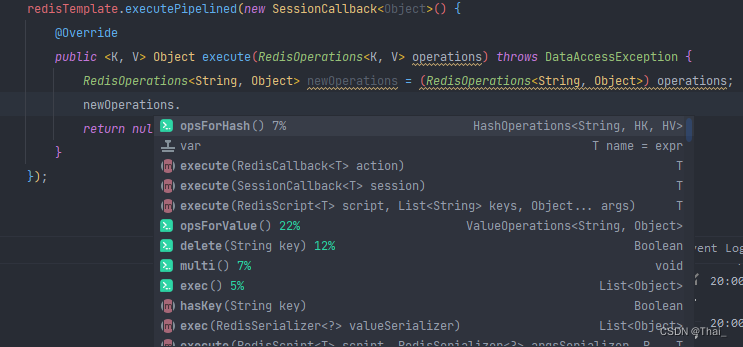
Trace the source code to know the input parameters RedisOperations<K, V> operations In fact, that is RedisTemplate In itself , So all operations are encapsulated api
	private Object executeSession(SessionCallback<?> session) {

		return session.execute(this);
	}
The following figure for RedisConnection Methods :
alike , We can trace the source code to know that the input parameter is RedisConnection
public <T> T execute(RedisCallback<T> action, boolean exposeConnection, boolean pipeline) {


		//  A little ...

		RedisConnectionFactory factory = getRequiredConnectionFactory();
		RedisConnection conn = RedisConnectionUtils.getConnection(factory, enableTransactionSupport);

		try {


			boolean existingConnection = TransactionSynchronizationManager.hasResource(factory);
			RedisConnection connToUse = preProcessConnection(conn, existingConnection);

			boolean pipelineStatus = connToUse.isPipelined();
			if (pipeline && !pipelineStatus) {

				connToUse.openPipeline();
			}

			RedisConnection connToExpose = (exposeConnection ? connToUse : createRedisConnectionProxy(connToUse));
			//  The parameter for  connection
			T result = action.doInRedis(connToExpose);

			// close pipeline
			if (pipeline && !pipelineStatus) {

				connToUse.closePipeline();
			}

			return postProcessResult(result, connToUse, existingConnection);
		} finally {

			RedisConnectionUtils.releaseConnection(conn, factory, enableTransactionSupport);
		}
	}
Therefore, the main difference between the two is that they provide different methods , If you want to use native api Then use RedisCallback, Want to use Spring Give us the encapsulated api Then use SessionCallback.
The basic realization of pipeline is introduced , Let's say SessionCallback Implementation to talk about how to use :
write in :
SessionCallback<?> sessionCallback = new SessionCallback<>() {

    @Override
    public <K, V> Object execute(RedisOperations<K, V> operations) throws DataAccessException {

        //  Turn to you  RedisTemplate  that will do
        RedisTemplate<String, Object> ops = (RedisTemplate<String, Object>) operations;
        ops.opsForValue().set("key", "value");
        //  Must return  null,
        return null;
    }
};
redisTemplate.executePipelined(sessionCallback);
Note that the return value must be null, Otherwise, an error will be reported ; The source code judges whether the result is null The logic is as follows :
Object result = executeSession(session);
if (result != null) {

    throw new InvalidDataAccessApiUsageException("Callback cannot return a non-null value as it gets overwritten by the pipeline");
}
Read :
SessionCallback<?> sessionCallback = new SessionCallback<>() {

    @Override
    public <K, V> Object execute(RedisOperations<K, V> operations) throws DataAccessException {

        //  Turn to you  RedisTemplate  that will do
        RedisTemplate<String, Object> ops = (RedisTemplate<String, Object>) operations;
        ops.opsForValue().get("key");
        //  Must return  null,
        return null;
    }
};
redisTemplate.executePipelined(sessionCallback);
It should be noted that we You can't Store the results directly , Like this ×
List<Object> results = new ArrayList<>(10);
SessionCallback<?> sessionCallback = new SessionCallback<>() {

    @Override
    public <K, V> Object execute(RedisOperations<K, V> operations) throws DataAccessException {

        //  Turn to you  RedisTemplate  that will do
        RedisTemplate<String, Object> ops = (RedisTemplate<String, Object>) operations;
        results.add(ops.opsForValue().get("key"));
        //  Must return  null,
        return null;
    }
};
In this way, you can't get the required query results , The correct way is to get the return result from the pipeline execution √
List<Object> resultObjs = redisTemplate.executePipelined(sessionCallback);
From the source code, we can know , The result is indeed obtained from the pipeline
Object result = executeSession(session);
if (result != null) {

	throw new InvalidDataAccessApiUsageException("Callback cannot return a non-null value as it gets overwritten by the pipeline");
}
//  The implementation inside is roughly from  future  in  get  Get the results ; The specific steps are not analyzed here , If you are interested, you can see the source code yourself
List<Object> closePipeline = connection.closePipeline();
3、 ... and 、 test
Let's test whether to write with or without pipeline key Time consuming . notes :Redis Single node
- First, test the unused pipeline , write in 1 m key Time consuming
    @Test
    public void write() {

        TimeInterval timer = DateUtil.timer();
        String keyPrefix = "writeTest:";
        ValueOperations<String, Object> operations = redisTemplate.opsForValue();
        for (int i = 0; i < 10000; i++) {

            operations.set(keyPrefix + i, i);
        }
        System.out.println(" write in  1  m  key  Time consuming :" + timer.intervalMs() + " ms");
    }
The output is : write in 1 m key Time consuming :5796 ms
- Then test the time-consuming situation of using the pipeline
@Test
   public void write() {

       TimeInterval timer = DateUtil.timer();
       String keyPrefix = "writeTest:";
       SessionCallback<?> sessionCallback = new SessionCallback<>() {

           @Override
           public <K, V> Object execute(RedisOperations<K, V> opt) throws DataAccessException {

               RedisTemplate<String, Object> template = (RedisTemplate<String, Object>) opt;
               ValueOperations<String, Object> operations = template.opsForValue();
               for (int i = 0; i < 10000; i++) {

                   operations.set(keyPrefix + i, i);
               }
               return null;
           }
       };
       redisTemplate.executePipelined(sessionCallback);
       System.out.println(" write in  1  m  key  Time consuming :" + timer.intervalMs() + " ms");
   }
The output is : write in 1 m key Time consuming :626 ms
From the output results, it is obvious that the use of pipes has greatly improved the performance of batch insertion and reading !!
Four 、 summary
This article mainly introduces in Spring There are two ways to use pipes in , Respectively SessionCallback And RedisCallback Method overload ; The differences between them are introduced , And introduced SessionCallback Method how to write and read ; Finally, simply compare the performance difference between using pipeline and not using pipeline in batch writing .
边栏推荐
- Example analysis of SQL error reporting and blind injection
- Web resource sharing
- RequestContextHolder
- 高精度移相(MCP41xx)程序stm32F103,F407通用,更改引脚即可(SPI软件模拟通信)
- y74.第四章 Prometheus大厂监控体系及实战 -- PromQL简介和监控pod资源(五)
- 批量可视化目标检测标注框——YOLO格式数据集
- oh-my-zsh
- Internet traffic scheduling scheme
- Networkx visualizes graphs
- Get a control width
猜你喜欢

Promise (I)

Networkx visualizes graphs

三种缓存策略:Cache Aside 策略、Read/Write Through 策略、Write Back 策略

Xiaohongshu joins hands with HMS core to enjoy HD vision and grow grass for a better life

H7-TOOL串口脱机烧录操作说明,支持TTL串口,RS232和RS485(2022-06-30)

Get a control width

学习总结 | 真实记录 MindSpore 两日集训营能带给你什么(一)!

论文阅读:The Perfect Match: 3D Point Cloud Matching with Smoothed Densities

The cubic root of a number

树以及二叉树的常用性质以及遍历
随机推荐
昇思易点通 | 经典卷积神经网络的深度学习解析
93.(leaflet篇)leaflet态势标绘-进攻方向修改
小红书携手HMS Core,畅玩高清视界,种草美好生活
How to realize synchronized
Web resource sharing
Can the formatted data of the USB flash disk be recovered? How to recover the formatted data of the USB flash disk
Go 并发编程基础:什么是上下文
获取一个控件宽度
SSH 免密登陆配置
C language function (1)
Typora设置标题自动添加序号
uni-app进阶之内嵌应用【day14】
bryntum Kanban Task Board 5.1.0 JS 看板
I can't be angry with "voluntary salary reduction". I'm naked. I'm three times in four days. How can it end like this?
Flink高级API(三)
Redis profile
Chapter 3 stack
构造函数的初始化、清理及const修饰成员函数
Solution to the second game of 2022 Hangzhou Electric Multi school league
阿里云国际版注册成功后添加支付方式