当前位置:网站首页>Start with the strategy of small market value factor, and take you into quantitative investment (with the strategy of 77.83% annualized return)
Start with the strategy of small market value factor, and take you into quantitative investment (with the strategy of 77.83% annualized return)
2022-06-22 05:04:00 【Quantized cipher base】
With the rise of quantitative investment in China , More and more people begin to study quantitative investment . But many of them are learning code 、 In the process of studying strategy , But quantitative investment can also be very simple .
today , We Take the classic small market factor strategy as an example , Demonstrate how to use Nuggets quantitative terminal ( hereinafter referred to as “ Nugget terminal ”) Getting started quantifying investment !
Before writing , First confirm the subject matter of our transaction 、 Transaction time and transaction logic , The settings here are as follows :
- The subject matter of the transaction : The whole market A Stock ( Remove the suspension 、ST stocks 、 New shares )
- Trading hours : The first trading day of every month , Swap positions for shares
- Transaction logic : Equal rights to buy the one with the smallest market value N Stock only
next , Open the Nuggets terminal , stay “ Quantitative research ” Create a new strategy under the section of .

After clicking , Pop up the policy template , The programming language can be selected on the leftmost side , Support Python、C++、C# and Matlab, Default here is Python.
The second column is the policy template type , You can choose “ Empty strategy ”、“ Event driven ”、“ Data research ” Or example strategies , Here we choose “ Timing task ” Templates ;
On the right is the policy name and its code , Change the name to “ Small market factor strategy ” And confirm , Then click “ Policy editing ” You can enter the policy editing page .

Here we introduce the basic strategy programming framework .
The policy programming interface is shown in the following figure , On the left is the policy file , Resource manager , Here you can get the storage address of this policy , The right side is main.py The content of the document , It is also the main file of this policy .
The document mainly contains four contents :
- Strategy module : Modules required for this strategy ;
- Policy initialization : initialization init() The function only runs once when the policy first runs ;
- Policy subject : Implementation of policy logic ;
- Basic policy parameters : The start time of back test can be adjusted 、 The way of restoration of rights 、 Initial funding 、 Commission rate and sliding point, etc .
After understanding the framework , We started writing strategies .
1、 Adjust basic policy parameters ;

The back test interval of the strategy is modified to 2021 So far this year (2021-01-01 08:00:00 to 2022-02-17 16:00:00).
The strategic capital is changed to 100W, The remaining parameters are based on the default parameters , No modification for the time being .
PS:''' ''' Annotate the area , Used to annotate the content , Easy to program and read .
2、 Modify policy initialization ;

Schedule() Function configures functions for scheduled tasks , You can specify a time to automatically execute the policy algorithm , among schedule_func Parameter specifies the target timing function ,date_rule Parameter setting timing frequency ,time_rule The parameter sets the specific execution time of the function .
Here we set it as 1 Months (date_rule=1m), The specific time is 09:30:00(time_rule=09:30:00). A variable that defines the number of stock pools :context.num = 10
3、 Design strategy body logic ;
1) Get all A Stock code :
We can dig gold SDK Medium get_instrumentinfos() Function to query the basic information of the transaction object , To get the stock code ; In this function sec_types Parameters , Shares can be specified 、 futures 、 Fund convertible bond and other subject categories .
#  Get the current full A Stock code
symbol_info = get_instrumentinfos(sec_types=SEC_TYPE_STOCK, fields='symbol,listed_date,delisted_date', df=True)
2) Eliminate high-risk tradable stocks ( Delisted stocks 、 Unlisted shares 、ST Stocks 、 Suspended shares 、B stocks ):
In the above function , We further obtained the stock code (symbol)、 Listing date (listed_date) And delisting date (delisted_date). The current time of the back test context.now And the launch date 、 Compare delisting dates , Delisted stocks and unlisted stocks can be excluded .
#  Exclude unlisted 、 Delisted shares
symbol_info = symbol_info[(symbol_info['listed_date']<context.now) & (symbol_info['delisted_date']>context.now)]
3) To eliminate ST Stocks 、 Suspended shares :
Nuggets terminal has integrated this information into get_history_instruments() function , In the returned data center ,sec_level=1 Represents the normal state ,sec_level=2 representative ST stocks ,is_suspended=0 Means non suspended stock .
 #  To eliminate ST Stocks 、 Suspended shares
symbol_info = get_history_instruments(symbols=list(symbol_info['symbol']), start_date=context.now, end_date=context.now, fields='symbol,sec_level,is_suspended', df=True)
symbol_info = symbol_info[(symbol_info['sec_level']==1) & (symbol_info['is_suspended']==0)]
4) To eliminate B Stock :
Here we can judge directly by the stock code , among B Class A shares are represented by 9 and 2 At the beginning .
#  To eliminate B stocks
symbols = [code for code in list(symbol_info['symbol']) if code[:6]!='SHSE.9' and code[:6]!='SZSE.2']
5) Get the market value of the underlying stock , And sort them in ascending order :
Here we need to use the fundamental data of stocks , Nuggets terminal get_fundamentals_n() Function provides basic data query function . Query the required basic data in the financial data document , The total market value here is ’TOTMKTCAP’ Field , The table name where the field is located 、 Stock code to be queried 、 The query time and query quantity are filled in this function , You can easily get the stock market value .
The sorting function is used to sort_values() Realization , The default is to sort from small to large .
#  Get the market value of all shares , And sort them in ascending order
fundamental = get_fundamentals_n(table='trading_derivative_indicator',symbols=symbols,end_date=last_date,count=1,fields='TOTMKTCAP',df=True).sort_values(by='TOTMKTCAP')
6) Get the last trading day :
In the above function , We need to get the data of stock market value before trading , To do this, you need to first query the date of the previous trading day . Here we use get_previous_trading_date() function , You can easily get the last trading day of the specified date .
#  Last trading day
last_date = get_previous_trading_date(exchange='SZSE', date=context.now)
7) Before getting the minimum market value N Stock only :
Because the market value data sorted from small to large was obtained in the previous article , So here we only need to intercept the front of the data N Just stock , Call the number of stocks set in the initialization function context.num.
#  Before acquisition N Stock only
to_buy = list(fundamental.iloc[:context.num,:]['symbol'])
print(' The number of shares in this stock pool : ', len(to_buy))
8) Transaction logic _ purchase :
Acquired the stock pool to be purchased , The next step is to set up the programming of buying logic . Here we can loop through the stock pool , Buy stocks one by one .
Nuggets provides a variety of trading functions , Including the specified total amount entrustment 、 Specify value delegation 、 Specify percentage delegation, etc . As we are buying stocks in full position and equal amount , It is more convenient to use the method of specifying percentage delegation .
First , Calculate the weight of each stock .
#  Get the weight of the stock
percent = 1 / len(to_buy)
Recycle buy , Call the specified percentage delegate order_target_percent() function , among order_type Parameters mainly include market price entrustment and price limit entrustment , Here we entrust with the market price OrderType_Market, At the same time, this is for buying and building positions , therefore position_side The parameter is set to long ,PositionSide_Long. ad locum , We added a buy_symbols List variables to record the stocks purchased , And print out .
#  Buy stocks in the underlying pool
buy_symbols = []
for symbol in to_buy:
order_target_percent(symbol=symbol,percent=percent,order_type=OrderType_Market,position_side=PositionSide_Long)
buy_symbols.append(symbol)
print('{}, A market order to buy a stock :{}'.format(context.now,buy_symbols)
9) Transaction logic _ sell :
The selling logic is similar to the buying logic , In a circular way , Sell stocks one by one . First, we need to acquire the stocks we currently hold .
#  Current position
positions = context.account().positions()
Cycle through the positions , Determine whether the position shares are in the stock pool to be purchased , If not in the stock pool to be purchased , Sell the stock .
The selling function called here , It also uses the specified percentage delegation order_target_percent() function , Set the expected proportion of the stock in the total assets as 0, At the same time, the order type is set to market price entrustment OrderType_Market, Multi warehouse type PositionSide_Long. Simultaneous addition sell_symbols List variables to record stock sales , And print out .
#  Shares that are not in the underlying pool
sell_symbols = []
for position in positions:
    symbol = position['symbol']
    if symbol not in to_buy:
       order_target_percent(symbol=symbol,percent=0,order_type=OrderType_Market,position_side=PositionSide_Long)
       sell_symbols.append(symbol)
print('{}, The market price list sells stocks :{}'.format(context.now,sell_symbols))
4、 Historical backtesting ;
After writing the policy , We can carry out the back test .
On the policy edit page , Click on the “ Run back test ”, The Nuggets terminal will pop up automatically cmd window , Automatic run back test , When cmd In the window “ Please press any key to continue ...” when , Represents the end of the back test .

5、 View strategy backtesting performance .
When the back test is completed , The Nuggets terminal will generate a back test performance report . There are two ways to view : The first is in the policy editing interface , Click on the “ Back test history ” see .

The second is to return to “ My strategy ” page , Click... On the right side of the corresponding policy “ Number of back tests ”, You can enter “ Back test history ” page , View all back tests in history .


The performance overview of the back test is shown in the historical back test list , Including the time of running the back test 、 Start date and end date of back test 、 The cumulative yield of the back test 、 Maximum backtesting 、 Sharp ratio 、 Back test progress 、 Time consuming and remarks , And delete button . Click the back test , You can enter the back test details page , Here's the picture :

On the back test details page , You can query the historical backtesting performance of the strategy , Signal analysis 、 Transaction details 、 Daily position and other information . that , How did the strategy perform this time ?
As can be seen from the report ,2021 year 01 month 01 solstice 2022 year 02 month 17 During the day , Strategy cumulative revenue 88.06%, The maximum withdrawal is 23.43%, The annualized rate of return is 77.83%, Shanghai and Shenzhen in the same period 300 The yield of the benchmark index -12.12%.
Strategy far outperforms the market , Compared with the withdrawal of the current star funds at every turn in the twenties and thirties , The small market strategy is still sound !
Friends interested in this , You can get the strategy source code through the Nuggets community and do your own research ~
I believe that through today's content , We also have a certain understanding of the quantitative investment and the use of the Nuggets terminal , The next step is to do it yourself , Build your first quantitative strategy !
- End -
Welcome to download Nuggets quantification terminal , Use the quantitative investment research function for free .
Official website :https://www.myquant.cn/
Policy source :https://bbs.myquant.cn/topic/2740
Statement : This content is original by nuggets , Just for learning 、 communication 、 For demonstration , Does not constitute any investment proposal ! If you need to reprint, please contact Nuggets Q(VX:myquant2018) to grant authorization , Otherwise, it will be treated as infringement !
边栏推荐
- It is easy to analyze and improve R & D efficiency by understanding these five figures
- lua笔记
- C语言自定义函数的一些注意事项
- LeetCode——二叉搜索树的第k大节点(借助中序遍历)
- flink部署模式(一)- standalone和application
- Web design and production final assignment report - minority music website
- Fancy optimizer finishing
- [fault diagnosis] CUDA kernel errors might be asynchronously reported at some other API call, so the stacktrace B
- mysql常用sql
- mysql day03课堂笔记
猜你喜欢

Network Interview eight part essay of daily knowledge points (TCP, startling group phenomenon, collaborative process)

JUC - thread interrupt and thread waiting and wakeup (locksupport)
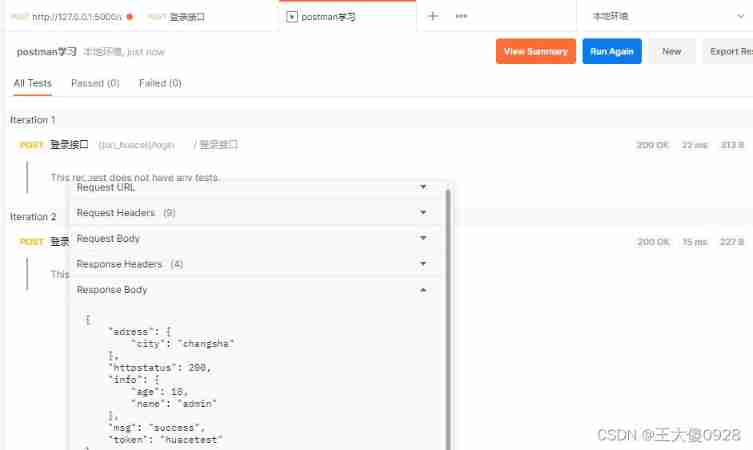
Postman uses (reads) JSON files for batch testing

NLP 的 不可能三角?

Understanding of service container, service provider and facade of laravel
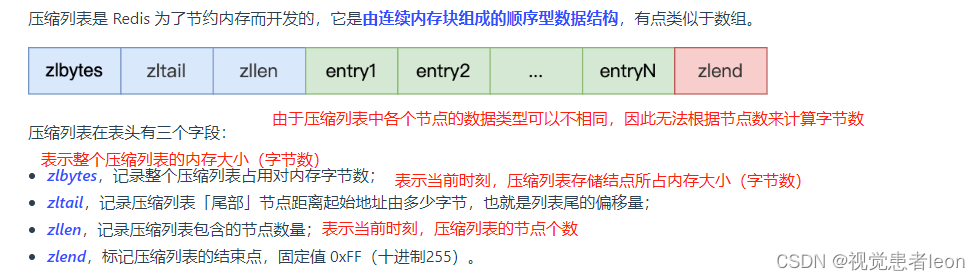
Remote dictionary server (redis) - a kV based NoSQL database management system used as a cache
laravel的服务容器,服务提供者,门面的理解

Web page design and production final assignment report - College Students' online flower shop

10 "no no no" redis interview questions
![[scientific research notes] focal loss](/img/ca/4a30fd925b87ed2baa2523d8dbf59d.png)
[scientific research notes] focal loss
随机推荐
Postman uses (reads) JSON files for batch testing
flink部署模式(二)- yarn三种部署模式
In 2022, the postgraduate entrance examination ran aground | how to counter attack famous IT enterprises and become a programmer in three months
zipimport.ZipImportError:
Monorepo丝滑方法论:引用模块热更新
[fault diagnosis] using multithreading, the program does not report an error but does not run
[details] domestic website filing process and steps
Software architecture and pattern: structure, component and relationship
数据库---基础知识
Fancy optimizer finishing
Importbeandefinitionregistrar registers beans with the container
Slurm tutorial
并发编程——线程池
VirtualBox 6.1.34 发布
Flynk deployment mode summary
Zset type of redis
数据的备份与恢复
A domestic developer opened the "programmer's Guide to cooking" and became popular!
Go learning (II. Built in container)
What problems will be encountered during the implementation of MES management system