当前位置:网站首页>3DMAX plug-in development environment configuration and fileexport and utilities template testing
3DMAX plug-in development environment configuration and fileexport and utilities template testing
2022-06-23 07:29:00 【Chicken with vegetables】
List of articles
Reference material :
Detailed explanation 3ds Max SDK Environment building
Development version :
3dmax2012
VS2015
- VS And 3dmax Version correspondence table of
 Corresponding table :
	For Visual Studio 2010 use: Wizard=VsWizard.VsWizardEngine.10.0
	For Visual Studio 2012 use: Wizard=VsWizard.VsWizardEngine.11.0
	For Visual Studio 2015 use: Wizard=VsWizard.VsWizardEngine.14.0
	For Visual Studio 2017 use: Wizard=VsWizard.VsWizardEngine.15.0
VS Suggest 2015 edition , relative 2017、2019 etc. VS edition , The file path is closer to the official .
VS Download of old version : download iso CD image
After the project is created , You need to configure the path of the project , To make VS stay Debug/Release Open successfully in mode 3dmax

Debug Symbols Set up
In some calls SDK The case of other functions involves SDK The debugging symbol table will be missing when the internal function is used (pdb), So in Vs Of Tools Medium Debugging Of Symbols Add AutoDesk The symbol table of URL( The URL If it cannot be parsed by the browser, it will display 403, But it can be VS Download )
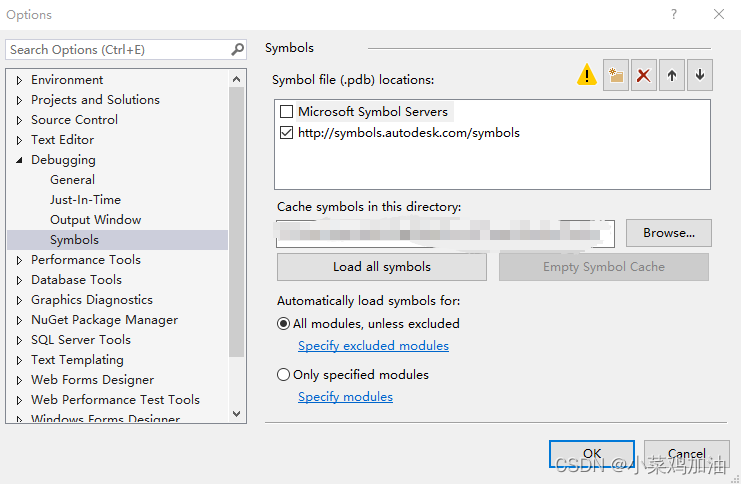

Wait patiently for the first download , Because you need to download pdb There are a lot of documents , And when the download is complete, open 3dmax May also download .
After the first download, return to the setting interface , take url Uncheck the ,Vs Will use local pdbcache cache .
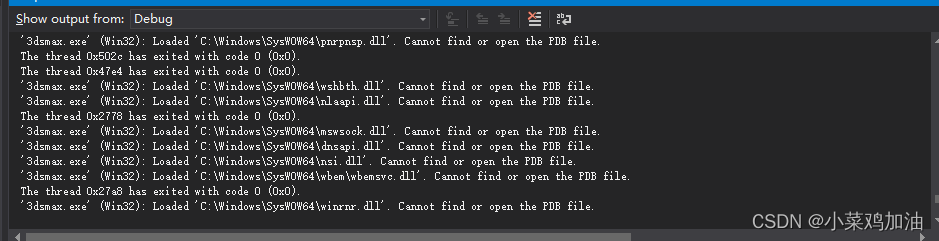
If there are still strange problems, you can try to MsSymbolSever Check and load the symbol table again . perhaps Debug Change the mode to mixed mode or Rebuild Look at the engineering documents .
FileExport Template testing
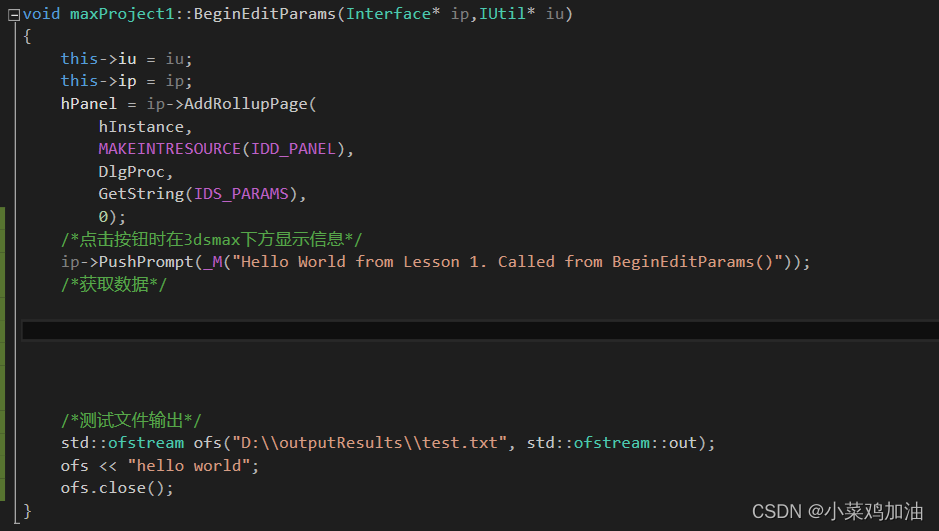
Test code :

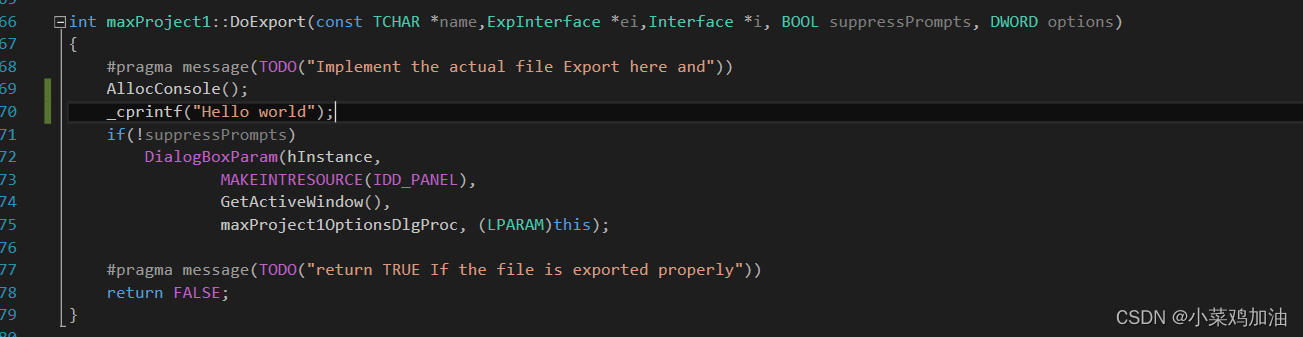


here 3dmax Successfully opened , Load a model and proceed Export Export discovery test succeeded .
![[ Failed to transfer the external chain picture , The origin station may have anti-theft chain mechanism , It is suggested to save the pictures and upload them directly (img-zTi1h7Bs-1655542742598)(C:\Users\yancaibo\Desktop\ Internship log \ Developing documents .assets\image-20220616093611662.png)]](/img/9c/8919d7fa32ca6d1c57c34cc2f41607.png)

Try exporting again
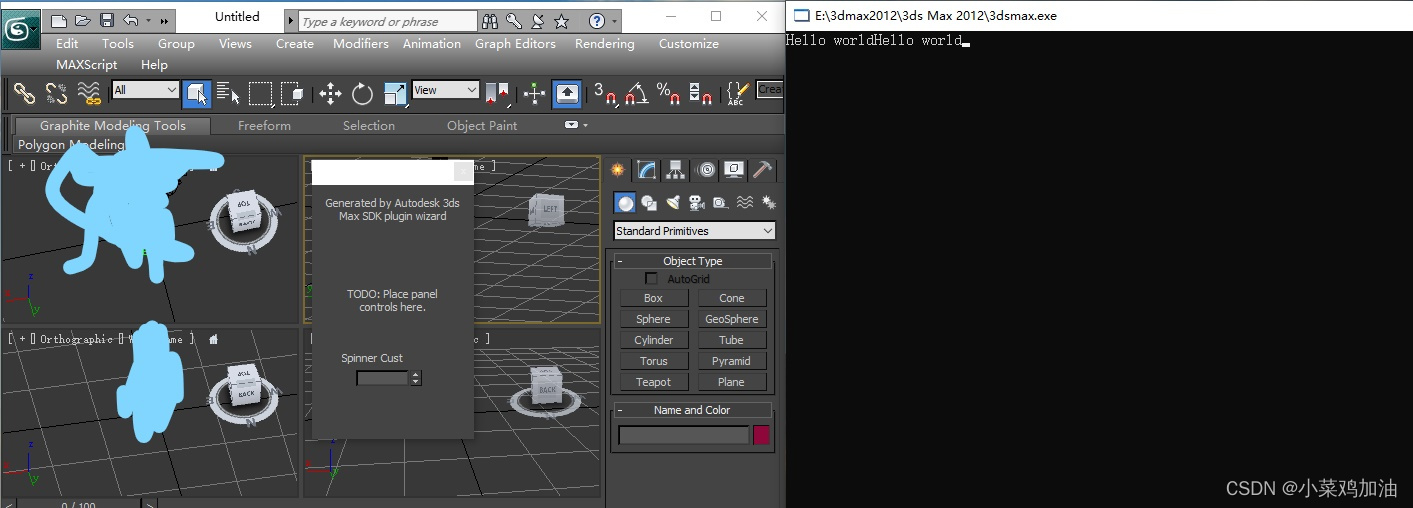
Utilities Template testing
2012MAXSDK Official documents ( Suggest direct Google Search for , It's hard to find the official website , And all the links in the blog jump to the current home page of the official website )
Search keywords
- Browse SDK file , Looking for an interface to add a menu bar
Reference material :
test demo:VS Need to be Utilities Create a template
Usage method :
![[ Failed to transfer the external chain picture , The origin station may have anti-theft chain mechanism , It is suggested to save the pictures and upload them directly (img-WP9eT4bu-1655542742601)(C:\Users\yancaibo\Desktop\ Internship log \ Developing documents .assets\image-20220617105020556.png)]](/img/42/292e1bf57917245a3e1c47929219f8.png)
![[ Failed to transfer the external chain picture , The origin station may have anti-theft chain mechanism , It is suggested to save the pictures and upload them directly (img-2Ix5xUZv-1655542742602)(C:\Users\yancaibo\Desktop\ Internship log \ Developing documents .assets\image-20220617105125479.png)]](/img/3d/d29b6d6ab44272c703a4163c57056a.png)
Click to test the effect of the exported file :

边栏推荐
- 在线文本过滤小于指定长度工具
- 【***数组***】
- 897. incremental sequential search tree
- 传智教育 | 项目发布前如何打tag标签及标签命名规范
- NTU-RGBD数据集下载及数据格式解析
- Nacos adapts to oracle11g- modify the source code of Nacos
- leetcode210. 课程表 II 207. 课程表 拓扑排序 dfs bfs
- 295. median data flow
- leetcode210. Schedule II 207 Curriculum topology sorting DFS BFS
- Tp6 installation expansion
猜你喜欢




随机推荐
控制台程序
Initialization layer implementation
'Latin-1' codec can't encode characters in position 103-115: body ('string of Chinese ') is not valid Latin-1
MySQL(八) — 执行计划(Explain)详解
Nacos adapts to oracle11g- modify the source code of Nacos
char和varchar区别
Arthas-thread命令定位线程死锁
深度学习系列47:超分模型Real-ESRGAN
deeplab v3 代码结构图
100 GIS practical application cases (79) - key points of making multi plan integrated base map
Nacos适配oracle11g-修改Nacos源码
MySQL (II) - MySQL data type
小爱音箱连接网络异常解决办法
306. Addenda
【星球精选】如何高效构建 Roam 与 theBrain 间细粒度双向链接?
pspnet完整代码实现
3dmax插件开发环境配置及FileExport和Utilities模板测试
Here comes the dry goods | PAAS collection to see first ~
Sstable details
307. area and retrieval - array modifiable