当前位置:网站首页>Telnet batch test (II): key codes for the implementation of Telnet batch test script
Telnet batch test (II): key codes for the implementation of Telnet batch test script
2022-06-21 15:00:00 【I've been to places that span an hour】
One 、 introduction
In my last blog, I talked about telnet Elegant stop , That is, through sleep Command to make telnet Command exit , use telnet Judge by the output of the exit telnet The success of .
But unfortunately ,telnet Grace stops at telnet Success and encounter the firewall was forced to disconnect the case , The output is the same :
/wangying$ telnet xxx.xxx.xxx.xxx yyyy
Trying xxx.xxx.xxx.xxx yyyy
Connected to xxx.xxx.xxx.xxx.
Escape character is '^]'.
Connection closed by foreign host.
Want to know telnet The content of elegant stop can refer to my last blog :[telnet Batch test ( One ):telnet The pit between elegant parking and firewall ](https://blog.csdn.net/u012814856/article/details/115211805?spm=1001.2014.3001.5502)
In the last blog , I put forward telnet The question of elegance , It means using telnet Write in an elegant way telnet Batch test scripts are inaccurate . So here comes the question :
How do we write telnet Batch test scripts ?
In this blog , Let's solve this problem .
Two 、 analysis
to want to telnet Batch test , The main problem is to be able to distinguish telnet Different outputs of different results , Especially finding telnet The difference between a successful situation and other situations .
Here I sum up telnet Four situations of :
1. telnet success
This situation requires interactive input of escape characters ctrl + ], Then input q sign out telnet
$ /wangying$ telnet xxx.xxx.xxx.xxx yyyy
Trying xxx.xxx.xxx.xxx...
Connected to xxx.xxx.xxx.xxx.
Escape character is '^]'.
^]
telnet> q
Connection closed.
2. telnet Connection established successfully , But it was cut off by the other party's firewall
/wangying$ telnet xxx.xxx.xxx.xxx yyyy
Trying xxx.xxx.xxx.xxx yyyy
Connected to xxx.xxx.xxx.xxx.
Escape character is '^]'.
Connection closed by foreign host.
3. The opposite port is not started
/wangying$ telnet xxx.xxx.xxx.xxx yyyy
Trying xxx.xxx.xxx.xxx...
telnet: connect to xxx.xxx.xxx.xxx: Connection resused
4. The route cannot reach the corresponding server
/wanying$ telnet xxx.xxx.xxx.xxx yyyy
Trying xxx.xxx.xxx.xxx...
If we can manually write escape characters into the code ctrl + ] Words , You can use a unique string Connection closed. To distinguish between telnet Is it successful .
3、 ... and 、 solve
Fortunately , We can write escape characters manually :
sleep 0.4; echo -e '\x1d' | telnet xxx.xxx.xxx.xxx yyyy
What this command means is :telnet xxx.xxx.xxx.xxx yyyy after , Stop 0.4 Write in seconds \x1d character , This character is ctrl + ] Escape character ASCII Code value 16 Mechanism means .
Through this line of key code , We will be able to achieve telnet Batch test scripts :)
Four 、 summary
To achieve a complete telnet A lot of other knowledge is needed for batch testing scripts , for instance :
- How to extract from the specified text grep come out ip and port Information , This one needs regular expressions
- How to integrate telnet The test results are printed to the screen 、 Write to a file
- How to solve telnet The problem of file writing when the test script is repeatedly executed
- How to solve grep IFS Related issues
Above questions , They are all concrete telnet Problems in writing batch test scripts , This is not discussed in detail in this blog , I believe that those who have a heart will explore and solve it by themselves ~~~
To be Stronger:)
边栏推荐
- Exit() function, macro exit_ Success, macro exit_ Difference between failure, exit() and return
- ES6 test questions
- 进程之间使用共享内存通信
- 启牛学堂app下载证券开户,是安全的吗?有风险嘛?
- Is it safe to open a securities account by downloading the app of qiniu school? Is there a risk?
- Chart. JS 2.0 doughnut tooltip percentage - chart js 2.0 doughnut tooltip percentages
- Num in tensorflow basiclstmcell_ What are units- What is num_ units in tensorflow BasicLSTMCell?
- NPM package management configuration file [package.json and node\u modules configuration details and how to develop their own packages and publish them on NPM]
- Program for counting black and white pixel values in pictures
- Windows系统下C语言连接MySQL
猜你喜欢

Usage of SED (replacement, deletion of text content, etc.)

Chart. JS 2.0 doughnut tooltip percentage - chart js 2.0 doughnut tooltip percentages
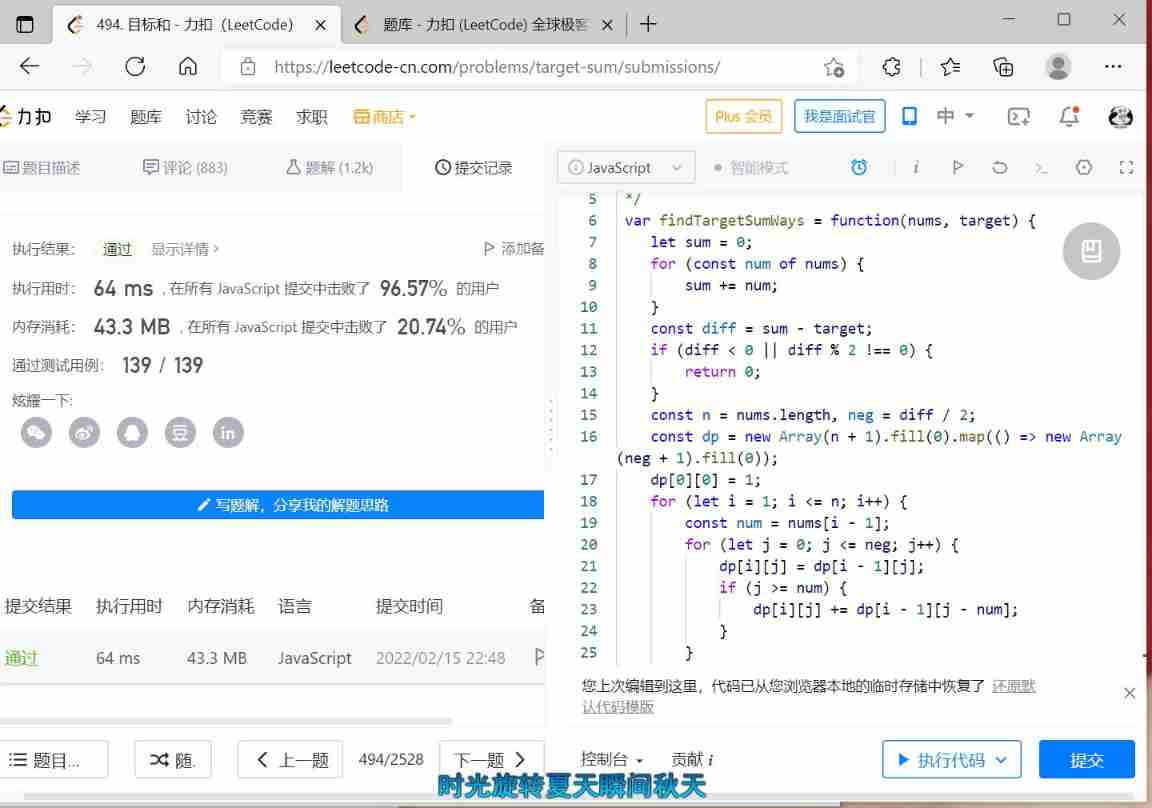
DP question brushing record
![The whole process of Netease cloud music API installation and deployment [details of local running projects and remote deployment]](/img/3b/678fdf93cf6cc39caaec8e753af169.jpg)
The whole process of Netease cloud music API installation and deployment [details of local running projects and remote deployment]

So many statistical charts? This visualizer is great~~

Retrieve the compressed package password

T32 add toolbar button
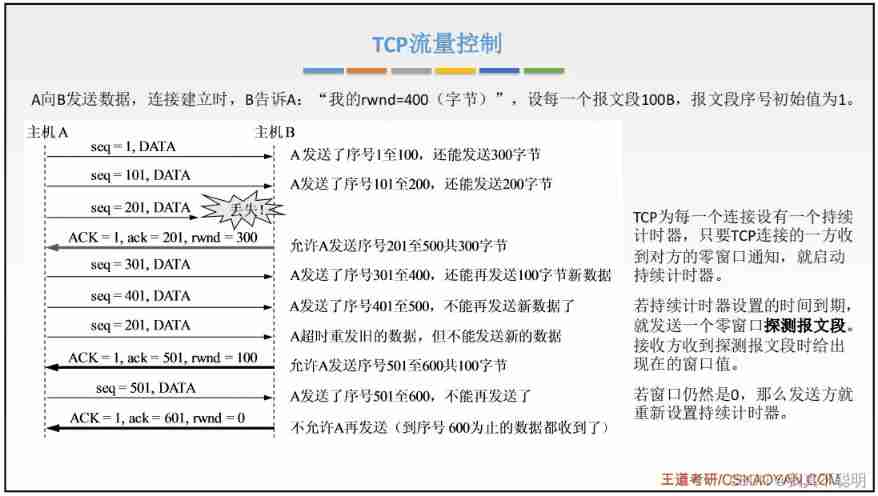
Chapter 5 - application layer

Vscade, open a folder or workspace... (file - > open folder) solution

Analysis of ROC and AUC
随机推荐
JS written test question: array
Exit() function, macro exit_ Success, macro exit_ Difference between failure, exit() and return
Judge password strength - Optimization
ARP interaction process
Redis introduction and Practice (with source code)
Online keyboard key detection tool
My debug Path 1.0
进程之间使用共享内存通信
JS interview question: regular expression, to be updated
Summary of common libraries in machine learning
ES6 test questions
Talk about MySQL's locking rule "hard hitting MySQL series 15"
Selection (041) - what is the output of the following code?
There is a PPP protocol between routers. How can there be an ARP broadcast protocol
. bash_ profile
C language to achieve three chess (detailed explanation)
Chapter 3 - data link layer
Is the switch network layer
启牛学堂app下载证券开户,是安全的吗?有风险嘛?
‘maxflow‘ has no attribute ‘Graph‘