当前位置:网站首页>Five steps to effectively monitor network traffic
Five steps to effectively monitor network traffic
2022-06-24 17:11:00 【Hongke network visualization and security】
How to monitor network traffic ?
Monitoring network traffic is not surprising , But monitoring network traffic in large enterprise organizations is very different from home or home office . Most large companies have a variety of domains , for example WAN,SD-WAN, Data Center ,AWS,Azure etc. . With the expansion of large enterprise network environment , Monitoring network traffic is becoming increasingly difficult . Knowing how to monitor network traffic is critical to ensuring that the network is running at its best . Here are five basic steps for monitoring network traffic .
First step - Identify network data sources
The first step to effectively monitor network traffic is to obtain the visibility of the entire network . This usually requires unifying data from multiple sources , Especially in large networks , It is troublesome and time-consuming to often use a large number of special tools to complete this task .
The data sources used for network monitoring are :
Stream data
Such as LiveNX Such platforms can obtain stream data ( namely Netflow,IPFIX,SFlow,JFlow,LiveFlow etc. ), To have a comprehensive understanding of multiple suppliers , Network performance in multi domain and multi cloud network environments . Using stream data alone can quickly solve about 80% The most common network traffic problems .
Data packets
Packet data is necessary for forensic level analysis , This is important to solve the thorny network application problems ( In especial VoIP And video ) It's necessary . Besides , Using packet capture devices is useful , Because these devices extend the monitoring of network traffic and applications to remote sites and branches ,WAN Edge and data center .
Wireless data
WiFi It is becoming a standard networking method for remote sites and branches . Ability to perform wireless 802.11ac Packet capture for performance analysis is monitoring WiFi The key data source of network traffic .
Device data
Enterprise networks are becoming more and more complex , Usually rely on things like Cisco, Huawei or other suppliers to provide network infrastructure and equipment . Many of these devices are intended for use SNMP or API Data for network traffic monitoring . This data is useful for quickly troubleshooting and solving network problems on specific devices .
The second step – Discover devices and running applications on the network
equipment , Interface , Applications ,VPN And user discovery is critical to monitoring network traffic . Network topology mapper is a network monitoring tool , Key applications for automatically discovering users on the network and leveraging network bandwidth . The basic components of the network topology mapper include the automatic discovery of applications and users on the network , Analyze to create an intuitive , Easy to understand network description , When strategy is not SLA When the parameters are within the range, the network traffic monitoring can be simplified through the alarm function , Of course , It also has the ability to generate and export topology maps for sharing with others .
The third step – Apply the right network traffic monitoring tools
In addition to the network topology mapper , Monitoring network traffic usually requires four other basic network monitoring tools :
NetFlow Analyzer
from Cisco establish , The term “ Netflow Analyzer ” Now it is a general term , Used to describe from any supplier ( for example Juniper,aka,JFlow) Streaming data .IPFIX Is a streaming standard used by many vendors . In short , Traffic analysis of network traffic is very important to understand the whole situation , For example, network traffic from site to site or device to device . Most network traffic problems can be solved by traffic analysis .
Packet analyzer
The packet analyzer is used to decode the actual packets of network traffic ( Such as :Omnipeek). Even though NetFlow Analyzers are useful for most network traffic problems , But packet analyzer allows you to analyze each packet for deep packet checking (DPI) And solve more difficult application problems , Especially with IP voice (VoIP) Issues related to video conferencing , for example Cisco WebEx meeting .
Network performance dashboard
Most network traffic monitoring toolsets come with performance dashboards . These dashboards provide a high-level overview of what is happening to network traffic . Enterprise tools ( for example LiveNX) Allow consolidation of all data sources , So you can really have a comprehensive understanding of the entire network in all domains .
Network monitoring report
Network traffic monitoring usually requires real-time and historical reports . Real time reporting is a kind of visual analysis , You can monitor the current situation of network traffic . Historical reports are useful for troubleshooting network events . Complex network environment requires large-scale report processing , Because the amount of network data may be very large , And make many monitoring tools unable to complete this task .
Active alarm
alert , Especially active alarm , For adjusting network traffic problems that need immediate attention , It is important to separate related issues from noise . These alerts are increasingly made up of AI And machine learning , Thus, the changes of network traffic are interrelated and isolated , To generate meaningful alarms ( Anomaly detection ).
Step four – Monitor traffic from specific network manufacturers
Effective monitoring of network traffic usually depends on the specific network monitoring equipment used . for example , Use Cisco Companies with network devices and software often need tools to monitor them . These include Cisco iWAN,Cisco SD-WAN,Cisco SD-Access and Cisco DNA Center. Although manufacturers often position their products as not requiring specialized network monitoring tools , But these statements are often limited . Because most enterprise companies often use equipment from different suppliers , So the situation becomes more complicated . In order to really monitor the traffic of specific manufacturers throughout the enterprise , You usually need a network monitoring tool set , The toolset can absorb data from multiple vendors to view the entire network .
Step five – Optimize network traffic
The last to monitor network traffic “ how ” The step is to optimize yourself . The optimization of network traffic is divided into four basic categories :
Overall network performance optimization
In order to optimize the complex network environment , Your network performance optimization requires correlation from multiple domains and / Or network data for multi tier applications , For multi-stage performance analysis , Optimization and troubleshooting . Visual analysis , instrument panel , Reports and alerts let you isolate the most common traffic problems , For example, bandwidth consuming applications .
Forensics analysis to optimize
To isolate and solve difficult network application problems , Need to use both stream and packet level data . such , You can isolate problems that may cause slow network speeds , Then drill down from the stream level to the packet level , For forensic level troubleshooting of specific application problems .
voice , Optimization of video and unified communication
The most common and obvious network traffic performance problems are related to collaborative applications . In a low-speed network , End users are using voice , Jitter is often encountered in video or other communication applications , Packet loss . These usually show poor video quality or voice quality . Using flow and packet analysis is essential to isolate and quickly resolve these network traffic problems .
Optimize the service quality level
Service quality (QoS) Related to monitoring and managing data traffic , To reduce network latency for each established service level . establish QoS Policies and managing these policies ensures that network resources get the necessary network bandwidth , To meet the required service levels . Monitor established QoS Policy traffic , It is the basis for correct monitoring and optimization of network traffic .
According to the definition , Network traffic monitoring is used to identify , The process of diagnosing and resolving network problems that affect the performance of applications running on the network . In order to effectively monitor network traffic and quickly solve network problems , There are five basic steps . These steps and the correct monitoring tools ensure that QoS Policy and keep the network running optimally .
边栏推荐
- 未来银行需要用明天的思维,来思考今天架构
- Let ups "Impressionist users" re understand reliability
- Will the easycvr video channel of the urban intelligent video monitoring image analysis platform occupy bandwidth after stopping playing?
- IBM: supporting AI and enterprise digital reshaping in the cloud era with modern architecture
- AFG EDI requirements details
- Pagoda activities, team members can enjoy a lightweight server 1 core 2g5m 28 yuan for two years
- Tencent released "warehouse express" and issued "ID card" for each commodity!
- Tensor and tensor network background and significance - basic knowledge
- Easycvr, an urban intelligent video monitoring image analysis platform, plays national standard equipment videos and captures unstable packets for troubleshooting
- Abstract factory pattern
猜你喜欢

A survey of training on graphs: taxonomy, methods, and Applications

Daily algorithm & interview questions, 28 days of special training in large factories - the 15th day (string)

MySQL learning -- table structure of SQL test questions
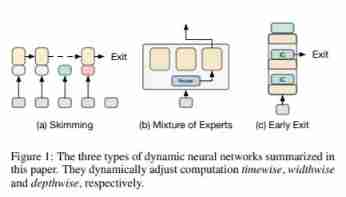
A survey on dynamic neural networks for natural language processing, University of California
![[leetcode108] convert an ordered array into a binary search tree (medium order traversal)](/img/e1/0fac59a531040d74fd7531e2840eb5.jpg)
[leetcode108] convert an ordered array into a binary search tree (medium order traversal)

A survey on model compression for natural language processing (NLP model compression overview)

Why do you develop middleware when you are young? "You can choose your own way"
随机推荐
Yupi made an AI programming nickname generator!
实现TypeScript运行时类型检查
Explore cloudera manager management software tuning (1)
MySQL learning -- table structure of SQL test questions
What is the difference between a network card and a port
Go path customized project path package dependency
How to access tke cluster API interface with certificate or token
TVP experts talk about geese factory middleware: innovating forward and meeting the future
Introduction to koa (II) building the koa program
Management system permission design
Easycvr, an urban intelligent video monitoring image analysis platform, plays national standard equipment videos and captures unstable packets for troubleshooting
The problem is as big as the middle stage
Try catch finally implementation mechanism
Tencent cloud database mysql:sql flow restriction
liver failure! My friend made a programming navigation website!
Markdown syntax -- Formula
Robot toolbox matlab robotics toolbox
How to customize the log output format of zap?
Zblog system realizes the tutorial of the number of articles published on the same day when the foreground calls
FPGA systematic learning notes serialization_ Day9 [serial port printing of PS terminal of Xilinx zynq7000 series]