当前位置:网站首页>WPF DataContext 使用(2)
WPF DataContext 使用(2)
2022-06-22 03:59:00 【flysh05】
1. 使用窗口类的DataContext
  /// <summary>

    /// MainWindow.xaml 的交互逻辑

    /// </summary>

    public partial class MainWindow : Window

    {


        public string MyProperty {
     get; set; } = "Test ";

        public int MyInt {
     get; set; } = 123;

        public MainWindow()

        {


            InitializeComponent();

            this.DataContext = this;

        }

    }
创建窗口2个属性字段,一个字符串属性,一个整型属性。
this.DataContext = this; 窗口界面就使用这个2个属性值的绑定。
窗口创建2个文本,绑定到属性字段。
<Grid>

        <StackPanel>

            <TextBox FontSize="48" Text="{Binding MyProperty}"/>

            <TextBox FontSize="48" Text="{Binding MyInt}"/>

        </StackPanel>

    </Grid>
效果如下:

2. 创建一个类,将类的实例赋值到DataContext
public class Student

    {


        public string Name {
     get; set; } = "Josh";

        public int Id {
     get; set; } = 1002;

    }
public MainWindow()

        {


            InitializeComponent();

            Student std = new Student();

            this.DataContext = std;

        }
前台UI代码创建绑定:
<Grid>

        <StackPanel>

            <TextBox FontSize="48" Text="{Binding Id}"/>

            <TextBox FontSize="48" Text="{Binding Name}"/>

        </StackPanel>

</Grid>
效果如下:

3. 创建界面子元素的DataContext 属性绑定
再添加一个类:
public class Employee

    {


        public int Id {
     get; set; } = 1001;

        public string Name {
     get; set; } = "Mike";

    }
界面设计绑定:
<Grid>

<StackPanel >

            <StackPanel.DataContext>

                <local:Employee x:Name="Emp"></local:Employee>

            </StackPanel.DataContext>

            <TextBox FontSize="48" Text="{Binding Id}"/>

            <TextBox FontSize="48" Text="{Binding Name}"/>

            <StackPanel>

                <StackPanel.DataContext>

                    <local:Student x:Name="Stu"></local:Student>

                </StackPanel.DataContext>

                <TextBox FontSize="48" Text="{Binding Id}"/>

                <TextBox FontSize="48" Text="{Binding Name}"/>

            </StackPanel>

        </StackPanel>

</Grid>
效果如下:

当然类的属性值时可以动态变化的,所以绑定的值也动态可变的。
边栏推荐
- 【牛客刷题-SQL大厂面试真题】NO1.某音短视频
- Solutions pour l'écran bleu idea
- Flutter 颜色渐变及模仿淘宝渐变关注按钮
- How to write a detailed and professional software function test report
- DFS of graph
- Application method and operation of Beifu cx9020 (wince 7) controller
- Relationship among original code, complement code and inverse code
- 便捷自在掌握,vivo智能遥控功能实现全屋家电控制
- Introduction to various models of Beifu embedded controller PLC
- Redis和MySQL如何保持数据一致性?强一致性,弱一致性,最终一致性
猜你喜欢

Interviewer: do you know the life cycle of flutter?
首个女性向3A手游要来了?获IGN认可,《以闪亮之名》能否突出重围

Quickly master asp Net authentication framework identity - user registration
![[BP regression prediction] optimize BP regression prediction based on MATLAB GA (including comparison before optimization) [including Matlab source code 1901]](/img/73/1e4c605991189acc674d85618cf0ef.png)
[BP regression prediction] optimize BP regression prediction based on MATLAB GA (including comparison before optimization) [including Matlab source code 1901]
Flutter 性能优化
【BP回归预测】基于matlab GA优化BP回归预测(含优化前的对比)【含Matlab源码 1901期】

Shutter status management
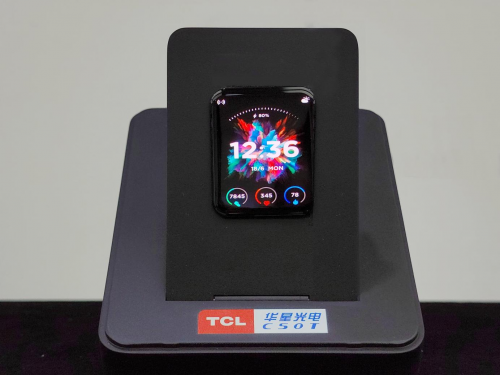
TCL Huaxing released the world's first 0.016hz ultra-low frequency OLED wearable device screen

Solutions pour l'écran bleu idea

A solution to the conflict between the keywords of DM data and the fields of the table
随机推荐
Use of shutter stream
Topological sorting
What are the useful work reporting tools
Twitter如何去中心化?看看这十个SocialFi项目
Interviewer: do you know the life cycle of flutter?
Storage structure of tree
Dart异步是怎么实现
PLC program variable definition and hardware IO Association in Bifu twincat3
便捷自在掌握,vivo智能遥控功能实现全屋家电控制
使用Expanded布局时报错The following assertion was thrown during performLayout
Join waits for synchronization results from multiple threads
套用这套模板,玩转周报、月报、年报更省事
【牛客刷题-SQL大厂面试真题】NO1.某音短视频
Official competition volume and "answer" of "Cyberspace Security" of secondary vocational group in 2019 national vocational college skills competition
Code of ultrasonic rangefinder based on 51 (screenshot version)
How far is the memory computing integrated chip from popularization? Listen to what practitioners say | collision school x post friction intelligence
[Niu Ke's questions -sql big factory interview questions] no1 An audio short video
IDEA安装及其使用详解教程
线索二叉树
基于SSM的博客系统【带后台管理】