当前位置:网站首页>MySQL common basic commands
MySQL common basic commands
2022-07-24 23:48:00 【Clean night mortal dust】
mysql Common basic commands
Database related operations
#  View all databases
show databases;

#  Switch database
use  Database name ;

#  Check the database currently in use
select database();

#  Create database
create database  Data name  charset=utf8;

#  Delete database
drop database  Database name ;
Data table related operations
#  View all tables in the current database
show tables;

#  View table structure
desc  Table name ;

#  Create table
'''
auto_increment Define properties that are listed as self incrementing , Generally used for primary key , The value will be added automatically 1.
 If you don't want the field to be  NULL  You can set the property of the field to  NOT NULL
PRIMARY KEY Keywords are used to define columns as primary keys .  You can use multiple columns to define the primary key , Columns are separated by commas
'''

create table test_table(
    -> id int not null auto_increment,
    -> name varchar(15) not null,
    -> age int not null,
    -> address varchar(105),
    -> create_date date,
    -> primary key (id)
    -> );


#   Modify table  -  Add fields to the table :  If the field name is the same as that in the table, modify the field type
## alter table  Table name  add  Field name   type ;
alter table test_mysql.test_table  add score int not null;

#  Modify table  -  Modify fields :  You cannot add fields to a table , Only existing field types can be modified
## alter table  Table name  modify  Field name   New type ;
alter table test_mysql.test_table modify score decimal(3,1);

#  Modify table  -  Delete field
## alter table  Table name  drop  Field name ;
alter table test_mysql.test_table drop address;

#  Delete table
drop table  Table name ;

#  View the creation statement of the table
show create table  Table name ;
increase 、 Delete 、 Change 、 check
#  Add data
##  Add one piece of data at a time
insert into test_table(id,name,age,create_date,score) values(1,' Xiao Ming ',18,now(),94.5);

##  Add more than one piece of data at a time ( above ID Set self growth , Add data below without manual setting )
insert into test_table(name,age,create_date,score) values
    -> (' Xiaohong ',17,now(),99.4),
    -> (' Small blue ',18,now(),88.6),
    -> (' Little misery ',17,now(),66.3);


#  Query data
##  Inquire about  ID == 1  A single piece of data , where  Followed by   Matching condition .
mysql> select * from test_table where id=1;
+----+--------+-----+-------------+-------+
| id | name   | age | create_date | score |
+----+--------+-----+-------------+-------+
|  1 |  Xiao Ming    |  18 | 2021-09-26  |  94.5 |
+----+--------+-----+-------------+-------+


##  Query all the data
mysql> select * from test_table;
+----+--------+-----+-------------+-------+
| id | name   | age | create_date | score |
+----+--------+-----+-------------+-------+
|  1 |  Xiao Ming    |  18 | 2021-09-26  |  94.5 |
|  2 |  Xiaohong    |  17 | 2021-09-26  |  99.4 |
|  3 |  Small blue    |  18 | 2021-09-26  |  88.6 |
|  4 |  Little misery    |  17 | 2021-09-26  |  66.3 |
+----+--------+-----+-------------+-------+

#  Modifying data
## update  Table name  set  Column 1= value 1, Column 2= value 2... where  Conditions
update test_table set score=54.5 where name=' Little misery ';

#  Delete data
## delete from  Table name  where  Conditions
delete from test_table where id=4;
Sort 、 Aggregate functions
#  Sort
## select * from  Table name  order by  Field name  asc|desc ...
##  Ann is arranged in ascending order
mysql> select * from test_table order by score asc;
+----+--------+-----+-------------+-------+
| id | name   | age | create_date | score |
+----+--------+-----+-------------+-------+
|  3 |  Small blue    |  18 | 2021-09-26  |  88.6 |
|  1 |  Xiao Ming    |  18 | 2021-09-26  |  94.5 |
|  2 |  Xiaohong    |  17 | 2021-09-26  |  99.4 |
+----+--------+-----+-------------+-------+

##  Ann is arranged in descending order
mysql> select * from test_table order by score desc;
+----+--------+-----+-------------+-------+
| id | name   | age | create_date | score |
+----+--------+-----+-------------+-------+
|  2 |  Xiaohong    |  17 | 2021-09-26  |  99.4 |
|  1 |  Xiao Ming    |  18 | 2021-09-26  |  94.5 |
|  3 |  Small blue    |  18 | 2021-09-26  |  88.6 |
+----+--------+-----+-------------+-------+


#  Aggregate functions  -  total
## count (*)  To calculate the total number of lines , Write stars and column names in brackets , The result is the same
mysql> select count(*) from test_table;
+----------+
| count(*) |
+----------+
|        3 |
+----------+

#  Aggregate functions  -  Maximum
## max ( Column )  To find the maximum value of this column
mysql> select max(score) from test_table;
+------------+
| max(score) |
+------------+
|       99.4 |
+------------+

#  Aggregate functions  -  minimum value
## min ( Column )  To find the minimum value of this column
mysql> select min(score) from test_table;
+------------+
| min(score) |
+------------+
|       88.6 |
+------------+

#  Aggregate functions  -  Sum up
## sum ( Column )  Means to find the sum of this column
mysql> select sum(score) from test_table;
+------------+
| sum(score) |
+------------+
|      282.5 |
+------------+

#  Aggregate functions  -  Average
## avg ( Column )  Means to find the average value of this column
mysql> select avg(score) from test_table;
+------------+
| avg(score) |
+------------+
|   94.16667 |
+------------+
grouping
#  preparation , Add data
mysql> insert into test_table(name,age,create_date,score) values
    -> (' Xiaohong ',17,now(),22.7),
    -> (' Xiaohong ',17,now(),88.2),
    -> (' Small blue ',18,now(),92.6),
    -> (' Small blue ',18,now(),66.6),
    -> (' Xiao Ming ',18,now(),92.6),
    -> (' Xiao Ming ',18,now(),33.3),
    -> (' Little misery ',18,now(),92.6);
#  Query data
mysql> select * from test_table;
+----+--------+-----+-------------+-------+
| id | name   | age | create_date | score |
+----+--------+-----+-------------+-------+
|  1 |  Xiao Ming    |  18 | 2021-09-26  |  94.5 |
|  2 |  Xiaohong    |  17 | 2021-09-26  |  99.4 |
|  3 |  Small blue    |  18 | 2021-09-26  |  88.6 |
|  5 |  Xiaohong    |  17 | 2021-09-26  |  22.7 |
|  6 |  Xiaohong    |  17 | 2021-09-26  |  88.2 |
|  7 |  Small blue    |  18 | 2021-09-26  |  92.6 |
|  8 |  Small blue    |  18 | 2021-09-26  |  66.6 |
|  9 |  Xiao Ming    |  18 | 2021-09-26  |  92.6 |
| 10 |  Xiao Ming    |  18 | 2021-09-26  |  33.3 |
| 11 |  Little misery    |  18 | 2021-09-26  |  92.6 |
+----+--------+-----+-------------+-------+

#  grouping
## group by, Query results according to  1  One or more fields to group , The fields with the same value are a set of . Can be used to group individual fields , It can also be used to group multiple fields

##  Group according to a single field
mysql> select name from  test_table group by name;
+--------+
| name   |
+--------+
|  Little misery    |
|  Xiao Ming    |
|  Xiaohong    |
|  Small blue    |
+--------+


# group by +  Set function
##  Example :  Group data tables by name , And count how many records each person has
mysql> select name,count(*) from  test_table group by name;
+--------+----------+
| name   | count(*) |
+--------+----------+
|  Little misery    |        1 |
|  Xiao Ming    |        3 |
|  Xiaohong    |        3 |
|  Small blue    |        3 |
+--------+----------+


# group by + having
## having  Conditional expression : Used to specify some conditions to output query results after grouping query .having  Function and  where  equally , but  having  It can only be used for  group by
mysql> select name,sum(score) as score_count from  test_table group by name having score_count >= 200;
+--------+-------------+
| name   | score_count |
+--------+-------------+
|  Xiao Ming    |       220.4 |
|  Xiaohong    |       210.3 |
|  Small blue    |       247.8 |
+--------+-------------+


# group by + with rollup
## with rollup  The role of is : Add a new line at the end , To record the sum of all records in the current column
mysql> select name,sum(score) as score_count from  test_table group by name with rollup;
+--------+-------------+
| name   | score_count |
+--------+-------------+
|  Little misery    |        92.6 |
|  Xiao Ming    |       220.4 |
|  Xiaohong    |       210.3 |
|  Small blue    |       247.8 |
| NULL   |       771.1 |
+--------+-------------+
Pagination 、 Link query 、 Subquery
#  Paging query
## select * from  Table name  limit start,count  ## from  start  Start , obtain  count  Data
###  Example :  Show the top 5 Data
mysql> select * from test_table limit 5;
+----+--------+-----+-------------+-------+
| id | name   | age | create_date | score |
+----+--------+-----+-------------+-------+
|  1 |  Xiao Ming    |  18 | 2021-09-26  |  94.5 |
|  2 |  Xiaohong    |  17 | 2021-09-26  |  99.4 |
|  3 |  Small blue    |  18 | 2021-09-26  |  88.6 |
|  5 |  Xiaohong    |  17 | 2021-09-26  |  22.7 |
|  6 |  Xiaohong    |  17 | 2021-09-26  |  88.2 |
+----+--------+-----+-------------+-------+

#  Link query
##  preparation  ( establish a、b  The two tables )
mysql> create table a(
    -> id int not null auto_increment,
    -> name varchar(15) not null,
    -> age int not null,
    -> primary key (id)
    -> );

mysql> create table b(
    -> id int not null auto_increment,
    -> uid int,
    -> gender varchar(15),
    -> primary key (id)
    -> );

##  Add data to the two tables
mysql> insert into a(id,name,age) values
    -> (1,'A',18),
    -> (2,'B',19),
    -> (3,'C',20);

mysql> insert into b(id,uid,gender) values
    -> (1,1,'F'),
    -> (2,2,'M');

#  Start connection query
##  Internal connection :  The result of the query is the data matched by the two tables
mysql> select a.*,b.uid,b.gender from a inner join b  on a.id = b.id;
+----+------+-----+------+--------+
| id | name | age | uid  | gender |
+----+------+-----+------+--------+
|  1 | A    |  18 |    1 | F      |
|  2 | B    |  19 |    2 | M      |
+----+------+-----+------+--------+

##  External connection  -  The left outer join  (A left join B)
##  All data in the left table are reserved , The right table shows the records that meet the connection conditions , The records of unsatisfied conditions are all null
mysql> select a.*,b.gender from a left join b on a.id=b.uid;
+----+------+-----+--------+
| id | name | age | gender |
+----+------+-----+--------+
|  1 | A    |  18 | F      |
|  2 | B    |  19 | M      |
|  3 | C    |  20 | NULL   |
+----+------+-----+--------+

##  External connection  -  Right connection  (A right join B)
##  All data in the right table is reserved , The left table shows the records that meet the connection conditions , The records of unsatisfied conditions are all null
mysql> select b.*,a.name,a.age from a right join b on a.id=b.uid;
+----+------+--------+------+------+
| id | uid  | gender | name | age  |
+----+------+--------+------+------+
|  1 |    1 | F      | A    |   18 |
|  2 |    2 | M      | B    |   19 |
+----+------+--------+------+------+

#  Subquery #
##  In a  select  In the sentence , Embedded in another  select  sentence , So embedded  select  Statements are called subquery statements
##  The relationship between main query and sub query :  Subqueries are embedded in the main query ; The subquery is auxiliary to the main query , Or as a condition , Or act as a data source ; Subqueries are statements that can exist independently , It's a complete  select  sentence
###  A single simple example :
mysql> select * from a where id = (select id from b where id=1);
+----+------+-----+
| id | name | age |
+----+------+-----+
|  1 | A    |  18 |
+----+------+-----+
Backup 、 recovery
#  The backup data
##  Back up all data
mysqldump -u root -p -A > all.sql

##  Back up a single library
mysqldump -u root -p test_mysql > test_mysql.sql

## gzip  Compressed backup
mysqldump  -u root -p test_mysql | gzip > test_mysql.sql.gz


#  Restore data
##  Recover all data
mysql -u root -p < all.sql

##  Import a single library ( The imported library must exist )
1. create database test_mysql charset=utf8;
2. mysql -u root -p test_mysql < test_mysql.sql

## gunzip  Restore data
gunzip < test_mysql.gz | mysql -u root -p test_mysql
management 、 to grant authorization
#  View all users
##  Switch database
mysql> use mysql;

'''
host:  Hosts allowed to access
user:  Represents the user name
authentication_string:  The password , Encrypted value
'''
mysql> select user,host,authentication_string from use;

#  Account management

##  Create user
mysql> create user 'test_root'@'%' identified by '111111';

##  rename user
mysql> rename user 'test_root'@'%' to 'test_admin'@'%';

##  Change Password
### 1. set password
mysql> set password for 'test_admin'@'%' = password('123456');

### 2. mysqladmin  Format :mysqladmin -u user name  -p Old password  password  New password
mysqladmin -u test_admin -p123456 password 111111

##  Delete user
mysql> drop user 'test_root'@'%';


#  to grant authorization
'''
 You need to use the instance level account to log in and operate , With  root  For example
 Common permissions mainly include :create、alter、drop、insert、update、delete、select
 If all permissions are assigned , have access to  all privileges
'''
##  Authorize users , If the user does not exist , Automatically created
mysql> grant create,select,update,insert on test_mysql.* to 'test_root'@'%' identified by '111111';

##  Modify the permissions  ( Add a new permission to the original permission )
mysql> grant drop,delete,select on test_mysql.* to 'test_root'@'%' with grant option;

##  Delete permission   revoke  jurisdiction  on  database . surface  from ' user '@' Address ';
mysql> revoke delete on test_mysql.* from 'test_root'@'%';

##  View permissions
mysql> show grants for 'test_root'@'%';

##  Refresh Authorization
mysql> flush privileges;
边栏推荐
- Which securities account is the best and safest for beginners
- .net redis client newlife.redis.core library usage
- MATLAB basic grammar (II)
- Simple message queue implementation nodejs + redis =mq
- Piziheng embedded: the method of making source code into lib Library under MCU Xpress IDE and its difference with IAR and MDK
- BGP related knowledge points
- 必会面试题:1.浅拷贝和深拷贝_深拷贝
- [brother hero July training] day 20: search Binary Tree
- Xiezhendong: Exploration and practice of digital transformation and upgrading of public transport industry
- SQLite database operation
猜你喜欢

Implementation of cat and dog data set classification experiment based on tensorflow and keras convolutional neural network
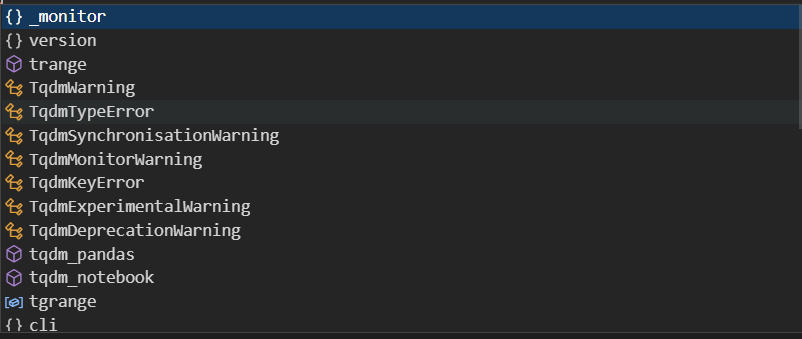
Pit record: typeerror:'module'object is not callable

Development direction and problems of optaplanner

郑慧娟:基于统一大市场的数据资产应用场景与评估方法研究
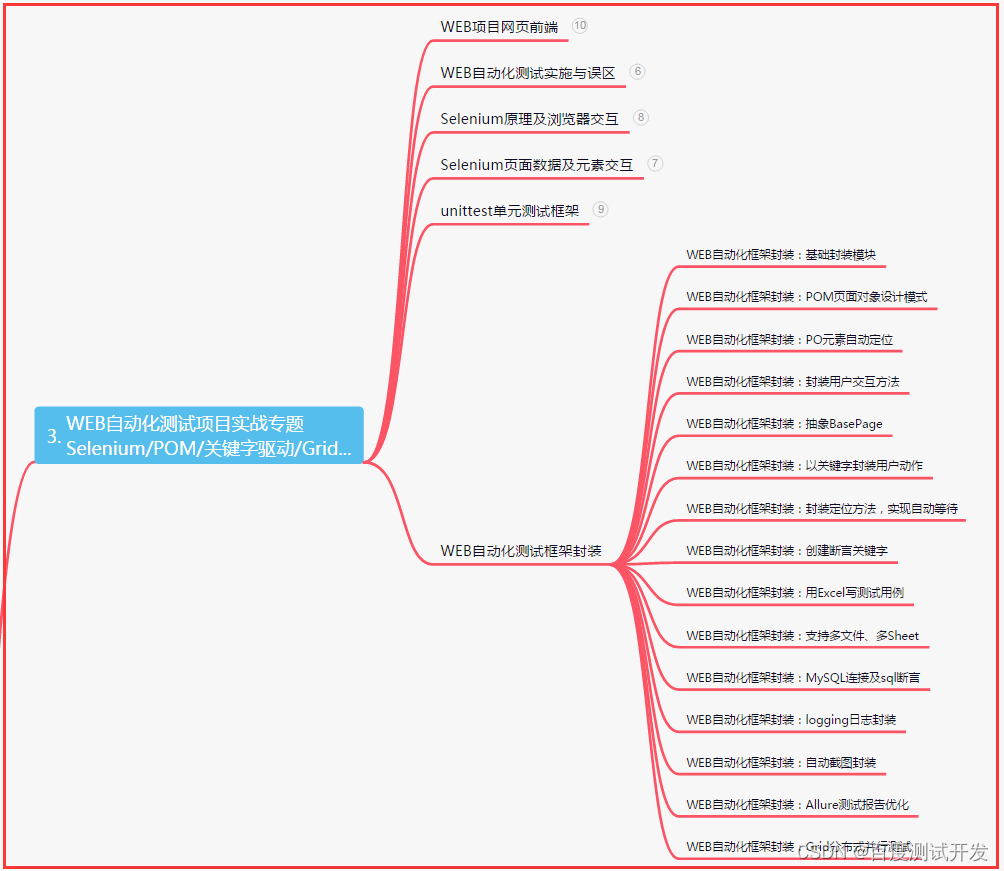
Be an artistic test / development programmer and slowly change yourself

Digital stopwatch based on Verilog HDL

c语言:深度刨析函数栈帧
基于Verilog HDL的数字秒表

WP wechat export chat record backup to computer

91. (leaflet chapter) leaflet situation plotting - offensive direction drawing
随机推荐
Regular expression learning
HLS编程入门
Notes of Teacher Li Hongyi's 2020 in-depth learning series 9
Wine wechat initialization 96% stuck
Mandatory interview questions: 1. shallow copy and deep copy_ Deep copy
Convert a string to an integer and don't double it
Yaml writing rules and comparison between yaml and JSON
Weekly summary (*66): next five years
Paper time review MB2: build a behavior model for autonomous databases
Is it safe for Guosen Securities to open a mobile account
你还在使用System.currentTimeMillis()?来看看StopWatch吧
Video chat source code - one-to-one live broadcast system source code
1、 MFC introduction
Convex optimization Basics
云图
dpkg : Breaks: libapt-pkg5.0 (< 1.7~b) but 1.6.15 is to be installedE: Broken packages
How to speculate on the Internet? Is it safe to speculate on mobile phones
每周小结(*66):下一个五年
谢振东:公共交通行业数字化转型升级的探索与实践
云计算三类巨头:IaaS、PaaS、SaaS,分别是什么意思,应用场景是什么?