当前位置:网站首页>Pytorch data pipeline standardized code template
Pytorch data pipeline standardized code template
2022-07-26 23:55:00 【Xiaobai learns vision】
Click on the above “ Xiaobai studies vision ”, Optional plus " Star standard " or “ Roof placement ”
Heavy dry goods , First time delivery PyTorch As a popular deep learning framework, its popularity has greatly surpassed TensorFlow The feeling of . According to previous statistics , at present TensorFlow Although it still occupies the industry , but PyTorch In vision and NLP There has been a unified trend at the top-level meetings in the field .
The author of this article will focus on PyTorch Custom data reading pipeline Templates and related trciks And how to optimize data reading pipeline etc. . We from PyTorch Data object class Dataset Start .Dataset stay PyTorch The modules in are located in utils.data Next .
from torch.utils.data import DatasetThis article will focus on Dataset Objects from the original template 、torchvision Of transforms modular 、 Use pandas To assist in reading 、torch Built in data division function and DataLoader To elaborate .
Dataset Original template
PyTorch The official provides us with a standardized code module for custom data reading , As a reading framework , We call it the original template here . The code structure is as follows :
from torch.utils.data import Dataset
class CustomDataset(Dataset):
    def __init__(self, ...):
        # stuff

    def __getitem__(self, index):
        # stuff
        return (img, label)

    def __len__(self):
        # return examples size
        return count
According to this standardized code template , We just need to read the task according to our own data , Go to separately __init__()、__getitem__() and __len__() Add read logic to the three methods . As PyTorch Data reading under the paradigm and for subsequent data loader, Three methods are indispensable . among :
__init__() Function is used to initialize the data reading logic , For example, read the address containing labels and pictures csv file 、 Definition transform Combination etc. .
__getitem__() Function to return data and labels . The purpose is to be followed up dataloader The call .
__len__() Function is used to return the number of samples .
Now let's fill a few lines of code into this framework to form a simple digital case . Create a 1 To 100 Numerical examples of :
from torch.utils.data import Dataset
class CustomDataset(Dataset):
    def __init__(self):
        self.samples = list(range(1, 101))
    def __len__(self):
        return len(self.samples)
    def __getitem__(self, idx):
        return self.samples[idx]

if __name__ == '__main__':
    dataset = CustomDataset()
    print(len(dataset))
    print(dataset[50])
    print(dataset[1:100])
add to torchvision.transforms
Then we'll look at how to read data from memory and how to embed it in the reading process torchvision Medium transforms function .torchvision Is an independent from torch About data 、 Model and some auxiliary libraries for image enhancement operations . It mainly includes datasets Default dataset module 、models Classic model module 、transforms Image enhancement module and utils Module etc. . In the use of torch When reading data , Generally, it will match transforms The module processes and enhances the data .
Added tranforms The subsequent reading module can be rewritten as :
from torch.utils.data import Dataset
from torchvision import transforms as T


class CustomDataset(Dataset):
    def __init__(self, ...):
        # stuff
        ...
        # compose the transforms methods
        self.transform = T.Compose([T.CenterCrop(100),
                                T.ToTensor()])

    def __getitem__(self, index):
        # stuff
        ...
        data = # Some data read from a file or image
        # execute the transform
        data = self.transform(data)
        return (img, label)

    def __len__(self):
        # return examples size
        return count

if __name__ == '__main__':
    # Call the dataset
    custom_dataset = CustomDataset(...)
You can see , We used Compose Method to aggregate various data processing methods to define data conversion methods . Usually, as an initialization method, it is placed in __init__() Function . We take cat and dog image data as an example .

Define the data reading method as follows :
class DogCat(Dataset):
    def __init__(self, root, transforms=None, train=True, val=False):
        """
        get images and execute transforms.
        """
        self.val = val
        imgs = [os.path.join(root, img) for img in os.listdir(root)]
        # train: Cats_Dogs/trainset/cat.1.jpg
        # val: Cats_Dogs/valset/cat.10004.jpg
        imgs = sorted(imgs, key=lambda x: x.split('.')[-2])
        self.imgs = imgs
        if transforms is None:
            # normalize
            normalize = T.Normalize(mean = [0.485, 0.456, 0.406],
                                     std = [0.229, 0.224, 0.225])
            # trainset and valset have different data transform
            # trainset need data augmentation but valset don't.
            # valset


            if self.val:
                self.transforms = T.Compose([
                    T.Resize(224),
                    T.CenterCrop(224),
                    T.ToTensor(),
                    normalize
                ])
            # trainset
            else:
                self.transforms = T.Compose([
                    T.Resize(256),
                    T.RandomResizedCrop(224),
                    T.RandomHorizontalFlip(),
                    T.ToTensor(),
                    normalize
                ])

    def __getitem__(self, index):
        """
        return data and label
        """
        img_path = self.imgs[index]
        label = 1 if 'dog' in img_path.split('/')[-1] else 0
        data = Image.open(img_path)
        data = self.transforms(data)
        return data, label

    def __len__(self):
        """
        return images size.
        """
        return len(self.imgs)


if __name__ == "__main__":
    train_dataset = DogCat('./Cats_Dogs/trainset/', train=True)
    print(len(train_dataset))
    print(train_dataset[0])
Because this data set has been divided into training set and verification set , So in reading and transforms It needs to be distinguished . The running example is as follows :

And pandas Use it together
Most of the time, the directory address and label of data are through csv Given in the document . As shown below :

At this time, in the data reading pipeline We need to be in __init__() Use in method pandas hold csv The image address and label contained in the file are integrated . Corresponding data reading pipeline The template can be rewritten as :
class CustomDatasetFromCSV(Dataset):
    def __init__(self, csv_path):
        """
        Args:
            csv_path (string): path to csv file
            transform: pytorch transforms for transforms and tensor conversion
        "
""
        # Transforms
        self.to_tensor = transforms.ToTensor()
        # Read the csv file
        self.data_info = pd.read_csv(csv_path, header=None)
        # First column contains the image paths
        self.image_arr = np.asarray(self.data_info.iloc[:, 0])
        # Second column is the labels
        self.label_arr = np.asarray(self.data_info.iloc[:, 1])
        # Calculate len
        self.data_len = len(self.data_info.index)


    def __getitem__(self, index):
        # Get image name from the pandas df
        single_image_name = self.image_arr[index]
        # Open image
        img_as_img = Image.open(single_image_name)
        # Transform image to tensor
        img_as_tensor = self.to_tensor(img_as_img)
        # Get label of the image based on the cropped pandas column
        single_image_label = self.label_arr[index]
        return (img_as_tensor, single_image_label)


    def __len__(self):
        return self.data_len


if __name__ == "__main__":
    # Call dataset
    dataset =  CustomDatasetFromCSV('./labels.csv')
With mnist_label.csv File as an example :
from torch.utils.data import Dataset
from torch.utils.data import DataLoader
from torchvision import transforms as T
from PIL import Image
import os
import numpy as np
import pandas as pd


class CustomDatasetFromCSV(Dataset):
    def __init__(self, csv_path):
        """
        Args:
            csv_path (string): path to csv file
            transform: pytorch transforms for transforms and tensor conversion
        """
        # Transforms
        self.to_tensor = T.ToTensor()
        # Read the csv file
        self.data_info = pd.read_csv(csv_path, header=None)
        # First column contains the image paths
        self.image_arr = np.asarray(self.data_info.iloc[:, 0])
        # Second column is the labels
        self.label_arr = np.asarray(self.data_info.iloc[:, 1])
        # Third column is for an operation indicator
        self.operation_arr = np.asarray(self.data_info.iloc[:, 2])
        # Calculate len
        self.data_len = len(self.data_info.index)


    def __getitem__(self, index):
        # Get image name from the pandas df
        single_image_name = self.image_arr[index]
        # Open image
        img_as_img = Image.open(single_image_name)
        # Check if there is an operation
        some_operation = self.operation_arr[index]
        # If there is an operation
        if some_operation:
            # Do some operation on image
            # ...
            # ...
            pass


        # Transform image to tensor
        img_as_tensor = self.to_tensor(img_as_img)
        # Get label of the image based on the cropped pandas column
        single_image_label = self.label_arr[index]
        return (img_as_tensor, single_image_label)


    def __len__(self):
        return self.data_len


if __name__ == "__main__":
    transform = T.Compose([T.ToTensor()])
    dataset = CustomDatasetFromCSV('./mnist_labels.csv')
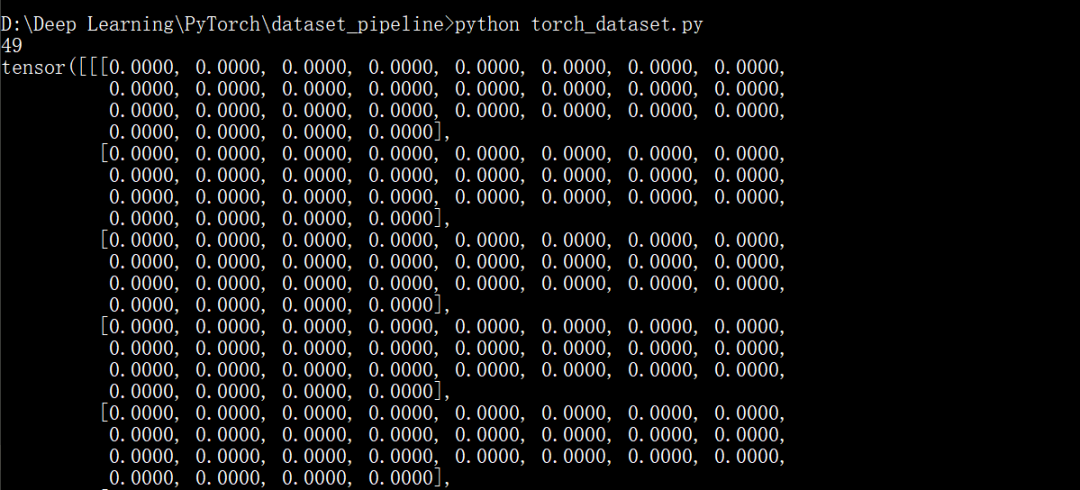
    print(len(dataset))
    print(dataset[5])
The running example is as follows :
Training set verification set partition
Generally speaking , For the stability of model training , We need to divide the data into training set and verification set .torch Of Dataset Objects also provide random_split Function as a data partitioning tool , And the division results can be directly used for subsequent DataLoader Use .
With kaggle Flower data of :
from torch.utils.data import DataLoader
from torchvision.datasets import ImageFolder
from torchvision import transforms as T
from torch.utils.data import random_split


transform = T.Compose([
    T.Resize((224, 224)),
    T.RandomHorizontalFlip(),
    T.ToTensor()
 ])


dataset = ImageFolder('./flowers_photos', transform=transform)
print(dataset.class_to_idx)


trainset, valset = random_split(dataset,
                [int(len(dataset)*0.7), len(dataset)-int(len(dataset)*0.7)])


trainloader = DataLoader(dataset=trainset, batch_size=32, shuffle=True, num_workers=1)
for i, (img, label) in enumerate(trainloader):
    img, label = img.numpy(), label.numpy()
    print(img, label)


valloader = DataLoader(dataset=valset, batch_size=32, shuffle=True, num_workers=1)
for i, (img, label) in enumerate(trainloader):
    img, label = img.numpy(), label.numpy()
    print(img.shape, label)
It's used here ImageFolder modular , You can directly read the folder corresponding to each tag , Some examples of operation are as follows :

Use DataLoader
dataset After the method is written , We also need to use DataLoader Feed them to the model one by one . We have used the data division in the previous section DataLoader function . essentially ,DataLoader Just called __getitem__() Method and return data and labels by batch . How to use it is as follows :
from torch.utils.data import DataLoader
from torchvision import transforms as T


if __name__ == "__main__":
    # Define transforms
    transformations = T.Compose([T.ToTensor()])
    # Define custom dataset
    dataset = CustomDatasetFromCSV('./labels.csv')
    # Define data loader
    data_loader = DataLoader(dataset=dataset, batch_size=10, shuffle=True)
    for images, labels in data_loader:
        # Feed the data to the model
That's all PyTorch Reading data Pipeline Main methods and processes . be based on Dataset The basic framework of the object remains unchanged , Specific details can be customized and adjusted .
The good news !
Xiaobai learns visual knowledge about the planet
Open to the outside world

 download 1:OpenCV-Contrib Chinese version of extension module

 stay 「 Xiaobai studies vision 」 Official account back office reply : Extension module Chinese course , You can download the first copy of the whole network OpenCV Extension module tutorial Chinese version , Cover expansion module installation 、SFM Algorithm 、 Stereo vision 、 Target tracking 、 Biological vision 、 Super resolution processing and other more than 20 chapters .


 download 2:Python Visual combat project 52 speak
 stay 「 Xiaobai studies vision 」 Official account back office reply :Python Visual combat project , You can download, including image segmentation 、 Mask detection 、 Lane line detection 、 Vehicle count 、 Add Eyeliner 、 License plate recognition 、 Character recognition 、 Emotional tests 、 Text content extraction 、 Face recognition, etc 31 A visual combat project , Help fast school computer vision .


 download 3:OpenCV Actual project 20 speak
 stay 「 Xiaobai studies vision 」 Official account back office reply :OpenCV Actual project 20 speak , You can download the 20 Based on OpenCV Realization 20 A real project , Realization OpenCV Learn advanced .


 Communication group

Welcome to join the official account reader group to communicate with your colleagues , There are SLAM、 3 d visual 、 sensor 、 Autopilot 、 Computational photography 、 testing 、 Division 、 distinguish 、 Medical imaging 、GAN、 Wechat groups such as algorithm competition ( It will be subdivided gradually in the future ), Please scan the following micro signal clustering , remarks :” nickname + School / company + Research direction “, for example :” Zhang San + Shanghai Jiaotong University + Vision SLAM“. Please note... According to the format , Otherwise, it will not pass . After successful addition, they will be invited to relevant wechat groups according to the research direction . Please do not send ads in the group , Or you'll be invited out , Thanks for your understanding ~边栏推荐
- 【面试:并发篇26:多线程:两阶段终止模式】volatile版本
- In depth interpretation of the investment logic of the consortium's participation in the privatization of Twitter
- 第2章 开发用户流量拦截器
- Part II - C language improvement_ 6. Multidimensional array
- 09_ Keyboard events
- 告别宽表,用 DQL 成就新一代 BI
- 2022.7.26-----leetcode.1206
- 【2016】【论文笔记】差频可调谐THz技术——
- Distributed lock and its implementation
- 08_ Event modifier
猜你喜欢

Upload files to OSS file server

Pytorch learning record (II): tensor

Add an article ----- scanf usage

Three effective strategies for the transformation of data supply chain to be coordinated and successful

文件上传到服务器

Re understand the life world and ourselves

百度网址收录

Part II - C language improvement_ 13. Recursive function

Silicon Valley class lesson 6 - Tencent cloud on demand management module (I)

The place where the dream begins ---- first knowing C language (2)
随机推荐
Application of workflow engine in vivo marketing automation | engine 03
MySQL syntax uses detailed code version
Force deduction 155 questions, minimum stack
第二部分—C语言提高篇_6. 多维数组
Three person management of system design
30、 Modern storage system (management database and distributed storage system)
Hcip day 2_ HCIA review comprehensive experiment
The NFT market pattern has not changed. Can okaleido set off a new round of waves?
07 design of ponding monitoring system based on 51 single chip microcomputer
[C language] array
2022.7.26-----leetcode.1206
18. Opening and saving file dialog box usage notes
Use Arthas to locate online problems
Basic operations of objects
JUnit、JMockit、Mockito、PowerMockito
第1章 需求分析与ssm环境准备
Upload files to the server
Custom type
In simple terms, cchart's daily lesson - Lesson 59 of happy high school 4 comes to the same end by different ways, and the C code style of the colorful interface library
Chapter 3 cross domain issues