当前位置:网站首页>人脸与关键点检测:YOLO5Face实战
人脸与关键点检测:YOLO5Face实战
2022-07-25 21:21:00 【烧技湾】
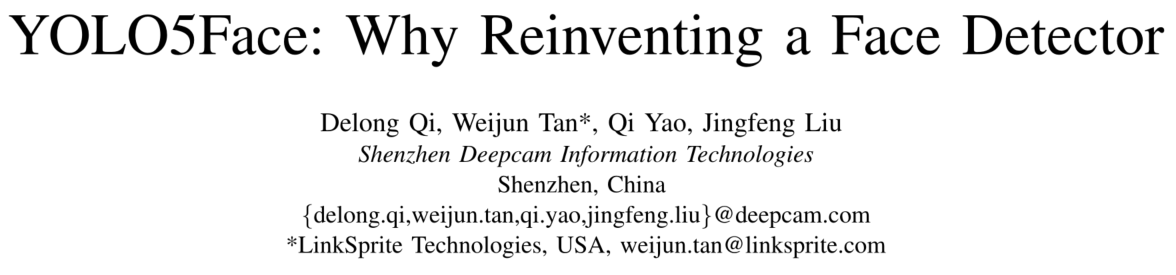
Github:https://github.com/deepcam-cn/yolov5-face
导读:居然花了一天时间把该项目复现,主要是折腾在数据集格式上,作者居然在train2yolo中居然把Widerface训练集(12000+张图)重新一张一张保存,不这么做还报错,原因是无法读到数据缓存。搬运工,肝!
一、設置
Step by step
克隆仓库,进入conda环境
git clone https://github.com/deepcam-cn/yolov5-face.git

conda activate pytorch-cifar
测试模型
下载作者预训练的YOLO5m-face模型,并测试单张图片效果。运行detectface如下:

      "args": [
          // // // to run train2yolo:
          // "data/widerface/train",
          // "data/widerface/train/labels"

          // // // to run val2yolo:
          // "data/widerface",
          // "data/widerface/val/labels"

          // // to run detect_face
          // "--img-size", "640",
          // "--weights", "weights/yolov5m-face.pt",


          // to train on widerface
          // "CUDA_VISIBLE_DEVICES"," 0, ",
          "--data", "data/widerface.yaml",
          "--cfg", "models/yolov5s.yaml",
          "--weights", "weights/yolov5s.pt"
      ]
以上是launch.json的配置参数,分别对应几个任务。其中运行train2yolo.py,巨慢;但不得不做。
二、训练
2.1 准备数据:
推荐去官网http://shuoyang1213.me/WIDERFACE/
下载widerface数据集,分别下载train、val、test三个包。本人参考RetinaFace下载的数据集不全面。
由于官网没找到人脸关键点的标注文本,在开头git链接YOLO5face可以下载带有keypoint的annotation文件。整个文件结构如下:
(base) [email protected]:NewProjects$ ln -s ~/Datasets/widerface  yolov5-face/data/
//

yolov5-face
│   README.md
│   ...
│data
| └─widerface
│         └───test
|                 └───images
|                 └───labels
│         └───train
|                 └───images
|                 └───labels
|                      └───0..._1_5.jpg
|                      └───0..._1_5.txt
│         └───val
目录画得有点丑,但为了说明详细,也是拼了老命。
下载预训练好的yolo5检测模型,由于本工程基于的yolo版本比较旧(最新6.0版)久,下载链接参考:
https://github.com/ultralytics/yolov5/releases/tag/v4.0
准确读取数据路径,在widerface.yaml修改为:
train: /home/wqt/NewProjects/yolov5-face/data/widerface/train/labels
val: /home/wqt/NewProjects/yolov5-face/data/widerface/val/labels

# number of classes
nc: 1

# class names
names: [ 'face']
运行train,没报错,佛祖保佑!
autoanchor: Analyzing anchors... anchors/target = 4.02, Best Possible Recall (BPR) = 0.9997
Image sizes 800 train, 800 test
Using 4 dataloader workers
Logging results to runs/train/exp12
Starting training for 250 epochs...

     Epoch   gpu_mem       box       obj       cls  landmark     total   targets  img_size
     0/249     4.65G    0.1032   0.03953         0    0.1396    0.2823        25       800: 100%|███████████████████████████████████████████████| 801/801 [03:12<00:00,  4.16it/s]

     Epoch   gpu_mem       box       obj       cls  landmark     total   targets  img_size
     1/249     5.01G   0.08159   0.03674         0   0.02959    0.1479        15       800: 100%|███████████████████████████████████████████████| 801/801 [03:03<00:00,  4.38it/s]
训练还挺快,一个epoch才几分钟,共250epoch。
有关YOLO数据格式
原始的widerface标注如下:
0--Parade/0_Parade_marchingband_1_849.jpg
1
449 330 122 149 0 0 0 0 0 0
转化为YOLO格式,如下:
0--Parade/0_Parade_marchingband_1_849.jpg
449 330 122 149 488.906 373.643 0.0 542.089 376.442 0.0 515.031 412.83 0.0 485.174 425.893 0.0 538.357 431.491 0.0 0.82
即:bbox (xywh) + (xi, yi, flag)
COCO keypoints转化为YOLO格式(17个人体关键点),以下图片对应的标注如下:
0 0.686445 0.531960 0.082891 0.323967 0.667188 0.399061 1.000000 0.670312 0.396714 2.000000 0.000000 0.000000 0.000000 0.678125 0.394366 2.000000 0.000000 0.000000 0.000000 0.689063 0.415493 2.000000 0.696875 0.415493 2.000000 0.682813 0.469484 2.000000 0.671875 0.483568 2.000000 0.671875 0.516432 2.000000 0.656250 0.504695 2.000000 0.695312 0.530516 2.000000 0.706250 0.523474 2.000000 0.698438 0.610329 2.000000 0.709375 0.603286 2.000000 0.710938 0.680751 2.000000 0.717187 0.671362 2.000000

训练了12h之后,实测结果如下:
  Epoch   gpu_mem       box       obj       cls  landmark     total   targets  img_size
   249/249     5.01G   0.03923   0.02193         0   0.00727   0.06844        18       800:
               Class      Images     Targets           P           R      [email protected]  [email protected]:.95:
                 all    3.22e+03    3.96e+04       0.576       0.723       0.715        0.34
即在WiderFace上取得了[email protected]=71.5%,[email protected]=0.34
实测1:

实测2:
使用缩放的效果图,还是检测有些误差,例如嘴角两边的点。
边栏推荐
- Oracle views the SQL statements with the slowest execution and the most queries
- Autojs learning - file depth search
- Introduction to MySQL engine and InnoDB logical storage structure
- Trusted and controllable way of Tencent cloud database
- Sum of two numbers and three numbers
- NPM module removal_ [solved] after NPM uninstalls the module, the module is not removed from package.json [easy to understand]
- pyqt5使用pyqtgraph绘制多个Y值散点图
- Cesium polygon gradient texture (canvas)
- resize函数的作用「建议收藏」
- 3阶有向完全图的所有非同构的子图(不同钩子图个数)
猜你喜欢

Sentinel vs Hystrix 限流对比,到底怎么选?
![[fiddlertx plug-in] use Fiddler to capture the package Tencent classroom video download (unable to capture the package solution)](/img/de/7a288ee8e6001235d4869c10503932.png)
[fiddlertx plug-in] use Fiddler to capture the package Tencent classroom video download (unable to capture the package solution)

Too many passwords, don't know how to record? Why don't you write a password box applet yourself

In depth understanding of seven specific ways to enhance code scalability

Vivo official website app full model UI adaptation scheme

ONEFLOW V0.8.0 officially released
Leetcode-114: expand binary tree into linked list

My heart's broken! After being cheated by 30000, a 16-year-old girl was unconvinced and cheated by 50000

Decompile app
![[online tutorial] iptables official tutorial -- learning notes 2](/img/7d/5f8328d1b4c8878f17c95d2658d2d6.jpg)
[online tutorial] iptables official tutorial -- learning notes 2
随机推荐
Vivo official website app full model UI adaptation scheme
工作面试总遇秒杀? 看了京东 T8 大咖私藏的秒杀系统笔记, 已献出膝盖
An interview question about interface and implementation in golang
day04_ array
Differences between seaslog and monolog log systems, installation steps of seaslog [easy to understand]
Please give an example of how to optimize MySQL index (sqlserver index optimization)
DDD go practice
Add startup software items when the win system starts up
Stm3 (cubeide) lighting experiment
Oracle views the SQL statements with the slowest execution and the most queries
Autojs learning - realize 3D perspective
Explain the principle of MySQL master-slave replication in detail
【网络教程】IPtables官方教程--学习笔记2
Per capita Swiss number series, Swiss number 4 generation JS reverse analysis
Database SQL statement exercise "suggestions collection"
LeetCode刷题——猜数字大小II#375#Medium
[introduction to C language] zzulioj 1016-1020
Research: more than 70% of doctors are still prescribing unsafe antibiotic drugs
【C语言入门】ZZULIOJ 1016-1020
3阶有向完全图的所有非同构的子图(不同钩子图个数)