当前位置:网站首页>E-commerce project environment construction
E-commerce project environment construction
2022-06-25 20:13:00 【chinrock】
Write down the construction process , Record the crater points and facilitate the subsequent construction of this type of test environment .
Project selection : Choose the popular framework for e-commerce projects Spring Boot +Vue.js( Fore and aft end separation )
Project brief introduction :https://gitee.com/microapp/linjiashop
Project introduction : Neighborhood shop http://microapp.gitee.io/linjiashop/

For this project , Successful deployment requires a little basic knowledge , for example :
1. Have java Basic knowledge , build jdk Environmental Science
2. understand mysql Build ,mysql Basic knowledge of
3. understand maven Building the basics of packaging
4. understand node.js Environment building , as well as npm Basic packaging commands
After setting up the project environment , You can probably understand the current project structure of the Internet , For software testers, it can improve their understanding of the project structure . This project can also be used to practice functional business testing , The interface test , Interface automation and so on .
The following are the process steps of the whole project setup and deployment :
1. To Github perhaps Gitee Clone the code of the open source project , Recommend to Gitees, Fast
https://gitee.com/microapp/linjiashop#http://microapp.gitee.io/linjiashop/
2. After cloning the project locally , Start building initialization MySQL database , I was in Windows Next .(MySQL It's a simple environment to build , I will not write it in detail here , I'll make it up later )
use navicat Connect to database , Use the following SQL Command to create linjiashop Table and user account and password , And then in linjiashop Execution items under the table doc Under the document database.sql Database script , Generate the tables and data required by the database .
CREATE DATABASE IF NOT EXISTS linjiashop DEFAULT CHARSET utf8 COLLATE utf8_general_ci;
CREATE USER 'linjiashop'@'%' IDENTIFIED BY 'linjiashop191028';
GRANT ALL privileges ON linjiashop.* TO 'linjiashop'@'%';
flush privileges;

3. Import the background server java project , Start the server interface
I use it eclipse,Import Maven Projects, Select the directory of the project .
Because I debug directly locally , Don't need to use maven Pack to build war Packages or jar package , So direct Run Start the background service of the server
linjiashop-admin-api
Pit encountered when starting the service , As a result, the following files need to be modified :
1.WARN: Establishing SSL connection without server’s identity
Need to be in linjiashop-admin-api\src\main\resources In the catalog application-dev.properties,application-prod.properties The data in the configuration file url Add... To the address useSSL=false Parameters 
2. Start backstage api Service default 8082 The port may be occupied , There are two ways
2.1 The process used by this port needs to be terminated , Use the command to see which process , And end it directly
https://jingyan.baidu.com/article/3c48dd34491d47e10be358b8.html
2.2 stay application.properties The configuration file uses another free port 
After the service is successfully started , You can log in to the background api Interface service of swagger, Address :http://localhost:8082/swagger-ui.html
To this step , You can use this project for interface testing .
4. Use node.js Compile the front-end code and start the front-end project , Start the background management front page
Good configuration node After environment , Go straight into linjiashop-admin Use... In the directory npm Command operation compile run , My side is to install cnpm After use cnpm To install
npm install cnpm --registry=https://registry.npm.taobao.org
cnpm install
npm run dev


After successful startup, you can access the entire background management page , You can normally use the functions of the background
http://localhost:9528, User name, password :admin/admin
Later, the project will be packaged and used Jenkins Continuous integration learning .
Today comes to an end .
边栏推荐
- Applet Click to return to the top 2 methods
- 206. reverse linked list (insert, iteration and recursion)
- PAT B1051
- C language PTA -- continuity factor
- Curtain down and departure
- PAT B1076
- Delete the page specified in PDF and merge pdf
- 4.ypthon function foundation
- Modifying routes without refreshing the interface
- DICOM to NII
猜你喜欢

Pcl+vs2019 configuration and some source code test cases and demos

Pta--7-20 exchange minimum and maximum (15 points)

Teach you how to create and publish a packaged NPM component
The native JS mobile phone sends SMS cases. After clicking the button, the mobile phone number verification code is sent. The button needs to be disabled and re enabled after 60 seconds
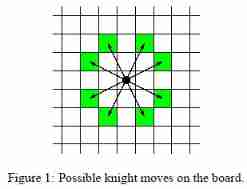
2.14(Knight Moves)

<C>. array

CG kit explore high performance rendering on mobile terminal
Huawei HMS core launched a new member conversion & retention prediction model
Avoid material "minefields"! Play super high conversion rate

Impact of Huawei application transfer and application claim on user identification
随机推荐
Installing or uninstalling VMware could not find the network location
Use of serialize() and serializearray() methods for form data serialization
Remember to deploy selenium crawler on the server
node. JS express connect mysql write webapi Foundation
Force wechat page font size to be 100%
2020-11-14-Alexnet
Pdf file download (the download name is the same as the file name)
Browser performance optimization (19)
VMware failed to prompt to lock this profile exclusively
PAT B1064
PAT B1053
How to understand var = a = b = C = 9? How to pre parse?
Corporate finance formula_ P1_ Accounting statement and cash flow
Transunet reading notes
JS advanced
PAT B1063
2.1 write a program to calculate the sum and average of four integers.
Some pictures of real machine preview development and debugging are not shown
PAT B1056
Database data type design (the most detailed in the whole network)