当前位置:网站首页>Panabit SNMP configuration
Panabit SNMP configuration
2022-07-27 07:31:00 【Boys looking forward to the future】
Test environment
Topology 
Test hardware and configuration
Panabit virtual machine : Memory 4G、CPU2 nucleus 、 Hard disk 20G、 network card 4 block .
Test the software version
Panabit equipment :R8.20[TANG(tang)r2],Build date 20220716.103336 [FreeBSD 9.2]
List of third-party tools
ZABBIX The server 6.2
Test purpose
verification Panabit equipment SNMP Function is normal , Third party devices can be accessed through SNMP Agreement acquisition Panabit Equipment hardware related data .
Test the expected effect
ZABBIX Server pass SNMP The agreement obtained Panabit The equipment cpu Usage rate 、 Memory and hard disk trial rate 、 Network card inflow and outflow rate and other information .
Testing process
Turn on SNMP function
Sign in Panabit System , stay 【 system maintenance 】-【 System settings 】-【SNMP service 】 take SNMP Access on , Set it up at the same time 【 Group name 】 and 【 Service white list 】.
To configure ZABBIX The server
Add host group
First, add the host group . stay 【 To configure 】-【 Host group 】 Top right corner of the page 【 Create a host group 】 add to .
Add host
stay 【 To configure 】-【 host 】 Click in the top right corner of the page 【 Create a host 】.
【 Host name 】 Customize 、【 Templates 】 Select template Group Templates, And choose one of them Linux CPU SNMP,Network interfaces discovery,Linux memory SNMP Equal template 、【 Host group 】 choice 3.2.1 Host group created in 、【 Interface 】 choice SNMP,IP Fill in Panabit Equipment management port IP、 Version selection v1 perhaps v2、 stay 【 macro 】 Configuration page SNMP The name of the group .

The test results
After the configuration is completed, it is in 【 To configure 】-【 host 】 Page to view the newly configured host 【 Monitoring item 】、【 trigger 】、【 graphics 】 After having data, it means passing SNMP The status of the device information obtained by the protocol is normal .
stay 【 monitor 】-【 host 】 Click the chart of the newly added host , Select a time to view specific statistical information .
CPU jumps: Namely Process(Thread) Handoff , If you switch too much , Will make CPU Busy switching , It will also affect throughput , The higher the value, the more threads waiting for shared resources .( from Linux CPU SNMP Template generation )
CPU utilization:CPU Usage rate .( The system template cannot be read , It can be done by Pa Equipment execution floweye snmp get oid=.1.3.6.1.4.1.2021.11 View the corresponding data OID, stay 【 Monitoring item 】 Middle configuration , Then call the project in the diagram )
System load: The system load is runnable or uninterruptable Number of processes in state .( from Linux CPU SNMP Template generation )
Memory utilization: Memory usage .( from Linux memory SNMP Template generation )
Interface XXX: System interface line inflow and outflow rates .( from Network interfaces discovery The template provides , According to Pa Create the same number of charts by creating lines on the device .XXX Is the line name. When the line name is Chinese, it will become ???)
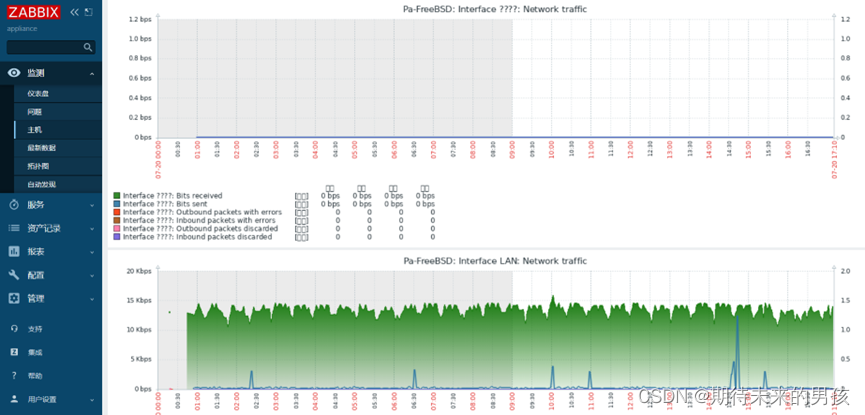

Hard disk information : Get the current system / Directory space size 、 Use space size 、 Remaining space size and other information .( adopt Pa On the implementation “floweye snmp get oid=.1.3.6.1.4.1.2021.9” Command to obtain the corresponding OID, And then depending on the corresponding OID To configure 【 monitor 】 and 【 Chart 】)
Test summary
This test Panabit equipment SNMP The service function is normal , Third party devices can be accessed through SNMP Agreement acquisition Panabit Hardware information of the device .
边栏推荐
猜你喜欢

docker安装MySQL8.0.28

Essay: college entrance examination

Perl: split the external command to be executed into multiple lines
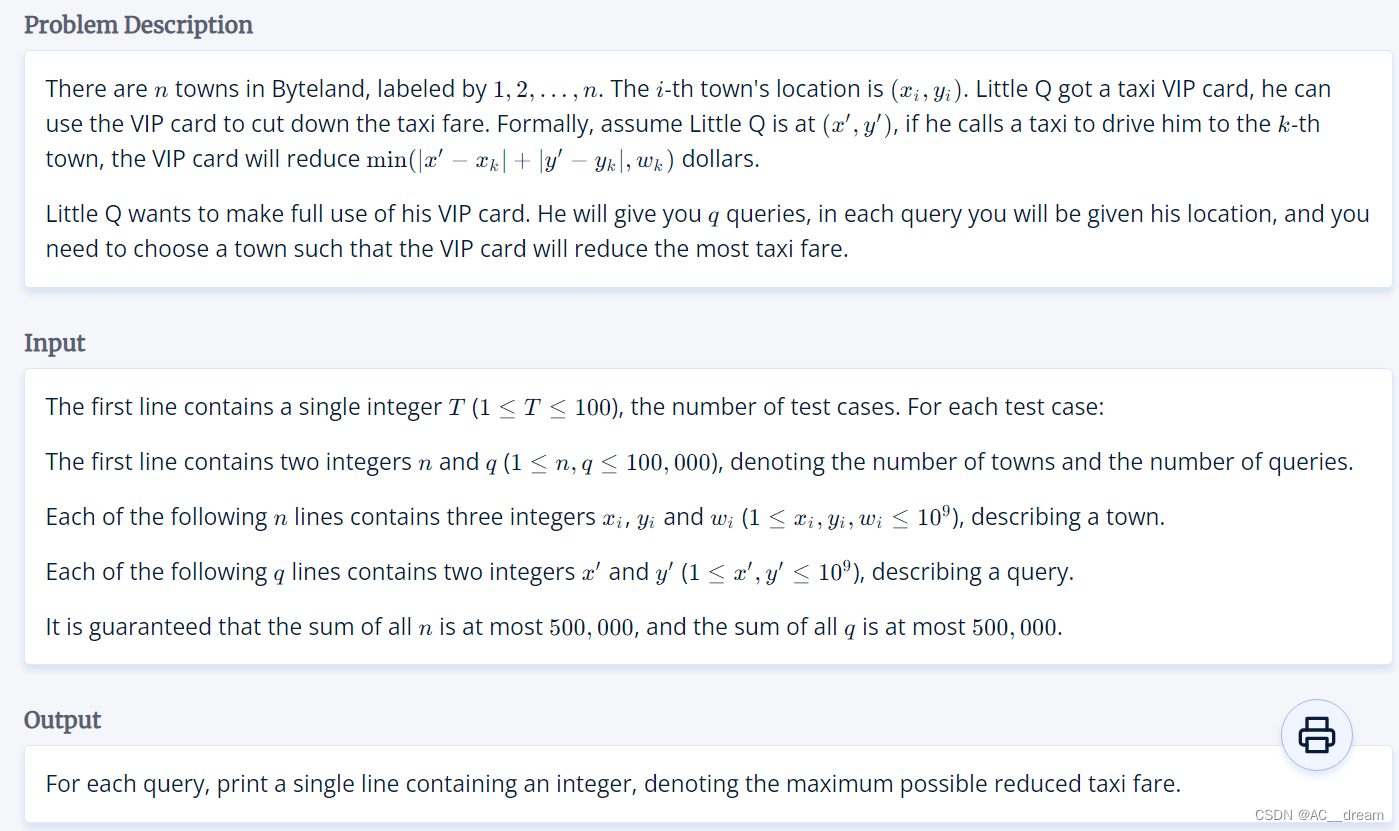
(2022 Hangdian multi school III) 1011.taxi (Manhattan maximum + 2 points)

Prior Attention Enhanced Convolutional Neural Network Based Automatic Segmentation of Organs at Risk
(2022杭电多校三)1011.Taxi(曼哈顿最值+二分)

杂谈:跟女儿聊为啥要学好文化课

在kettle使用循环来处理表中的数据

VLAN trunk experiment

ClickHouse 笔记1 | 简介、特点 | 基于CentOS7系统的安装与使用 | 常用数据类型 | MergeTree 表引擎 | SQL操作
随机推荐
Use the PIP command to switch between different mirror sources
C语言程序设计 | 程序编译与预处理
用shell来计算文本中的数字之和
Will Flink CDC constantly occupy Oracle's memory by extracting Oracle's data, and finally cause oracle-040
Which C4d cloud rendering platform to cooperate with?
杂谈:高考
Expose Prometheus metrics in Perl programs
Compiling and using log4cxx in rhel7.3
A small cotton padded jacket with air leakage
[wsl2] configure the USB camera connecting the USB device and using the host
Perl: split the external command to be executed into multiple lines
vlan间路由(讲解+验证)
漏风的小棉袄……
ARP广播实践案例
基于Arduino的温度、湿度测量显示装置
正则表达式基础整理
用oracle来演示外键的使用
flink去重(二)解决flink、flink-sql去重过程中的热点问题
Introduction to network -- overview of VLAN and trunk
Use of tigervnc