当前位置:网站首页>Swift5.0 ----Swift FrameWork的创建及使用
Swift5.0 ----Swift FrameWork的创建及使用
2022-06-30 22:16:00 【Alex.凌】
Swift5.0 ----Swift FrameWork的创建及使用
先和大家分享如何创建FrameWork
1、打开Xcode 点击File >> New >> Project
选择iOS创建平台,然后在Framework & Library选择Framework进行创建。
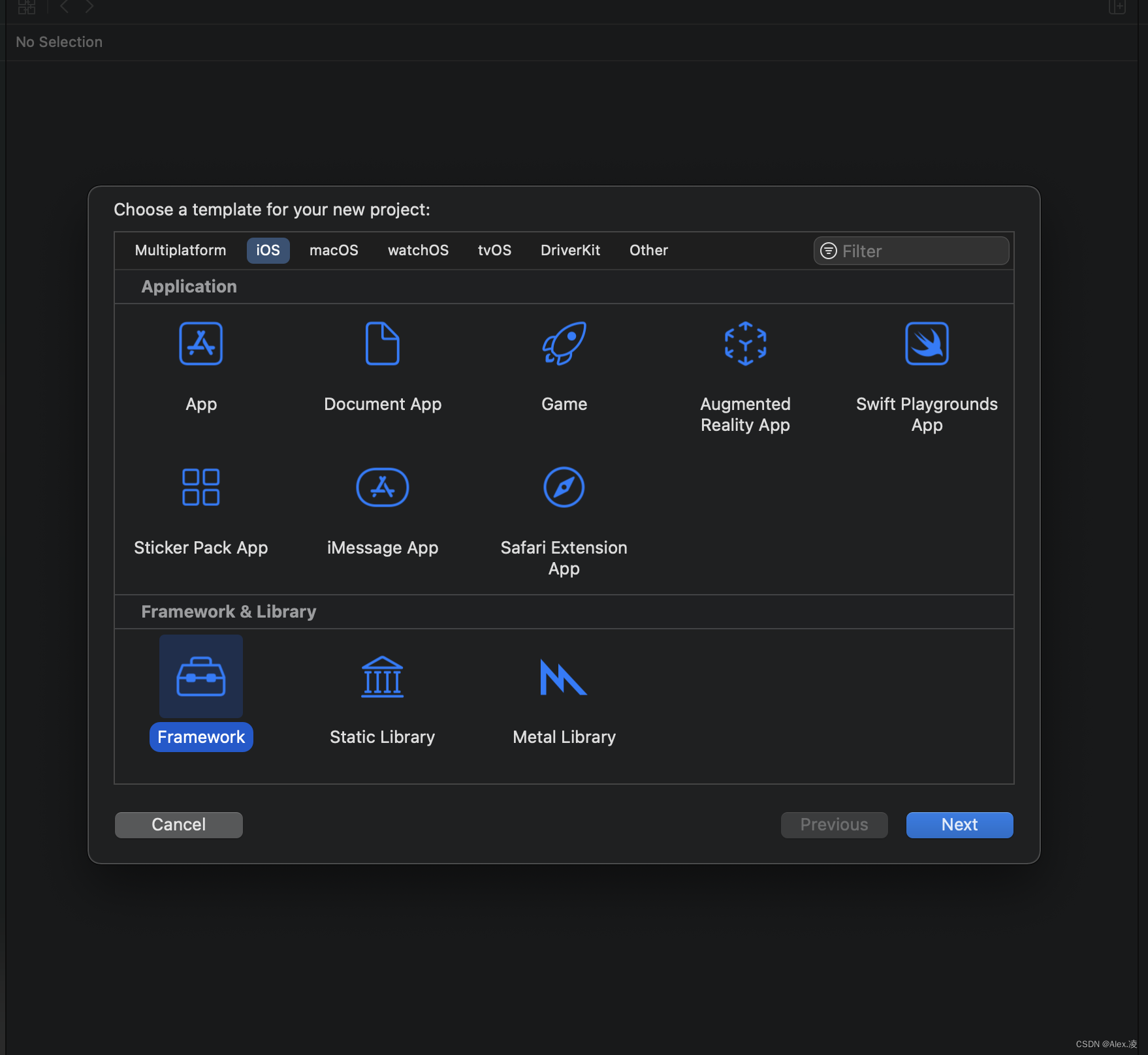
在此,我演示创建的Demo工程为SwiftFramework,创建成功之后结构目录如下图所示:

这里值得注意的是:目录中包含了一个.h文件,回想一下我们平时所用的 OC&Swift 桥接文件也是.h文件。因此,我们在移植代码到SwiftFramework时,可以不用再去设置桥接文件路径了,也不用在项目名-Bridging-Header.h 文件里#import 一个个需要暴露的.h文件了,我们直接把以前的桥接文件删除掉。然后在SwiftFramework.h这个文件里直接参照提示,逐一添加需要暴露出来 的.h文件即可,如下图所示:

添加完之后,我们再去Headers >>Public 目录下把NetWorkState.h文件给添加进去,顾名思义就是要设置为公共部分才能暴露给大伙瞧瞧,才能生效。
这一步完成之后就差不多了,如果需要将SwiftFramework设置静态库或是动态库,去这里进行设置即可: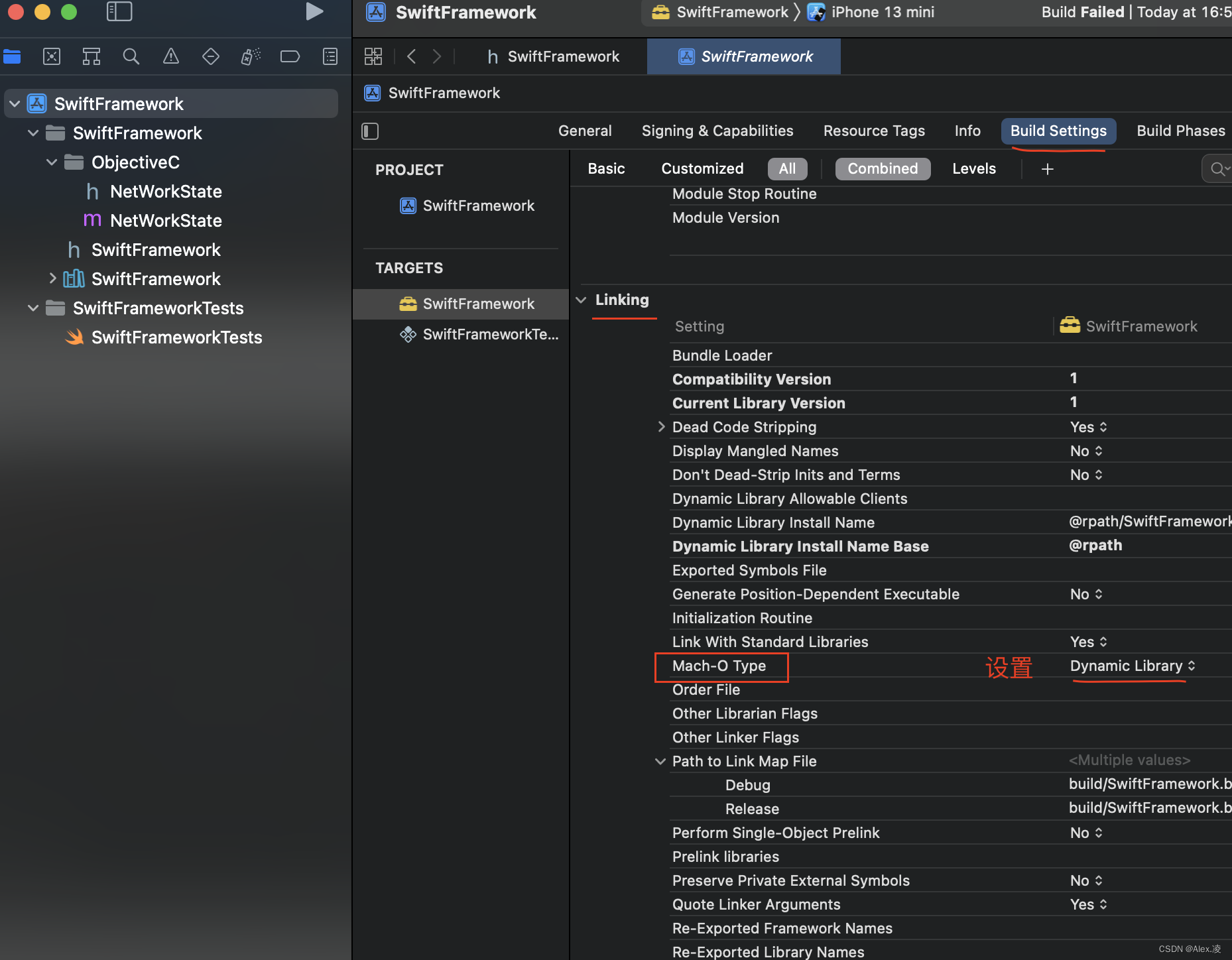
以上就是和大家分享一下创建Swift Framework的过程。
真机编译
接下来和大家简单分享一下如何使用真机编译(模拟器编译大家应该都会,所以略过)。使用真机编译调试的话,我们要可以根据IOS设备的承载环境来设置一下编译版本,本项目的IOS运行版本设置为10.0的,方便机型兼容。下图是SwiftFramework设置真机编译模式,这样编译过的SwiftFramework就可以直接被其他工程调用后在真机上进行调试了。
在使用新版的Xcode时,创建Framework是没有Products这个文件夹的,我们可以随便添加一个依赖库进去,然后就可以生成Products文件了。SwiftFramework也是导入了依赖库,快速生成Products文件,导入方法可以参考这个:https://blog.csdn.net/weixin_44587801/article/details/118107780?spm=1001.2014.3001.5502
SwiftFramework编译成功后,我们可以在Products目录里看到这个文件SwiftFramework,最后,我们选中它,点击右键,再点击Show in Finder

现在,我们就可以把这个SwiftFramework.framework文件添加到其他swift工程进行使用了,本处添加到SwiftDemo里面,操作如下图:
注意的是
这里一定要设置为Enbed & Sign,
这样才能引用成功及识别SwiftFramework.framework
调用工程中,我们只需在要用到SwiftFramework.framework的页面导入头文件即可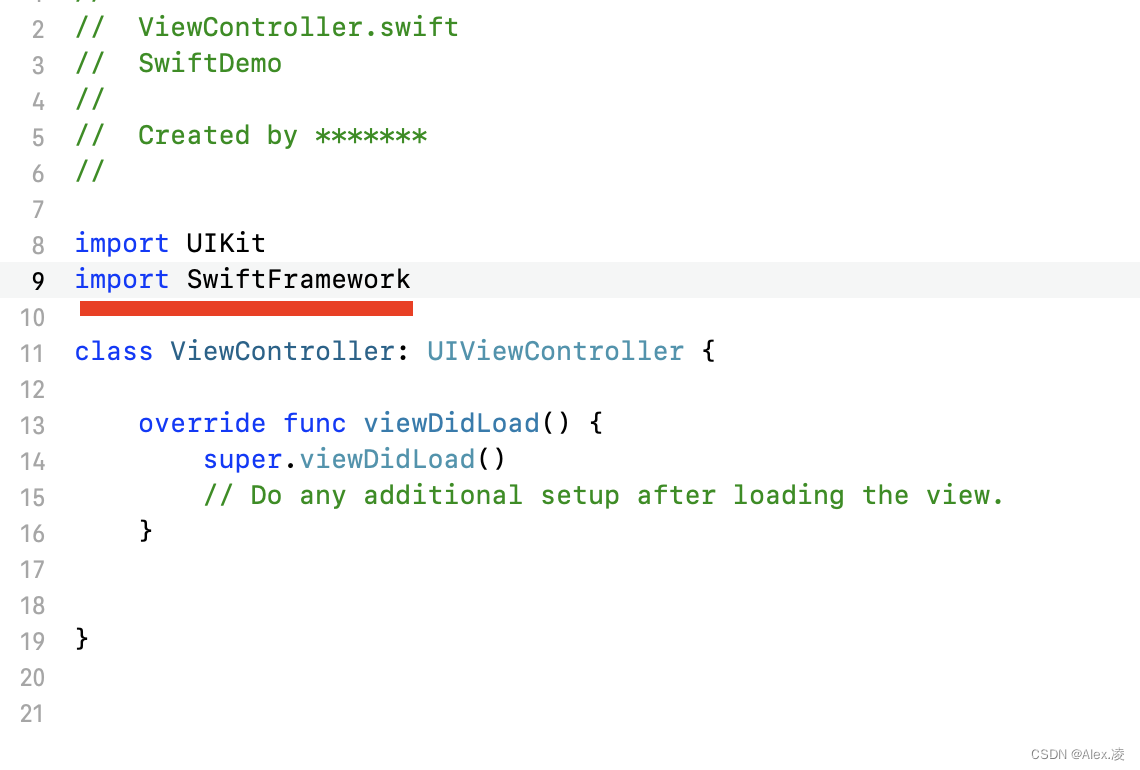
我们要使用SwiftFramework.framework里面的相关类及方法时,我们记得先在SwiftFramework工程里面把相关的类文件设置为Open, 相关方法或属性定义加上Public,然后再对SwiftFramework进行编译,编译成功后再调用。
篇幅较长,为了给大家分享详细一点,欢迎大家点赞加关注。
边栏推荐
- 基于kubernetes平台微服务的部署
- Based on the open source stream batch integrated data synchronization engine Chunjun data restore DDL parsing module actual combat sharing
- Web APIs comprehensive case -tab column switching - dark horse programmer
- How to use data sets in machine learning?
- 机器学习适合女生学吗?
- Discuz forum speed up to delete XXX under data/log PHP file
- Where can I find the computer version of wechat files
- I want to know who I need to know to open a stock account? In addition, is it safe to open a mobile account?
- 去中心化交易所系统开发技术原理丨数字货币去中心化交易所系统开发(说明案例)
- 软件测试报告包含哪些内容?如何获取高质量软件测试报告?
猜你喜欢

Uniapp routing uni simple router

Failed to configure a DataSource: ‘url‘ attribute is not specified and no embedded datasource could

Error reporting: internal error XFS_ WANT_ CORRUPTED_ GOTO at line 1635 of file fs/xfs/libxfs/xfs_ alloc. c.

2022中国国潮发展新动向

Pytorch quantitative practice (2)
Ten of the most heart piercing tests / programmer jokes, read the vast crowd, how to find?

How to change the win11 computer name? Win11 method of changing computer name

Based on the open source stream batch integrated data synchronization engine Chunjun data restore DDL parsing module actual combat sharing

Go language learning notes - Gorm usage - database configuration, table addition | web framework gin (VII)

MFC interface library bcgcontrolbar v33.0 - desktop alarm window, grid control upgrade, etc
随机推荐
Where can I find the computer version of wechat files
B_ QuRT_ User_ Guide(32)
[450. delete nodes in binary search tree]
Introduction and example of template method mode
[backtracking] full arrangement leetcode46
MFC interface library bcgcontrolbar v33.0 - desktop alarm window, grid control upgrade, etc
牛逼|珍藏多年的工具让我实现了带薪摸鱼自由
[introduction to MySQL] the first conversation · first time in the "database" Mainland
Coredns modifying upstream
Best wishes for Lao Wu's party
Some memory problems summarized
When unittest automatically tests multiple use cases, the logging module prints repeatedly to solve the problem
对于产业互联网的粗浅认识,最终将产业互联网的发展带入到了消费互联网的怪圈之中
严格次小生成树
Analysis of doctor Aifen's incident
深入解析 Apache BookKeeper 系列:第四篇—背压
HDFS centralized cache management
B_ QuRT_ User_ Guide(33)
latex字母头顶两个点
Zhoushaojian, rare