当前位置:网站首页>在 Istio 服务网格内连接外部 MySQL 数据库
在 Istio 服务网格内连接外部 MySQL 数据库
2022-07-26 03:46:00 【万猫学社】
为了方便理解,以 Istio 官方提供的 Bookinfo 应用示例为例,利用 ratings 服务外部 MySQL 数据库。
Bookinfo应用的架构图如下:
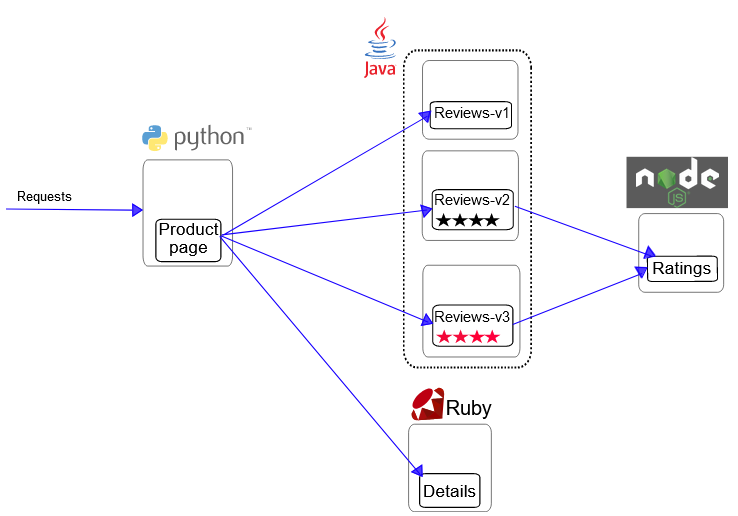
其中,包含四个单独的微服务:
productpage:调用details和reviews两个服务,用来生成页面。details:包含了书籍的信息。reviews:包含了书籍相关的评论。它还会调用 ratings 微服务。rating:包含了由书籍评价组成的评级信息。
其中,reviews 服务有 3 个版本:
- v1 版本不会调用
ratings服务。 - v2 版本会调用
ratings服务,并使用 1 到 5 个黑色星形图标来显示评分信息。 - v3 版本会调用
ratings服务,并使用 1 到 5 个红色星形图标来显示评分信息。
准备 MySQL 数据库
创建一个名为 test 数据库,执行以下SQL创建表和数据:
DROP TABLE IF EXISTS `ratings`;
CREATE TABLE `ratings`  (
  `ReviewID` int(11) NOT NULL,
  `Rating` int(11) NULL DEFAULT 0,
  PRIMARY KEY (`ReviewID`) USING BTREE
) ENGINE = InnoDB;

INSERT INTO ratings (ReviewID, Rating) VALUES (1, 2);
INSERT INTO ratings (ReviewID, Rating) VALUES (2, 4);
创建ServiceEntry
执行以下命令创建ServiceEntry:
kubectl apply -f - <<EOF
apiVersion: networking.istio.io/v1alpha3
kind: ServiceEntry
metadata:
  name: mysqldb
spec:
  hosts:
  - mysqldb.svc.remote
  ports:
  - number: 3306
    name: mysql
    protocol: MySQL
  location: MESH_EXTERNAL
  resolution: STATIC
  endpoints:
  - address: 192.168.1.116
    ports:
      mysql: 3306
EOF
其中,192.168.1.116是 MySQL 数据库的IP,3306是 MySQL 数据库的端口。
创建ratings服务
首先,执行以下命令,获取密码的Base64编码:
echo -n 'OneMoreSociety' | base64
其中,OneMoreSociety是连接 MySQL 数据库的密码。
然后,执行以下命令,创建 ratings 服务:
kubectl apply -f - <<EOF
apiVersion: v1
kind: Secret
metadata:
  name: mysql-credentials
type: Opaque
data:
  dbpasswd: T25lTW9yZVNvY2lldHk=
---
apiVersion: apps/v1
kind: Deployment
metadata:
  name: ratings-v2-mysql
  labels:
    app: ratings
    version: v2-mysql
spec:
  replicas: 1
  selector:
    matchLabels:
      app: ratings
      version: v2-mysql
  template:
    metadata:
      labels:
        app: ratings
        version: v2-mysql
    spec:
      containers:
      - name: ratings
        image: docker.io/istio/examples-bookinfo-ratings-v2:1.16.2
        imagePullPolicy: IfNotPresent
        env:
          - name: DB_TYPE
            value: "mysql"
          - name: MYSQL_DB_HOST
            value: mysqldb.svc.remote
          - name: MYSQL_DB_PORT
            value: "3306"
          - name: MYSQL_DB_USER
            value: root
          - name: MYSQL_DB_PASSWORD
            valueFrom:
              secretKeyRef:
                name: mysql-credentials
                key: dbpasswd
        ports:
        - containerPort: 9080
        securityContext:
          runAsUser: 1000
EOF
其中,T25lTW9yZVNvY2lldHk=是连接 MySQL 数据库的密码的Base64编码。
修改路由规则
执行以下命令,把对 reviews 服务的调用全部路由到 v2 版本上:
kubectl apply -f - <<EOF
apiVersion: networking.istio.io/v1alpha3
kind: VirtualService
metadata:
  name: reviews
spec:
  hosts:
  - reviews
  http:
  - route:
    - destination:
        host: reviews
        subset: v2
---
apiVersion: networking.istio.io/v1alpha3
kind: DestinationRule
metadata:
  name: reviews
spec:
  host: reviews
  subsets:
    - labels:
        version: v1
      name: v1
    - labels:
        version: v2
      name: v2
    - labels:
        version: v3
      name: v3
EOF
执行以下命令,把对 ratings 服务的调用全部路由到 v2-mysql 版本上:
kubectl apply -f - <<EOF
apiVersion: networking.istio.io/v1alpha3
kind: VirtualService
metadata:
  name: ratings
spec:
  hosts:
  - ratings
  http:
  - route:
    - destination:
        host: ratings
        subset: v2-mysql
---
apiVersion: networking.istio.io/v1alpha3
kind: DestinationRule
metadata:
  name: ratings
spec:
  host: ratings
  subsets:
    - labels:
        version: v1
      name: v1
    - labels:
        version: v2-mysql
      name: v2-mysql
EOF
效果
访问 productpage 页面,可以看到 Reviewer1 显示2星, Reviewer2 显示4星,和数据库中的数据一致,如下图:

在Kiali中也可以看到对应的拓扑结构,如下图:

流量转移
访问 MySQL 数据库时,所有流量都路由到v1版本,具体配置如下:
kubectl apply -f - <<EOF
apiVersion: networking.istio.io/v1alpha3
kind: ServiceEntry
metadata:
  name: mysqldb
spec:
  hosts:
  - mysqldb.svc.remote
  ports:
  - number: 3306
    name: tcp
    protocol: TCP
  location: MESH_EXTERNAL
  resolution: STATIC
  endpoints:
  - address: 192.168.1.116
    ports:
      tcp: 3306
    labels:
      version: v1
  - address: 192.168.1.118
    ports:
      tcp: 3306
    labels:
      version: v2
---
apiVersion: networking.istio.io/v1alpha3
kind: VirtualService
metadata:
  name: mysqldb
spec:
  hosts:
  - mysqldb.svc.remote
  tcp:
  - route:
    - destination:
        host: mysqldb.svc.remote
        subset: v1
---
apiVersion: networking.istio.io/v1alpha3
kind: DestinationRule
metadata:
  name: mysqldb
spec:
  host: mysqldb.svc.remote
  subsets:
    - labels:
        version: v1
      name: v1
    - labels:
        version: v2
      name: v2
EOF
访问 MySQL 数据库时,把50%流量转移到v2版本,具体配置如下:
kubectl apply -f - <<EOF
apiVersion: networking.istio.io/v1alpha3
kind: VirtualService
metadata:
  name: mysqldb
spec:
  hosts:
  - mysqldb.svc.remote
  tcp:
  - route:
    - destination:
        host: mysqldb.svc.remote
        subset: v1
      weight: 50
    - destination:
        host: mysqldb.svc.remote
        subset: v2
      weight: 50
EOF
访问 MySQL 数据库时,所有流量都路由到v2版本,具体配置如下:
kubectl apply -f - <<EOF
apiVersion: networking.istio.io/v1alpha3
kind: VirtualService
metadata:
  name: mysqldb
spec:
  hosts:
  - mysqldb.svc.remote
  tcp:
  - route:
    - destination:
        host: mysqldb.svc.remote
        subset: v2
EOF
最后,感谢你这么帅,还给我点赞。
边栏推荐
- 6年从零开始的自动化测试之路,开发转测试我不后悔...
- Leetcode-462. make the array elements equal with the minimum number of moves
- Sentinel vs Hystrix 到底怎么选?
- php 查找 session 存储文件位置的方法
- php eval() 函数可以将一个字符串当做 php 代码来运行
- zk-SNARK:关于私钥、环签名、ZKKSP
- 网络模型及协议
- Visio:甘特图如何合并单元格?解决方案:覆盖单元格
- Dtcloud the next day
- Completion report of communication software development and Application
猜你喜欢

通用测试用例写作规范

Asemi rectifier bridge gbu1510 parameters, gbu1510 specifications, gbu1510 package

赶紧进来!!!用c语言基础知识几十行代码写一个猜数字小游戏

cpu和gpu已过时,npu和apu的时代开始

KBPC1510-ASEMI大芯片15A整流桥KBPC1510
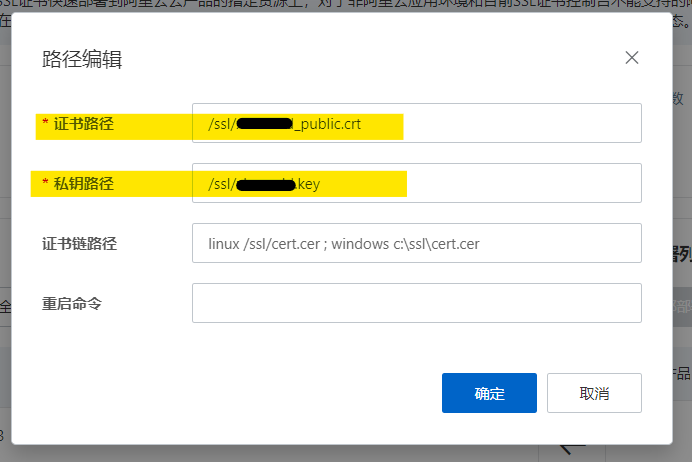
Apply for SSL certificate, configure SSL certificate for domain name, and deploy server; Download and installation of SSL certificate

基于SSM选课信息管理系统
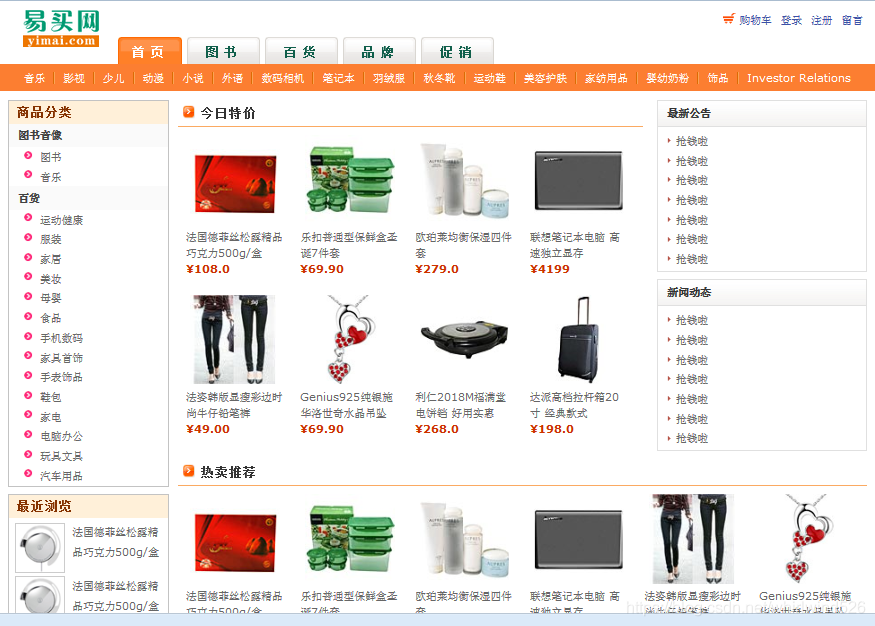
Realization of online shopping mall system based on JSP
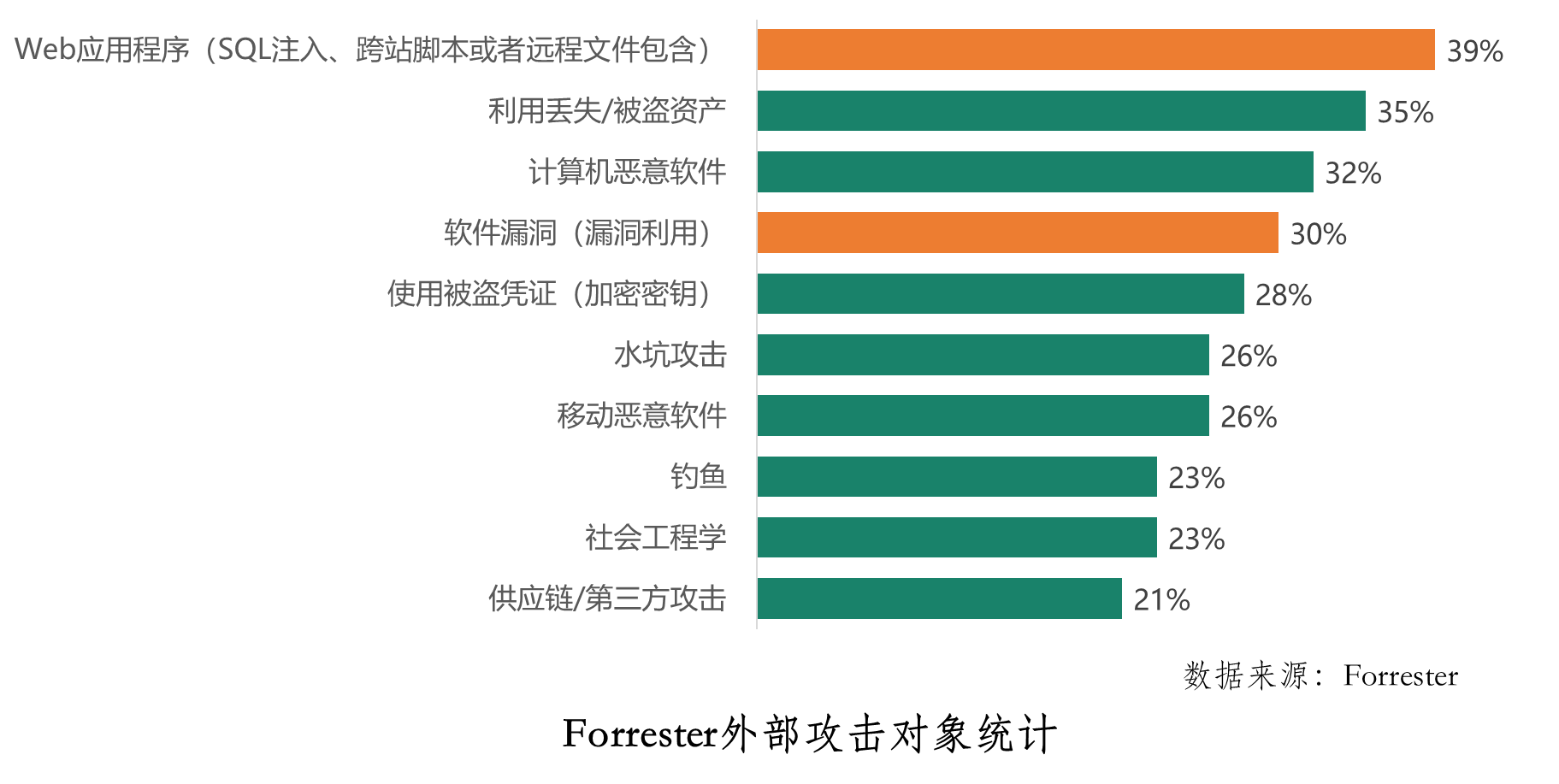
If you want to do a good job in software testing, you can first understand ast, SCA and penetration testing

测试工作不受重视?学长:你应该换位思考
随机推荐
[mathematical modeling - Summary of planning model] | matlab solution
php 保存数组到文件 var_export、serialize
One stop monitoring of the software and hardware infrastructure of the whole university, and Suzhou University replaces PostgreSQL with time series database
[stl] priority queue priority_ queue
Aike AI frontier promotion (7.18)
day03_ 1_ Idea tutorial
容器跑不动?网络可不背锅
Usage of tf.variable() function in tensorflow
Asemi rectifier bridge gbu1510 parameters, gbu1510 specifications, gbu1510 package
想要做好软件测试,可以先了解AST、SCA和渗透测试
第十八章:2位a~b进制中均位奇观探索,指定整数的 3x+1 转化过程,指定区间验证角谷猜想,探求4份黑洞数,验证3位黑洞数
FPS game reverse - box Perspective (matrix)
Alibaba Sentinel - 集群流量控制
Navicat连接云端服务器上的MySQL数据库
【程序员必备】七夕表白攻略:”月遇从云,花遇和风,晚上的夜空很美“。(附源码合集)
PHP <=> 太空船运算符(组合比较符)
Completion report of communication software development and Application
What is the problem of the time series database that has been developed for 5 years?
Leetcode-462. make the array elements equal with the minimum number of moves
某大厂开发和测试干了一架,还用鼠标线勒脖子...