当前位置:网站首页>Mongodb tutorial Chapter 02 mongodb installation
Mongodb tutorial Chapter 02 mongodb installation
2022-06-29 10:43:00 【Miss Tony, who doesn't cut his hair】
In this article, we will learn how to install MongoDB Database server and management development tools .
download MongoDB Community Edition
First , open MongoDB On the official website The download page . Click on “On-Premises” label :
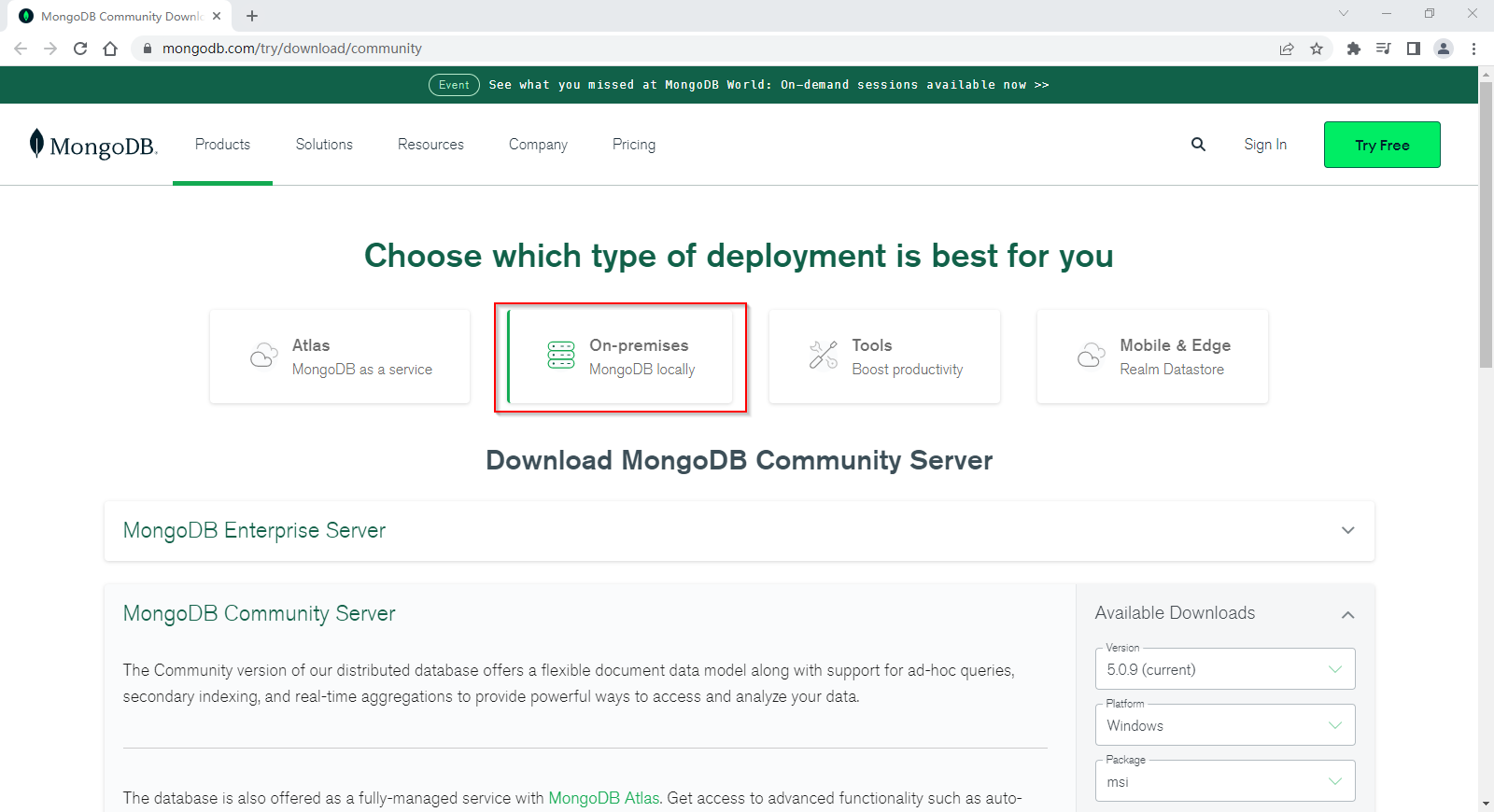
And then choose MongDB Community Server.
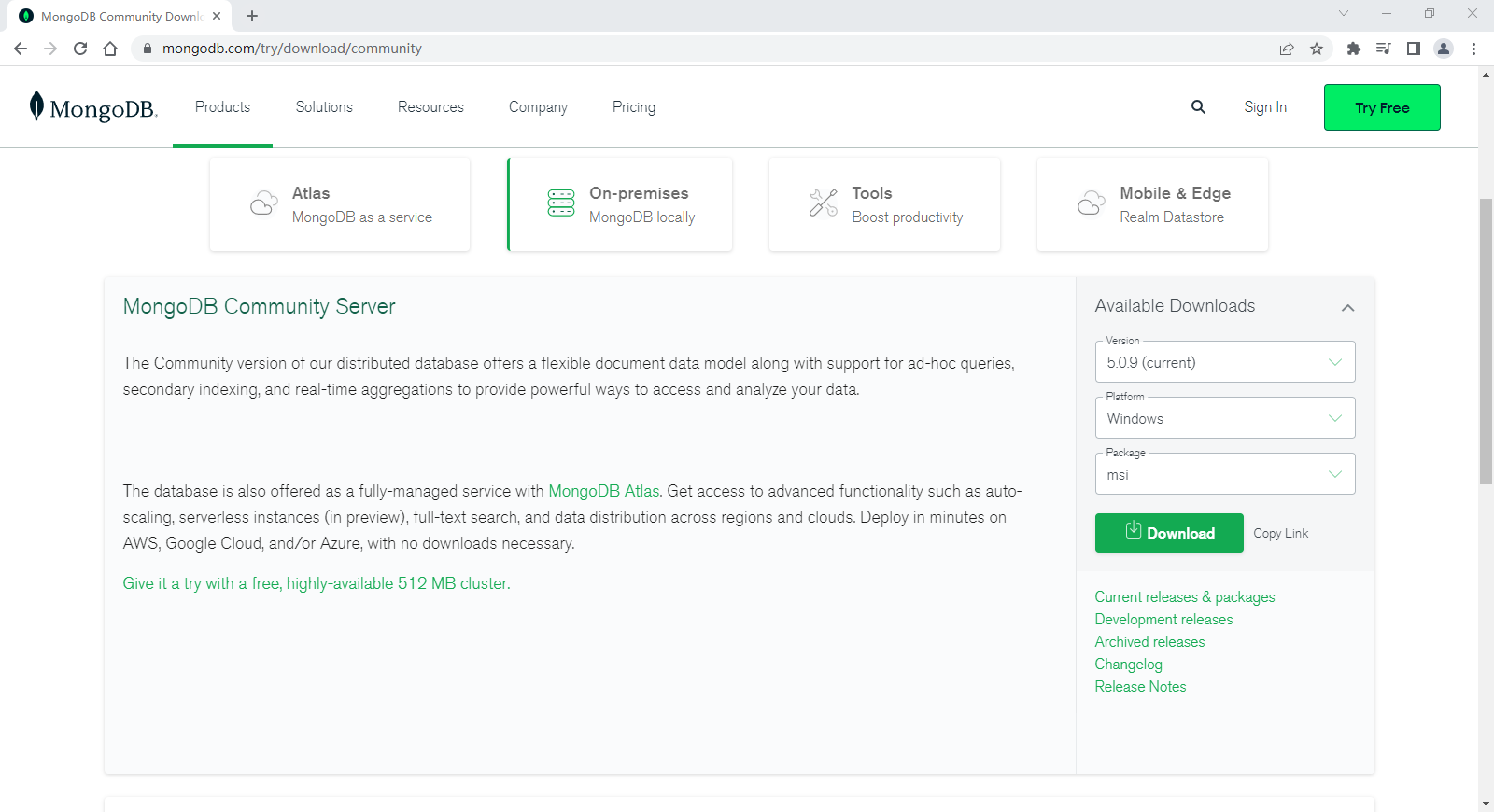
Select the version... On the right side of the page 、 Platform and package type , Click on “Download” Download the installation file .
install MongoDB Community Edition
After downloading, double-click the installation file , Start the installation wizard .

Click on “Next” Button :

Check “I accept the terms in the License Agreement”, Click on “Next” Button :

Click on “Complete” Button to install all functions . If you want to customize the installation of the specified features , You can choose “Custom” Button , This option is only recommended for advanced users .

Keep the default configuration , Click on “Next” Button :

Get rid of “Install MongoDB Compass” Check box , Click on “Next” Button . If we select this check box , The installer will also download and install MongoDB Compass. We will install MongoDB Install the function separately after the server .
MongoDB Compass It's an official offer GUI Tools , Can be used to connect MongoDB The server , Execute the query 、 Indexes 、 Document verification and other operations .
MongoDB Compass Contains multiple versions , The Community Edition is free to use .

Click on “Install” Button to start installation .

After installation , Click on “Finish” Button to exit .

Next we download and install MongoDB Compass.
download MongoDB Compass
First , Click on the official website download page .

choice MongoDB Compass After the version , Click on “Download” Button to download the installation file .
install MongoDB Compass
After downloading, double-click the installation file , Start the installation wizard . The installer will automatically complete the installation , Then open the welcome interface .

Close the welcome screen , Enter the connection interface .

If it is a local connection MongoDB The server , Just click “Connect” button .

Click on the left “Databases” node , You can see the three databases created by default :admin、config as well as local.

thus , We're done MongoDB The server and Compass Installation of tools , It's time to start learning .
边栏推荐
- MySQL中的alter table操作之add/modify/drop列
- 高效工作必备:测试人如何提高沟通技能?
- Agctfb partial solution
- UserWarning: Usage of dash-separated ‘script-dir‘ will not be supported in future versions. 笔记
- 给定两个整形变量的值,将两个值的内容进行交换 (C语言)
- Fully understand the volatile keyword
- LVGL库入门教程 - 动画
- Reprint: five methods to determine whether an object has attributes
- 《CLR via C#》读书笔记-加载与AppDomain
- IO流总结
猜你喜欢






随机推荐
Is it safe to open a securities account? Is it reliable?
【高等数学】目录
Application of Pgp in encryption technology
打印9*9乘法口诀表(C语言)
Real time value transfer from C form to another form
AGCTFb部分题解
Win32Exception (0x80004005): 组策略阻止了这个程序。要获取详细信息,请与系统管理员联系。
攻防世界-Re-insfsay
解决zxing的QR码包含中文时乱码的问题
30岁,女,普通软件测试媛,对职业的迷茫和焦虑
【C语言进阶】自定义类型
Devaxpress double click to get cell data
C语言库函数--strstr()
Reprint: five methods to determine whether an object has attributes
Print prime numbers between 100 and 200 (C language)
CLR via C reading notes - loading and AppDomain
【评论送书】适合初学者的 6 个有趣的 R 语言项目
Linux下Redis安装及集群搭建
1-数据库了解
Alibaba cloud server is installed and configured with redis. Remote access is unavailable